Motion-Triggered Light Hold Time Calculator
Estimate a motion light timeout from room activity, expected movement gaps, sensor miss rate, retrigger margin, lighting load, and daily visits.
Detailed timing breakdown
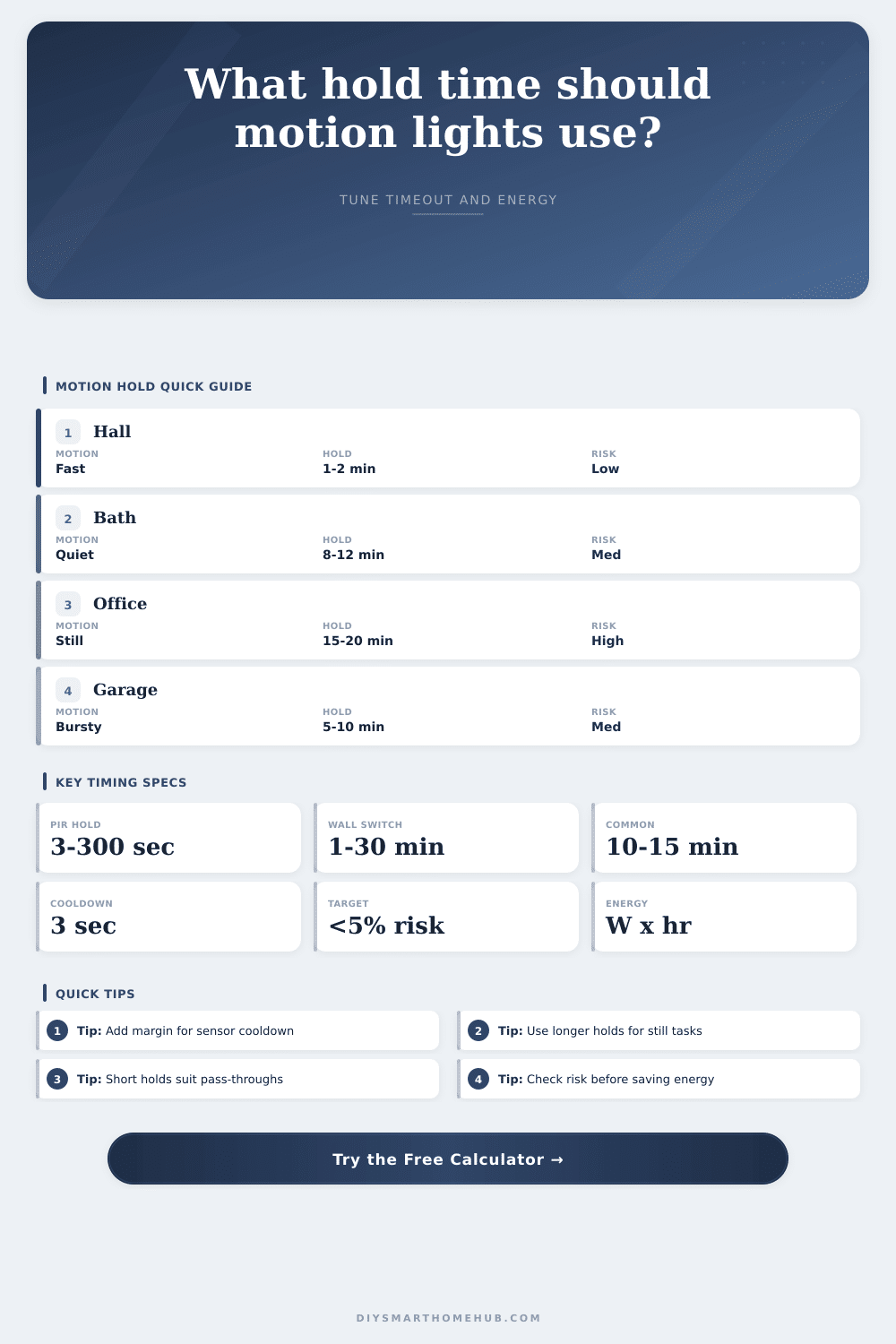
| Hold band | Best space pattern | Motion gap handled | Main tradeoff |
|---|---|---|---|
| 15 to 60 seconds | Cabinet lights, stair LEDs, test mode | Continuous walking or hand movement | Very efficient but intolerant of pauses |
| 1 to 3 minutes | Hallways, pantries, entry closets | Short pass-through gaps | Good for quick visits, poor for still tasks |
| 5 to 8 minutes | Laundry, utility, garage access | Moderate task gaps | Balanced for repeated short activity |
| 10 to 15 minutes | Bathrooms, kitchens, workbench zones | Quiet periods and partial sensor blockage | Lower false-offs with more after-vacancy runtime |
| 20 to 30 minutes | Offices, reading rooms, stalls, large rooms | Long stillness between detectable motions | Most comfortable, highest wasted hold time |
| Space | Entries per day | Stay length | Quiet-motion gap |
|---|---|---|---|
| Hallway pass-through | 20 to 60 | 0.2 to 1 min | 0.1 to 0.4 min |
| Pantry or closet | 4 to 20 | 0.5 to 4 min | 0.3 to 1 min |
| Bathroom | 5 to 14 | 3 to 15 min | 2 to 6 min |
| Laundry or utility | 2 to 10 | 2 to 12 min | 1 to 4 min |
| Home office | 1 to 6 | 30 to 180 min | 5 to 20 min |
| Garage task area | 2 to 12 | 3 to 45 min | 1 to 8 min |
| Light load | 1 hour per day | 3 hours per day | 6 hours per day |
|---|---|---|---|
| 12 W LED strip | 0.36 kWh/month | 1.08 kWh/month | 2.16 kWh/month |
| 36 W fixture group | 1.08 kWh/month | 3.24 kWh/month | 6.48 kWh/month |
| 60 W room lighting | 1.80 kWh/month | 5.40 kWh/month | 10.80 kWh/month |
| 120 W garage lights | 3.60 kWh/month | 10.80 kWh/month | 21.60 kWh/month |
Have you ever washed your hands and had the light flicker out as soon as you stood still? Yes. You probably know the frustration. But it’s not a sensor malfunction, it’s a hold time setting mismatched for human activity.
Motion sensors aren’t magical switches that “just know” when to turn on/off. No. They’re timing mechanisms based off their guesses regarding how long they expect you to be moving around within the same space.
Why Motion Sensors Turn Off Too Soon
Achieving appropriate timing (aka optimizing between energy waste vs. The whole purpose of a hold time calculator for motion-triggered lights is to balance energy waste and comfort, which is why one can actualy be useful. To that end, I think fundamental issue with motion sensor hold times is that each room require a different level of patience for the light.
For example, a hallway is used as a transit area, where you’d expect someone moving through rapidly in-and-out of the room. Ideally once you’re gone, the light dies away quickly (so you’re not wasting electricity running down the hall). An office/bathroom, on the other hand, has much more static use-cases (standing at the mirror, reading, doing laundry), where large gaps can be expected between moments when something move into range. Having your sensor timeout every 90 seconds is going to fight you all day. Being able to describe behavior of the room helps you understand exactly what’s needed, rather than shooting in the dark.
People find the idea of retrigger margin confusing. When sensors trip/switch, there’s a little bit of dead time until sensor resets. In some cases, it’s only seconds long (but if you have a narrow hold period), then that delay is costing you. Move an inch; miss the window; get cut off. Include a small buffer into your math and it compensate for hardware limitations. And a few additional seconds of grace time won’t cost a ton of money (in terms of energy usage) but will save you from being cut-off and frustrated.
And then there’s another wrinkle: What about when the sensors see that you’re being still? That’s where passive infrared units gets tripped up; a person sitting quietly at your desk might appear just as if she left the room completely. Millimeter-wave or dual-technology sensors does a better job detecting subtle changes in a person’s breath or posture. But even they have limits in how often they update what they “see.” To account for the imperfection, the calculator include an allowance for missed events. In other words, it recognizes that no sensor is perfect and it will help you create a timeout window that accounts for its occasional blind spots.
The typical argument for putting in occupancy sensors are energy savings, but bad timing will defeat this purpose. You’ll want to set the hold time long enough so the sensor doesn’t turn off while you’re still in the room (false-off), but not so high than you waste power by keeping the light on for 20 minutes after everyone has vacated. That is just wasting power for the sake of convenience. Too low of a hold time results in fast cycling, which annoys people and burns up bulbs. The right setting lie somewhere in between, and we need to look at how people use the space to find it.
How many times per day does someone go in? How long does each trip last? These factors drive the runtime estimate; the raw wattage don’t matter quite as much. To make this easy, they include some reference data next to the calculator so you know what numbers looks like in normal use cases. For example, compare how an office with sustained stillness is different than a garage with bursty activity.
It’s enough to prevent over-engineering. You do not need to fine-tune all settings to the last decimal point. Usually rough approximations according to typical user behavior will work out just fine. Automation should be as invisible as possible, and still feel practical. Not exact control you should of constantly tweak.
The room becomes a conversation between you and the machine. You move, it responds, and then it waits for you to leave. When the wait time aligns with your rhythm, you forget there’s a sensor there. That’s the sweet spot.
It takes a little thought up front adjusting these variables, but the payoff is lighting that works with your habits, not against them. You won’t have to stumble around in the dark while trying to brush your teeth. It is just light that knows when to stay and when to go.