Party Mode Color Cycle Interval Calculator
Calculate smart light color-step interval, transition fade time, command rate, and total party loop duration from HSV hue spacing, RGB preview values, and device command limits.
Detailed color-cycle breakdown
| Profile | Planning ceiling | Command unit | Good party interval | Best use |
|---|---|---|---|---|
| Hue bridge REST light updates | 10 commands/sec | Individual light state | 1.0 sec or slower for 10 lights | Small rooms, fewer per-light changes |
| Hue bridge group scene updates | 1 command/sec | Group or scene command | 1.0 sec or slower | Synchronized room color changes |
| Zigbee or Thread group planning | 5 commands/sec | Group or device command | 0.5 to 2.0 sec | Reliable mesh-friendly color scenes |
| Wi-Fi or Matter bulb planning | 5 commands/sec | Cloud or local device command | 1.0 to 3.0 sec | Mixed-brand bulbs and plugs |
| WLED UDP realtime pixels | 50 frames/sec | Realtime pixel frame | 0.02 sec frame floor | Addressable LED strips and matrices |
| DMX512 full universe | 44 frames/sec | 512-channel packet frame | 0.023 sec frame floor | Stage fixtures and wired controllers |
| Local scene engine | 20 updates/sec | Controller-rendered step | 0.05 sec frame floor | Hub-native animations and local effects |
| Fade share | Visual feel | Hold share | Best interval range |
|---|---|---|---|
| 0% to 20% | Hard snaps and pulse effects | 80% to 100% | 0.25 to 1.0 sec |
| 25% to 45% | Energetic party transitions | 55% to 75% | 0.5 to 2.0 sec |
| 50% to 70% | Smooth room color wash | 30% to 50% | 2.0 to 6.0 sec |
| 75% to 90% | Continuous slow morph | 10% to 25% | 5.0 to 15.0 sec |
| 95% to 100% | Nearly no stable color hold | 0% to 5% | Ambient loops only |
| Color points | Hue spacing | Look | Command load | Typical use |
|---|---|---|---|---|
| 3 colors | 120 deg | Primary color jump | Low | Simple red, green, blue cycling |
| 6 colors | 60 deg | Primary plus secondary | Low | Classic RGB party loops |
| 8 colors | 45 deg | Distinct smart-bulb scenes | Moderate | Living room color changes |
| 12 colors | 30 deg | Smoother hue wheel | Moderate | Dance and lounge presets |
| 24 colors | 15 deg | Near-continuous shift | High | LED strips and local controllers |
| 60 colors | 6 deg | Very smooth animation | Very high | Pixel renderers and DMX engines |
| Scene type | Color points | Loop target | Fade share | Command method | Recommended profile |
|---|---|---|---|---|---|
| Slow lounge rainbow | 8 to 12 | 45 to 90 sec | 65% to 85% | Group command | Hue group, Zigbee group, local scene |
| Living room dance loop | 10 to 16 | 18 to 36 sec | 35% to 60% | Zones or group | Local scene, Hue REST with few lights |
| Holiday porch chase | 4 to 8 | 8 to 20 sec | 20% to 45% | Zones | WLED, Zigbee groups, local controller |
| Addressable strip rainbow | 24 to 60 | 6 to 20 sec | 35% to 70% | Pixel frames | WLED UDP realtime |
| DMX fixture chase | 12 to 48 | 4 to 16 sec | 25% to 60% | Universe frame | DMX512 wired controller |
In three seconds, it spins its way through a rainbow, lights flashing on and off; then, you hit start on party mode. It looks like an accident, kind of ugly and a little bit aggressive. Your guests will fall asleep if you make the colors changes every ten minutes. Timing is everything: it’s the line between what was meant to happen and a technical malfunction.
How quickly can the bulbs responds to a change command? And how long should that last for? How many steps are involved in going from one color to another? For most of us, party mode is an on-off switch. We click it on and off with no thought to the rate at which our colors will transition or how many hues we’ll have between them.
How to Choose Good Lighting Speeds
With a few clicks in the calculator, input your number of fixture, your preferred loop length, and let the calculator do the math for you. You don’t need to guess if your network can runs sixty color changes every second. There’s also this tension that runs through the heart of all lighting design: speed versus smoothness.
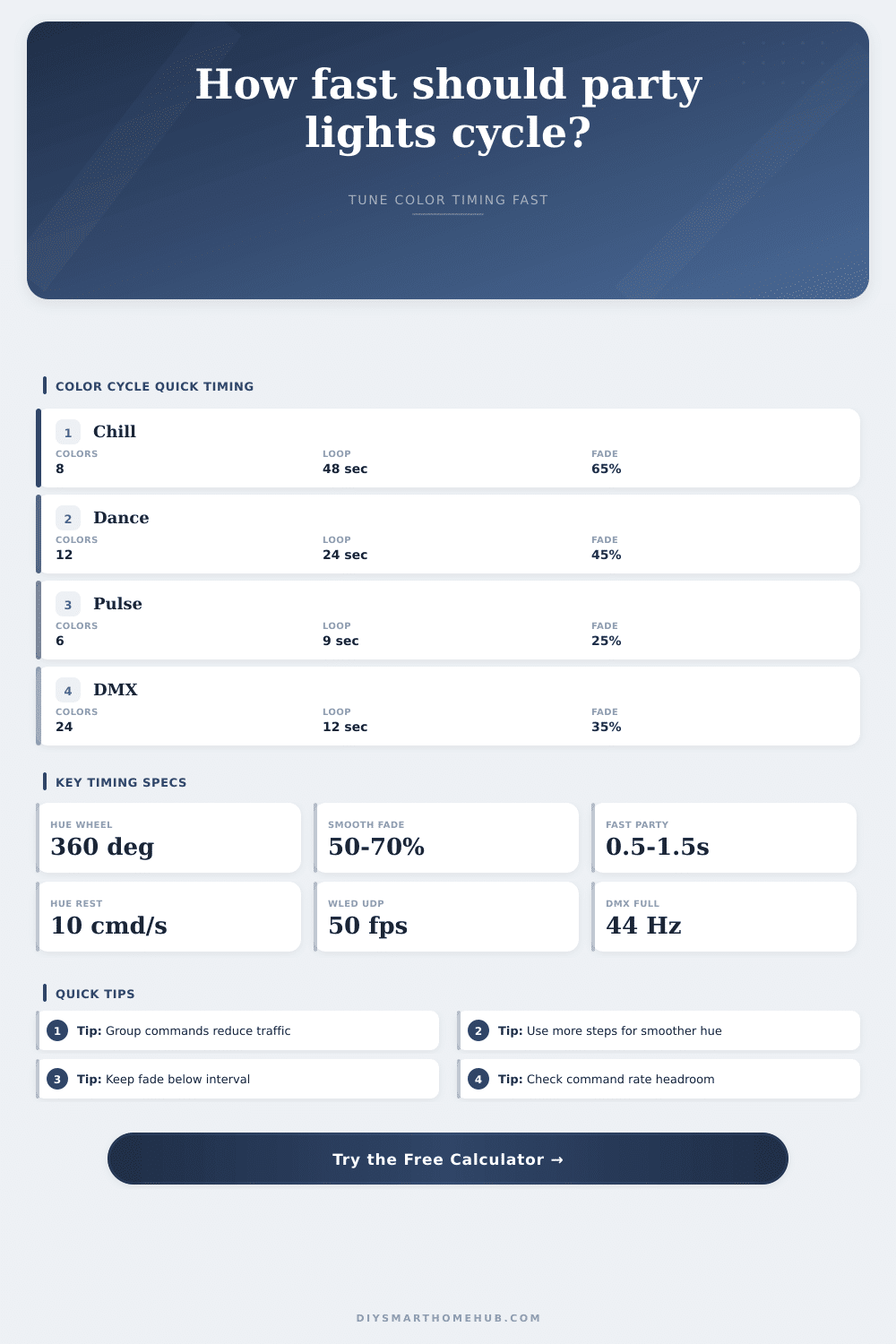
Spacing more colors closer together on the hue part of the HSV color space will make the colors look like a flowing stream. With just six colors, it’s a full sixty degree leap from one to the next. This results in something that has a clear pattern and therefore feels very static. On the other hand, with twenty four colors you get a fifteen degree hop for every step. The change is nearly imperceptible.
And the more color point you add, the more commands you’ll send over your network. Your hardware actualy matters a lot here. After all, a smart bulb only takes so many state change events before getting bogged down. After all, a smart bulb only takes so many state change events before getting bogged down. Group commands are useful here: You’re sending a single instruction to be distributed locally by the hub. The reference table above shows those limits; a regular ol’ Wi-Fi bulb could of fail to keep up when asked for too many individual instructions; a DMX universe is capable of handling high-frequency updates instead.
The other consideration is the fade percentage. That’s how long it spends at each color vs. Transitioning between them. Low means a rapid snap from green to blue and then holding on that color. It pulse. Great for a dance scene, less great in a living room. A higher setting creates a morphing wash where colors blend into each other. Slower fades require longer intervals to avoid muddying the palette. So your total loop will be longer.
Want to set up a holiday porch? You’ll probably go with fewer zone, with faster loops and lots of color changing for an active chase effect. Hosting a dinner party? Go with a slower transition that drifts over minutes, with deep saturation across all zones. With the calculator, you can see exactly what command load will be in seconds, depending on how you group your zones.
The thing about group scenes is that it’s not a magic bullet. Even with group commands, if your hub gets overwhelmed things will stutter. You’ll want the lighting to stop when commanded to do so, and go when told to go. The timing would of sound like it makes sense naturaly. Lighting design takes patience. Too many colors tire the eye. Visual noise is created. Letting the room breathe comes from taking time with loop lengths and fade times.
Use only a moderate number of color points to begin with. Set a comfortable length for loops and let the transition rates does the work. Remember, the goal is to create an atmosphere that feels right. Know exactly how fast you want things moving before letting it go.