Circadian Lighting Schedule Calculator
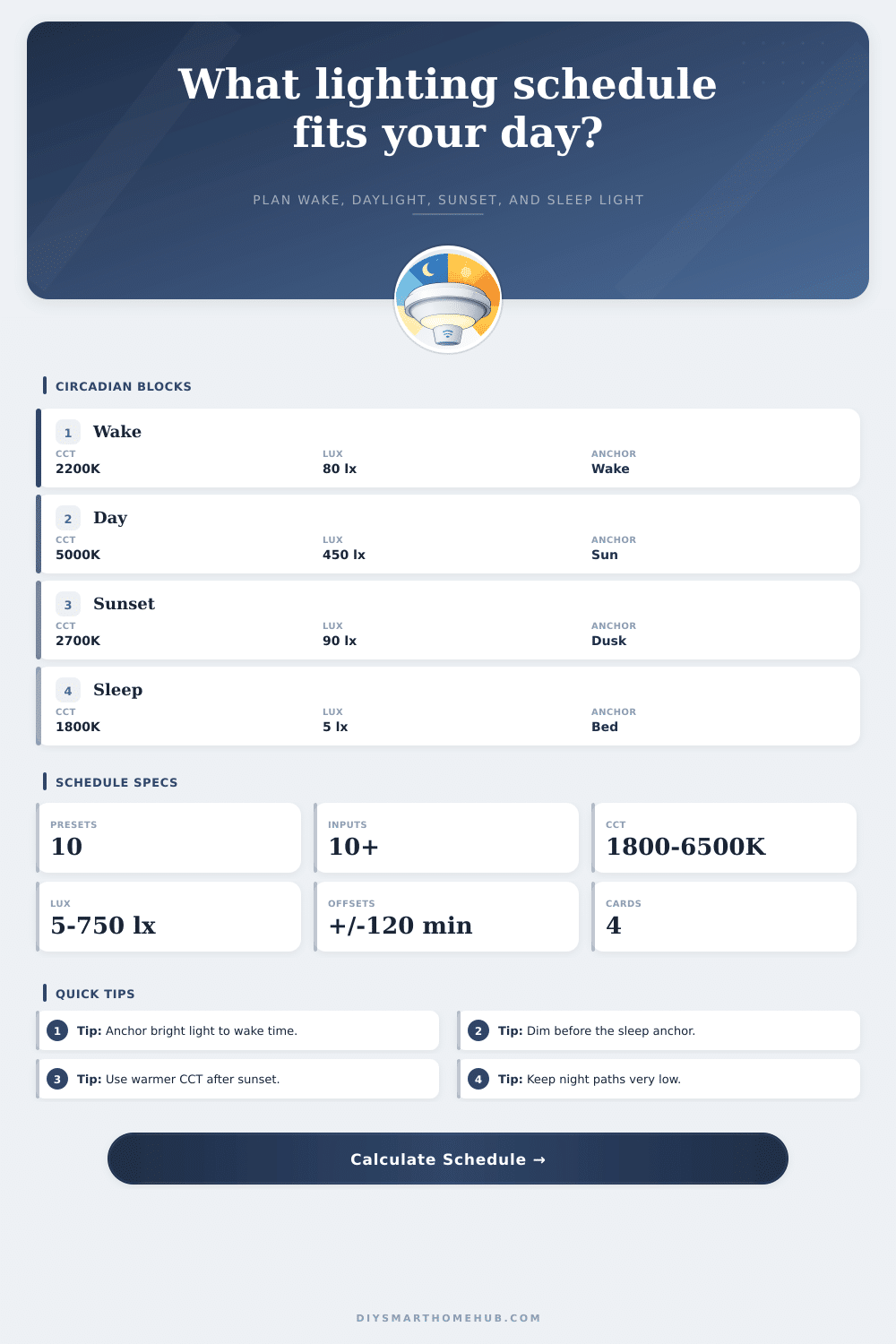
Build a smart-light schedule from wake and sleep anchors, local sunrise and sunset, offset rules, lux targets, and CCT ramps for tunable white bulbs, panels, and scenes.
⏱Schedule presetsPick a routine, then tune the anchors.
⚙Calculator inputsAnchors, offsets, lux, and CCT limits.
📊Schedule spec cardsCurrent target ranges from your inputs.
Lighting schedule
📋Calculated phase tableTime blocks with lux and CCT targets.
| Block | Start | End | CCT ramp | Lux target |
|---|---|---|---|---|
| Wake prep | -- | -- | -- | -- |
🧮Circadian reference tablesProfiles, formulas, and preset examples.
| Room profile | Day lux | Peak CCT | Evening behavior |
|---|---|---|---|
| Bedroom | 250-400 lx | 4000-5000 K | Long warm wind-down |
| Home office | 400-750 lx | 5000-6500 K | Earlier dim after work |
| Living room | 150-350 lx | 3500-5000 K | Soft sunset transition |
| Kitchen | 350-700 lx | 4000-5700 K | Warm after dinner |
| Nursery | 100-250 lx | 3000-4000 K | Very low night path |
| Formula item | Calculator formula | Why it matters | Output |
|---|---|---|---|
| Wake pre-ramp | wake - lead | Soft start before alarm | Ramp start |
| Photoperiod | sunset - sunrise | Natural daylight span | Day reference |
| Day start | max(wake, sunrise + offset) | Avoids bright light too early | Bright block |
| Dim start | min(sleep - wind-down, sunset + offset) | Protects sleep anchor | Evening ramp |
| CCT ramp | warm K to cool K by phase | Changes spectrum over day | Scene target |
| Time block | Target lux | Target CCT | Automation scene |
|---|---|---|---|
| Pre-wake | 5-80 lx | 1600-2700 K | Gentle fade in |
| Morning | 150-450 lx | 2700-4500 K | Wake support |
| Midday | 300-750 lx | 4000-6500 K | Focus scene |
| Evening | 30-180 lx | 1800-3000 K | Dim warm scene |
| Night | 1-10 lx | 1600-2200 K | Path light only |
| Preset | Wake | Sleep | Best target |
|---|---|---|---|
| Early office | 05:45 | 21:45 | Earlier daylight boost |
| Home office | 06:45 | 22:45 | Balanced focus day |
| Living room | 07:30 | 23:15 | Lower evening lux |
| Night shift | 15:00 | 07:00 | Inverted bright block |
| Nursery | 07:00 | 20:00 | Warm and low output |
🔍Comparison gridHow alternate offset choices change the same anchors.
💡Schedule tips
This calculator is for smart-light planning and comfort screening. Medical sleep disorders, light sensitivity, and shift-work health concerns should be handled with qualified clinical guidance.
Even though we live in a world with a lot of media and social scheduling, our body’s internal clocks works on their own schedule: they respond to light you see with your eyes, not what others want you to do. Designers of moddern lighting try to copy this behavior by changing color and brightness during the course of the day to mimic it. But since translating those biological requirements into smart home automation can be a challenge, it can result in lights that are too harsh for dinner or too dim for reading.
That’s where this planning tool comes in. That’s where this planning tool comes in.
How Smart Lights Help Your Body Feel Good
Two things can remain constant: the time you go to bed and the time you get up. This create an active window during which your body follow a circadian rhythm. To mimic daylight and darkness, the calculator adjusts the time your lights turn on (think dawn) and off (think dusk).
Why? Because the sun tell our body to reset every day and if you start your day late (say you rise at 9), your bright period will be later than someone who gets up at 5. Fixing this difference means no matter what scene you’ve saved, your schedule always seem wrong.
Lighting isn’t just about flipping switches. It’s about simulating daylight. That means not only adjusting brightness levels but also the color makeup of light. During the brightest parts of the day (when you’re at peak performance), it’s best to use cool white light with a high Kelvin temperature (above 5000). These colors helps suppress melatonin and keep you awake/alert. At night when it gets dark out, use lower Kelvin temperatures (below 3000) in warmer amber tones. Your brain interprets this as a signal that it’s time for bed, letting natural sleep hormones rise.
The key is to do this gradualy, without jarring transitions. With smart lighting systems, you can create these transitions in detail. By setting offsets around the real-time sunset/sunrise of your location, you can sync up your indoor space to world beyond. For example, dimming your lights earlier with a negative offset on sunset will warm up your room prior to sun’s actual descent, which provides a smoother mental shift into rest-mode versus work-mode. It’s a subtle tweak but one that adds a noticeable cozyer feel to your evenings.
Because different rooms is used differently, we’re flexible: there’s no one right setting for any room, but the app include reference profiles for several kinds of room. A nursery or living room will benefit from more relaxing warm tones and lower intensity lighting. In contrast, a home office need brighter and sometimes cooler tones in middle of the day to help with concentration. For those who work nights, they has the opposite problem where they want things to be bright when awake and dark when asleep, and it doesn’t matter what time of night/day it is outside.
With this, you don’t have to figure out every minute adjustment yourself. The math handles all the scheduling logic. Adjusting your bulbs during the day is an unnecessary complication that many folks try to do manualy. Automation eliminates that friction. After setting your anchors and your desired light qualities, the system do it for you.
The lights fade in gently instead of a blinding blast as you wake up. You get focused light while you work instead of reaching for the switch. It provides warmth that prepares you for rest as you wind down.
It’s about consistency not perfection. Your biology craves predictable patterns. When your days becomes chaotic, a well-designed lighting schedule give your body the visual cues to keep your rhythm steady.