Camera Continuous vs Event Recording Days Calculator
Compare how long camera storage lasts with continuous recording versus event recording from usable capacity, camera count, bitrate, codec factor, motion duty cycle, and event pre-roll or post-roll buffers.
Storage retention results
| Formula item | Calculator expression | What it checks |
|---|---|---|
| Continuous GB/day | Mbps x 86400 / 8 / 1000 x cameras | Core daily storage conversion |
| Scheduled continuous | core GB/day x hours / 24 | Partial-day recording windows |
| Event motion seconds | armed seconds x duty cycle | Only motion-triggered recording time |
| Event buffers | events x (pre-roll + post-roll) | Extra seconds attached to clips |
| Storage days | usable GB / GB per day | Main retention result |
| Codec mode | Factor | Best input | Planning note |
|---|---|---|---|
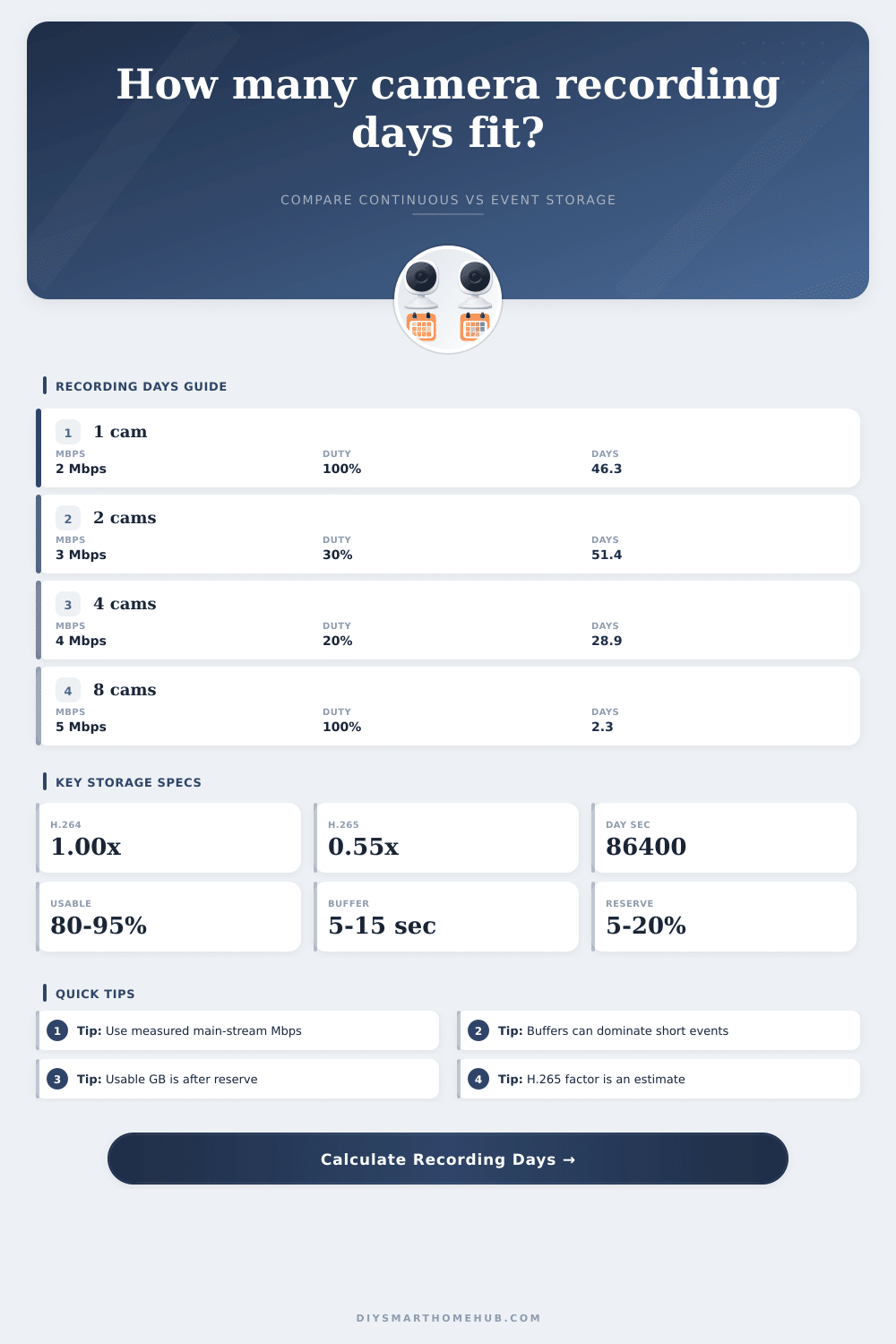
| H.264 / AVC | 1.00x | Base camera Mbps | Standard comparison baseline |
| H.265 / HEVC | 0.55x | H.264-like Mbps | Often reduces storage substantially |
| H.265+ smart codec | 0.45x | Low-motion scenes | Best treated as an estimate |
| Actual measured stream | 1.00x | NVR or camera stats | Most reliable retention input |
| MJPEG | 4.00x | Legacy frame stream | Very high storage consumption |
| Scenario | Camera count | Bitrate | Typical event duty |
|---|---|---|---|
| Doorbell or entry camera | 1 | 1.5 to 3 Mbps | 5% to 20% |
| Indoor room camera | 1 to 2 | 2 to 4 Mbps | 10% to 40% |
| Porch or driveway | 2 to 4 | 3 to 8 Mbps | 20% to 60% |
| Whole-home NVR | 4 to 8 | 3 to 6 Mbps | 15% to 50% |
| Continuous archive | Any | Measured Mbps | 100% |
| Usable storage | 2 Mbps 1 cam | 4 Mbps 2 cams | 6 Mbps 4 cams |
|---|---|---|---|
| 128 GB | 7.4 days | 1.9 days | 0.6 days |
| 256 GB | 14.8 days | 3.7 days | 1.2 days |
| 512 GB | 29.6 days | 7.4 days | 2.5 days |
| 1 TB | 57.9 days | 14.5 days | 4.8 days |
| 4 TB | 231 days | 57.9 days | 19.3 days |
This calculator estimates video retention only. Real systems may vary because of variable bitrate behavior, substreams, thumbnails, file segmentation, encryption, snapshots, and recorder-specific reserve policies.
So you get a shiny new feature-laden security camera system installed; and three days later, your drive is full. It happens. A lot. Why? Because people purchase drives by their raw capacity rather than considering what video does once recorded.
Motion-triggered event recordings vs. Continuous recording isn’t just about disk space though: It’s about understanding the true cost of time. Continuous recording record everything (ensuring there’s proof), but using up your drive at an expensive and predictable rate. Event recording ignores stillness, saving space, but adding variables like buffer times and duty cycle that will surprise you if you dont account for them.
How to Choose the Right Hard Drive Size
After plugging in your camera specs into the calculator above, it does math for you, no need to guess on whether that one-terabyte drive will hold two weeks of footage.
First, there is usable storage. When you buy a two-terabyte drive, it’s not actualy two terabytes. Formatting and system reserves takes a chunk of space right away. Typically, you’ll only have around eighty to ninety-five percent of advertised capacity. Next up: subtract however much free space your recorder require to write smoothly. Whatever’s left over is what you’ve got to play with. Dont realize this? Your retention window will shrink quicker then expected.
Then there is bitrate: a higher bitrate are better. You want to record at the highest bitrate possible. This is especially true if you’re shooting in H.265. It is a newer codec that is much more compressed than previous H.264, and it frequently reduces storage requirements by almost 50%. That’s what makes moddern cameras seem to be so much more efficient at higher resolutions. With this calculator, you can account for that codec variable to understand how the actual compression affects what you’ll end up using every day.
But dont take it for granted that one camera is like another. Some manufacturers tout crazy numbers on their compression ratio… but these only apply in very simplistic/static situations. Add a lot of moving around in a busy area, and those bitrates goes up… Taking away any savings.
Another issue is event recording. Motion detection sounds like it should of save space because “we only record when something happens,” but you need to look at duty cycle. Duty cycle is the percentage of time you’re armed which actualy produces a recording. A quiet back yard can have a five percent duty cycle; a rambunctious front porch could be thirty percent or higher.
And then there’s the buffer time. To provide context, most systems records several seconds before and after movement occurs. A few seconds here and there really adds up fast: ten events per day on one camera, with fifteen second buffer times each. That’s just over two-hundred-and-fifty seconds of video per camera per day, all for safety margins.
Finally, regarding continuous vs event mode, that’s largely a question of how much you’re willing to pay in terms of risk/cost per gigabyte stored. If you want uninterrupted capture (for legal purposes, etc), continuous is the way to go, but you’ll also need to buy enough drives to support that. Otherwise, event mode will give you decent coverage when you need it without filling up your drive so quickly.
That tradeoff; between getting enough coverage and keeping as many days worth of events as possible, is shown in the reference table on the page. The table show how many days of recording each storage size supports at various camera counts and bitrates. This emphasizes how critical bitrate settings are: One extra camera can cut your historical view in half if you dont carefully consider bitrate.
So at the end of the day, security camera planning boils down to reconciling your physical limitations with your expectations. After all, there’s only so much you can fit onto a finite hard drive. Play with the inputs until you find what works for you; it will give you a good idea as to how long you’ll have footage stored up.
Whether you’re monitoring a garage, a nursery, or an entire perimeter, it’s all about having just enough historical data that it’s useful without using resources to fill empty space in the air. A little planning goes a long way towards a healthy storage space and peace of mind.