Camera Motion-Only Recording Storage Calculator
Estimate motion-triggered camera storage from camera count, resolution, codec, Mbps, motion events, clip seconds, pre/post buffer, retention days, recorder overhead, and usable drive reserve.
🎯Motion recording presetsPick a scenario, then adjust the motion profile.
⚙Calculator inputsMotion duty is built from clips plus buffers.
📊Motion storage spec gridCore factors used by the calculator.
🗂Recording mode comparisonHow different motion choices change storage.
Motion-only storage results
📋Motion storage reference tablesFormula, bitrates, codecs, and retention.
| Formula step | Expression | What it means | Planning note |
|---|---|---|---|
| Continuous GB/day | Mbps x 86400 / 8 / 1000 | Decimal GB per day at full recording | Use active total Mbps for all cameras. |
| Clip seconds | Events x (clip + pre + post) | Motion seconds saved per camera | Pre/post buffer is added to every event. |
| Motion duty | Recorded seconds / 86400 | Share of a day that is stored | Capped by armed hours per day. |
| Motion GB/day | Continuous GB/day x duty | Daily storage before overhead | This is the core motion-only formula. |
| Drive size | GB/day x days x overhead / usable | Raw drive capacity target | Reserve space raises the drive target. |
| Resolution | Typical H.264 Mbps | H.265 estimate | Motion storage note |
|---|---|---|---|
| 1080p Full HD | 2-6 Mbps | 1.1-3.3 Mbps | Common for doorbell and indoor cameras. |
| 2K / 1440p | 4-10 Mbps | 2.2-5.5 Mbps | Good balance for entry and driveway detail. |
| 4MP camera | 5-12 Mbps | 2.8-6.6 Mbps | Popular PoE security camera class. |
| 4K / 8MP | 12-25 Mbps | 6.6-13.8 Mbps | Storage grows fast when events are long. |
| Custom stream | Camera-reported Mbps | Use actual Mbps | Best when NVR statistics are available. |
| Codec | Factor | Storage behavior | Best use |
|---|---|---|---|
| H.264 / AVC | 1.00x | Baseline estimate | Older NVRs and broad compatibility. |
| H.265 / HEVC | 0.55x | About 45% less than H.264 | Modern cameras and NVRs. |
| H.265+ smart codec | 0.45x | Extra savings in calm scenes | Motion-only scenes with stable backgrounds. |
| MJPEG | 4.00x | Much larger files | Special compatibility or frame capture cases. |
| Actual Mbps | Entered | Bypasses estimate factors | Use when the stream bitrate is known. |
| Motion profile | Events/day | Typical duty | Storage effect |
|---|---|---|---|
| Quiet indoor | 5-25 | 1-3% | Small cards can last a long time. |
| Porch or entry | 25-60 | 3-8% | Buffers may exceed the motion itself. |
| Driveway | 50-120 | 6-16% | Vehicle events are often longer clips. |
| Busy sidewalk | 150-400 | 20-60% | Motion-only starts to resemble continuous. |
| After-hours shop | 5-40 | 1-10% | Armed hours can reduce the daily cap. |
🖥Motion-only comparison gridExample outputs using the same formula.
| Scenario | Inputs | Approx GB/day | 30-day target |
|---|---|---|---|
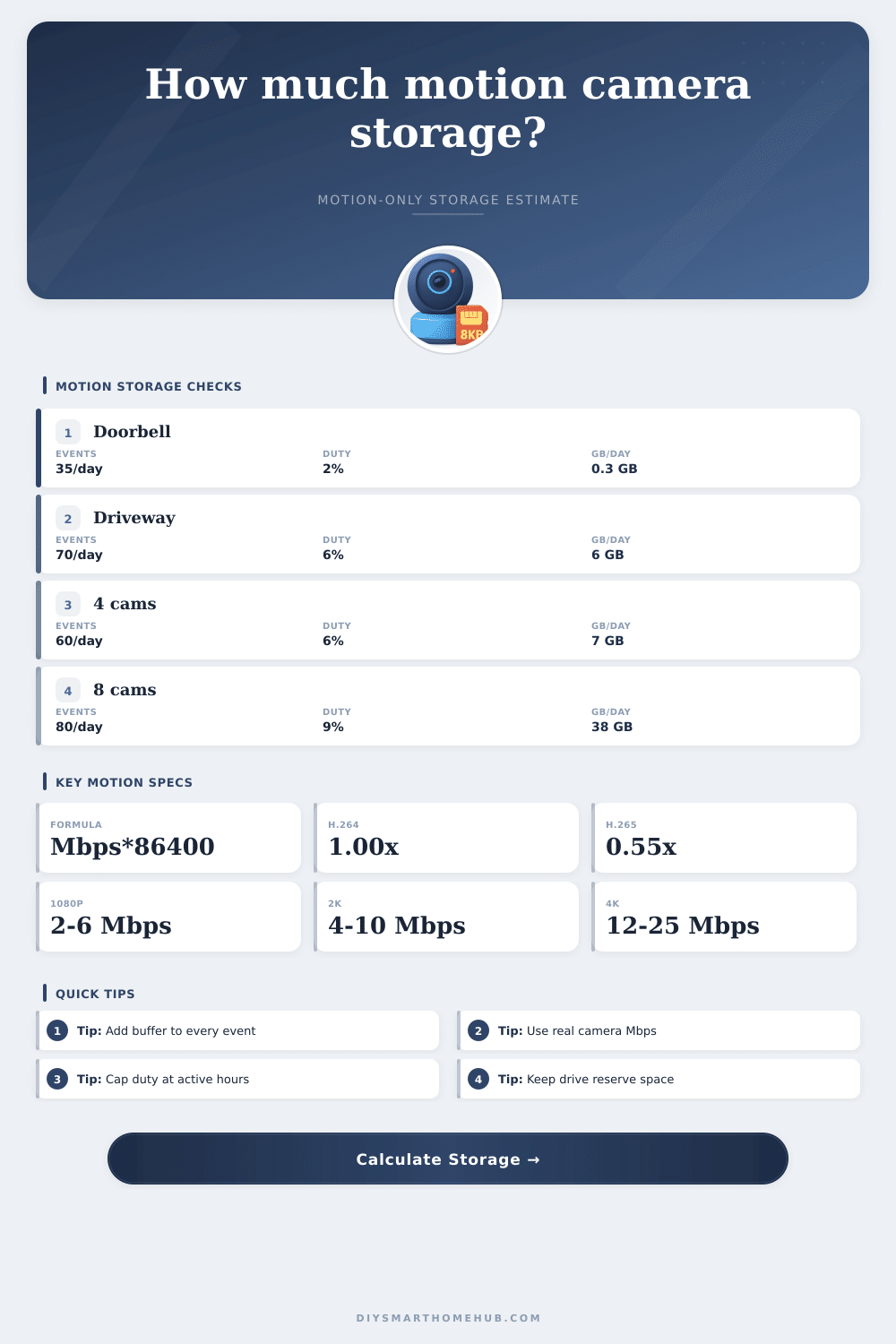
| 1 camera doorbell | 1080p H.265, 35 events, 50 sec with buffers | About 0.3 GB/day | About 9 GB before reserve |
| 2 camera garage pair | 1080p H.265, 25 events, 55 sec with buffers | About 0.8 GB/day | About 24 GB before reserve |
| 4 camera driveway/home | 2K H.265, 60 events, 80 sec with buffers | About 7 GB/day | About 210 GB before reserve |
| 8 camera perimeter | 4MP H.265, 80 events, 100 sec with buffers | About 38 GB/day | About 1.1 TB before reserve |
| 1 camera busy street | 4K H.265, 240 events, 100 sec with buffers | About 30 GB/day | About 0.9 TB before reserve |
💡Motion storage tips
This calculator is for storage planning. Actual retention varies with scene complexity, variable bitrate behavior, firmware settings, audio, snapshots, database overhead, and recorder reserve policies.
When you add security camera to protect pets/thieves/whatever, you assume that it’s going to save everything, yet one week later, you discover it has filled up with footage of windy trees. Storage issues is nothing new. Surely motion recording solves this? Why bother capturing all those boring silent hours? Just skip ahead. Keep the interesting bits and get rid of rest.
But then there’s the math. The math are not kind. It doesn’t take long. And once you input your camera details, the calculator do the arithmetic for you. No need to guess if you can store a week of footage or a month.
How to Choose the Right Storage Size
And there’s where people get hung up: resolution. 4k vs. 1080p and everyone think 4k is superior. But most people don’t think about storage size. Does four hours of 4K with motion clips take up more space than two full days of 1080p without any motion? The problem isn’t resolution. It’s bitrate. Want crisp details? Turn your camera bitrate up. You’ll have huge files even if no motion happen at all. Use H.265 and you’ll be using half the storage as previous generation codecs like H.264 at equivalent quality. Why do newer systems insists on using it? Because it’s so fricking efficient. This is what dictates whether you buy a one-terabyte drive or a four-terabyte one.
Most people gets confused by buffers. When motion is detected, the camera doesn’t immediately start recording. Instead it captures a few seconds leading up to the event and then continues for several more seconds afterwards. The idea is that these buffer offer context, they show you who’s approaching the door instead of simply watching them leave. They also make a ten-second event last thirty seconds. And if there are fifty events per day, all that extra time adds up to hours of recording. That wasted space become valuable when reviewing an incident. Fortunately, the calculator consider this when allowing you to define a buffer length and clip length.
While you may feel like your driveway is silent, it’s not. Pets will trip it off. Vehicles driving past or clouds casting shadows on your driveway will also trip it off. This means an increased duty cycle, which is expressed in the results and reflects how much time per day it is recording. If that number climb above fifteen percent, you’re barely saving any storage compared to continuous recording anyway. So why bother with tuning the sensitivity settings? Just go ahead and just record non-stop and be done with it.
There are other tricky variables: namely, retention. Most people will tell you that 30 days is reasonable. However, this assumes a relatively small amount of daily storage usage. A single terabyte can be used up by a 4K camera with lots of motion within a couple of weeks. With the tool, you can determine whether your selected drive size aligns different than the retention you want. And then there’s overhead; specifically from system indexes and audio tracks, which tend to get overlooked until the drive has no more room.
Choosing the right storage plan isn’t about maximizing quality at all costs. Because that’s just stupid. You want to find the sweet spot between capturing enough information so you know what’s going on (recognize faces, read license plate numbers) and not clogging up your hard drive with nothing but sky. If you don’t have your camera specs in front of you, the tables on that page are a good place to start; then tweak them depending on your particular situation. That quiet backyard doesn’t require nearly as many bits as a crowded street corner.
The bottom line is that you shouldn’t lose important shots by accidentally letting the system overwrite them too soon. Know what’s going on with your buffer settings, your codec efficiency and your bitrate, so that you get your storage sized properally right out of the gate. You no longer have to wonder whether or not your configuration will last throughout a multi-day trip. Even if you guessed poorly at first, the math will set you straight, and that peace-of-mind is worth a couple minutes in front of a spreadsheet prior to investing in a luxurius hard drive.
You should of checked the specs first.