HDMI Cable Run Length Limit Calculator
Estimate required HDMI bandwidth from resolution, refresh rate, chroma, bit depth, and overhead, then derate cable length for HDMI version, cable type, connectors, voltage drop, and margin.
| Cable type | Low bandwidth | 18G 4K60 class | 48G 4K120 class | Best use |
|---|---|---|---|---|
| Passive copper 24 AWG | 50 ft / 15.2 m | 25 ft / 7.6 m | 10 ft / 3.0 m | Short in-room runs |
| Passive copper 28 AWG | 35 ft / 10.7 m | 15 ft / 4.6 m | 8 ft / 2.4 m | TV cabinets |
| Slim passive copper 30 AWG | 25 ft / 7.6 m | 10 ft / 3.0 m | 6 ft / 1.8 m | Flexible short leads |
| Active copper 18G | 75 ft / 22.9 m | 50 ft / 15.2 m | 12 ft / 3.7 m | 4K60 projectors |
| Active copper 48G | 60 ft / 18.3 m | 45 ft / 13.7 m | 25 ft / 7.6 m | Long 4K120 runs |
| Optical AOC 18G | 300 ft / 91.4 m | 200 ft / 61.0 m | 35 ft / 10.7 m | Long 4K60 paths |
| Optical AOC 48G | 300 ft / 91.4 m | 250 ft / 76.2 m | 150 ft / 45.7 m | Long 4K120 or 8K |
| HDBaseT style extender | 330 ft / 100.6 m | 230 ft / 70.1 m | 80 ft / 24.4 m | Structured cabling |
| Mode | Chroma / bit depth | Approx link rate | HDMI fit | Length note |
|---|---|---|---|---|
| 1080p60 | RGB 8-bit | About 4.5 Gbps | HDMI 2.0 easy | Passive often works longer |
| 4K60 | 4:4:4 8-bit | About 17.9 Gbps | HDMI 2.0 limit | Keep copper short |
| 4K60 HDR | 4:2:2 10-bit | About 14.9 Gbps | HDMI 2.0 fit | Active helps past 15 ft |
| 4K120 HDR | 4:4:4 10-bit | About 44.8 Gbps | HDMI 2.1 class | 48G certified cable |
| 8K60 HDR | 4:2:0 10-bit | About 44.8 Gbps | HDMI 2.1 class | Optical is common |
| Item | Typical derate | Why it matters | Calculator input |
|---|---|---|---|
| Premium pass-through | 4% each | Small insertion loss | Premium connector option |
| Wall plate or coupler | 8% each | Added joint and impedance change | Typical connector option |
| Mixed adapter chain | 12% each | Higher mismatch risk | Unknown adapter option |
| 5V drop above 0.25 V | Extra length cut | Active cables may need power | Source current and cable type |
| Planning margin | 0% to 30% | Accounts for hidden losses | Safety margin dropdown |
The last HDMI cable you purchased for your home entertainment system was probably destined for your living room. And it most certainly did its job. After all, it didn’t need to travel far from TV stand.
Fast-forward to now when you’re stringing a cable from one room to another across the wall or mounting a projector on a ceiling mount. Suddenly there’s nothing but a stuttered image. If that. No, it isn’t a ghost in the machine. It’s basic physics working against a stream of high-speed digital data. Understanding how signals degrades with distance often makes the difference between a reliable home theater system and a frustrating dark screen.
Why HDMI Signals Get Weak Over Distance
First up is bandwidth but it’s not always everything. To get into higher resolutions such as 8K, and even more so with 4K at 120 frames per second, we needs huge amounts of data throughput. And the lower the amount of data that can pass over a wire, the shorter the distance it can go across a piece of copper. So the calculator above lets you pick your resolution, refresh rate, and chroma subsampling, after which it runs the numbers for you.
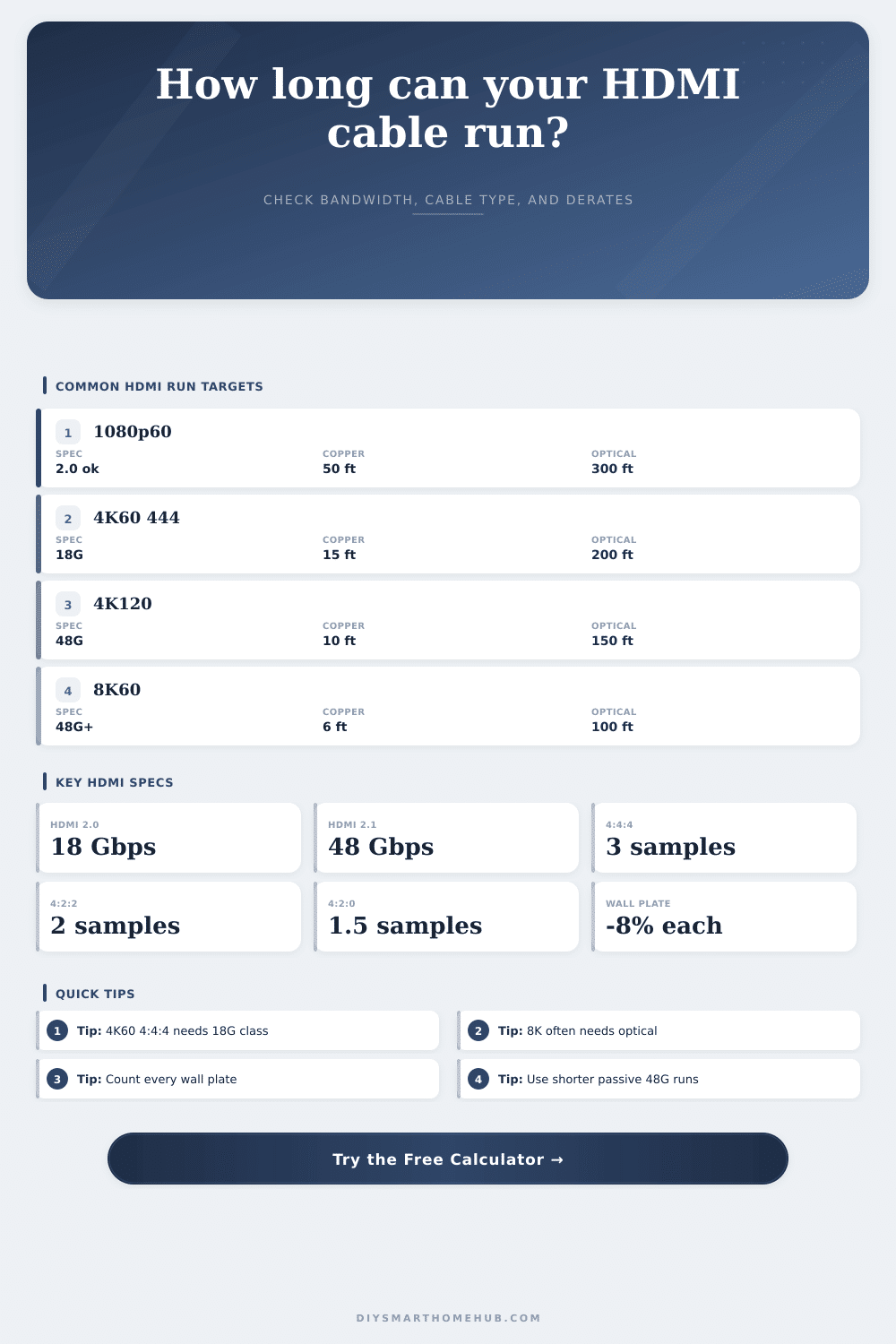
But here’s where things get tricky: The physical path that the signal takes. Each time a signal goes from one thing to another there is a tiny bit of loss. We imagine HDMI plugs as solid connections but these are all impedance mismatches that soak up and reflect some signal energy. Wall plates are silent killers. Yes, they’re convenient. But they also add another connection point which degrades the signal. Full-color-depth 4K content may only work over a maximum of fifteen feet on a standard passive copper cable. Put a couple of wall plate into that run though, and your effective length drops a lot.
To compensate for this, the tool include a derate factor for any additional connectors in your setup. When you’re already pushing right up against the limit of the cable itself, it’s not nothing, eight percent loss per junction adds up fast.
The inner workings of the cable are only part of the story. The gauge of that cable also make a difference. Thinner cables (like 28 AWG or even 30 AWG) is easier to route through tight spaces but increase resistance, leading to problems with voltage drop, which is significant given that many optical assemblies and active cables depends upon the five-volt power line in the HDMI connector to power up the signal. At some point if there isn’t enough juice, those repeaters within the cable stop working and you lose the link. Plenty of bandwidth but no juice to drive it. Why the calculator questions your source device’s current output. A beefy source can get the juice farther than say a minimalist streaming stick.
Passive copper is generaly the least expensive solution and adequate for indoor cabinet-to-cabinet distances. Beyond twenty feet, however, you should of revisit your material choices if bandwidth matters. Active copper cables embeds regeneration electronics in their terminations to extend signal distance while avoiding an upgrade to fiber. Fiber optic HDMI cabling employs fiber optics to send data and remains immune to any electrical noise, allowing distances of many hundreds of feet before the image lose quality. The chart on the page provides an easy to understand reference, illustrating optical fiber’s ability to easily manage 4K120 signals when copper falls flat.
While it’s tempting to say “buy the highest rated cable,” that’s not really true when picking the right system for your space. Rather than buying the best-rated cable, you want to match the cable to the limitations in your space. For example, if you have a long run of copper, you could drop down on chroma subsampling or bit depth. This decreases the bandwidth required which will help save the line. That’s just signal strength vs. This is about visual fidelity.
People usually make mistakes because they think if the cable is rated well enough then that means it’ll work in any situation. It’s all about getting a clean signal that comes into your house in sufficient strength and quality so it shows on the screen like it should. Accounting for every foot of wire, connector, and wall plate eliminates the guesswork during installation. Planning ahead often makes all the difference between a black screen and a perfect picture.