DIYSmartHomeHub VR room planner
VR Play Area Size Calculator
Check the real playable space left after guardian clearance, obstacle buffer, room-scale minimums, diagonal movement, tether cable radius, and sensor or base station coverage.
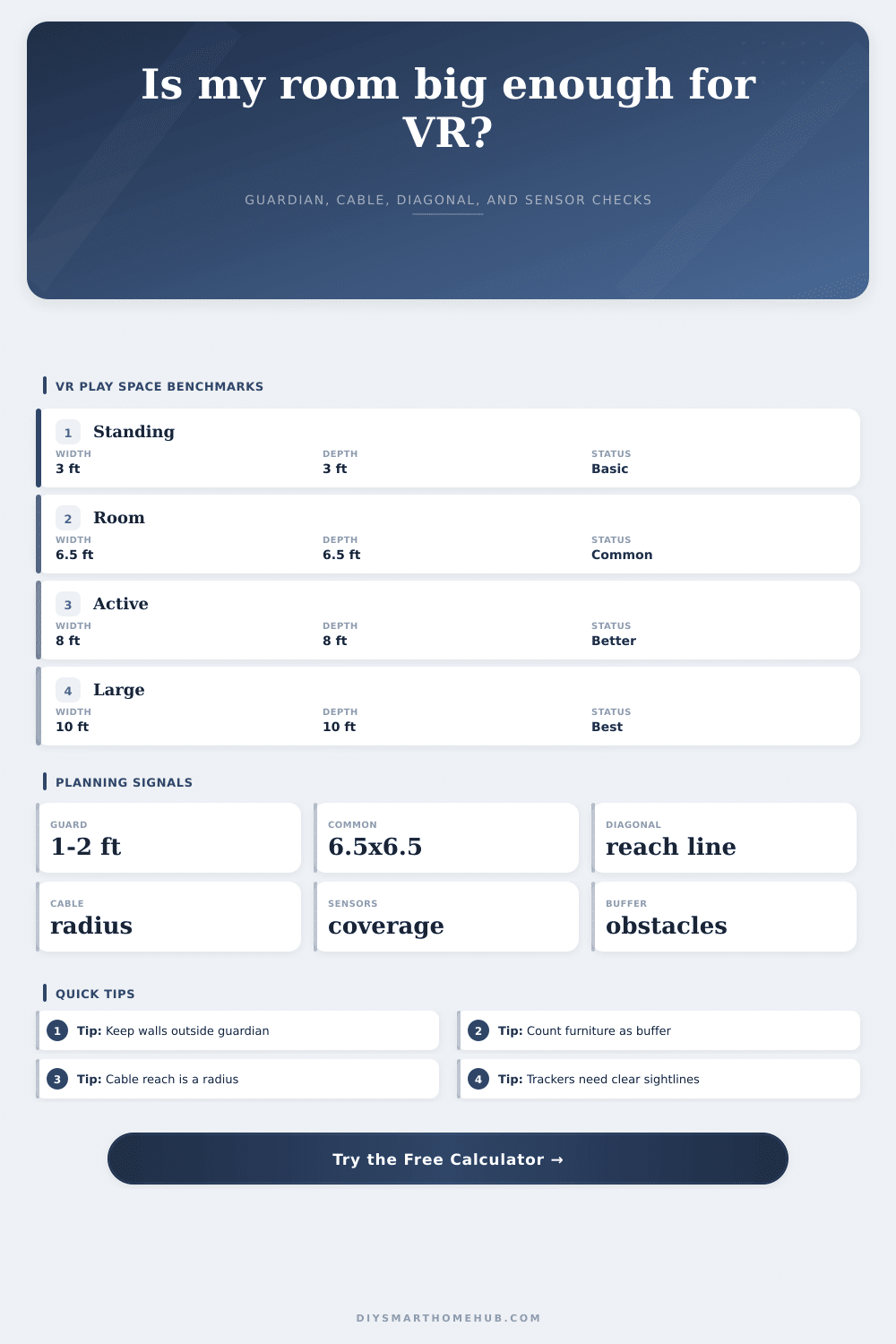
Many room-scale setups use about 6.5 by 6.5 ft as a practical minimum clear rectangle.
Each dimension loses guardian clearance plus obstacle buffer on both sides.
The longest straight movement line is the diagonal of the usable play rectangle.
Tethered movement is bounded by cable length after slack, height drop, and PC offset.
Play mode minimums
| Mode | Minimum rectangle | Area | Diagonal |
|---|---|---|---|
| Seated or sim rig | 3 by 3 ft | 9 sq ft | 4.2 ft |
| Standing VR | 3.5 by 3.5 ft | 12.3 sq ft | 4.9 ft |
| Common room scale | 6.5 by 6.5 ft | 42.3 sq ft | 9.2 ft |
| Active fitness | 8 by 8 ft | 64 sq ft | 11.3 ft |
| Large movement | 10 by 10 ft | 100 sq ft | 14.1 ft |
Tracking coverage assumptions
| Tracking type | Coverage area | Max diagonal | Best fit |
|---|---|---|---|
| Inside-out headset | 225 sq ft | 20 ft | Small to medium rooms |
| Single front sensor | 81 sq ft | 12 ft | Standing front-facing play |
| Two base stations | 225 sq ft | 21 ft | Most room-scale spaces |
| Three base stations | 400 sq ft | 28 ft | Wide room coverage |
| Four base stations | 625 sq ft | 35 ft | Large dedicated zones |
Preset comparison grid
| Preset | Usable area | Diagonal | Fit | Coverage |
|---|
Cable radius examples
| Cable length | Slack | Height drop | Plan radius |
|---|
The trailer sells freedom. That’s why you bought the headset. Then you put it on and hope to wander through virtual spaces, but you find yourself crashing into something real. That’s a frequent first-time owner’s experience, and it illustrates the disconnect between the virtual reality you saw in-game and the reality of your own space. More often than not, that’s where setup issues arise.
A big house isn’t necessary to play safely; you just need to understand where in your room you can be. The page has a calculator which does the math for you. But the better you understand the variable, it’s better. People often just measure their wall to wall and end there. What they fail to consider is that with VR systems, you needs some kind of buffer zone. A safety margin. It is not a decorative thing. That reduces the space you can actualy use.
How to Make Your VR Space Safe
So if you’ve got a twelve by fourteen room, then you don’t have that much to play in. You only have what’s left over after you take off the clearances from all four walls. Now a foot of clearance on each wall seems fine, right? But now you’re losing two feet off both dimension! That’s where so many go wrong. They think they are measuring the container, but they aren’t considering what they can USE inside it.
For PC VR users, cables is the biggest limiter. Many still game with wired setups for better performance, but if you move more than a few feet away from your computer, that big room doesn’t seem so big anymore. Your play area are limited by the radius of the cord. Suddenly your room turns from a rectangle into a circle. If your PC is in a corner, then move outwards and your play space diminishes. By considering slack reserves and length of cable, the tool can helps show the limiting factor. Even if you have a ceiling mount, the tool considers the vertical drop. This turns an unclear setup into a clearly defined physical limit.
Then there’s all the other stuff. Like tracking tech. With inside-out headsets, there’s nothing to plug in, which is nice. But there are drawbacks: they can absorbs being thrown off by reflective surfaces and poor lighting. They also struggle if you are in a large, empty room without any unique feature.
Base stations placed outside provides better coverage across a broader range. But they have their own issues. They has to be set up precisely. And since they’ll be mounted somewhere high, make sure you have enough space for them. You’ll also want to point them toward your play area. Coverage differs depending on whether you have two or four stations. As you can see from the table below, it isn’t so much a question of physical space as it is of visibility. Any obstacle blocking its view (e.g., furnitures) will render the sensor useless, even if your room is large.
Passive games occupy less space than active games. Passive games can fits into a small area. Active games require some elbow room to run around. Before committing to a floor plan, think about how far you move and how far your arms extend. If you’re standing up, then six feet by six feet will do. If you like to swing your arms wildly, however, this feel tight.
Don’t skimp when adding padding for furniture. This isn’t optional; it’s insurance. A stable bookcase may have a half foot of wiggle room. Glass television screens? More like several feet. Better to keep it open so everyone understands what happened to your stuff; and so you don’t get hurt.
To set up VR, you have to make compromises: between immersion and safety; between convenience and space. There’s no way around the physics of your room. You should of considered this earlier. There are workarounds, though.
You can accurately map the area to account for tracking limits, cable constraints, and buffers. This helps establish a reliable play zone that stretches into your virtual experience before you bump into a real wall. Get the dimensions right and the room vanishes. All that remains is the game. That’s the ideal setup.