DIYSmartHomeHub photo archive planner
Photo Library Storage Calculator
Estimate photo library storage from camera megapixels, RAW and JPEG split, yearly shooting volume, video clips, compression, backup copies, annual growth, and cloud storage cost.
Formula breakdown
A 24 MP camera starts near 25 MB per lossless compressed RAW before camera-specific variation.
High quality JPEG estimates use about 0.29 MB per megapixel before quality compression factors.
Video storage converts bitrate to megabytes with Mbps x seconds divided by 8.
Two backup copies means three total copies: primary storage plus two separate backups.
Estimated photo file size by camera
| Camera class | Megapixels | RAW estimate | JPEG estimate |
|---|---|---|---|
| Phone or small sensor | 12 MP | 9 to 16 MB | 2 to 5 MB |
| Entry mirrorless | 24 MP | 18 to 32 MB | 5 to 10 MB |
| High resolution body | 45 MP | 35 to 60 MB | 10 to 18 MB |
| Medium format | 100 MP | 80 to 140 MB | 22 to 40 MB |
RAW and JPEG mix examples
| Workflow | RAW share | JPEG share | Storage signal |
|---|---|---|---|
| Phone library | 0% | 100% | Small photo files, video may dominate. |
| Hobby shooting | 25% to 50% | 50% to 75% | RAW folders drive growth. |
| Client work | 70% to 95% | 5% to 30% | Exports and previews add overhead. |
| Archive only RAW | 100% | 0% | Simple count, highest photo footprint. |
Video clip storage by bitrate
| Bitrate | 1 minute | 10 minutes | Typical source |
|---|---|---|---|
| 25 Mbps | 188 MB | 1.8 GB | Light HD or efficient phone video. |
| 60 Mbps | 450 MB | 4.4 GB | Compact 4K or high-quality HD. |
| 100 Mbps | 750 MB | 7.3 GB | Common 4K mirrorless setting. |
| 200 Mbps | 1.5 GB | 14.6 GB | High bitrate 4K or 10-bit capture. |
Backup and cloud planning checks
| Check | Formula | Good signal | Watch signal |
|---|---|---|---|
| Current library | photos + video + overhead | Known folder average | Mixed exports and duplicates |
| Annual growth | new photos + new clips | Stable import rhythm | Trips, weddings, sports bursts |
| Backup storage | library x total copies | Primary plus backups | RAID counted as backup |
| Cloud cost | cloud TB x monthly rate | Critical files covered | Full archive at high rate |
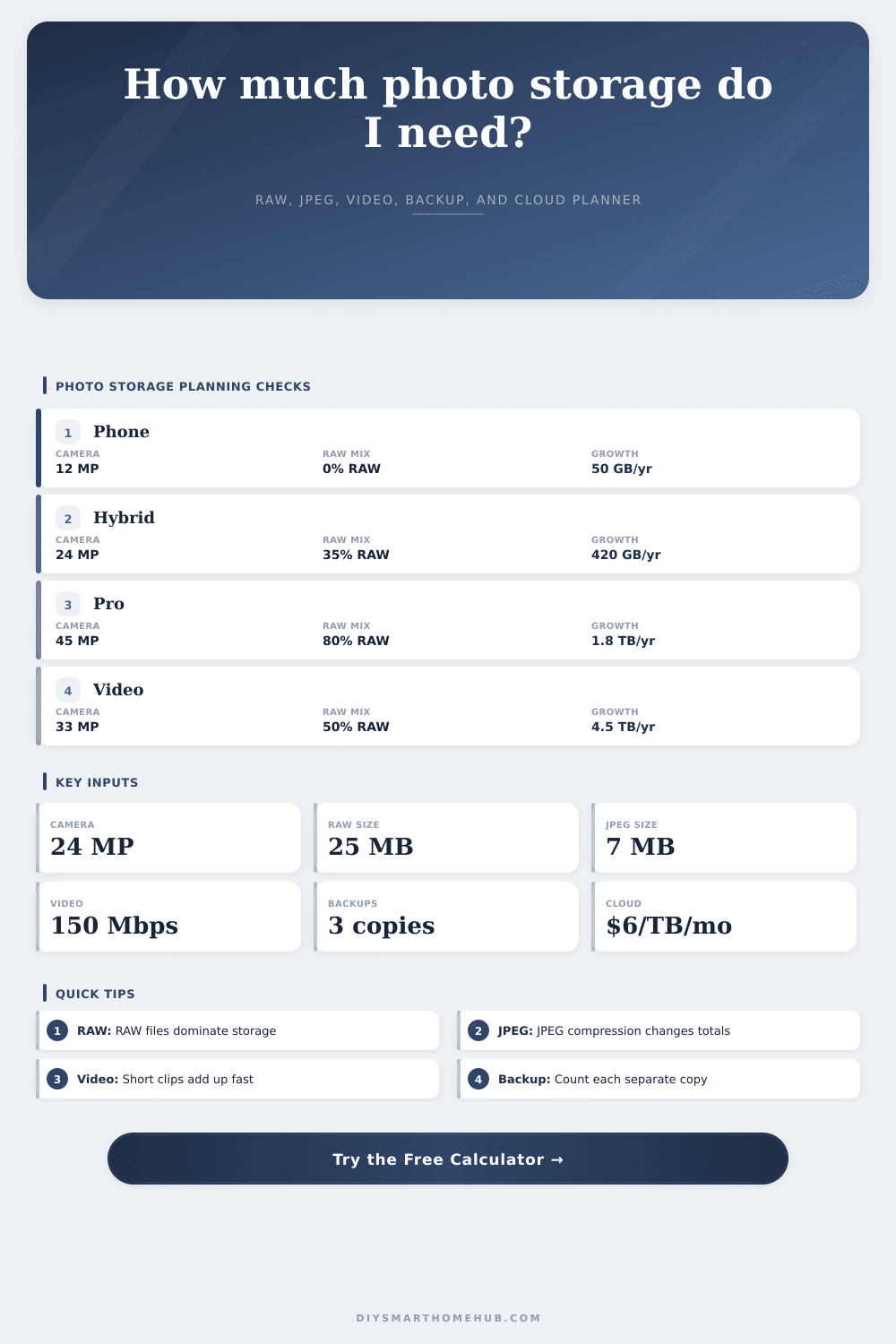
| Preset | RAW/JPEG mix | Annual photo growth | Video growth | Backup plan | Cloud scope |
|---|
What about storage? Who cares about storage? You dont realize it until you’re out there with a full memory card, standing on a ridge or in a client house. You feel like you’ve got everything under control, but then you try to clear some images so you have room for more pictures and realize you cant. Or, you come home to realize that all those files you shot on your last trip are still on your computer and was never archived because you forgot. And it wasn’t the camera… It was the math of accumulation.
You can plug your habits into this calculator (above) and it’ll do the estimates for you. You will no longer have to guess about conversions and coefficients. That transforms vague worries into something concrete. How much of your library is alredy there? How rapidly will that fill up? That’s what you want to know, not how much room you have left over.
Plan Your Storage Needs
Plan for the coming load. What’s on the other end? How many megapixels does your camera have? The average mirrorless camera these days has a 24-megapixel sensor. According to a quick and dirty guess, a losslessly compressed RAW file consumes roughly one point zero five megabytes per megapixel. Multiply that by fifteen thousand images a year. That is four hundred gigabytes per year. That’s the annual photo consumption of one hobbyist who captures at this level. High-res, forty-five megapixel body shooters almost triple that.
So what’s the deal with your RAW settings? Why would anyone want to do that? JPEG files are compressed. They use less storage space, but once you edit them, you is stuck with those changes. Tradeoffs: footprint vs. Flexibility.
Storage use? That’s all about video. Video completely shifts the equation. At a hundred megabits per second for two minutes, that’s around one point five gigabytes. That sounds small and it plays quickly but then it eats up huge amounts of disk space. You can plug in both your bit rate and clip length into the tool, and it’ll help you see just how big a difference it makes on average. Video files arent hundreds of separate things; they are just thirty or forty files a year. But each weigh more than your whole photo archive.
And what about that backup plan? Three-two-one is the conventional wisdom: three copies, two different kinds of media, one copy should be kept offsite. The calculator multiplies the size of your main library by the number of backups. Two additional copies means three total. This translates into three times the amount of drive space and three times the cloud cost. While actual cloud storage prices will differ, the tool pegs the price at a base rate of six bucks per terabyte each month; it keeps the numbers down-to-earth that way. Your own costs could be less, though you’ll want to take into account time required for uploads as well as how long those services last over time.
The subtlety comes with compression settings. If you are shooting raw, a lossless compressed raw image will appear exactly like an uncompressed raw on your drive (almost the same file size). You can heavily compress your raw or crawl format down dramatically, but it may cost you in terms of editing headroom. With that multiplier, you can tweak your own camera brand and software workflow and see what it means for you. It’s not about nailing down exacts. It’s about learning the range.
On the page, the reference tables lays out common scenarios. They demonstrate how a phone user, who doesn’t shoot any RAW files, has a huge video photo footprint and a tiny photo footprint. At the other end of the spectrum is the professional wedding shooter. Their storage need are dominated by high RAW usage. Those are starting points; you should adjust accordingly to match your real-life behavior.
How aggressive do you cull? Do you keep every frame? Do you archive videos to an external drive right away? Plan on a five-year horizon. That’s enough time to buy a couple of cameras, have a couple of life events. Assuming you grow by four-hundred gigabytes a year, that means you’ll want to add two-terabytes of new space in five years time. You should of planned for this. This provides safety headroom. When drives are really full they become slow; keeping fifteen percent free helps performance and prevents accidental overflows. Having fifteen percent of free space improve their performance and avoids accidental overflows.
This isn’t about being a pack rat. This is about knowing what’s there and why. Storage is cheap. Organization is expensive. When you’ve got the numbers, you can buy drives confidently rather than panicking. You can subscribe to cloud plans within your means. You can plan how many JPEGs vs RAW you want to shoot based off their actual cost per terabyte. This turns an unclear fear into a solvable logistics issue. It is no longer guesswork, but planning.