Media Bitrate Quality Calculator
Estimate media storage rate, pixel-level compression, codec-adjusted quality guidance, and required network headroom for local streaming, camera clips, and home media files.
Bitrate Quality Results
H.264 baseline
Use 1.00x for broad compatibility. It is the reference point for the quality estimate and bitrate comparisons.
HEVC / H.265
Use about 1.15x for similar quality at lower bitrate when your playback devices decode it reliably.
AV1
Use about 1.25x for efficient modern encodes, especially when storage or upload bandwidth is tight.
Older encoders
Use lower factors for MPEG-2 or older camera encoders because they need more bitrate for the same detail.
| Total Bitrate | GB per Hour | 2 Hour File | 24 Hours |
|---|---|---|---|
| 2 Mbps | 0.88 GB | 1.76 GB | 21.09 GB |
| 5 Mbps | 2.20 GB | 4.39 GB | 52.73 GB |
| 8 Mbps | 3.52 GB | 7.03 GB | 84.38 GB |
| 15 Mbps | 6.59 GB | 13.18 GB | 158.20 GB |
| 35 Mbps | 15.38 GB | 30.76 GB | 369.14 GB |
| 60 Mbps | 26.37 GB | 52.73 GB | 632.81 GB |
| bpppf Range | Compression Level | Typical Result | Planning Note |
|---|---|---|---|
| Below 0.040 | Very tight | Soft detail | Use for small screens or low motion only |
| 0.040 to 0.075 | Compact | Watchable | Good for cameras and mobile copies |
| 0.075 to 0.120 | Balanced | Clear detail | Common target for 1080p media |
| 0.120 to 0.200 | Generous | High quality | Useful for 4K, sports, and archives |
| Above 0.200 | Very high | Large files | Check whether storage growth is worth it |
| Stream Load | 10% Margin | 20% Margin | 40% Margin |
|---|---|---|---|
| 5 Mbps | 5.5 Mbps | 6.0 Mbps | 7.0 Mbps |
| 10 Mbps | 11.0 Mbps | 12.0 Mbps | 14.0 Mbps |
| 25 Mbps | 27.5 Mbps | 30.0 Mbps | 35.0 Mbps |
| 50 Mbps | 55.0 Mbps | 60.0 Mbps | 70.0 Mbps |
| 100 Mbps | 110.0 Mbps | 120.0 Mbps | 140.0 Mbps |
| Profile | Resolution / FPS | Common Bitrate | Primary Constraint |
|---|---|---|---|
| Security camera | 1280×720 / 15 | 1.5 to 3 Mbps | Long recording storage |
| Doorbell camera | 1920×1080 / 15 | 2 to 5 Mbps | Upload margin |
| 1080p movie | 1920×1080 / 24 | 6 to 12 Mbps | Quality consistency |
| 4K movie | 3840×2160 / 24 | 25 to 60 Mbps | Network bursts |
| Sports stream | 3840×2160 / 60 | 35 to 80 Mbps | Frame rate demand |
The problem: Bitrate, The bitrate is the rate at which digital data flows from your camera or hard drive to your screen. It’s what affect the quality of your video as well as how big your files are. Maybe you recorded your kids for ten minutes and now their footage take up more room in your library than all your photo. Or maybe you download a film but then can’t stream it on your phone because your Wi-Fi can’t keep up with the data flow, so everything is blurry. This one variable cause both issues. And when you get your bitrate wrong, either you’re wasting time streaming bad quality videos or you’re wasting space by storing them.
The calculator does the math on bitrates for you. It’s a give-and-take between file size and quality. All you have to do is provide frame rate and resolution; no more fiddling with conversions or coefficients. But knowing what those numbers represent will help you make informed decisions.
How to Plan Your Video Bitrate
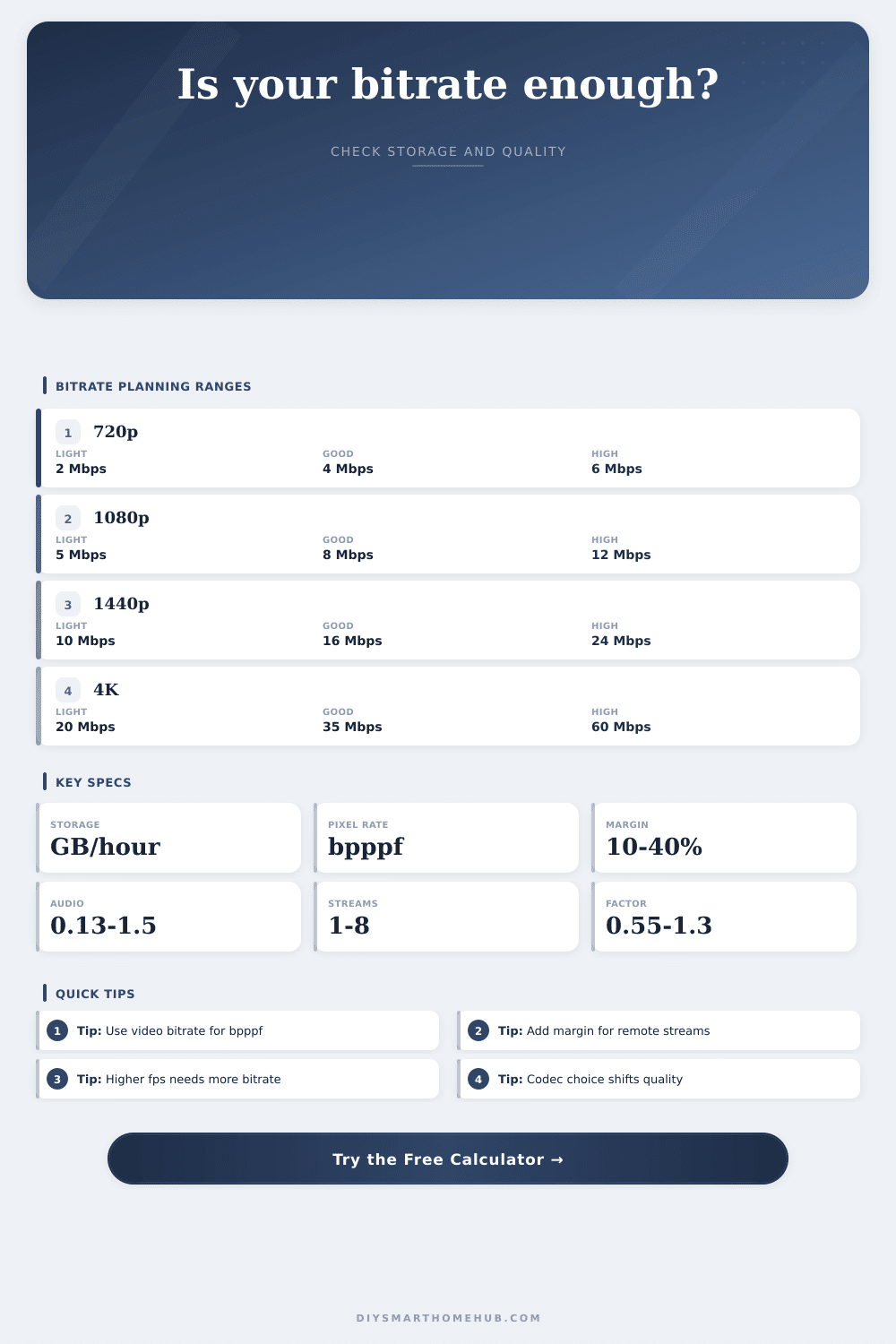
Bitrate is your budget for data per second of video. Static scenes stretch that budget farther while complex scene filled with lots of movement burn through that budget fast. Bitrate also accounts for resolution, so a 4K file will require more bits than a 720p file… They has more pixels to fill. But what about two identical 1080p videos? One is shot at 60 frames per second and the other are shot at 30. Because there are more images to divide your bitrate between, higher framerate will increase your effective compression. That’s where bpppf comes into play: It normalizes the bitrate relative to frame rate and resolution. If it’s low, that means high compression and visual artifacts may be more noticeable. That’s important for professional footage as well as archiving important memory.
The other big piece of equation here is choice of codec. More moddern codecs such as HEVC and AV1 offer better efficiency than older ones (such as H.264), meaning you can reach the same quality level but at a reduced bitrate. The tool’s codec factor accounts for that efficiency. For instance, it lower the bandwidth requirement if your device supports HEVC. Stick with H.264 baseline if you want maximum compatibility, it’ll work on everything, including older browsers and TVs even if it’s not as efficient. Know what codecs your ecosystem support.
The internet isn’t a flat line of speed. That’s why Wi-Fi isn’t always fast enough. Other people can hog bandwidth too. That’s where the network margin question come in. The calculator will ask how much margin you want to add on top of what you need to pad out the bitrate. Let’s say you’ve got a 50 Mbps connection and you’re trying to stream something that requires an 8 Mbps bitrate. You think, oh, I’m good. But then somebody else is also using your internet to do some video calling? Guess what? That margin just went away. By adding 20 or 30 percent as margin, you won’t get any stuttery playback, just a smooth experience.
The hidden price of higher bitrates is storage. And here’s where the math starts to add up. How much room does a high-bitrate 4K video take up? According to the storage reference table (above), it take up 26 gigabytes per hour, enough to make a high-quality stream eat away at your hard drive in no time flat. If you’re thinking about adding security cameras, this figure will tell you if you should of stick with a small drive or get yourself a big old server. It’s going to force you to think about what you really need. Do you want 24/7 footage recorded? Or only when something moves? Does 1080p suffice, or do you want it all in great 4K?
Bandwidth (the number of bits per second) and storage (the number of bits total) are your budget. How many bits can I get? This is all bitrate planning is, how do I manage my data at a quality that suits me but not too much than it won’t fit on a drive? Or can it stream well over an internet connection? That’s why you must plan to save some bits for variation in networks. It shouldn’t matter whether you’re saving family video or streaming live sports. Spend your bits wisely and plan for network variability if you care about quality.