API Call Quota Per Day Calculator
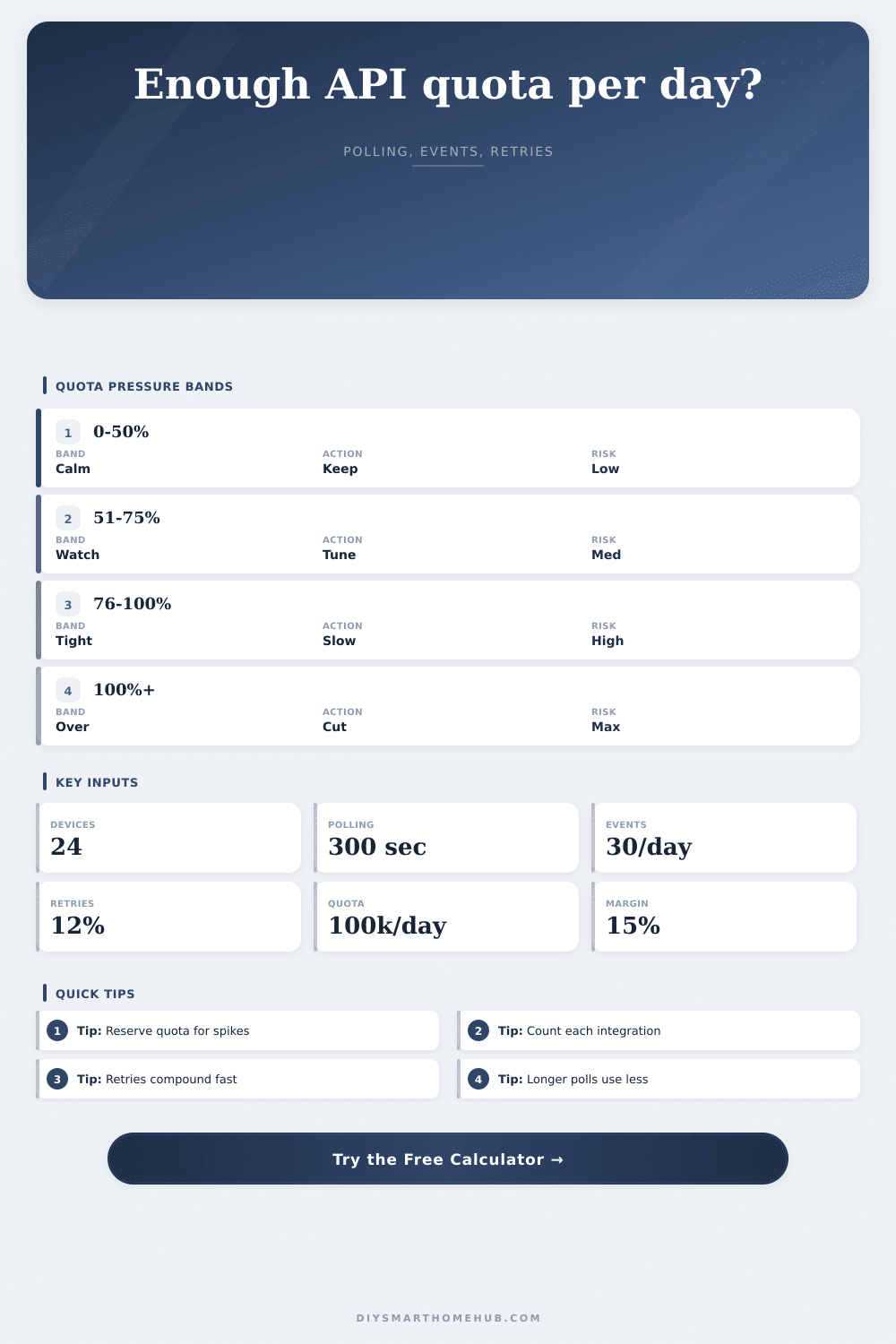
Estimate daily API usage for smart home devices by combining polling frequency, event calls, retry overhead, active integrations, quota limits, and reserved margin.
Good for fast dashboards, but it multiplies quickly across devices and integrations.
Common for general state sync when event subscriptions handle most instant changes.
Useful for sensors, batteries, and devices where minute-level freshness is acceptable.
Best when the platform sends reliable push events and polling is only a backstop.
| Component | Formula | Current result | Meaning |
|---|---|---|---|
| Polling calls | Devices x 86400 / interval | 0 | Daily polling load |
The safe interval is the shortest polling interval that would fit inside the usable quota with the same devices, events, integrations, and retries.
| Integration setup | Multiplier | Typical API behavior | Quota planning note |
|---|---|---|---|
| Single hub only | 1x | One local or cloud controller uses the API. | Use device and event counts directly. |
| Hub plus voice assistant | 2x | Two services may request similar state data. | Check whether cached state is shared. |
| Hub, voice, dashboard | 3x | Automations and dashboards can poll independently. | Reserve more margin for manual refreshes. |
| Automation stack | 4x+ | Multiple cloud apps, webhooks, and analytics jobs overlap. | Use a conservative retry overhead. |
| Usable quota used | Band | Polling signal | Review focus |
|---|---|---|---|
| 0% to 50% | Calm | Current interval has room. | Watch event bursts and new devices. |
| 51% to 75% | Comfortable | Polling can usually stay as entered. | Review retries and duplicate integrations. |
| 76% to 100% | Tight | Small changes can consume margin. | Slow polling or reduce event chatter. |
| Over 100% | Over quota | Entered usage exceeds usable quota. | Raise interval, cut calls, or lower multiplier. |
| Scenario | Devices | Polling interval | Event calls/day | Integration multiplier |
|---|---|---|---|---|
| Apartment dashboard | 18 | 300 to 600 sec | 15 to 35 per device | 2x |
| Security sensor set | 32 | 600 to 900 sec | 25 to 60 per device | 2x to 3x |
| Energy monitoring | 20 | 60 to 180 sec | 2 to 8 per device | 1x to 2x |
| Camera event home | 12 | 300 to 900 sec | 100 to 250 per device | 2x to 4x |
| Whole-house hub | 80 | 300 to 900 sec | 20 to 80 per device | 3x to 5x |
| Polling interval | Total calls/day | Usable quota used | Headroom |
|---|---|---|---|
| 60 sec | 0 | 0% | 0 |
No one notices the thousands of little question that are asked from your devices to the cloud to verify their state. Has the motion sensor been tripped? Is the front door still locked? Has the thermostat been changed? Every question consume a unit of your provider’s attention.
It calculates how many smart home API call are made per day for all events, polling, retry overhead, and integrations. It also includes a margin for quota limits to ensure you stay below your providers’ allowance.
How to Save Your API Quota
API quotas aren’t some theoretical number. They’re buckets of calls your provider grants you each day. Drain them and your automations stops functioning. Cameras will not record anything. Lights won’t turn on. It’s a hard limit with no warning.
The trick is knowing how quickly you’ll drain the bucket before arriving there. The largest unseen drain? Polling. Sure, having your hub check the status of two dozen lights every five minutes sounds harmless enough, until you multiply it by the number of seconds per day, and then by all of the other devices in your home. The math add up quickly.
Of course, you could reduce the polling interval, but then your dashboard feel slow. There’s always a tradeoff between how responsive you want things to be versus the cost of checking-in too frequent. Once you know how many device you have and what interval you like, the calculator do the math for you so that you don’t need to do any mental math about exponential growth.
API calls include polling and events. The difference is that an event take place when something occurs. When something changes. This happens when a light comes on or a door open. The difference is that events occur when something happen. When something changes. When a light comes on or a door opens. These calls fire efficiently. Only when required.
Cameras throw the kitchen sink at it though. A security camera can triggers an event on every single frame of motion. One motion in a room turns a quiet home into a noisy one overnight. You have to honest estimate how many events you’ll be getting. Guess too low and your plan fails.
Don’t forget retries. Servers hiccup. Networks glitch. If a call fail, what does your system do? Typically, it tries again. Smart behavior. Expensive behavior. Twelve percent retry overhead doesn’t sound like much. But that compound over thousands of calls per day. That’s a pretty big chunk of your quota. You can’t control the glitches; build in a buffer and account for them instead.
That’s because integrations only compound the issue. Tripling it in fact. Your mobile app talks to your cloud service? Your voice assistant talks to your cloud service? Your hub talks to your cloud service? And many of us don’t realize we’re feeding three mouths to think about.
The page lays it out clearly in the reference table, where you can see how fast a couple services will gobble up your API quota. Count every connection that reaches the API. Save a buffer. Do not spend all of it. Ever.
Life gets in the way. There will be bursts. There will be manual refreshes. There will be days when traffic spike. And if you’re averaging spending ninety percent of what’s allowed, that’s all it takes for you to go over the edge. Fifteen to twenty percent isn’t wasteful. That’s insurance.
I find the safest polling interval output especially helpful. It informs you of the maximum speed at which you can poll your devices without exceeding your budget. If it’s too slow, then you know you have a problem. Either reduce your number of integrations, reduce your number of device, or upgrade your quota tier. It forces you to choose.
Smart home management is about managing expectations. You want instant feedback, but the cloud only goes so far. The more you know its limitations, the better you can plan. This makes your system more reliable. You’ll quit guessing and begin planning. Not using every call at your disposal. Use just enough to run your home smoothly, yet still leave a lot of room for things going wrong.
Then it won’t be a quiet moment when it all goes dark. It happens when the bucket runs dry. You should of known that sooner. It was actualy moddern and luxurios equipment but there is too many calls to make.