Automation Execution Latency Budget Calculator
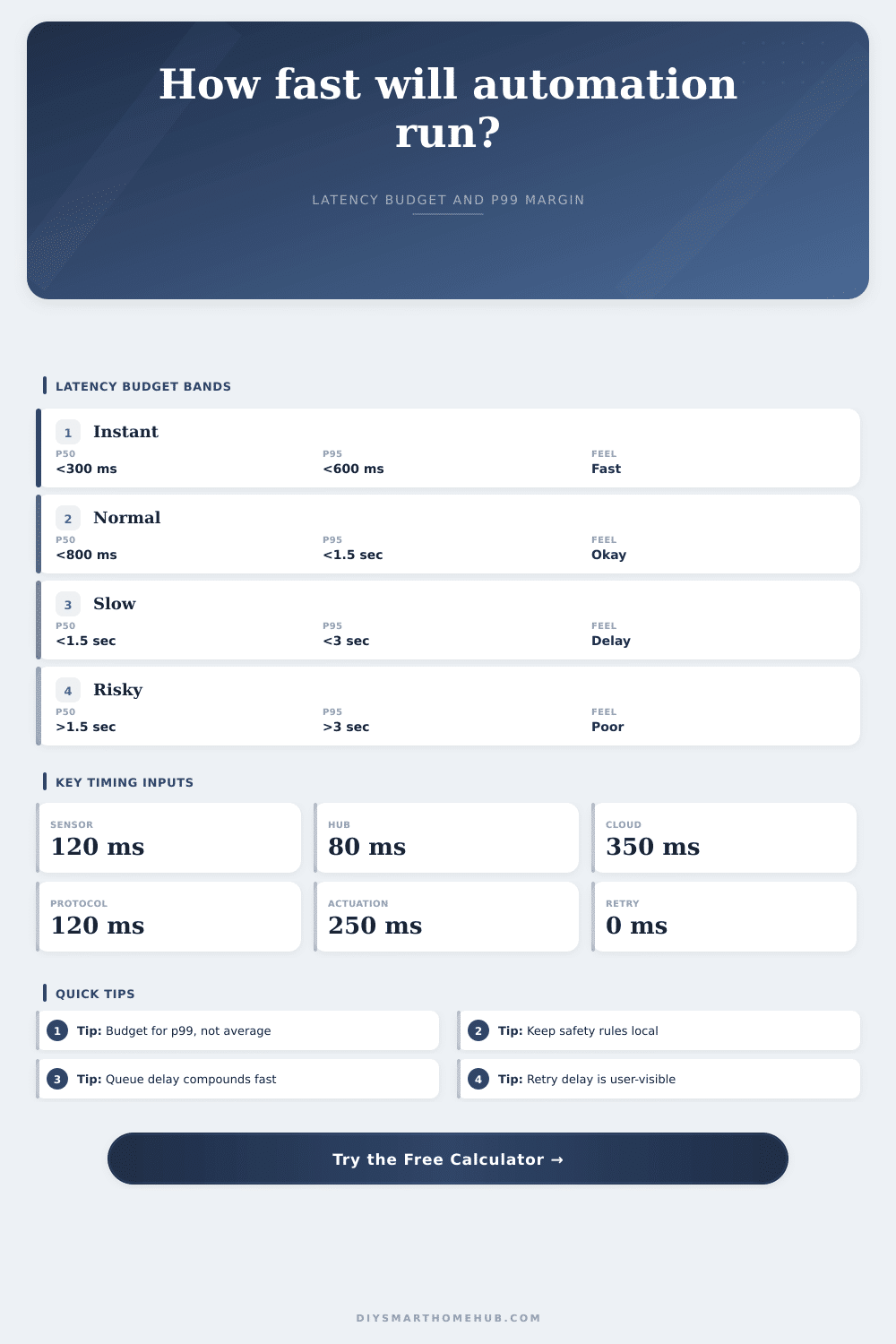
Estimate the total timing budget for a smart home automation from sensor detection through hub processing, cloud roundtrip, protocol command latency, device actuation, queue delay, retry reserve, and p95 or p99 margin.
Lowest cloud exposure. Queue depth and protocol command latency usually dominate the p95 and p99 budget.
Roundtrip time can be the largest segment, and tail margin grows quickly during service or network congestion.
Common for voice, presence, and camera events where detection or authorization happens away from the hub.
Retry delay is not part of a clean first pass, but it belongs in budgets for safety and user-facing reliability.
| Component | Formula or source | Latency | Base share |
|---|---|---|---|
| Sensor detection | Input value | 120 ms | 13% |
Base execution equals sensor detection plus hub processing plus cloud roundtrip plus protocol command latency plus device actuation.
| Budget level | Formula | Margin | Total latency |
|---|---|---|---|
| Base | Core components | 0 ms | 920 ms |
| Reserve | Formula | Current value | Effect |
|---|---|---|---|
| Queue delay | 0 x 90 ms | 0 ms | No queue wait |
| Automation type | Typical base path | P95 target | P99 target | Primary limiter |
|---|---|---|---|---|
| Local motion light | 150 to 500 ms | Under 800 ms | Under 1.2 sec | Sensor wake and protocol hops |
| Leak shutoff | 300 to 900 ms | Under 1.5 sec | Under 2.5 sec | Valve actuation and retry reserve |
| Voice scene | 700 ms to 2 sec | Under 3 sec | Under 5 sec | Cloud roundtrip and queue depth |
| Presence arrival | 1 to 5 sec | Under 8 sec | Under 12 sec | Phone event and cloud delivery |
| Camera motion action | 1.5 to 6 sec | Under 9 sec | Under 15 sec | Video analysis and cloud relay |
| Preset | Sensor | Hub | Cloud | Protocol | Actuation | Queue | Retry |
|---|---|---|---|---|---|---|---|
| Motion light local Zigbee | 80 ms | 45 ms | 0 ms | 90 ms | 160 ms | 0 x 60 | 0 ms |
| Door lock cloud unlock | 180 ms | 120 ms | 650 ms | 220 ms | 900 ms | 1 x 120 | 1200 ms |
| Leak valve shutoff | 140 ms | 70 ms | 0 ms | 140 ms | 1200 ms | 0 x 80 | 700 ms |
| Voice assistant scene | 300 ms | 160 ms | 850 ms | 180 ms | 350 ms | 4 x 110 | 600 ms |
| Matter scene local fabric | 70 ms | 55 ms | 0 ms | 75 ms | 180 ms | 1 x 45 | 0 ms |
Imagine this: You enter a darkened room, anticipating the lights will come on. Nothing happens. So you wait…wait…and wait another second…then another. And after a seemingly long pause, the lights switch on, even if with a slightly delayed feel.
Smart home automation seems broken largely because of this delay, not because something didn’t work, but because things took too long to happen. While you’re fine with waiting for something like video to buffer, you have no tolerance for delays when they happen physicaly at your house. Often it’s only a few hundred milliseconds of difference between an instantaneous reaction versus something noticeably late. If we can understand where that delay occurs, maybe we’ll be able to fix it.
Why Your Smart Home Feels Slow
People tend to think that the problem is that the device itself are slow. While it does take some time for a smart bulb to come back online, more often than not the problem lie in the route the command needs to follow.
The calculator above saves us the trouble of guessing at conversions and coefficients by doing the math for us based off our individual set-up. It outlines how far a command has to go, from when it’s detected by sensor until it’s finally actuated. We provide input data points for each phase. These include physical actuation, protocol hop, cloud roundtrip, hub processing, and sensor wake time. The calculator totals them for us to display our base execution time.
But this base time isn’t realistic. It doesn’t account for real-life scenarios like network congestion or multiple automations trying to run at the same time. In a perfect world, yes.
That said, the biggest source of latency is usualy the cloud. Automation that depends on a cloud server to verify a rule or grant permission for an action add network time because the request must travel to the cloud and back with a decision. A fast local hub can process a rule in under a hundred milliseconds. But the cloud roundtrip may be more like three or four times that long. In something urgent, you won’t even feel it. For a motion-activated light? That pause feels like a bad device. So the single best way to lower latency is to keep critical paths close. Remove the network variable.
And then there’s the line. Bridges and hubs are not powerful. They have limited processing capacity. Ten triggers all firing at once? One must wait for another. This reality is shown by the calculator through an input field for queue depth. What happens if a busy evening or a complicated scene fills the pipe? Turns out it happens pretty fast. Every queued action cost a bit more time, called service time. And these add up over time. Five actions in the queue could cost almost a full second just waiting for the command to begin. That’s what most folks overlook. They test one automation once, when no one else is home and they say “it’s quick.” Nope. It is only quick when no one else is using it.
There’s also physical actuation. In other words, a smart valve must actualy physically rotate, and a motorized lock must release its hold. While software can optimize these movements, there’s only so much it can do with the time it takes for those mechanical events to happen. There is no coding our way out of physics here. To account for this, the tool requests actuation latency from you. That way, if your motor isn’t responding fast enough, you know it wasn’t the networks fault.
Don’t budget for the average, budget for the p99. The average masks the worst case. Budgeting for the p99 lets you understand what it feels like when the network is being slow or the hub is busy. If you have a p99 of three seconds, your automation will feel sluggish a significant percentage of the time.
This is laid out on the page in a reference table organized by kind of automation. For example, how much delay can a hallway light handle? A leak valve can tolerate more delay than a hallway light. And a leak valve can wait longer then either one. Some automation types gets extra time to retry because it improves safety, which is good. But those retries cost you some time. That’s why there are retry reserves.
In every situation, which is more important: speed or certainty? There is no free lunch. You’ll always sacrifice one for another. Try to do so consciously.
First, figure out what’s critical. What can make your life safer or more comfortable? Make that local. Everything else goes to the cloud. Then test your rules under load, not just in isolation. If they look too heavy, identify the bottleneck. Is it the cloud roundtrip? Is it the sensor waking up? Is it a queue? Fix the largest chunk first. Small tweaks on minor delays will never make a difference. Remove whole hops from path and get big wins.
The second you walk in and the light comes on, the technology will disappear. That’s the goal. It is not a constant reminder of how many seconds it takes to think.