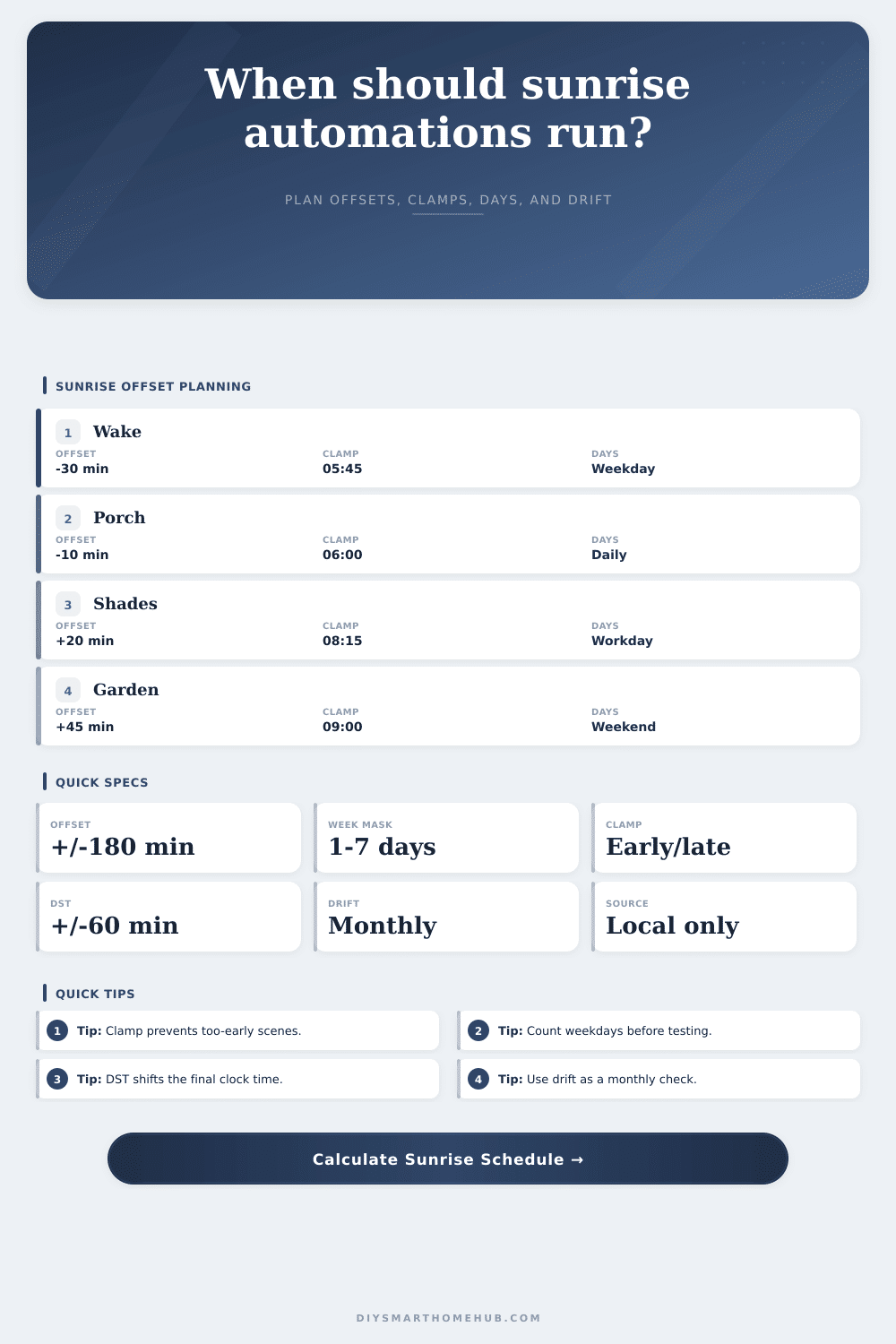
Sunrise Offset Schedule Calculator
Plan local smart home trigger times from a typed sunrise clock time, offset minutes before or after sunrise, earliest and latest clamps, weekday masks, timezone text, DST adjustment, and monthly drift checks.
⏱Sunrise offset presetsPick a scene pattern, then tune the local schedule.
⚙Calculator inputsSunrise clock time, offset, clamps, days, timezone, and DST.
📊Schedule spec gridLive summary of the rule shape.
📝Monthly drift previewRepresentative next-month trigger times.
| Month step | Sunrise | Offset time | Clamped | DST final |
|---|---|---|---|---|
| -- | -- | -- | -- | -- |
Sunrise schedule result
🔍Comparison gridHow common sunrise-rule choices change the same base time.
📋Reference tablesLocal planning ranges for sunrise automations.
| Automation | Offset | Earliest | Latest |
|---|---|---|---|
| Wake lights | -45 to -15 min | 05:30 | 07:30 |
| Porch off | -15 to +15 min | 05:45 | 08:00 |
| Shade open | +10 to +45 min | 06:30 | 09:00 |
| Irrigation | +30 to +90 min | 06:00 | 10:00 |
| Security dim | -30 to +10 min | 05:00 | 08:30 |
| Mask | Days | Runs/week | Typical use |
|---|---|---|---|
| Daily | 7 | 7 | Exterior lighting |
| Weekdays | 5 | 5 | Wake scenes |
| Weekend | 2 | 2 | Soft routines |
| MWF | 3 | 3 | Garden zones |
| Single | 1 | 1 | Test rules |
| Drift band | Monthly change | Effect | Review |
|---|---|---|---|
| Earlier fast | -24 min | Earlier trigger | 2 weeks |
| Earlier mild | -12 min | Slightly earlier | Monthly |
| Steady | 0 min | No shift | Monthly |
| Later mild | +12 min | Slightly later | Monthly |
| Later fast | +24 min | Later trigger | 2 weeks |
| DST setting | Clock change | Use case | Check |
|---|---|---|---|
| No DST | 0 min | Static hub time | Standard |
| Add DST | +60 min | Spring clock | Forward |
| Subtract DST | -60 min | Fall clock | Backward |
| Manual zone | Text only | Offline notes | Verify |
| Clamp first | Before DST | Stable limits | Review |
💡Schedule tips
This calculator uses only the sunrise time and settings you enter. It does not call external sunrise, geolocation, weather, or timezone services.
There is such a thing as too smart: If your home automation system assume it knows more about your daily routine than you do, it will stress you out. For example, if your script assumes that sunrise has occured, it turns the lights on… before you even wake up. This happens during times of year (e.g., March in Boston) when sun hasn’t come up yet, but system believes that it should be up because its clock says so.
The problem? Sunrise isn’t a fixed point in time, it’s a moving target. The calculator handles the math on coefficients and seasonal drift so you don’t have to do the guesswork yourself. Just feed in your local information into the calculator above and let it handle the math for you.
How to Set Up Your Home Automation
Sunrise isn’t static; it shifts over the course of the year. That means if you set a hard rule (like “wake at 6:00 AM”), at some point it’ll either wake you up in dark, or blind you with light when you’re fast asleep in the middle of a deep sleep cycle.
The fix? It is an offset. It is a buffer between the astronomical event and your desired action. Maybe you’d like your bedroom blinds opened twenty minutes after sunrise so you can sleep in a little longer. Maybe you’d like your porch lights shut off ten minutes before actual sunrise, so it’s a gradual transition. The tool allow you to precisely set those minutes. It turns a vague desire for morning light (“I wish I had more of this”) into a specific, repeatable trigger.
The clamps are where logic meets reality. It’s also where they stop you from making mistakes. If you have an offset with no clamp, you will get silly results. This happens if you set a negative offset for the wintertime. The sun’s going to be late and now your alarm could of try to go off at 4:30 AM. A clamp stops this slide and tells you it won’t act until it reaches a specific limit. That way you don’t get any early morning wake up calls ruining your weekend. You’re building in a safety net for what you want, that makes sure the automation is working for you, not against you.
Another overlooked bit of control is what I call the “weekday” mask. What’s your schedule like on Monday? Is it the same as your schedule on Saturday? Maybe you prefer an earlier start during workweek and a later one at the weekend. By separating those out, you can tailor the experience while keeping the script intact.
The calculator includes a breakdown of total weekly trigger volume, which shows you exactly how many times the system will fire. That way you know with certainty whether you’ve programmed a daily routine to run seven days a week by mistake when you really only intended it for weekdays.
Month-to-month, how does the sun change? That’s what Drift is all about. What seemed like just right in October won’t feel right come December. As seasons change, your trigger times changes too. This is shown in the drift preview of the tool, allowing you to plan to match. A little thing, yes, but important because then you don’t have to wait for another terrible morning to fix your offset; you can see it coming two months away and now adjust accordingly.
Then there’s the added complication of Daylight Saving Time. The sun doesn’t jump, but the clock does. You need your automation to adjust; either by shifting along with the clock or anchoring itself to the light. That’s where the DST adjustment lets you simulate that time change so your lights don’t go on/off an hour too soon/late when the clock shifts. It is an easy toggle, but it avoids the odd experience of being greeted outside by a bright yard in the middle of the day or stepping onto your porch and finding it pitch black in the middle of the afternoon.
These are not exact times; they’re not “the” magic numbers, but more like a comfy zone to work in. Tweak it by a few minutes one direction or another. Make it even smoother, make it so that the day starts and stops intentionally without being jarring.
After inputting those variables, you’ll hit calculate and let the above calculator do the math for you. It will give you the projected drift time. It will also provide the actual time the clamp will impact and resulting trigger time. It transforms what was a sloppy, seasonal wildcard into a tidy, quantifiable schedule; one that doesn’t rule your days, but that you master.