Schedule Overlap Detection Calculator
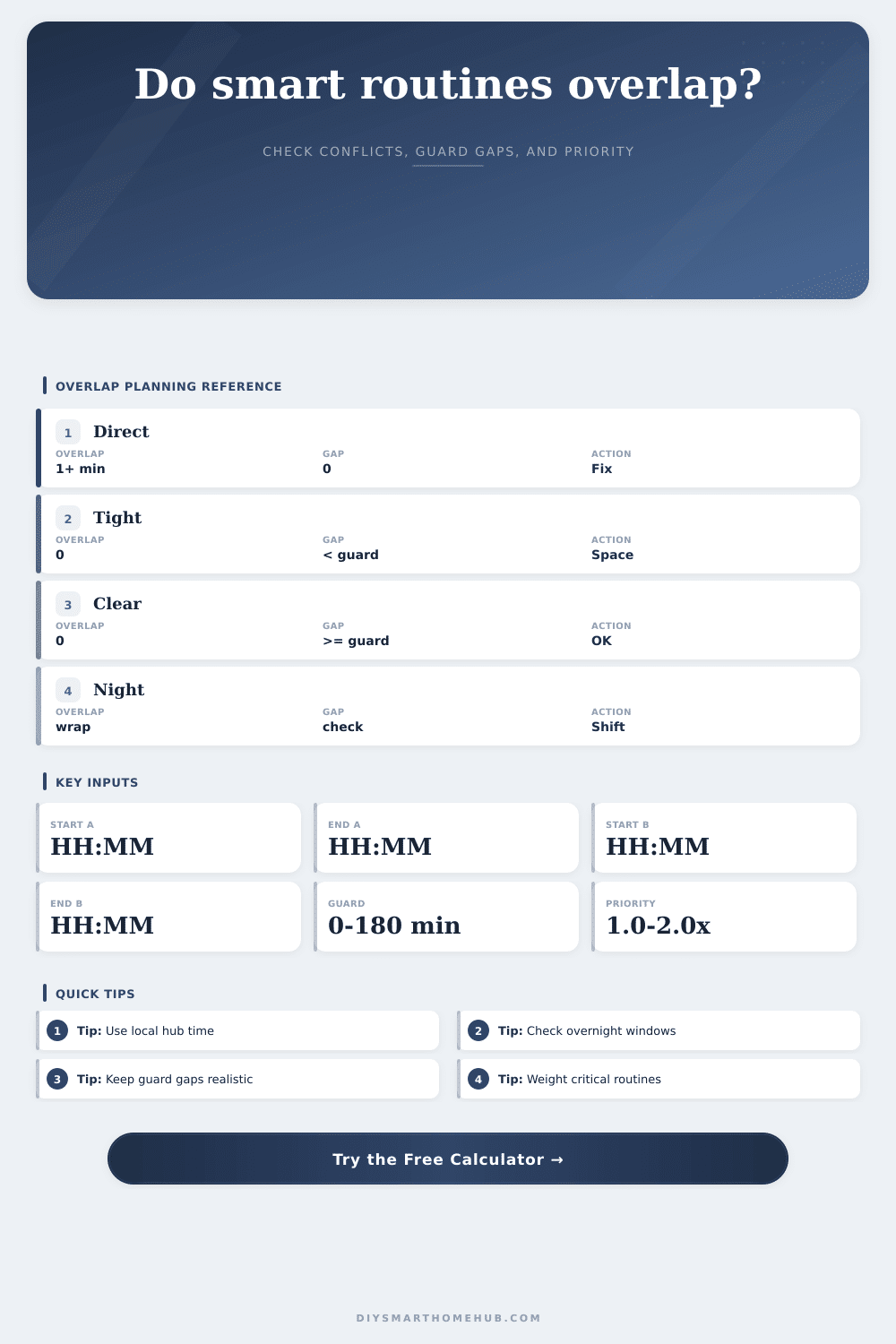
Check two or three smart-home routine windows for direct overlap, missed guard gaps, overnight conflicts, weighted priority load, and the largest clear time window left in the day.
| Step | Formula | Output | Purpose |
|---|---|---|---|
| Parse | HH x 60 + MM | minutes | Comparable time scale |
| Overnight | end <= start + 1440 | rolled end | Handles midnight crossing |
| Overlap | max(0, min(end) - max(start)) | minutes | Finds direct conflict |
| Gap | next start - prior end | minutes | Checks spacing |
| Guarded | overlap or guard - gap | minutes | Counts tight handoffs |
| Automation pair | Typical guard | Why it matters | Risk sign |
|---|---|---|---|
| Lock then alarm | 2-5 min | State propagation | False arm |
| HVAC then blinds | 5-15 min | Comfort staging | Oscillation |
| Vacuum then motion | 10-30 min | Occupancy pause | Bad trigger |
| Irrigation then camera | 5-20 min | Motion noise | Extra clips |
| Night mode then path | 1-10 min | Quiet state | Wrong dim |
| Profile | Routine A | Routine B | Routine C |
|---|---|---|---|
| Balanced | 1.0x | 1.0x | 1.0x |
| Security-first | 1.8x | 1.0x | 1.2x |
| Comfort-first | 1.0x | 1.7x | 1.1x |
| Maintenance-first | 1.0x | 1.1x | 1.8x |
| Strict stack | 2.0x | 2.0x | 2.0x |
| Window | Common span | Watch with | Typical issue |
|---|---|---|---|
| Morning scene | 15-60 min | HVAC recovery | Double triggers |
| Away mode | 5-30 min | Presence rules | Late arm |
| Quiet hours | 6-10 hr | Security lights | Muted alerts |
| Cleaning block | 45-120 min | Motion zones | Pause conflict |
| Irrigation | 20-90 min | Cameras | Clip flood |
When you wake up, there’s a sense of your house warring against itself. Lights turn on… And off again. The thermostat fight the window blinds. One tries to chill the air, while other opens up to solar rays. Ugh, annoying… But also fixable.
The root cause of most smart home hell? It is a scheduling mistake that leaves two different routine sharing the same piece of time without knowing it. The calendar above do the math for you, transforming a jumble of start/end times into a clear map of zones and conflict areas. All you have to do is know what results mean, they show how your home function every day.
How to Fix Smart Home Schedule Problems
Most of the time it comes down to not having enough buffer time. Yes, in your mind, it’s fine if you finish one morning scene at 7:15 and then launch into school leaving routine at 7:16. It is not so much the case in real world. There are transitions where things take a second or two. Your devices has to transition from one state to another. Your lights can’t just go dark instantly. They takes a second to start dimming. Then another scene wants to turn them on again. Stacking tasks right on top of each other confuse the heck out of your hub.
The tool teach you about this thing called a guard gap. It is essentially breathing room between events. If you don’t do that, your automation becomes like a race car driver slamming on brakes and flooring it at exact same moment. That is what people is doing wrong. They’re optimizing for fast but not necessarily stable.
Start with the biggest risks: For example, which systems do you rely on most? A coffee machine coming on shouldn’t be counted as heavily in your schedule than a security routine. An accidental bump on your dimming routine that coincides with your night time security sweep is far more serious then a cup of coffee being late. By assigning a priority profile, the calculator highlight this kind of higher-stakes conflict.
Does an overlap involve critical infrastructure like security or safety? If so, it will multiply consequence of any such overlap. That way you know where you need to fight for scheduling room. Setting your alarm too late is no good; a little lateness with the blinds isn’t a big deal. The priority score can shows you what’s truly risky and what’s just annoying.
There’s one other twist: the clock turns over during an overnight span. This means a “turn-on” at 10 PM and “turn-off” at 6 AM crosses over midnight, which makes it hard to compare times. To compensate for this, tool treats overnight spans as single units of time.
Did your climate recovery happen while your security was sweeping? Does your security sweep overlap your climate recovery in the wee hours? If so, you’ll see it flagged. This is important if your home operates on 24-hour cycle. One easy oversight is to forget about the midnight crossover, which can cause lights or a door arm to turn on at 3 AM (when system believes it’s morning).
Take a good long look at the result. Then pay attention to the biggest uninterrupted space. That’s when your house is at rest. That’s when you can do stuff manually. Or plan to, anyway. If the gap there isn’t very big, then your house are always stressed by all the digital stuff happening. Time to spread the routines out and make some space in between, let the system breathe a little.
And here’s a table of references from the page explaining which combinations of automations works with other combinations. Yes, I know, less automation is better. No, no, it’s about scheduling the automation such that each routine has time to run through its cycle instead of being interrupted mid-task.
In the end, the smartness has to be invisible. The logic shouldn’t be noticeable. If your house is being smart, two of its routines might start competing and delay each other. That’s when your house turns on you the most and gets in your face in the worst way. Actualy, it happens more than people think. Checking your schedule for these moments turns your technologically-smart house into an actually-working house.
It is a pace that doesn’t fight against your day-to-day but complements it. It is the kind of humming, steady yet barely audible background that runs things while never bothering you. That’s the look of a well-tuned schedule. It is not about more stuff. It is better timing.