Cloud Sync Bandwidth Calculator
Estimate daily cloud upload volume, required Mbps during the sync window, camera event traffic, backup reduction, and the router upload headroom needed to keep the house responsive.
Backup, IoT, and event upload details
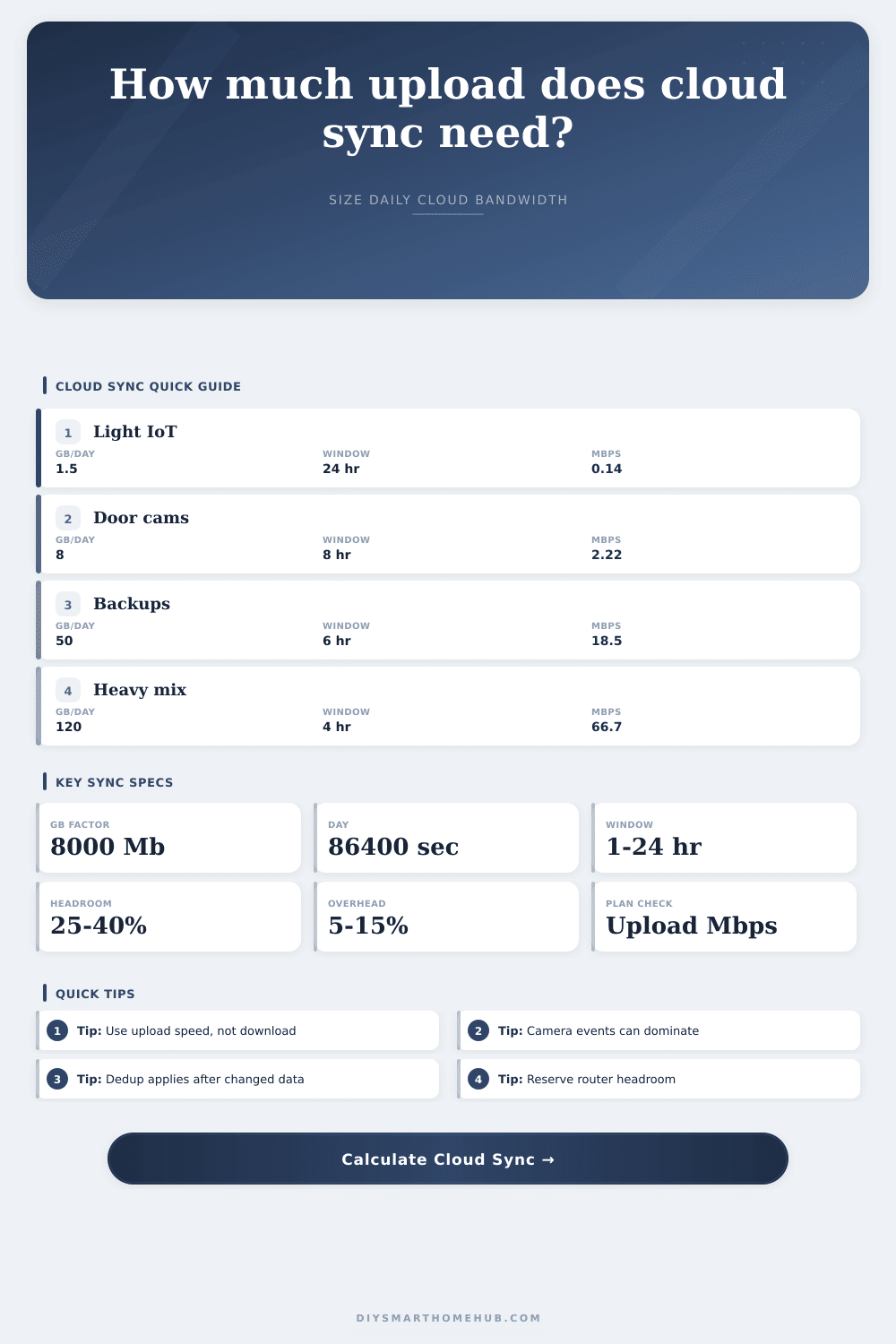
average Mbps = wire GB/day × 8000 / 86400window Mbps = wire GB/day × 8000 / (window hours × 3600)net backup GB = raw changed GB × (1 - compression) × (1 - dedup)camera GB/day = cameras × events/day × clip MB × cloud % / 1000device GB/day = devices × KB/report × reports/hr × hours / 1000000safe capacity = upload Mbps × max sync share; margin = capacity - window Mbps| Cloud source | Typical input | Calculator field | Daily data range | Planning note |
|---|---|---|---|---|
| IoT device telemetry | 5 to 50 KB/report | Device count, KB/report, reports/hour | Under 0.1 to 3 GB/day | Large fleets matter more than one sensor because the report count multiplies quickly. |
| Phone and laptop backups | 1% to 8% changed data/day | Backup size and changed percent | 5 to 80 GB/day | Changed data is the important number; total library size only matters through the daily change rate. |
| NAS or home server mirror | 0.5% to 5% changed data/day | Backup size, compression, dedup | 20 to 300 GB/day | Dedup can help repeated files, snapshots, virtual disks, and camera exports, but photos and videos often compress poorly. |
| Doorbell camera events | 10 to 80 events/camera/day | Camera count, events, MB/clip | 0.5 to 20 GB/day | Short clips can still dominate if motion zones are busy or package detection saves many clips. |
| Outdoor security events | 20 to 150 events/camera/day | Camera count, cloud percent | 5 to 100 GB/day | Rain, trees, streets, pets, and shadows can push event uploads far beyond normal indoor loads. |
| Manual media uploads | One-off GB/day | Extra manual uploads | 0 to 200 GB/day | Use this field for photo dumps, exports, firmware captures, or days with extra cloud sync. |
| Payload after overhead | 24-hour average | 12-hour window | 8-hour window | 4-hour window |
|---|---|---|---|---|
| 5 GB/day | 0.46 Mbps | 0.93 Mbps | 1.39 Mbps | 2.78 Mbps |
| 20 GB/day | 1.85 Mbps | 3.70 Mbps | 5.56 Mbps | 11.11 Mbps |
| 50 GB/day | 4.63 Mbps | 9.26 Mbps | 13.89 Mbps | 27.78 Mbps |
| 100 GB/day | 9.26 Mbps | 18.52 Mbps | 27.78 Mbps | 55.56 Mbps |
| 250 GB/day | 23.15 Mbps | 46.30 Mbps | 69.44 Mbps | 138.89 Mbps |
| Profile | Main drivers | Typical GB/day | Practical upload plan | Headroom focus |
|---|---|---|---|---|
| Light smart home | Small telemetry and light backups | 1 to 8 GB/day | 5 to 10 Mbps upload | Keep voice, alerts, and app control responsive. |
| Doorbell and two cameras | Event clips plus moderate backups | 5 to 25 GB/day | 10 to 25 Mbps upload | Watch upload bursts during busy motion periods. |
| Work-from-home house | Cloud drives, video calls, overnight sync | 20 to 80 GB/day | 25 to 100 Mbps upload | Reserve capacity for calls during sync windows. |
| NAS mirror | Large changed datasets | 50 to 300 GB/day | 100 Mbps upload or scheduled windows | Finish time matters more than daily average. |
| Camera-heavy property | Many saved event clips | 40 to 200 GB/day | 50 to 200 Mbps upload | Clip size and saved-event percent dominate. |
A 2 TB backup set does not upload 2 TB every day unless the entire set changes. Enter the protected size, then the daily changed percentage, so compression and dedup act on the data that actually needs to sync.
Cloud clients can saturate upstream bandwidth and make the home feel offline. Keep a sync share below 100% when voice, cameras, alarms, gaming, video calls, or remote access must keep working.
Convenience is nice, and we all like our smart homes. But there’s an unseen price tag attached to that convenience: upstream bandwidth. Maybe you has a gigabit download speed and you love watching 4K video on demand, except that at 2 AM some backup client decide it needs to upload twenty gigabytes of data. That’s where many people get confused about this dynamic. They test their download speed and think, “I’ve got plenty of bandwidth” without considering that most residential internet plans is asymmetric: the download capacity far outstrips the size of the upload pipe.
The calculator above do the math for you, but it helps to understand why those numbers matter more then the simple number of gigabytes. How do your devices actualy talk to the cloud? Backups are traditionally thought of as just sitting there, static file on a drive. Cloud sync solutions only sends up what’s changed since last time they synced, though. So if you have a two-terabyte library and make changes to five percent of it each day, you’re not sending up two terabytes. You’re sending up the change. To account for this, you can specify how big your entire protected library is (in your case, two terabytes), and how much of that is changing each day (five percent).
Why Your Upload Speed Matters for Smart Homes
Then on top of this raw number, tool will apply reductions based off both compression and deduplication. Redundant logs and text gets compressed, and the same file blocks aren’t sent multiple times (deduplication). Because reductions multiply instead of adding up, having 15 percent deduplication in addition to a 20 percent compression rate mean you save even more than those individual numbers would imply. When your goal is keeping the router from choking, or keeping your upload traffic within your ISP’s fair usage cap, this become important.
Bandwidth-wise, cameras are a big factor. One doorbell might not sound like much, until you realize it’s sending a 20-megabyte clip into the cloud for each event… Which, if it happens 30 times per day, add up. You also need to decide how many event to store locally on an NVR or SD card versus in the cloud. This calculator lets you adjust that setting too. How much bandwidth you use will depend entirely upon your settings.
Do you have motion zones set wide-open? Are you filtering out shadows and passing cars? Either way, your upload speed will be your bottleneck; so dial back sensitivity to lower the load. But is a missed package delivery more important than having two megs of extra upload speed? It’s an individual choice, but the bandwidth impact isn’t.
That’s the sync window. It’s not noticeable to upload ten gigs in twenty four hours, which averages only about one megabit per second. But what happens if you need to force that same sync into an eight hour overnight window? That triples your upload requirement. You’ll need three times the speed and there is no hiding it… You’ll see it on the calculator where it shows your surge demand. See if your connection can handle it without impacting other connections.
That’s why router headroom matter. If your sync process grabs up 70 percent of your available upload bandwidth, then you only have 30 percent left for web browsing and video calls and smart locks. And without that buffer, that Zoom call might just freeze as the backup client eats up too much bandwidth.
Then there’s all that smart home traffic, all those little packets constantly being sent from hub to sensor, from thermostat to hub. They’re tiny on their own; each one won’t make a dent in any connection. But dozens (or hundreds) of them reports several times an hour, adding up. And then there’s that low-level background noise that gets collected here, for you to view side-by-side with more demanding backup and camera loads. They’re expressed using decimal networking units, like your ISP. Matching the megabits per second with what shows up on your bill.
Cloud sync is a balance between awareness and automation. After all, you don’t want your data getting lost while simultaneously making sure that your home remain responsive. To maintain your smart home connection without generating network traffic jams, learn how to use your upstream connection well. Adjust your sync windows, filter for the camera event you want, and use compression. In short: Make the cloud fit into the pipe you currently have, not get rid of it. You should of looked at the numbers first.