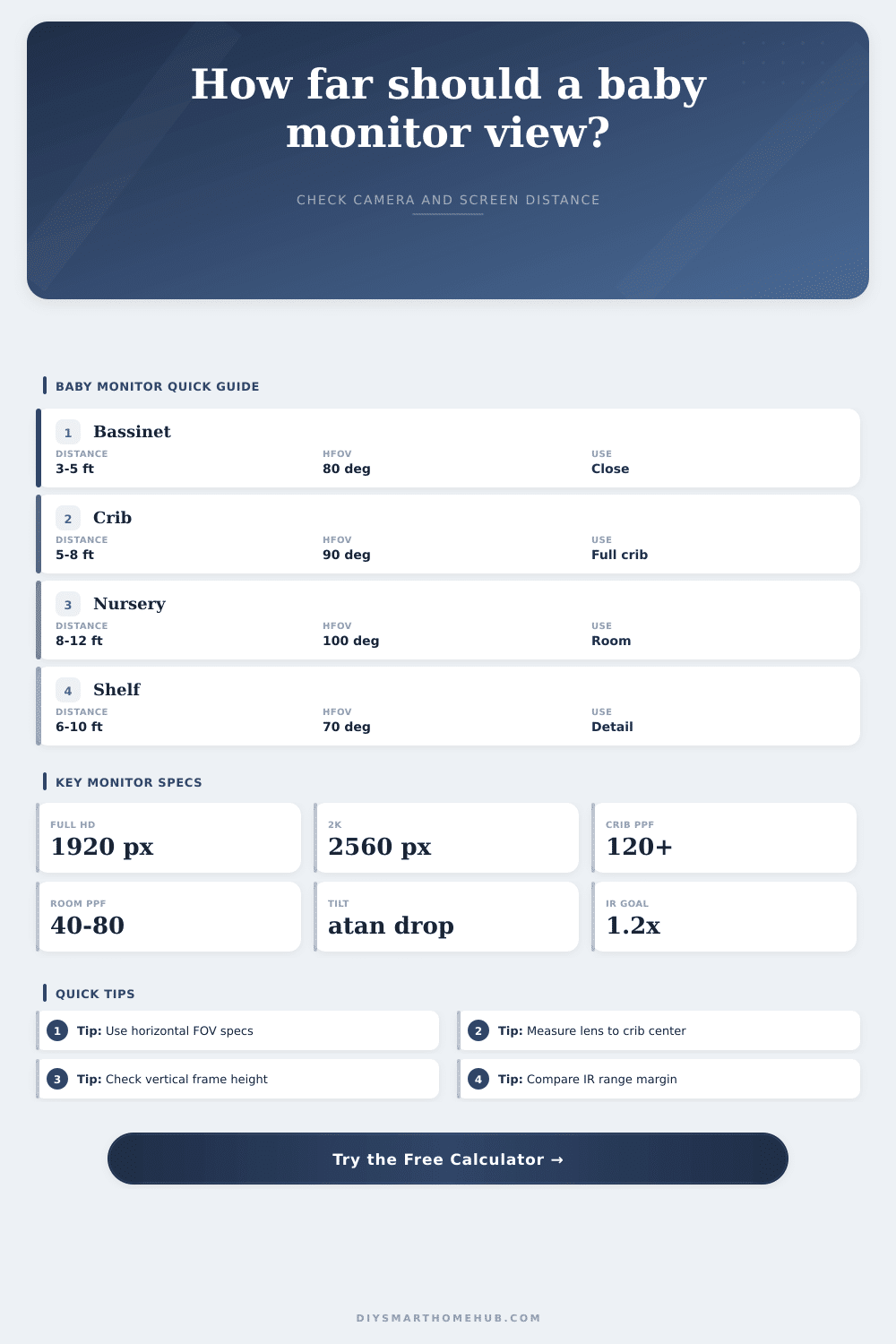
Baby Monitor Viewing Distance Calculator
Estimate baby monitor camera distance, horizontal field width, crib and nursery coverage, pixels per foot, mounting tilt, night-vision range margin, and parent-unit screen viewing distance.
Formula breakdown
| Camera view | HFOV | Width at 5 ft | Width at 8 ft | Width at 12 ft |
|---|---|---|---|---|
| Narrow detail | 55° | 5.2 ft | 8.3 ft | 12.5 ft |
| Balanced room | 75° | 7.7 ft | 12.3 ft | 18.4 ft |
| Wide crib view | 90° | 10.0 ft | 16.0 ft | 24.0 ft |
| Ultra-wide room | 110° | 14.3 ft | 22.9 ft | 34.3 ft |
| Panoramic lens | 125° | 19.2 ft | 30.7 ft | 46.1 ft |
| Resolution | Horizontal px | PPF at 5 ft / 90° | PPF at 8 ft / 90° | PPF at 12 ft / 90° |
|---|---|---|---|---|
| 720p | 1280 px | 128 ppf | 80 ppf | 53 ppf |
| 1080p | 1920 px | 192 ppf | 120 ppf | 80 ppf |
| 2K | 2560 px | 256 ppf | 160 ppf | 107 ppf |
| 3MP | 2304 px | 230 ppf | 144 ppf | 96 ppf |
| 4MP | 2688 px | 269 ppf | 168 ppf | 112 ppf |
| Placement | Distance | Mount height | Target height | Center tilt | Vertical span with 16:9 |
|---|---|---|---|---|---|
| Low shelf near crib | 4 ft | 3.5 ft | 2.0 ft | 20.6° | 4.5 ft |
| Standard shelf | 6.5 ft | 5.2 ft | 2.1 ft | 25.5° | 7.3 ft |
| Corner nursery | 9 ft | 5.8 ft | 2.2 ft | 21.8° | 10.1 ft |
| High wall view | 4.5 ft | 7.0 ft | 2.0 ft | 48.0° | 5.1 ft |
| Across room | 11 ft | 5.5 ft | 2.2 ft | 16.7° | 12.4 ft |
| Screen diagonal | Aspect ratio | Screen width | Distance at 15° | Distance at 20° | Distance at 25° |
|---|---|---|---|---|---|
| 3.5 in | 16:9 | 3.05 in | 11.4 in | 8.6 in | 6.9 in |
| 5.0 in | 16:9 | 4.36 in | 16.3 in | 12.4 in | 9.8 in |
| 7.0 in | 16:10 | 5.94 in | 22.2 in | 16.9 in | 13.4 in |
| 8.0 in | 4:3 | 6.40 in | 23.9 in | 18.1 in | 14.4 in |
| 10.1 in | 16:10 | 8.56 in | 32.0 in | 24.3 in | 19.3 in |
| Output | Formula | What changes it | Result use |
|---|---|---|---|
| HFOV width | 2 x distance x tan(HFOV / 2) | Camera distance and lens angle | Camera view width |
| Vertical FOV | 2 x atan(tan(HFOV / 2) x height / width) | Camera aspect ratio and HFOV | Vertical crib frame |
| PPF | usable horizontal pixels / view width ft | Resolution, compression, distance, HFOV | Pixel density |
| Mount tilt | atan((mount height - target height) / distance) | Mount height, target height, distance | Recommended tilt |
| Night margin | (rated IR range x usable factor) / distance | IR rating, room reserve, distance | Night range check |
| Screen distance | screen width / (2 x tan(screen FOV / 2)) | Screen size, aspect ratio, FOV target | Parent screen card |
The basic desire of most parents is that they should of be able to view their baby with clarity, but without purchasing the most expensive camera on the market. Unfortunately, most nurseries are not built to fit marketing specs; because you have to stand several feet back a wide angle lens will make the baby look out-of-focus.
When installing a monitor system, it’s not the number of megapixels which matter, but rather the math. Our tool above actualy computes the numbers for your configuration, so you don’t need to estimate whether or not your selected lens will resolve facial features from a corner shelf.
Why Camera Position Matters More Than Price
In short, typically you’re trading field of view for distance; the further back the camera is mounted the more the image will spread out over a larger area. Even though the camera may be 4 megapixels, if that’s spread across twenty feet of empty wall and crib combined, there aren’t many pixel left to distinguish the baby’s face from the background.
Even though the camera may be 4 megapixels, if that’s spread across a two-foot-wide crib and another ten feet of empty wall/crib, there aren’t many pixels left to distinguish the baby’s face different than the background. Manufacturers frequently quote diagonal angle numbers. These numbers appears larger when written down, but they don’t tell you how much horizontal width will allow your crib to fit into the frame without being cropped out. Knowing this (horizontal field of view) is critical.
Clarity is dictated by pixel density. A good way to think about it is that you want enough pixels per foot so as to be able to see more than just a vague blob of shadows and light. Can you see person’s expression? Their breathing movement? That requires enough pixels per foot, but if you move your camera back then even a high res sensor will become practically low quality as the scene becomes too big for the sensor to effectively sample.
The solution here is not necessarily an upgrade in hardware, but simply moving lens closer. A tiny shift in position can result in a huge jump in usable detail.
The other intuitive but calculated variable is mounting height. Mounting on a high wall bracket or shelf mean tilting the camera way down to focus on crib. That steep angle creates blind spots in corners of the bed or close to floor, plus distortion along the edges of the image. Based off both your target center and the mount height, the tool takes into account amount of tilt to compensate. So you won’t have a distorted view that causes you to miss the bottom half of the sleeping space.
There are limitations with night vision. Infrared is limited to a maximum range that varies by manufacturer. The effective range in practice may be reduced by factors like wall color or bedding material, which are not as well controlled as in test lab environment. A conservative estimate of effective range avoids the nasty surprise of going to bed and waking up to a grainy black screen because you overdid it. The calculator includes a use factor to provide a reasonable margin of safety. Is your distance pushing the LED’s ability to see in total darkness?
Don’t overlook what it’s like for parents themselves. While we’ve all seen those pictures of super crisp images from five inch screens, that’s not the same as seeing them blown up to fill a ten-inch tablet display. The viewing angle makes a difference too. Where you hold the device impacts your comfort level. I think most people underestimate how much this impact perceived clarity.
That little handheld monitor can appear more blurry than a slightly lower res version on a bigger screen sitting closer by if you’re livig in bed eight feet away. It’s very easy to fixate on the camera aspect of the whole thing and totally forget that the other half… The display part of the system (matters equally).
Balance is what you’re looking for. You need the width so that you can see some context around the crib. You also need enough density to read the more subtle signs on your child’s face and posture. Measure the dimensions of your room honestly and run those numbers through some geometry tools. Leave behind the marketing hype and enter the land of practical setup logic.
Place the screen at a comfortable viewing distance, get the lens close enough and tilt it just right. Good monitoring isn’t as much about having the best gadget as it is about putting the right one in exactly the right spot where the math work in your favor.