Smart Lighting Scene Transition Duration Calculator
Estimate a clean fade duration from brightness change, fixture output, protocol level scale, update cadence, and the smallest visible dimming step you want the scene to use.
Full transition breakdown
| Controller | Level scale | Transition unit | Best use | Watch point | Command hint |
|---|---|---|---|---|---|
| Zigbee Level Control | 1 to 254 levels | 0.1 second units | Native fades inside bulbs | Some bulbs ignore very long fades | MoveToLevel with transition time |
| Matter Level Control | Typically 1 to 254 | 0.1 second units | Local fabric scene commands | Reporting traffic can rise during fast fades | MoveToLevel transitionTime |
| Hue bridge scenes | Brightness 1 to 254 | transitiontime in 0.1 seconds | Room and zone scene recalls | Bridge and grouped command rate limits | Round seconds x 10 |
| Home Assistant | 0 to 255 or percent | Seconds in service data | Cross-platform automations | Integration support varies by device | Use transition: seconds |
| DMX or 8-bit dimmer | 0 to 255 channel | Frame or controller tick | High-rate stage-style fades | Needs curve handling for low levels | Map percent to 8-bit value |
| Percent-only WiFi API | 0 to 100 percent | Vendor-specific | Simple direct brightness calls | Large 1% jumps at very low light | Script smaller target changes |
| Scene style | Typical duration for 100% change | Step size target | Good fit |
|---|---|---|---|
| Snap response or alert | 0.4 to 1.2 seconds | 5% to 10% | Doorbell flashes, status alerts, manual taps |
| Quick task lighting | 1.5 to 4 seconds | 3% to 6% | Kitchen, laundry, closet, utility areas |
| Comfort room scene | 6 to 12 seconds | 1.5% to 3% | Living rooms, dining rooms, reading scenes |
| Cinema or evening scene | 10 to 25 seconds | 1% to 2% | TV scenes, color accents, relaxed transitions |
| Night or sleep-friendly scene | 30 to 120 seconds | 0.5% to 1.5% | Bedtime, nursery, low hallway lighting |
| Long wake-up ramp | 900 to 1800 seconds | 0.25% to 1% | Morning ramp from near-off to bright |
| Commanded brightness | Approx. lumens from 800 lm lamp | CIE L* lightness | Fade planning note |
|---|---|---|---|
| 1% | 8 lm | About 9 L* | Small numeric steps can still feel obvious |
| 10% | 80 lm | About 38 L* | Use softer steps for night scenes |
| 25% | 200 lm | About 57 L* | Common relaxed room level |
| 50% | 400 lm | About 76 L* | Perceived midpoint is brighter than 50% |
| 75% | 600 lm | About 89 L* | Large lumen changes feel less abrupt |
| 100% | 800 lm | 100 L* | Useful for task scenes and reset states |
| Scene | Brightness move | Fixture group | Typical command value |
|---|---|---|---|
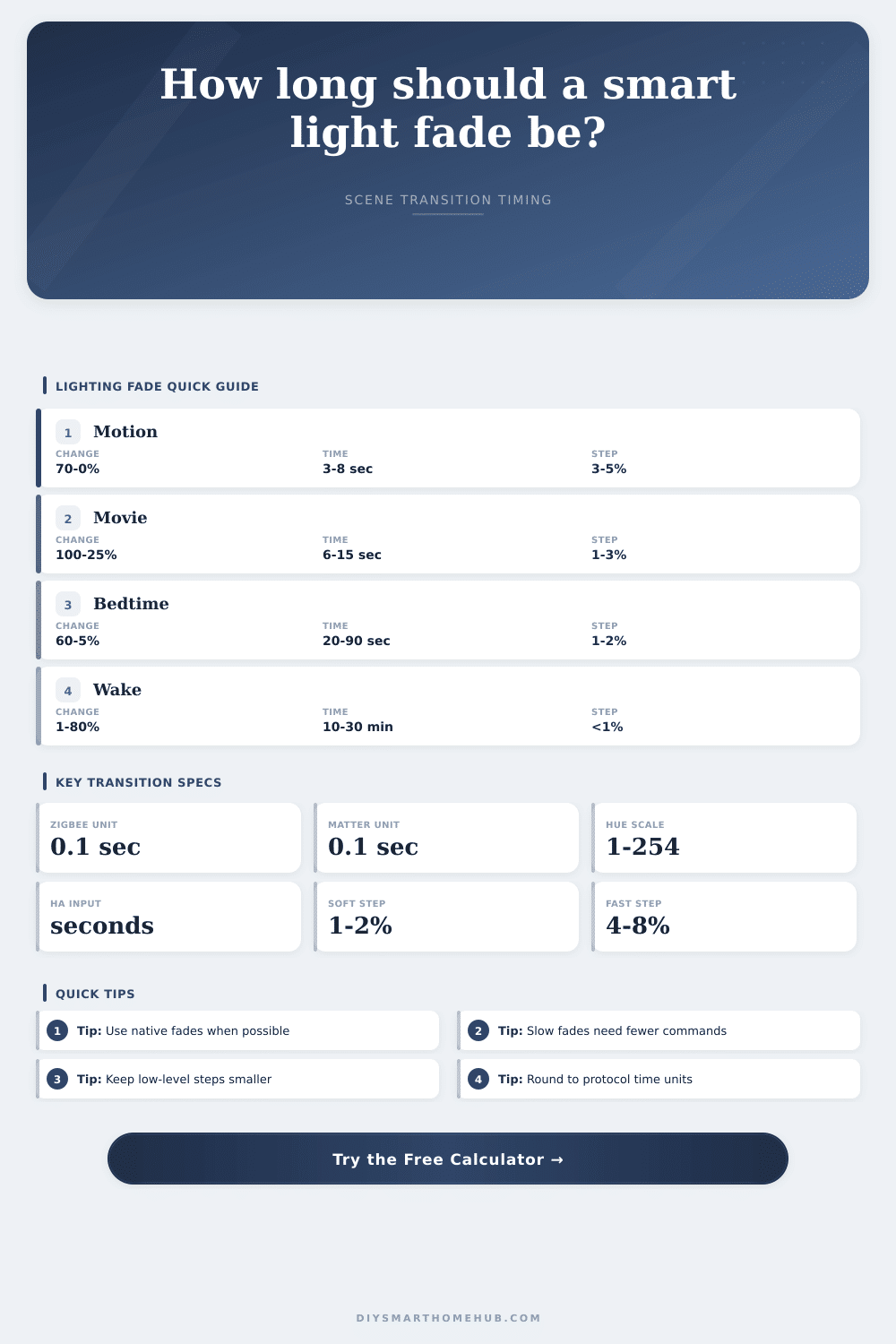
| Hallway motion fade-off | 70% to 0% | 2 to 4 fixtures | 30 to 80 tenths |
| Movie night dim-down | 100% to 20% | 4 to 10 fixtures | 80 to 180 tenths |
| Kitchen task boost | 35% to 100% | 6 to 12 fixtures | 20 to 60 tenths |
| Bathroom midnight low | 0% to 15% | 1 to 3 fixtures | 20 to 120 tenths |
| Bedtime wind-down | 60% to 5% | 3 to 8 fixtures | 300 to 1200 tenths |
| Morning wake-up ramp | 1% to 80% | 2 to 6 fixtures | 9000 to 18000 tenths |
| Max step per update | 100% change needs | 250 ms interval duration | Best fit |
|---|---|---|---|
| 8% | 13 updates | 3.25 seconds | Fast utility transitions |
| 4% | 25 updates | 6.25 seconds | Motion and basic room scenes |
| 2% | 50 updates | 12.5 seconds | Comfort and movie scenes |
| 1% | 100 updates | 25 seconds | Low-light evening scenes |
| 0.5% | 200 updates | 50 seconds | Very gentle sleep transitions |
And yes, you will have the terror waking up to your smart bulb blasting on full brightness in the middle of the night. And this won’t be an issue with bulb itself. It’s going to be an issue with the unseen factor, the speed of change between dark and light. We think that brightness is a linear thing that you just slide back and forth. So if I was at ten percent and I want to go down to eight percent or up to eighty percent, that’s just some math. Well, nope. Light isn’t a straight line for humans. We’re very sensitive when light levels changes even a little bit from dark. But once you get into the bright stuff, our eyes becomes relatively numb to big jumps.
The thing is: this is also where the length of the transition starts to have less to do with technical details and more to do with how comfortabley it feels. How quickly does it has to get dim? It needs to be fast enough that I can walk in the room and know my eyes are adjusting without feeling startled out of a doze, but not so fast than it is annoying. Use the calculator above; it’ll spit out a real-world time value based off how much difference between bright and dim you prefer, which actualy works with your chosen protocol. Most folks goes with some arbitrary number of seconds and cross their fingers, resulting in either painfully sluggish fades or jarring jumps back and forth that have you wanting to throw up your hands and just flip the switch off already.
Why Fade Time Matters for Smart Lights
What’s going on behind the scenes here? For example, if you’re working with Matter or Zigbee bulbs, they’re performing all the in-between commands from start to end brightness themselves. This is far better than firing off dozens of command one by one at a rate of a few per millisecond, which creates lag and chokes your wireless network. The tool can also help you imagine how much total output changes. A “modest” decrease from 80 percent down to 20 percent may not sound like much on paper. However, in lumen terms, that is a dramatic dimming of all the ambient light bouncing around and getting into your retinas.
And in terms of stepping up, step size makes all the difference. A five percent increase feels like a huge change at five percent, as it effectively doubles or halves the amount of light. However, a five percent increase feel unnoticeable at 90 percent because there is just not that far to go. It doesn’t feel like a fade; it feels like a flicker. This means you need very small steps and very slow transitions for bedroom or bedtime situation. This is different than kitchen lights used for tasks or wake-up time when you are going from dark to bright daylight.
They provide a handy reference table on the page that matches scene types to duration ranges. For example, a movie night dim-down isn’t the same as a hallway motion sensor switching off after you exit. In practice, the fades just feel more natural due to some protocol oddness. For example, some ecosystems has their transition time measured in tenths of a second. Others use an API based on percentages that lacks fine control for short durations, or even use whole seconds! When you round your intended duration up/down to match the native unit for your controller, there’s no stuttering and the bulb will execute the fade smoothly with no hiccups in the middle of the transition.
Also think about scripting ramps vs. Native scene recall command, since native commands allows the bulb to internally drive the dimming curve. That internal processing is usually much smoother than having the hub update it, which can get out of sync when the network gets congested. At its core, good lighting automation are about removing the tech from conscious thought completely. You shouldn’t even be aware that the lights changed; just that as soon as you walk in the room, the environment make sense.
The magic of a well timed fade time is that it sits between the biological reaction of your eye and the mechanical motion of a light switch. It transforms a binary on/off into an imperceptible change in the environment around you. If you spend the effort to determine exactly when to trigger it, you wouldn’t of wrestling with lamps that switch on and off randomly. Instead, you will be basking in a space where every room has been designed for you to feel exactly how you want to. That subtle fade is the distinction between a house stuffed with gizmos versus a genuinly intelligent home.