Wire Length Resistance Calculator
Estimate conductor resistance, voltage loss, percent drop, and power converted to heat from wire gauge, material, length, temperature, strand factor, path, current, and units.
🔌Smart home wire presets
⚙Wire and load inputs
📋Selected conductor spec grid
📏Common conductor sizes
| Gauge | Area | Copper ohm / 1000 ft at 20 C | Typical smart-home use |
|---|---|---|---|
| 24 AWG | 0.205 mm2 | 25.7 ohm | Network pairs, sensor cable, low-current controls |
| 22 AWG | 0.326 mm2 | 16.1 ohm | Alarm contacts, keypads, sensor loops |
| 18 AWG | 0.823 mm2 | 6.39 ohm | Thermostats, doorbells, locks, shades |
| 16 AWG | 1.31 mm2 | 4.02 ohm | Short LED strips and 12 V accessory runs |
| 14 AWG | 2.08 mm2 | 2.53 ohm | Longer low-voltage lighting and higher current controls |
| 12 AWG | 3.31 mm2 | 1.59 ohm | Long 12 V lighting trunks and outdoor low-voltage feeds |
🧪Material and temperature reference
| Material | Resistivity at 20 C | Temp coefficient | Planning note |
|---|---|---|---|
| Silver | 1.59 x 10^-8 ohm-m | 0.0038 / C | Lowest listed resistance, uncommon for building wire |
| Copper | 1.724 x 10^-8 ohm-m | 0.00393 / C | Baseline for most low-voltage wire tables |
| Tinned copper | 1.76 x 10^-8 ohm-m | 0.00393 / C | Slightly higher planning resistance than bare copper |
| Aluminum | 2.826 x 10^-8 ohm-m | 0.00403 / C | Needs larger area for the same voltage drop |
| Brass | 6.40 x 10^-8 ohm-m | 0.0015 / C | Useful for contacts and bus estimates, not cable runs |
| Steel | 14.3 x 10^-8 ohm-m | 0.0050 / C | High resistance; use only for rough specialty estimates |
💡Voltage drop targets
| Target | Use case | What it means | Calculator interpretation |
|---|---|---|---|
| Under 3% | Low-voltage lighting, sensitive devices | Conservative voltage-loss target | Green status in the result note |
| 3% to 5% | General control wiring | Often workable when device input range is wide | Caution status; check receiving voltage |
| Over 5% | High-current long runs | May cause dimming, lock dropouts, or wasted heat | Warning status; try larger wire or shorter run |
| Device minimum | Cameras, locks, radios, controllers | Supply voltage minus wire loss must stay above spec | Shown as estimated load-end voltage |
🏠Preset scenario table
| Preset | Wire | Length and current | Why it matters |
|---|---|---|---|
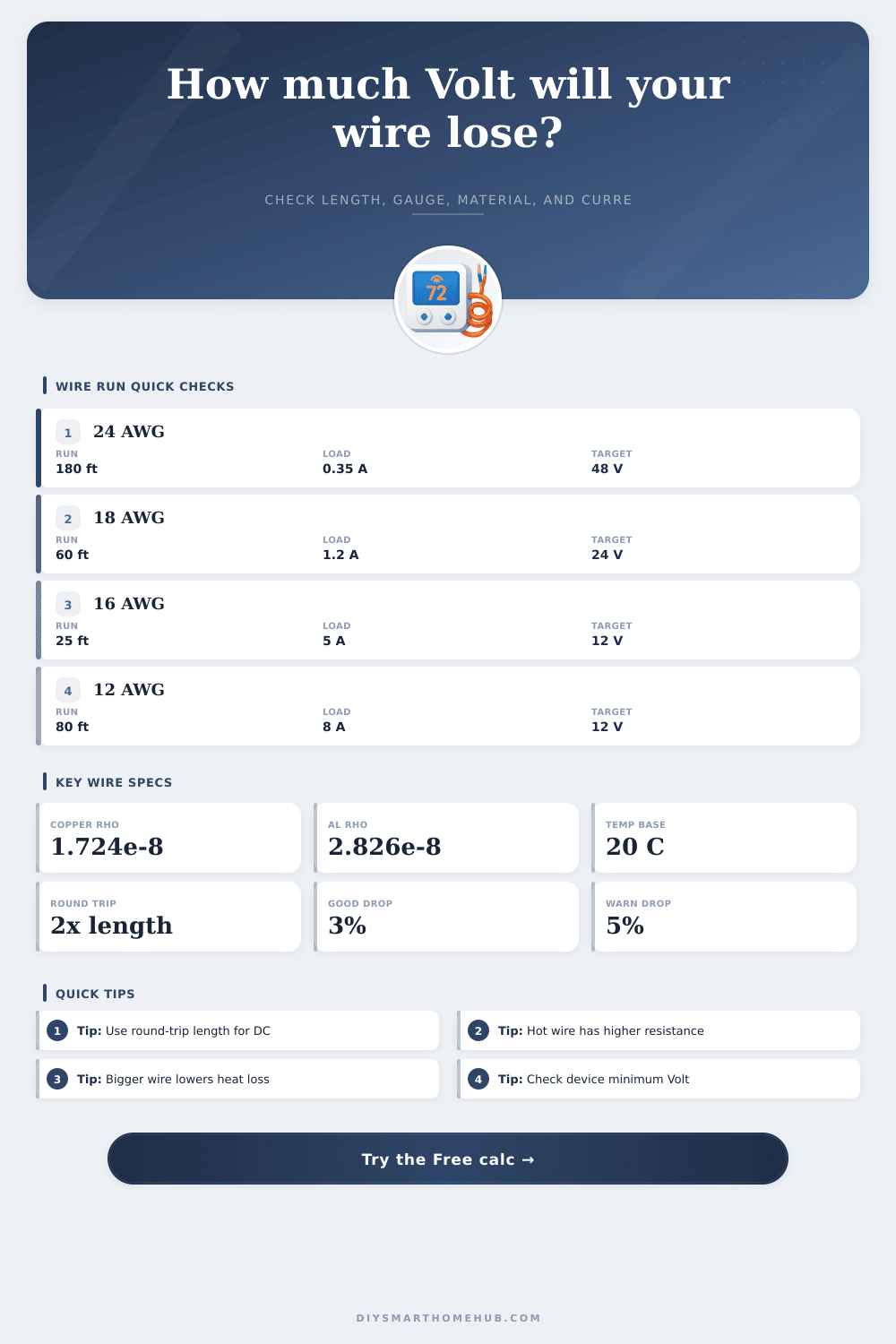
| PoE Camera | 24 AWG copper | 180 ft, 0.35 A at 48 V | Long cable runs can lose headroom at the powered device. |
| Video Doorbell | 18 AWG copper | 60 ft, 1.2 A at 24 V | Voltage sag can affect chimes, cameras, and transformers. |
| 12 V LED Strip | 16 AWG copper | 25 ft, 5 A at 12 V | Low voltage and high current make drop visible quickly. |
| Access Lock | 18 AWG copper | 120 ft, 0.75 A at 12 V | Locks need enough voltage during pull-in current. |
| Smart Lights | 12 AWG copper | 80 ft, 8 A at 12 V | Outdoor trunks can turn several watts into cable heat. |
ℹCalculation tips
Smart doorbells are a perfect little machine… until they aren’t. They run great for a while, then slow down. After a few months, you notice that your camera freezes up and chime sound gets quiet. It’s not usually because the unit fails. In most cases, it’s caused by wire leading from the device to the power source. As that wire grows in length, it build resistance… And more resistance equals greater voltage loss before reaching the load. While the calculator does all that math for you, understanding how it’s done allow you to make smarter choices.
There are four factor that change resistance: the length of the wire, the thickness (diameter) of the wire, the material, and how hot things get. Generally speaking, we use copper because it conducts well without costing a fortune. But even copper create some resistance depending on its length and diameter. The thinner the wire, the less easy it is for current to travel across. That means more of the voltage dissapears before it gets to your device.
How to Choose the Right Wire Size
A common error is in calculating distance. You think, “It’s only 30 feet away.” That is the direct, straight-line distance between the device and the power supply. But it fail to account for half of the circuit. Current flows both ways. It leaves your power supply over one wire, travels along the cable to the device, and then returns on a different wire to complete the circuit. So what you have is a thirty foot run, but with two wires used. That’s sixty feet of wire. Selecting the standard setting tells the tool that you are using a round trip path (which is how electricity works). If not, your calculated voltage drop will be lower than actual amount. This results in devices that don’t work under load.
Resistance varies greatly by temperature. As the conductor heats up, so does its resistance. That means a hot attic wire has more resistance than one hanging out on a cold basement wall. To adjust for this, the calculator include individual material temperature coefficients. In addition, some materials resist electricity more than others, such as aluminum compared to copper (common in old homes and high-voltage situations). This require a heavier-gauge aluminum to provide similar performance to copper. Anything less, and you’ll get serious voltage drop.
There are two important output values from the tool. One is the real voltage loss in both percentage and volts. The other is the power lost as heat. That’s the heat you’re losing. That’s waste. Wasted electricity, but that’s also heat that could of become a fire hazard if neglected. For anything running on lower voltages such as cameras or LED strips, even a slight drop will cause the device to dim or keep rebooting.
Generally, three percent is tolerable for most devices. Five percent or more means your wire are insufficient to handle the load and distance. Size matters, You want to balance cost, performance with space when choosing a wire gauge. A thicker wire is tougher to bend around corner and is more expensive. But it will also help prevent troubleshooting headaches down the road. So if you find yourself with a big drop, bump up the gauge one or two sizes. This slight change in diameter helps a lot with conductivity. Electrons can flows easier.
Its presets address typical situations where physics are messing things up: motors spinning up can brownout power over ethernet cameras during periods of high activity. A video doorbell requires steady voltage for clear recordings. Understanding those trade-offs allow you to build strong systems upfront, without having to troubleshoot occasional glitches down the road.
How much wire do I need? That’s a matter of size. The number (gauge) represent how strong the wire is to overcome distance vs. Voltage. So if you match all the factors properly your device gets its required power. And the wire doesn’t interfere with the path that the electricity needs to take. This section explain how to power your system. Whether it’s a thermostat or landscape lighting installation, the wire powers performance. Trouble on one end starts with a weak connection. Plan ahead for the full loop and consider heat. Don’t let lack of proper power cause problems down the road. Sizing the wire properly ensures smooth operation of your system, no interruptions here.