VPN Bandwidth Overhead Calculator
Estimate effective VPN throughput from line speed, protocol overhead, encryption CPU limits, added latency, simultaneous device load, and data cap use for a home network or remote access tunnel.
Protocol overhead after packet-size mix.
Used in the effective throughput formula.
Useful for remote cameras and NAS sync.
Effective download divided by active devices.
Protocol overhead reference
| Protocol | Typical overhead | Added latency | Best fit |
|---|---|---|---|
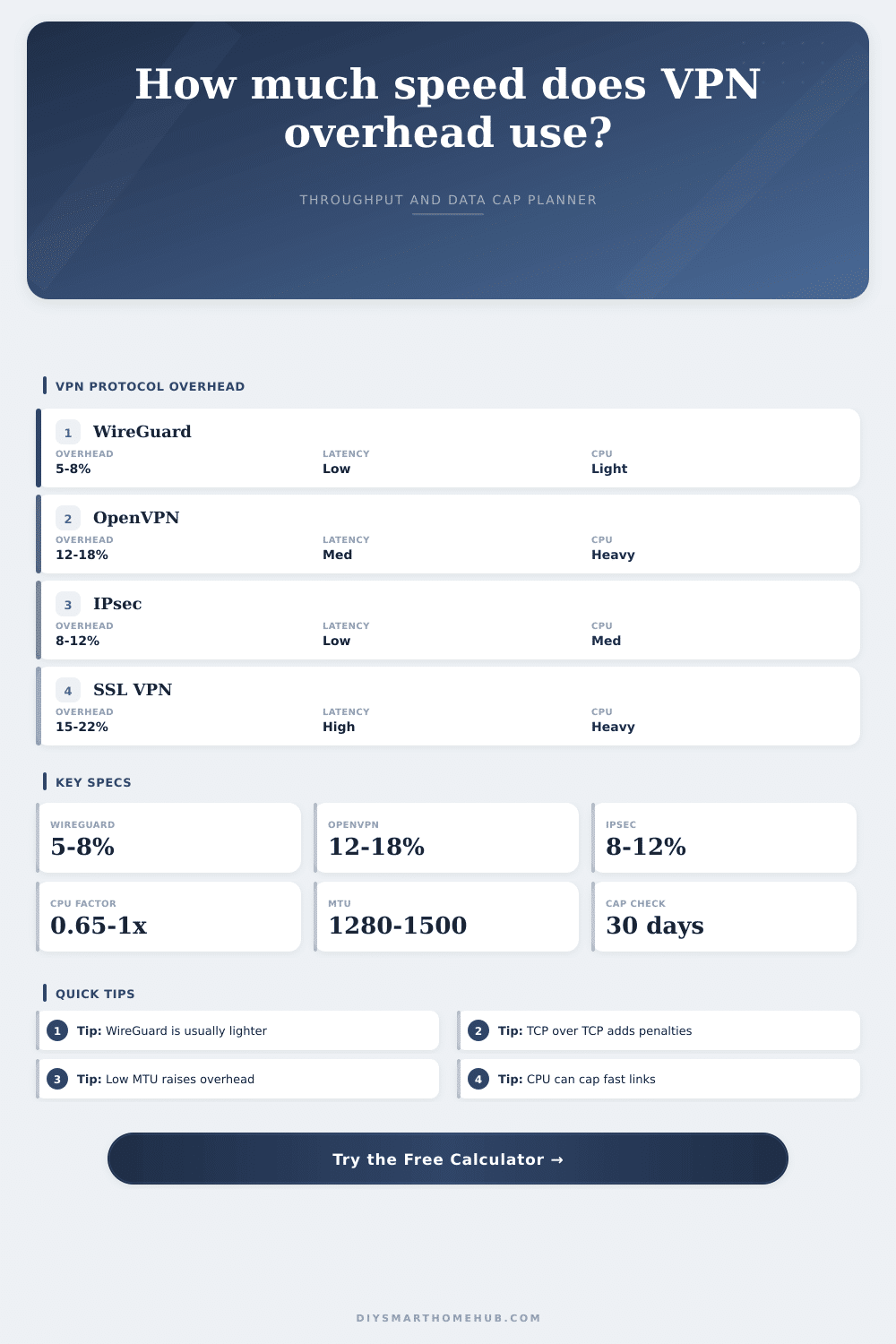
| WireGuard UDP | 5% to 8% | 2 to 5 ms | Fast home VPNs and travel devices. |
| OpenVPN UDP | 10% to 14% | 6 to 12 ms | Compatibility with moderate throughput. |
| OpenVPN TCP | 15% to 22% | 12 to 25 ms | Restricted networks where UDP is blocked. |
| IPsec / IKEv2 | 8% to 12% | 4 to 9 ms | Mobile clients and routers with acceleration. |
| L2TP over IPsec | 14% to 20% | 10 to 18 ms | Legacy compatibility cases. |
| SSL VPN | 15% to 22% | 14 to 30 ms | Portal access and work-style tunnels. |
Encryption CPU planning
| Device class | Crypto capacity | Common limit | Planning note |
|---|---|---|---|
| Small router CPU | 40 to 120 Mbps | CPU | Fast internet can be wasted by encryption load. |
| Midrange gateway | 150 to 400 Mbps | Upload | Works well for normal remote access. |
| Mini PC gateway | 500 to 1200 Mbps | Line speed | AES-NI or modern ARM crypto helps. |
| NAS VPN service | 100 to 700 Mbps | Shared load | File sync and VPN may compete for CPU. |
| Enterprise appliance | 1000+ Mbps | Packet rate | Small-packet traffic can still reduce capacity. |
Data cap examples
| Raw traffic | Overhead | Monthly VPN data | 1.2 TB cap use |
|---|---|---|---|
| 5 GB/day | 7% | 160.5 GB | 13% |
| 15 GB/day | 10% | 495 GB | 41% |
| 35 GB/day | 12% | 1176 GB | 98% |
| 75 GB/day | 15% | 2587.5 GB | 216% |
| 120 GB/day | 18% | 4248 GB | 354% |
Preset comparison
| Preset | Effective down | Added latency | Likely limit |
|---|
Get gigabit fiber so you can stream HD video in 4K without any buffering. Transfer files quicky. Sign up for a VPN to ensure that your traffic stay private. Install the VPN. Now your upload speed is much slower then before. Why doesn’t the sum of these parts equal the whole? That’s frustrating. You pay to get fast service, yet the VPN tunnel slow things down.
On this page, the VPN speed calculator do the math for you. To understand where the speed goes, we need to look at how an encrypted tunnel work. Before any byte of data exits your network, it’s wrapped in a package. It’s called encapsulation. What’s inside the package? Your actual video stream or web request are called the payload. And the package itself include things like encryption headers, authentication tokens, and routing information.
Why Your Internet Gets Slow With a VPN
This package consumes space. When you push a 1000-byte packet across a VPN, for instance, it may show up on the other side as 1050 bytes. Those additional 50 are overhead. They’re not visible to you but they exist for your router’s processor.
When you run a speed test, key is knowing what exactly you’re measuring. How much of that packaging does depend upon which protocol you’re using, however. If you go with WireGuard, it’s meant to be lean. Typically, there’s just five to eight percent overhead. You could go with good ol’ OpenVPN, and it has some large amounts of meta data that can push overhead up to fifteen percent (or even higher) in particular when you’re running it over TCP.
In fact, going TCP-over-TCP is particularly troublesome. Each layer tries to manage its own congestion control. And they gets in each other’s way. A quick look at the page show this clearly by comparison. This all comes down to packet size. On one hand, if you’re downloading a huge 4K movie file, that’s a lot of data going in big chunks. In that case, header overhead is a small percentage of the whole.
On the other, if you’re doing a bunch of video calls or browsing the web or whatever else uses IoT device, you’re sending out thousands of little packets. Each one have its own header. And all that overhead add up quickly. It is a small thing but it makes a huge difference in real world performance. If you have a network full of video calls and smart home sensor, the effective speed drop will be far worse than you might expect from simple percentage calculation.
Next up, we have the CPU limit. Encryption takes a lot of processing power. Every single packet get scrambled and unscrambled on the fly by your VPN client (or even your router). If your hardware isn’t up to snuff, that’s where the bottle-neck will be. You may have 500 Mbps internet line. But if your router can only encrypt at 200 Mbps, then you’re effectively capped at 200 Mbps. By letting you input your device’s crypto limit, the calculator lets you spot this. All too often, people blame their ISP when the real culprit is silicon in their router.
But there’s also that whole latency thing. There’s no getting around the fact that encryption slow things down. And then you’ve got the additional distance added by routing traffic through some far-off server. A few more milliseconds and suddenly the experience seem laggy if you’re on a video call or gaming. The tool measures base latency, and estimates the additional penalty caused by the tunneling process itself. So it paints a realistic picture of how responsive the connection feels and how fast it can move raw data.
The last factor for most users is data caps. Yes, it’s not only slowing down your speed; that overhead are burning through your data allowance. If you’re on a 1 TB limit and your VPN has an overhead of 10 percent, you’re losing 100 GB of usable data each month to digital packaging. You could of hit your cap weeks earlier if you use a lot. The calculator estimates how much you’ll use in a month depending on what you do during the day. It’s a handy reality check if you’re on a limited plan.
We’re not trying to say don’t use VPNs. We’re saying use them smartly, because using the correct protocol on your device with the right kind of traffic will reduce the drag. And you want to run the most secure settings possible on your router without making it slow down. Because that’s about a balance of security and performance. And when you understand where the actual bottleneck is, then you stop guessing and start tweaking.
You sign back up for fast. But this time, you know exactly how little of it will get through the tunnel.