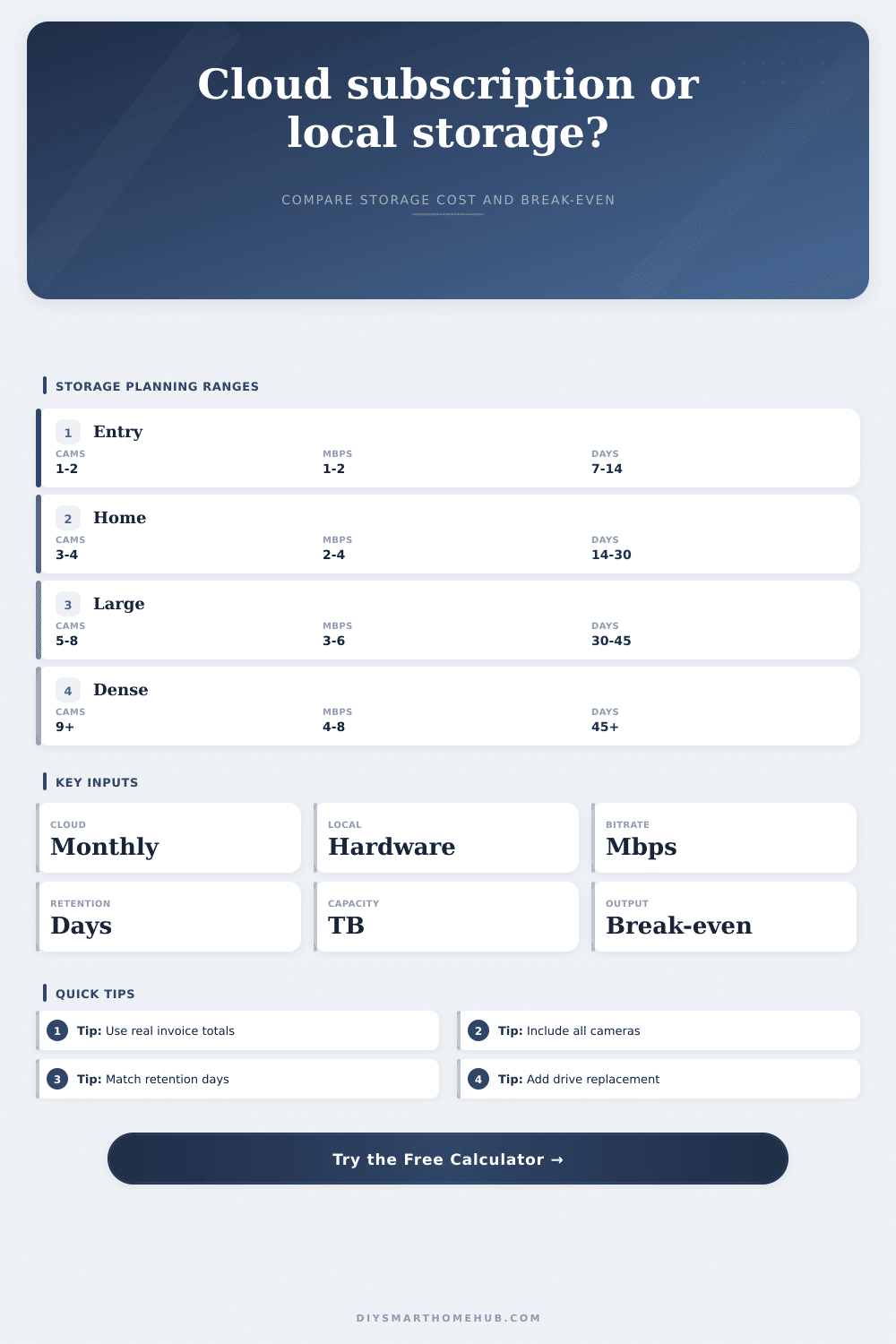
Subscription vs Local Storage Cost Calculator
Compare user-entered cloud subscription billing against local recording hardware, camera bitrate, recording duty cycle, retention days, drive capacity, replacement timing, and break-even months.
Calculation breakdown
Cloud subscription
Best when the monthly amount is low, camera count is small, retention is moderate, and avoiding local recorder maintenance is worth recurring billing.
Local recorder
Best when camera count, bitrate, or retention days push recurring subscriptions above a one-time hardware purchase within the comparison horizon.
Hybrid storage
Best when only key cameras need cloud backup while local storage keeps high-bitrate or long-retention footage for the rest of the system.
Capacity warning
Local storage may be cheaper but still unsuitable if the calculated retention target exceeds the usable drive capacity entered here.
| Formula item | Calculator formula | Why it matters | Output affected |
|---|---|---|---|
| GB per day | Mbps x 3600 x 24 / 8 / 1024 | Converts camera stream rate into storage per full day | Daily storage and retention storage |
| Duty cycle | Full-day GB x selected recording percent | Adjusts continuous math for motion or event recording | Actual GB per day estimate |
| Subscription year | Monthly amount x 12 x billing multiplier | Annualizes the user-entered cloud monthly amount | Cloud yearly and horizon totals |
| Break-even | Local hardware / cloud monthly system amount | Shows when cloud spend catches the local purchase | Break-even months |
| Replacement | Hardware amount / replacement interval | Spreads local hardware across expected drive cycles | Annualized local comparison |
| Bitrate per camera | Full-day storage | 30-day storage | Common planning note |
|---|---|---|---|
| 1 Mbps | 10.55 GB/day | 316 GB | Low bitrate clips or efficient 1080p stream |
| 2 Mbps | 21.09 GB/day | 633 GB | Typical compressed HD camera stream |
| 4 Mbps | 42.19 GB/day | 1.24 TB | Higher quality HD or moderate 2K stream |
| 8 Mbps | 84.38 GB/day | 2.47 TB | High quality 4K or low compression stream |
| Recording mode | Duty cycle used | Best fit | Planning caution |
|---|---|---|---|
| Continuous | 100% | Security review, always-on local NVR, active entrances | Highest storage and fastest drive fill |
| Busy event | 65% | Street-facing cameras or frequent motion zones | May approach continuous storage on busy days |
| Typical motion | 40% | Mixed household activity and normal exterior motion | Depends heavily on motion detection settings |
| Light event | 20% | Quiet side yards, interior cameras, or clip-based review | Short clips can miss context before or after events |
| Scenario | Camera and bitrate profile | Retention focus | Cost comparison focus |
|---|---|---|---|
| Doorbell only | 1 camera at low to moderate bitrate | 7 to 14 days of clips | Cloud often wins unless local hardware already exists |
| Four-camera home | Balanced exterior cameras at moderate bitrate | 14 to 30 days | Break-even depends on monthly plan scope |
| Whole-house NVR | 6 to 8 cameras with mixed duty cycles | 30 days or more | Local storage may catch up quickly |
| High-bitrate 4K | Large streams and high storage demand | 30 to 45 days | Capacity check matters as much as cost |
Install a smart doorbell and see who’s at the door. It work great from the app for a week. Next thing you know, you get a notice. Pay us a monthly fee to keep your footage. Five bucks sounds reasonable. Add another camera for the driveway. Five more bucks. Before you know it, you’re paying for storage of video sitting in some data center while you sleep.
We aren’t just talking about your monthly bill; we’re asking what you actualy own. Do you want to buy your memory or will you rent it? That’s the difference.
Buying Your Storage or Renting It?
If you know what bitrate you’re shooting and how many camera, plugging those numbers into calculator above spits out the rest of the math for you. No need to try to convert from gigabits to something else and no need to fiddle around with multipliers and other such nonsense.
The problem is that while cost of cloud tends to scale by number of cameras, local storage costs tend to scale based on total amount of data. So a cloud provider may charge you four times as much if you have four cameras. But a local network video recorder doesn’t give a damn how many camera are pointing at it. It only gives a damn when the hard drive fills up. That’s why knowing your bitrate is always the first step.
These days most cameras can be streamed over the internet at two to four megabits per second. Sounds like a bunch of computer science gibberish, but really it just refers to how fast the video pipe is running. Higher bitrates mean crisper video, but they also requires more storage. Plug that number into tool to see exactly how much space thirty days of footage will consume.
Many people assume they only need to buy a recorder once. Not so fast. Drives go bad. Your calculator lets you specify when you’ll want to replace them. In this example, we assume you replace them every four years; that cost gets added to the calculation over time.
Next, you compare that annualized hardware cost to the ongoing expense of a cloud subscription. That’s where the break-even figure comes in. That figure shows how long it will take before those continuing cloud payments matches (or exceed) the initial purchase price of a local hardware solution. If the break-even period is ten months, and you intend to operate the system for five years, then the local solution wins. If you only intend to run it for six months, the per-month cost of the cloud service may be lower. So you have to consider your timeframe (not simply the sticker price).
The other thing, though, is retention. How long should you retain that video? For most porch piracy incidents, seven days is sufficient. If it’s going to an insurer, 30 days is typical. For super-secure or paranoid places, keep it for 90 days.
Unless you pay extra, cloud services will only retain your stuff for up to 30 days. Want longer retention? Buy more local storage. Add more drives to extend the retention. Local storage can be built in pieces in a way that the cloud cannot. Start with what fits your budget. Expand as required.
The calculator has a capacity check so it warns you if your drive isn’t large enough to hold all your footage, based off the retention you want to choose. Better to find out before you overwrite the evidence after a week when you really needed it.
But then there’s the motion detection thing. When you set your cameras to just record if something moves, you’re saving a lot of space. The calculator lets you include this duty cycle. Maybe in your house it only records twenty percent of the time. Or maybe on your busy street corner, it records sixty-five percent of the time. That makes a huge difference in the number of gigabytes you’ll need. Depending on how much you overestimate, it could mean the difference between needing a two-terabyte drive or a four-terabyte one.
The page has a nice reference table that breaks down these recording modes. Pick whatever matches the setting of your real life. It’s safe to overestimate motion (it’ll waste some money), but underestimate it and you won’t get any recordings.
Ultimately it’s a matter of how much work each can take. For local storage, you get to update the thing, monitor its health, and deal with the occasional technical hiccup. For cloud storage, you get to wrangle your budget and entrust someone else with your pictures. There is no such thing as a free lunch.
You get the numbers from the tool. You provide the preference. If you’re willing to pay for convenience and have relatively few cameras, the subscription is worth it. If you have lots of camera and higher bitrate requirements, or if you need to keep images for a long time, the local hardware will soon pay for itself. Until then, the clouds will seem inexpensive, until they don’t. At that point, you’re simply paying rent on your own eyes.