Smart Home Subscription Cost Per Year Calculator
Estimate yearly smart home subscription totals from your own monthly and annual plan entries, camera count, plan count, household count, billing cycle, discounts, taxes or fees, and remaining-month proration.
Calculation breakdown
Monthly billing
Best when you expect to cancel, pause, or test a subscription. The yearly projection equals monthly entry times 12, plans, and households.
Annual billing
Best when the annual entry is meaningfully lower than 12 monthly payments and the subscription is likely to stay active all year.
Split billing
Useful when some plans are stable and others are temporary. The calculator assigns half the plan count to annual and half to monthly.
Lower option
Use this for a quick renewal check. It compares your monthly-derived annual total against your annual entry and keeps the lower number.
| Billing choice | Core formula before adjustments | Best planning use | Watch item |
|---|---|---|---|
| Monthly billing | Monthly amount x 12 x plans x households | Short trials, uncertain add-ons, seasonal service | May exceed annual if kept all year |
| Annual billing | Annual amount x plans x households | Stable core services and long-running monitoring | Check cancellation and renewal timing |
| Split billing | Some plans annual, remaining plans monthly | Mixed homes, add-ons, camera tiers, or trials | Round plan counts carefully |
| Lower yearly option | Minimum of monthly-derived and annual entry | Fast cycle comparison during renewal review | Still apply taxes and fees afterward |
| Input | How it affects the total | Example interpretation | Result affected |
|---|---|---|---|
| Plan count | Multiplies the selected plan amount | One plan for cameras plus one plan for monitoring equals two | Year total and monthly equivalent |
| Household count | Multiplies the whole plan stack | Primary home and rental unit equals two households | Portfolio total and per-household average |
| Camera count | Divides the yearly total by covered cameras | Use covered cameras, not every camera you own | Average per camera per year |
| Discount percent | Reduces subtotal before taxes and fees | Renewal discount, prepaid reduction, or bundle adjustment | Adjusted subtotal and final total |
| Taxes and fees | Adds a percentage after the discount | Enter a combined estimate when the bill groups fees together | Final total and proration |
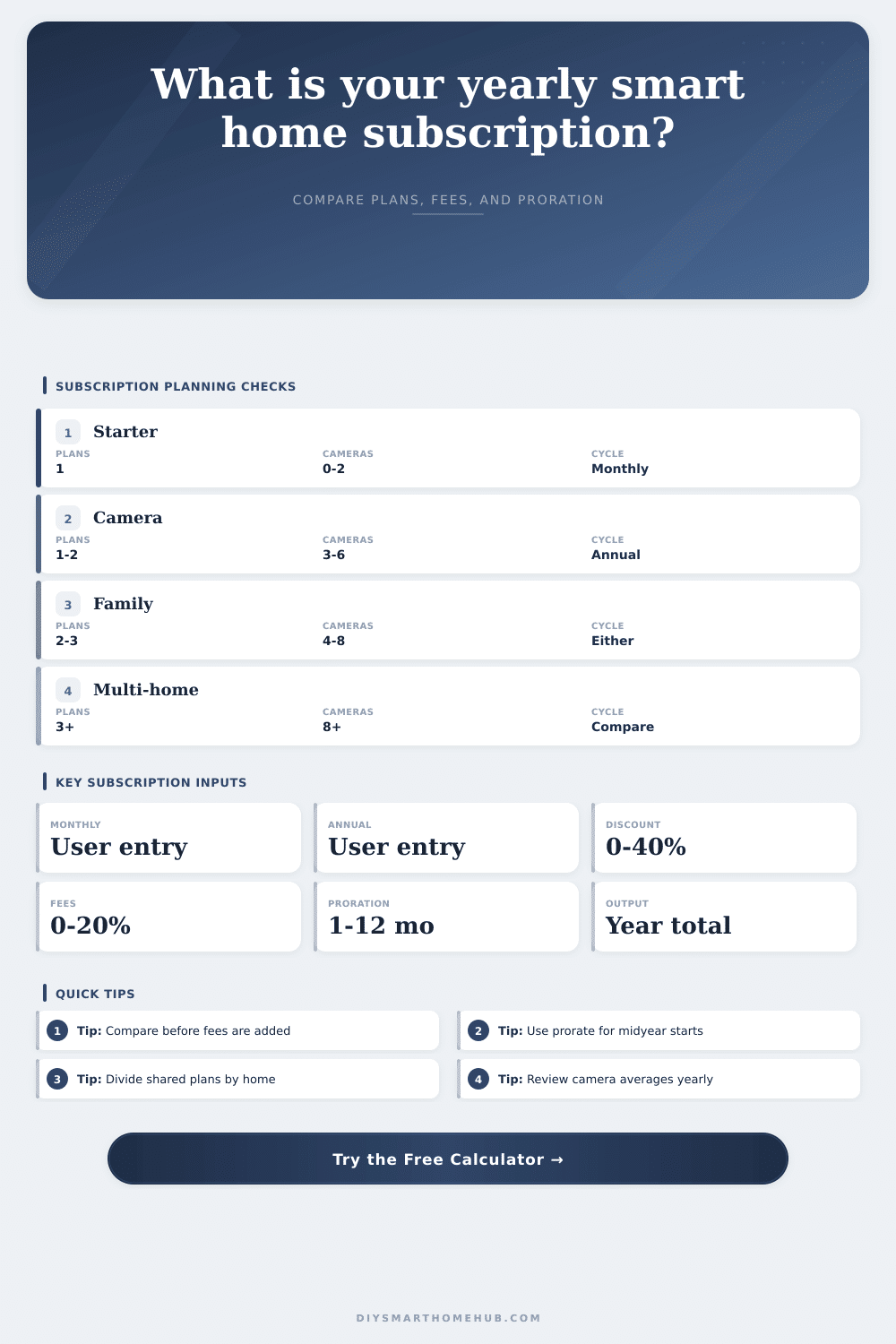
| Planning scenario | Plans | Cameras | Typical calculation focus |
|---|---|---|---|
| Single hub starter | 1 plan, 1 household | 0 to 2 cameras | Check if the annual entry is worth committing to |
| Camera starter plan | 1 to 2 plans | 3 to 6 cameras | Watch the average cost per covered camera |
| Family monitoring stack | 2 to 3 plans | 4 to 8 cameras | Compare plan count before adding another service tier |
| Multi-household portfolio | 3 or more plans | 8 or more cameras | Use per-household averages to spot expensive properties |
| Months remaining | Proration factor | Use case | Calculator output |
|---|---|---|---|
| 3 months | 25% of adjusted yearly total | Late-year trial, move-out, or short overlap | Quarter-year remaining estimate |
| 6 months | 50% of adjusted yearly total | Midyear start or semiannual renewal review | Half-year remaining estimate |
| 9 months | 75% of adjusted yearly total | Subscription added after the first quarter | Three-quarter remaining estimate |
| 12 months | 100% of adjusted yearly total | Full renewal year or new annual budget | Same as estimated year total |
The story starts with a doorbell and a smart lock. The monthly price tag is low enough that it feels like just another bill, not something overwhelming. Next, you’ll subscribe to a camera plan so you can stores footage in the cloud. And then you want more. You want a motion sensor subscription to make sure you don’t miss anything, or whatever. Before you know it, you have a column on your bank statement titled “digital life” with a recurring cost that deserves its own line item.
But why wait until you get charged? Use the smart home subscription cost per year calculator to see what all this will cost you upfront, not after the auto-renewal lands on your credit card. It consolidates all those fees into a yearly amount… You know, so you can shop around and decide which makes sense different than go by guesswork.
How to Calculate Your Smart Home Subscription Costs
That’s why the bill cycle is the trap. Sure, the month-to-month cost sounds low, and providers will draw attention to that number. What they’ll hide is that the true commitment are the annual cost. Renting flexibility comes at a cost; that’s what you’re paying for when you opt for a month-to-month agreement. Want to bail out because you’ve moved? Because the service isn’t good? That’s fine: it was rent. And rent is always 20% or more (often much more) when annualized.
When you enter the costs of your particular plans into the calculator, it crunch the numbers for you. No need to do the mental math with compound percentages. The question is, are you comfortabley committing to the discount long enough to get its benefits?
Another thing that screws up many of these estimates is the number of plans. Because smart home ecosystems is fragmented. You’ve got a hub subscription, a different video storage tier, another subscription for third-party automations, most people think they’re covered with one subscription. They aren’t; each are a multiplier. With two households and three active plan, not only does your base price gets tripled, it gets doubled yet again. To account for exactly this kind of split, the tool asks how many households there is. It’s a small input, but it avoids common pitfall of working out a calculation for one home and paying for a portfolio.
There’s also a twist with camera counts. Do they charge per camera? Do they have a limit and then force you to upgrade? Use the results to see what the average price per camera come out to be. Are you paying fifty dollars a year per camera? That may make local storage more attractive. Remember: cloud convenience isn’t free. Every new lens you add increase the bill by the same amount.
Everyone hates prorating in this math. Why should I pay you a whole year’s worth of something if I’m going to quit in three months? Enter the months remaining. And the calculator will show how much a midway-through-the-year signup really costs. It’s a simple way to plan ahead for a test-drive without spending too much money by guessing wrong about the cost. You plug in the months, and it lowers the full-year price to match. Now you’ve got a real number you can drop into your spreadsheet.
Taxes and fees are the silent killer of any budget plan. A ten percent discount sounds great until you add in eight percent for sales tax and service fees. Add in service fees and a sales tax, and now you’re looking at an eight-percent premium. This is also how most invoices are set up, the tool calculates those percentages post-discount. First, you get the discounted subtotal; second, they calculates the taxes based off that lower number. It’s a small detail, but it matters if you’re trying to eke a couple of bucks from a subscription budget.
It’s nicely illustrated on the page in their comparison grid: How does split billing compare to monthly and annual? Split billing makes sense when you want to test something (e.g., a camera add-on) month-to-month, while sticking with your main monitoring plan on an annual schedule. It’s a mix of risk and savings, you get the discount for locking in the stable services, while the experimental stuff is easy to drop.
In conclusion: This is all about tracking spending. What did I spend my money on? Having a smart home makes life easier. But it’s an ongoing expense; and those little bits of money adds up over years. Do the math annually so you catch creeping costs before they set in permanently. Audit the bill now; don’t regret it later when you want to know why your bills increases month after month. Pay for things you use. Don’t pay for things you forgot you signed up for.