Robot Vacuum Brush Replacement Interval Calculator
Estimate main brush or side brush replacement days from rated brush hours, daily runtime, mapped area cycles, pet hair, carpet friction, debris load, maintenance cleanings, used hours, and a planning buffer.
Enter a brush schedule to calculate replacement days.
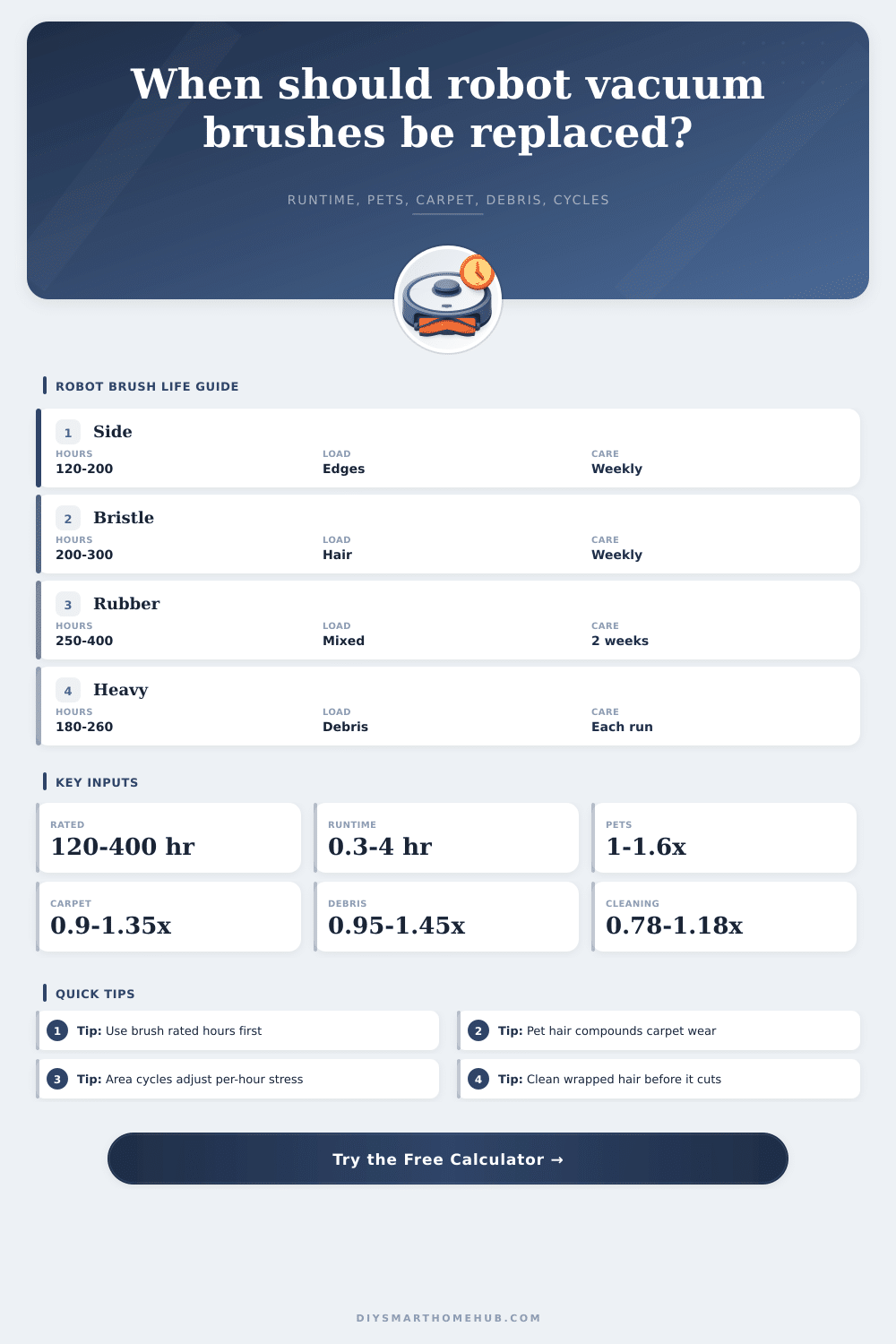
| Brush type | Planning rated hours | Common wear driver | Use in calculator |
|---|---|---|---|
| Side brush or edge sweeper | 120 to 200 hr | Edges, chair legs, thresholds | Use 180 hr unless the part lists a different value |
| Bristle combo main brush | 200 to 300 hr | Hair wrap and bristle bending | Use 250 hr for mixed homes |
| Rubber main roller | 250 to 400 hr | Rib wear, cuts, and hair grooves | Use 300 hr for a single roller |
| Dual rubber rollers | 300 to 450 hr | Paired roller wear and pet hair | Use 350 hr for routine scheduling |
| Heavy-debris brush | 180 to 260 hr | Grit, cereal, litter, and sand | Use 220 hr when debris is abrasive |
| Adjustment | Multiplier | Formula role | Interpretation |
|---|---|---|---|
| Pet and hair load | 1.00 to 1.60x | Multiplies daily wear | Wrapped hair creates drag and cuts brush edges |
| Carpet and rug friction | 0.88 to 1.35x | Multiplies daily wear | Hard floors are easier; high pile bends and heats brushes |
| Debris and grit load | 0.95 to 1.45x | Multiplies daily wear | Abrasive grit shortens bristle and rubber life |
| Area cycle stress | 0.75 to 1.60x | Multiplies daily wear | Repeated passes over the same mapped area add per-hour stress |
| Maintenance cleaning | 0.78 to 1.18x | Extends or reduces effective hours | Removing hair and packed dust keeps the brush closer to rated life |
| Step | Expression | Purpose | Notes |
|---|---|---|---|
| Daily runtime | (run minutes / 60) x runs per week / 7 | Base cleaning hours per day | Manual daily runtime overrides this value when entered |
| Area cycles | (area per run x runs per week / 7) / mapped area | Average daily passes over the mapped area | 1.00 means one full cleanable-area cycle per day |
| Area stress | clamp(0.70 + 0.30 x cycles, 0.75, 1.60) | Converts area cycles into brush stress | Low-cycle rooms reduce stress; repeat cleaning raises it |
| Load factor | pet x carpet x debris x tangle | Per-hour wear from floor conditions | Clamped to keep planning values reasonable |
| Replacement days | ((rated - used) x maintenance x buffer) / (runtime x load x area stress) | Final remaining interval | Buffer is 1 minus the selected early replacement percent |
| Scenario | Typical daily runtime | Area cycles | Main stress | Likely interval pattern |
|---|---|---|---|---|
| Hard-floor apartment | 0.4 to 0.8 hr/day | 0.4 to 0.9 | Dust and crumbs | Longer interval than rated-hour average |
| Single dog on carpet | 0.9 to 1.6 hr/day | 0.7 to 1.2 | Hair plus carpet friction | Shorter than the plain rated-hour estimate |
| Multi-pet daily cleaning | 1.5 to 3.0 hr/day | 1.0 to 2.0 | Hair wrap and repeated passes | Often needs early inspection before app reminder |
| Kitchen zone cleanups | 0.2 to 0.7 hr/day | 0.3 to 1.5 | Grit, crumbs, and chair legs | Side brushes may wear faster than the main roller |
| Weekend whole-home run | 0.2 to 0.6 hr/day | 0.2 to 0.5 | Lower runtime accumulation | Calendar interval can be much longer |
The estimate is a planning interval. Replace earlier if bristles are bent, rubber fins are torn, the brush is noisy, hair has cut grooves, or cleaning performance drops.
Instead of having a reactive repair situation, think of replacing your brushes as a maintenance task with a certain lifespan. That way, when it is time, it won’t be a surprise, which make ownership easier and prevents you from having to replace them too early.
Maybe you think it just doesn’t clean well anymore. Or maybe you hear it sounding different, loud? Maybe an app tells you there’s something wrong, all blinking red. Your instinct is to go buy a new brush right now, but often that’s unnecessary. How long your brush lasts comes down to debris, floor type and run time. It’s a mechanical wear factor. Knowing the difference will save you money.
How to Know When to Replace Your Robot Vacuum Brush
The calculator above will run the math for you, translating your specific home environment into a concrete number of days remaining. Rated hours is the hours of life that a manufacturer assume in ideal circumstances. Two hundredish hours is typical for side brushes (they’re spinning pretty fast and scraping against furniture). Main rubber rollers tend to last longer. About three hundred to four hundred hours. But this rating is based off a clean floor. In real life, there’s carpets, pet hair, and grit that alter the calculation.
Pet hair drastically speeds up brush wear, especially from long-haired pets like cats and dogs. The hairs get wrapped on the roller, causing drag in the motor. That causes stress to bearings and decreases suction immediately. If you have furry pets the cat/dog factor in the calculator will drop your estimated life. It’s not just about the volume of hair; it’s also about the tension it creates on the bristles. Regular cleaning of the brush (weekly) can prevent the hair from being cut into rubber fins and bent bristles. This keeps the part spinning free and increases its life span.
The same thing goes for carpet friction (though that’s less obvious). Thicker carpet piles require more turning force and downward pressure from vacuum. This speeds up wear different than sliding along hardwood floors. Expect a lower time-to-replacement if most of your floors are carpeted, compared with the base estimate. Your flooring type will also be used as a friction factor in the calculation, because how much of each floor material you have affect how far you can extend the brush’s lifespan.
Wear rate also depends on the kind of debris. Brushes is fine with fine dust. Spilled cereal, sand, or gravel acts like sandpaper on plastic and rubber parts. Because of this, kitchen areas generally require cleaning more frequent than bedroom floors. To make up for the abrasive particle, the calculator has a debris load factor. This means you may be running the same number of hours, but not at the same intensity.
The second lever to pull is maintenance. Regular maintenance affects the actual life of your brush, and the tool reflects this by reducing your estimated remaining days if you neglect it. Neglect it and the tool knocks down your estimated days left. This mirrors real life. Hair tends to clump together in places that can’t be seen easily. A lot of folks believe they’re maintaining often enough. A quick visual check every other run will prevent big jams later on.
You’ll get a number and that will be a starting point for being on guard. Don’t let things go until it’s totally out of commission with the brush. Watch to see when things start showing signs of wear as if they were damaged. Is there noise? Has pickup power diminished? Can you see any tearing in the rubber? Those things mean the brush has had it and the numbers serve more as a backdrop for those senses to deliver the decision. When it performs less well, swap it out. It is not necessarily when the spreadsheet dictates.
Plan ahead: If it’s on the list, order a backup brush and get it weeks before needed. No mad rush last minute on a weekend with lots going on.
How do I know how long mine lasts? The math takes care of that part, but regular checks make it reliable. Grit means it won’t work, and hair is also a problem. Just keep it away from the roller. Replace it when performance drops, not just when the spreadsheet says so. Rated hours should of been respected. Take good care of this machine and it’ll take good care of you. It ain’t perfect. It is just well-maintained.