NAS RAID Usable Capacity Calculator
Estimate usable NAS storage after RAID parity, mixed drive sizing, hot spares, TB to TiB conversion, reserve space, and snapshot changed-block growth.
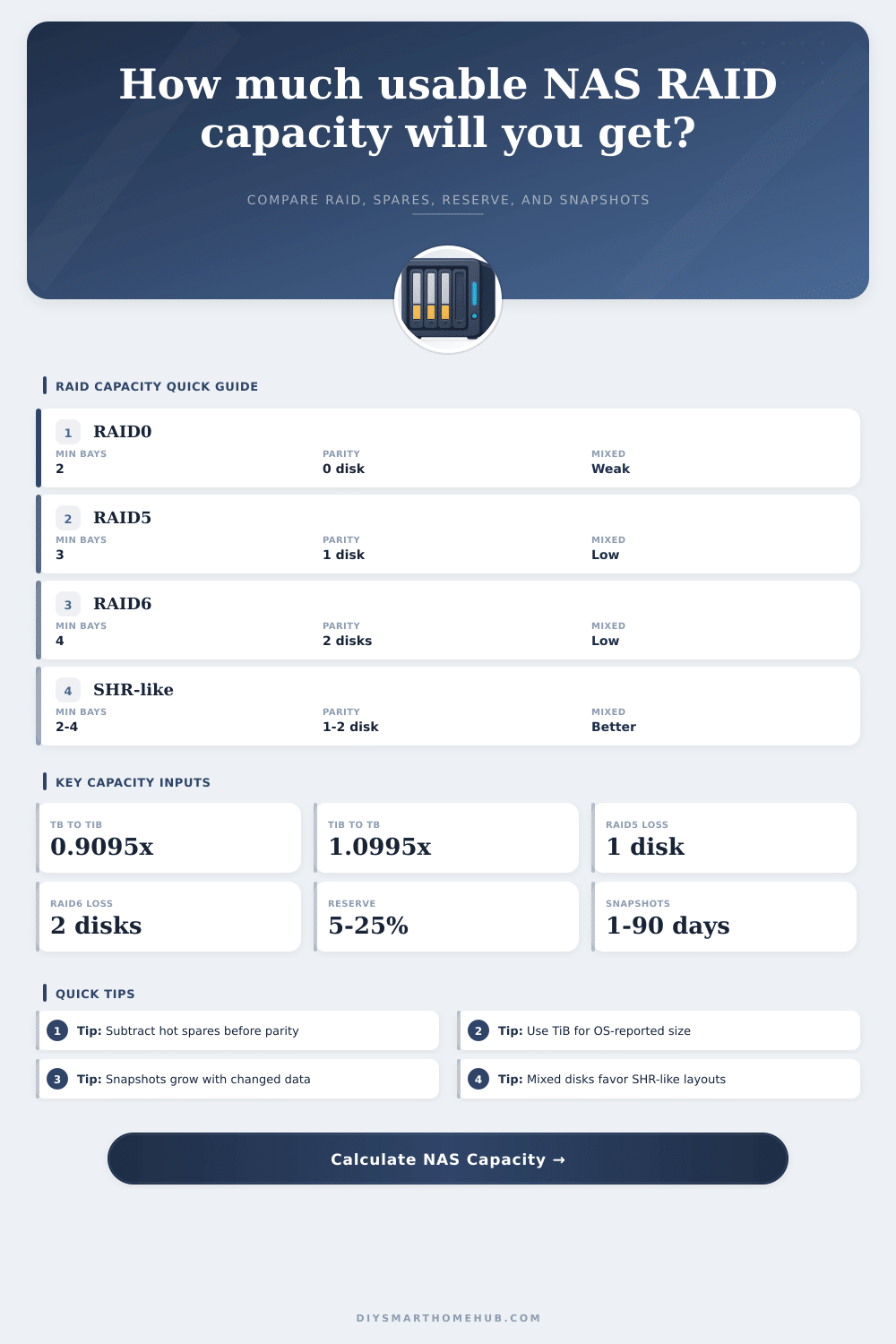
Run the calculator to compare raw capacity, parity loss, reserve, snapshots, and TB/TiB reporting.
| Layout | Minimum active drives | Usable capacity formula | Main tradeoff |
|---|---|---|---|
| RAID0 | 2 | N x smallest active drive | No redundancy; every active disk contributes capacity. |
| RAID1 | 2 | 1 x smallest active drive | Mirrors one usable copy across all active disks. |
| RAID5 | 3 | (N - 1) x smallest active drive | One-disk parity with efficient capacity on equal disks. |
| RAID6 | 4 | (N - 2) x smallest active drive | Two-disk parity for larger arrays and slower rebuilds. |
| RAID10 | 4 even preferred | floor(N / 2) x smallest active drive | Mirrored pairs striped together; odd active drive is not counted here. |
| SHR-like mode | Minimum active drives | Planning formula | Use case |
|---|---|---|---|
| One-parity SHR-like | 2 | Sum active drives - largest active drive | Mixed drive pools where larger disks should not be fully wasted. |
| Two-parity SHR-like | 4 | Sum active drives - two largest active drives | Mixed larger NAS pools needing dual-drive fault tolerance. |
| Hot spare handling | Any | Remove spares before parity math | A spare is not usable pool space until it replaces a failed disk. |
| Reserve handling | Any | Usable x (1 - reserve) | Keeps free blocks available for snapshots and filesystem behavior. |
| Snapshot growth | Any | Live x daily change x days x factor | Changed blocks consume additional space beside live data. |
| Scenario | Drive set | Layout | Usable before reserve |
|---|---|---|---|
| Small home mirror | 2 x 8 TB | RAID1 | 8 TB or 7.28 TiB |
| Media library | 4 x 12 TB | RAID5 | 36 TB or 32.74 TiB |
| Camera archive | 6 x 16 TB | RAID6 | 64 TB or 58.21 TiB |
| VM datastore | 8 x 8 TB | RAID10 | 32 TB or 29.10 TiB |
| Mixed expansion | 2 x 4, 2 x 8, 2 x 12 TB | SHR-like 1 | 36 TB or 32.74 TiB |
Here’s how it works: You buy four twelve terabyte drives and expect forty-eight terabytes of storage. So you go out and buy four 12-terabyte drives. You hook ’em up, format the array and your dashboard say you’ve only got 36 terabytes. What happened? Panic! Are the drives dying? Did you get scammed?
Nope. Most often what happened was that you ran into unit conversion issues. And you ran into parity overhead. Both things eats into usable capacity. Want to know what will happen before you run into it? Plug it into the calculator on the page. It’ll tell you. Understand why the number decreased so you can plan more effectively from the start. Avoid the surprise down the road.
Why Your NAS Has Less Storage Than You Bought
First, it’s a language problem. Manufacturers state capacity in decimal terabytes: A terabyte is one trillion bytes. Your operating system shows things in binary tebibytes: A tebibyte is 1024 cubed bytes. That disparity results in each drive reporting a lower number for its capacity on your NAS than what the label say. For our purposes, the conversion factor is approximately 0.91. That twelve-terabyte drive shows up as something like ten point seven tebibytes or even ten point nine terabytes in most interfaces. Not to worry, it’s not lost capacity; it’s merely different math. Understanding that right away prevents confusion once you get your new array home and don’t see the sticker total instantly.
The second consideration is RAID overhead. When you put multiple drives into a RAID configuration, you’ll lose some raw capacity depending on your settings. A RAID1 mirrors drives, so you make an exact copy (simple and safe), but you lose half of your raw capacity. A RAID5 loses the capacity of one drive no matter how many drives you throw in there. Four 12-terabyte drives? You get only thirty-six terabytes of useable space. Why? Because that one drive doesn’t hold media files, it holds parity information.
In RAID6, you dedicate two drives to storing parity information. This means that the array can survive up to two simultaneous failures, but costs you even more storage. It’s always a tradeoff: How much do you want the array to survive, versus how much storage efficiency do you need? Normal formulas don’t account for mixed scenarios. What if you begin with some small drives, then upgrade by adding larger ones? Standard RAID levels tend to skip over all the excess space on large drives. A synthetic hybrid RAID approach try to pool such fragmented capacity in a smarter way. Essentially it adds together smaller drives as one logical volume, but integrates larger ones where they can be made to fit. That’s most relevant for incremental upgrades over time, without fully replacing the entire array.
Don’t forget about the cost of keeping things up and running, which isn’t always visible. Idle hot spare drives don’t contribute anything beyond bay use. It’s good practice to keep 10-15% of your space unused in order to support snapshots and maintain best filesystem performance. Snapshots themselves take up storage according to the rate of changes (not how much stuff you have).
For example, an archive of photos from a camera that has been taking pictures daily will create a lot more snapshot overhead than a collection of movies that aren’t changing day-to-day. This is because each new picture creates changed blocks. The raw drive labels are only part of the picture; you must also look at your workload and how much it will change. For example, high-churn workloads should use more reserve space for snapshots so they won’t unexpectedly fill up. Archives, which are low-churn, can be pushed closer to maximum use without risk. This relationship is clearly laid out in the reference table on the page. It shows how various array sizes, with their parity choices, affect their usable totals.
A good NAS isn’t necessarily one with maximum storage; it’s one where you predicted your future growth accurately, because overbuying feels wasteful until you hit capacity limits unexpectedly. Don’t overspend on drives. You feel bad wasting all that storage, but then realize that you’re already full. Then you’re pissed off because you didn’t account for the lost parity. Don’t underspend on drives. The math won’t work out and you’ll get frustrated by underestimating parity loss.
The sweet spot for building a reliable NAS is less about maximizing every last gigabyte and more about predicting future growth accurately. There will always be system overhead and safety nets. The first step is to figure out what you really need instead of how much you can afford to buy. Consider snapshot growth, conversion differences, and parity requirements. Shopping for drives based off that reality makes the lack of those extra terabytes not seem like a loss but an insurance premium. Every day you pay for peace of mind and don’t think twice. That’s what good storage design feels like.