Cloud Storage Cost by GB Calculator
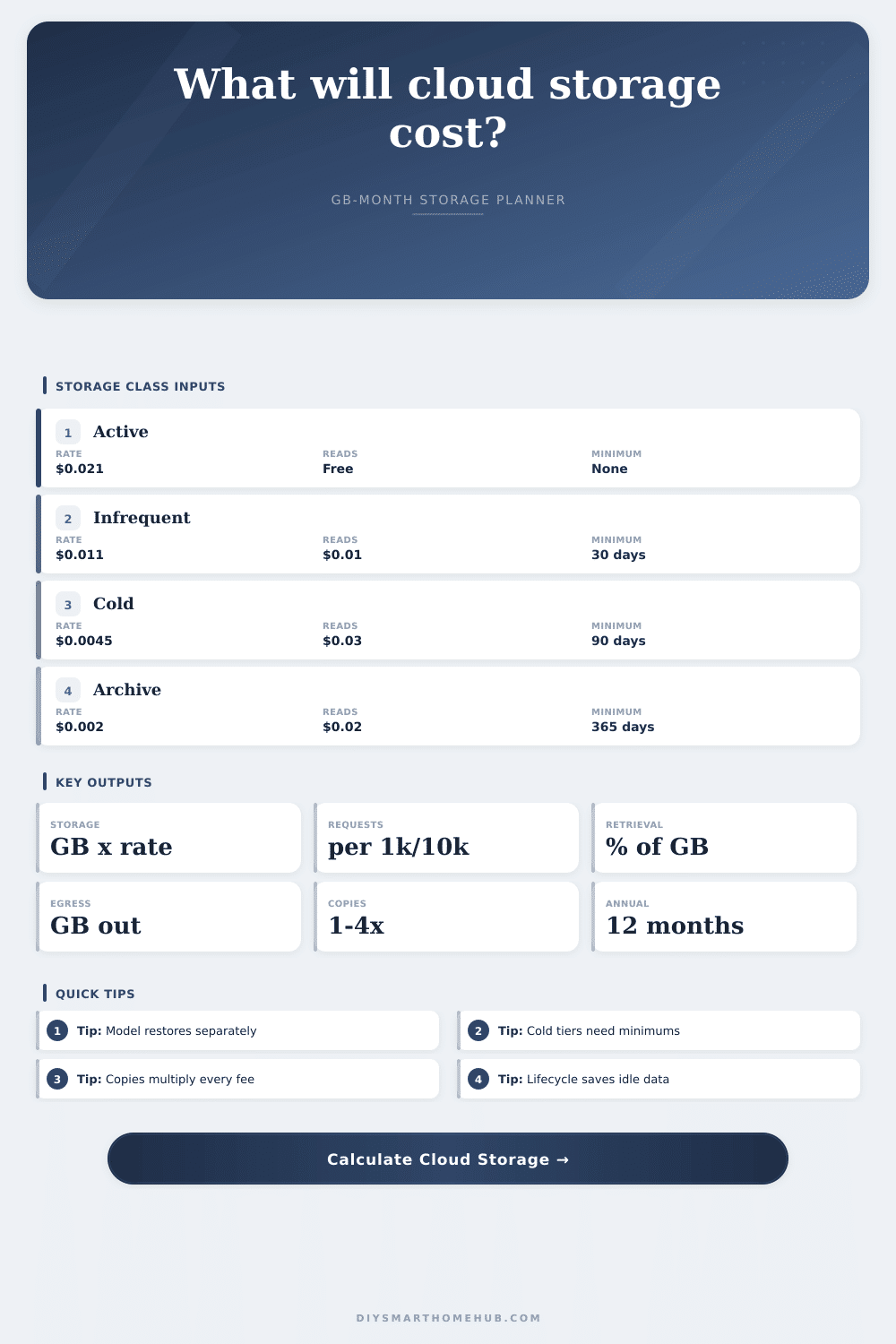
Estimate monthly and annual cloud storage cost from stored GB, class rate, request operations, retrieval percentage, egress GB, backup copies, compression, growth, lifecycle tiering, and minimum storage duration charges.
Billable GB x blended rate.
Requests x rate per 1,000.
Restore GB plus outbound transfer.
Duration or account minimum effect.
Generic storage class reference
| Class | Storage rate | Retrieval | Minimum |
|---|
Preset comparison
| Preset | GB | Class | Monthly |
|---|
Lifecycle savings grid
| Moved colder | Blended rate | Storage charge | Savings |
|---|
Cost formula map
| Line | Formula | Input | Effect |
|---|---|---|---|
| Billable GB | GB x copies x compression | GB, copies | Multiplies |
| Storage | Billable GB x blended rate | $/GB-mo | Base cost |
| Operations | Requests / 1000 x rate | Requests | Small files |
| Retrieval | Stored GB x retrieval % x rate | Restore % | Cold tiers |
| Egress | Egress GB x rate | Downloads | Outbound |
| Minimums | Early-delete plus account min | Days, min | Floor cost |
It’s likely you started with a terabyte because it sounded like a lot of storage. You filled it up with digital receipts you swore you’d never look at again. You also added photos and videos. You added version history. And then backups. Now your storage bill doesn’t feel like paying for a simple utility. It feels like a subscription to a service you barely comprehend.
Cloud storage prices is rarely just about the storage itself. Instead, it is a question of what you are doing with the data. It is about why you might want to leave it there. It is also about whether you will ever open it next Tuesday. That’s where the calculator comes in to untie this knot.
Why Cloud Storage Costs Are Hidden
People think it’s all about the price per gigabyte. They’re wrong. That’s your entry fee for base storage. Operations are what cost you hidden fees. If you want to store a directory, sync a folder, or upload a single file: that’s a request charge. Sounds innocent enough (until you’ve got a folder of 50),000 tiny files. Even if the total gigabyte count is the same, a photo library with some big videos will cost you less then a document vault full of thousands of PDFs.
There’s also the cold storage trap. Data you don’t use much can still be tempting when providers give you discounted-looking rates on data you’ll barely ever touch. They’re actualy cheaper rates, but you’ll end up paying dearly if you go retrieve that data. If saving five cents per month means moving a years-worth of your project files into an archive tier, you may end up paying two dollars to get ’em back out. It’s a trap for those who believe they won’t need their data, until they suddenly find they do. You need to consider how much you’ll save per month versus the cost of getting it back and the minimum period charge. Even if you delete it before the minimum term expires, you get charged for it all in full.
Each cost center multiplies when there’s a backup copy. That’s the secret multiplier, the one that busts budgets. When you have a primary copy and a backup copy, it’s not simply double your storage fee. It’s also double your requests fees, double your egress charges, and double your retrieval costs.
Unless your data compresses well, it doesn’t realy help much here. Text-heavy backups might save up to half their size, whereas video files don’t shrink much at all. Just plug in your compression ratio and let the tool do the math for you. Don’t worry about converting units and coefficients, it will tell you if the space savings translate into dollar savings or if you’re simply paying for less empty space.
Egress is another silent drain. Data leaving the cloud isn’t free. That goes back to the old telecom world, which is why this business model continues to stick around. If you’re syncing your stuff from the cloud (and using a media server at home), that will count against you. It is fine if it’s a couple of gigabytes per month. It is not so good if you want to restore your entire library. How much data is actualy leaving the provider’s network? That’s what you need to know.
In short: controlling costs involves much more than just lifecycle policies that move stuff into colder tiers; you also have to account for operations, retrievals, copies, and egress. And even that works only as long as cooler tiers is automated enough to beat your habits. Set the rules once; let time work its magic.
As the reference table on the page illustrates, moving 40% of your data to a cheaper tier lowers the blended rate. No magic, just arithmetic. It happens with a delay. It also matters if you’re growing at a different rate each year. Many folks estimate how much they’ll spend each month, then just multiply by 12. Data expands. Photos gets added. Projects balloon. Your library could grow at a rate of 20% per year. In that case, your initial month isn’t representative of your “average” month. The full-year number won’t simply equal the sum of those individual months; it will exceed the simple straight-line prediction.
The calculator adds up all those monthly changes, this provides a more accurate snapshot of what you’ll actually pay during the coming year. Storage is a dynamic expense, so don’t treat it like a static container. What you see is the gigabytes. What is currently driving up the bill are the costs of copying, retrieval, egress, and operations. Model the entire system including size, or else you’re just guessing.