Automation Retry Backoff Calculator
Estimate how long a smart home automation will keep retrying, how jitter changes the delay range, the cumulative chance of success, and how many API calls the retry sequence can consume.
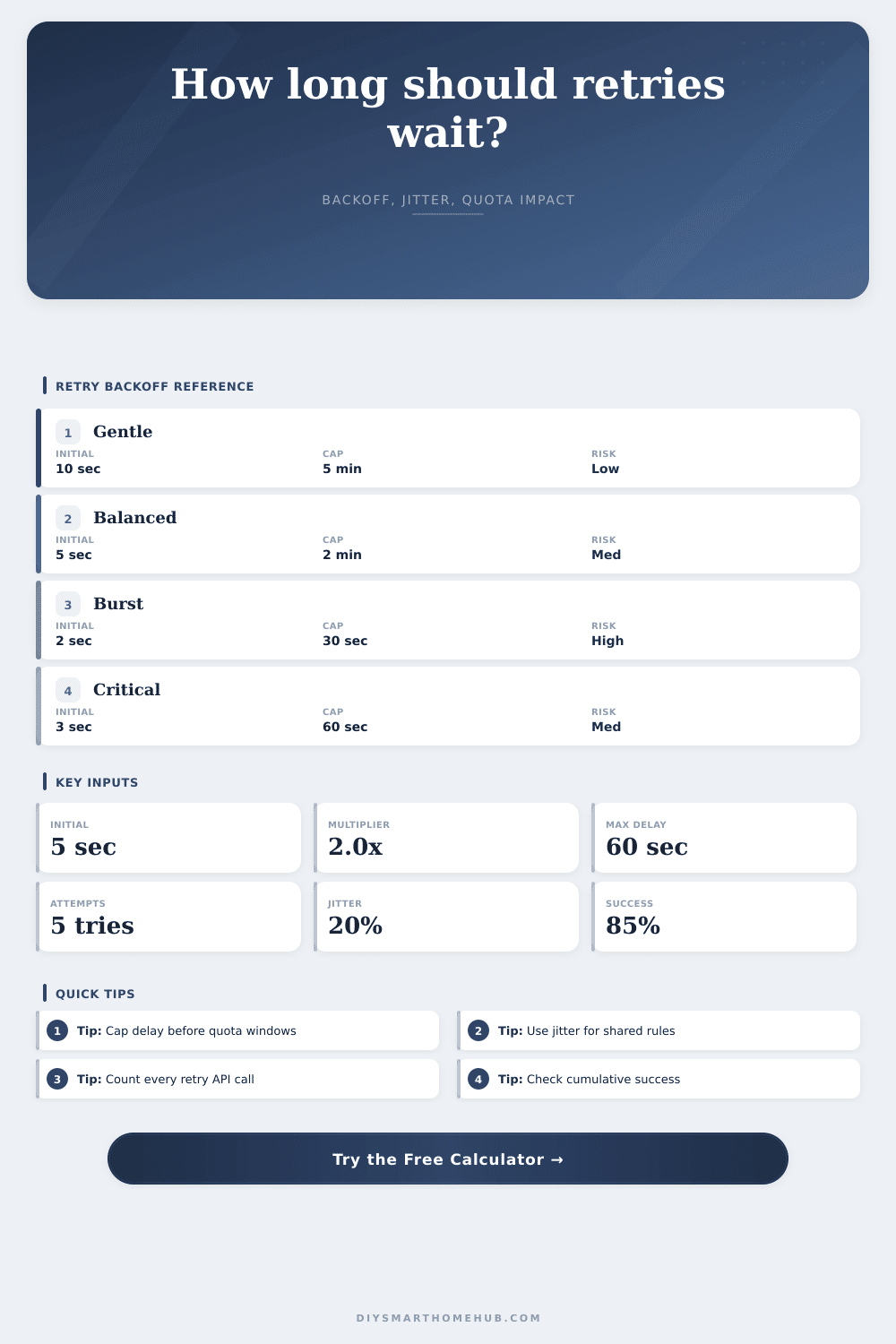
Every retry waits the same amount. Predictable, but many devices can retry together if no jitter is used.
Spreads retries gradually. Useful when the action can wait and the API quota should stay calm.
Doubles each delay until the cap. Good balance for many cloud automations with brief service delays.
Moves retries away quickly. Best when repeated calls are likely to be wasteful after the first miss.
| Retry attempt | Nominal delay | Jittered delay range | Running window |
|---|---|---|---|
| Retry 1 | 5 sec | 4 to 6 sec | 5 sec |
The running window sums delays before each retry attempt; it does not include the time the device or cloud service spends executing the action.
| After retry | Chance this retry succeeds | Cumulative success | Still failing after retry |
|---|---|---|---|
| Retry 1 | 85% | 85% | 15% |
| Metric | Formula | Current result | Readout |
|---|---|---|---|
| Worst calls | Attempts x calls | 10 | Retry sequence maximum |
| Profile | Initial delay | Multiplier | Cap | Attempts | Typical pressure |
|---|---|---|---|---|---|
| Local bridge packet | 1 to 3 sec | 1.2x to 1.6x | 10 to 30 sec | 3 to 5 | Low quota, short window |
| Cloud device command | 3 to 10 sec | 1.5x to 2.2x | 60 to 180 sec | 4 to 7 | Moderate quota pressure |
| Webhook delivery | 2 to 8 sec | 2.0x to 3.0x | 30 to 120 sec | 3 to 6 | Can stack during bursts |
| Data sync write | 10 to 30 sec | 1.3x to 2.0x | 300 to 900 sec | 4 to 8 | Longer window, gentler calls |
| User-facing routine | 1 to 5 sec | 1.3x to 2.0x | 10 to 45 sec | 2 to 4 | Short response window |
Everything in your smart home works as intended. Everything works, except when cloud gets interrupted. Your camera feed spins, your lock fail to confirm, your lights fail to dim. You tap the app. Nothing. You tap again. There is still nothing. It’s a quiet sort of panic.
But it happens to everyone who relies on those pesky internet-connected things. Unfortunately, the issue isnt often with hardware itself. The background retry logic actualy determines when to ask server for assistance once more. Too much aggression here, and you’ll drain your API quota. Too passive? Then your automation will feel broken. The secret isnt so much about coding as it is having patience… Getting the backoff just right.
How to Fix Smart Home Retry Issues
A common feature of most home automation platforms are defining retries. Unfortunately, there’s little explanation of the compromises involved. You specify how long to wait between tries (the delay). You also specify how many times to try again (the multiplier). Finally, you set a limit on total number of attempts.
Simple, no? Well, not so much. Those three numbers either work just fine for keeping your house responsive, or you’re left waiting in the dark while your house time out.
The calculator above does that math for you after you input your own constraints. That way, you don’t have to guess the coefficient. Before diving into inputs, however, here’s some context about what they do.
First up: delay. This is the time until first retry attempt. Making this short gives a feeling of responsiveness; make it longer and its gentle on the server but leaves the user wondering if anything happened at all.
Next is multiplier. This is what determines shape of recovery curve. Linear creates predictability by keeping retries tight, but also risks thundering herds. Everyone try at once. Exponential backoff spreads them out over time. It leaves network room to breathe.
Your cap is the safety net. If it weren’t there, in theory, something could of failed, then waited days before trying again. It is not useful for a thermostat, but it is great for data sync.
You can see how each shape behaves from here. Since security actions needs to be completed, the door lock preset favors a high chance of success with a small limit. For energy polling, we go slow, saving quota for more frequent data writes.
The unsung hero of any system like this is jitter, which introduce randomness into the delay. Add jitter because otherwise your server gets hammered with thousands of retries all at once right at the moment it’s struggling to come back online, and no one likes that. Instead, jitter smears them out, transforming a spike into something more manageable: a wave.
And yes it matters… It’s a small setting. What you’re looking at in total here is probability of at least one of the attempts succeeding. One attempt at 85 percent? Sounds great! But then what happens if you get three failures in a row? User experience go downhill fast.
The expected number of attempts tells you how many tries to expect on average. That can help you predict the load. The hard limit is API quotas. Each call consumes one of these quota. If your automation fires every five minutes and retries four times on failure, you are consuming quota fast. For example, if your automation fires every five minutes and retries four times on failure, you are consuming quota fast. That means you’re going through quota quickly.
To see the worst case scenario, consider what happens if all calls fail at the same time. The answer helps you understand how much quota it will use up. This can prevent accidentally throttling yourself and locking yourself out of other services. Before deploying the rule, you should know this number.
Quota impact percent show how that figure compares to your total hourly quota. Is it high? Maybe you want to increase the jitter or reduce the maximum tries. There are no prizes for perfection. Resilience is what matters. You desire a system that endures temporary misbehaviors while maintaining the network. It should also be non-annoying to the user.
Consider the level of tolerance per action. Some responses require an immediate reaction (a light switch). Others can take their sweet time (weather update). Tweak your inputs. The breakdown tables gives an easily visible view into total delays. This is the window that’s running. This is the total time elapsed before retry. Make it short enough to be helpful, make it long enough to be polite to the service.
In the end it’s all about retry logic: a dialogue between you and the cloud, where you’re pleading for assistance and the cloud has got to have some time to reply. Define the rules of engagement well. Don’t collide. Have some jitter in there. Limit the delay so that no one times out. Obey the limit so you don’t get kicked out.
The next time the lights flicker, your automations will sit still long enough to do their thing without raising a stink. That’s what sweet spot means.