IPv6 Subnet Planning Calculator
Plan IPv6 allocations from a delegated prefix into target subnets for /64 LANs, VLANs, sites, growth reserve, reserved subnets, and point-to-point link pools.
Every normal SLAAC LAN receives a full 64 host bits.
Formula: host bits = 128 - selected prefix.
Rounded block size for the entered VLANs and reserves.
Target subnet usage inside delegation.
Delegated prefix to /64 LANs
| Delegated prefix | /64 LAN subnets | Planning use | Notes |
|---|---|---|---|
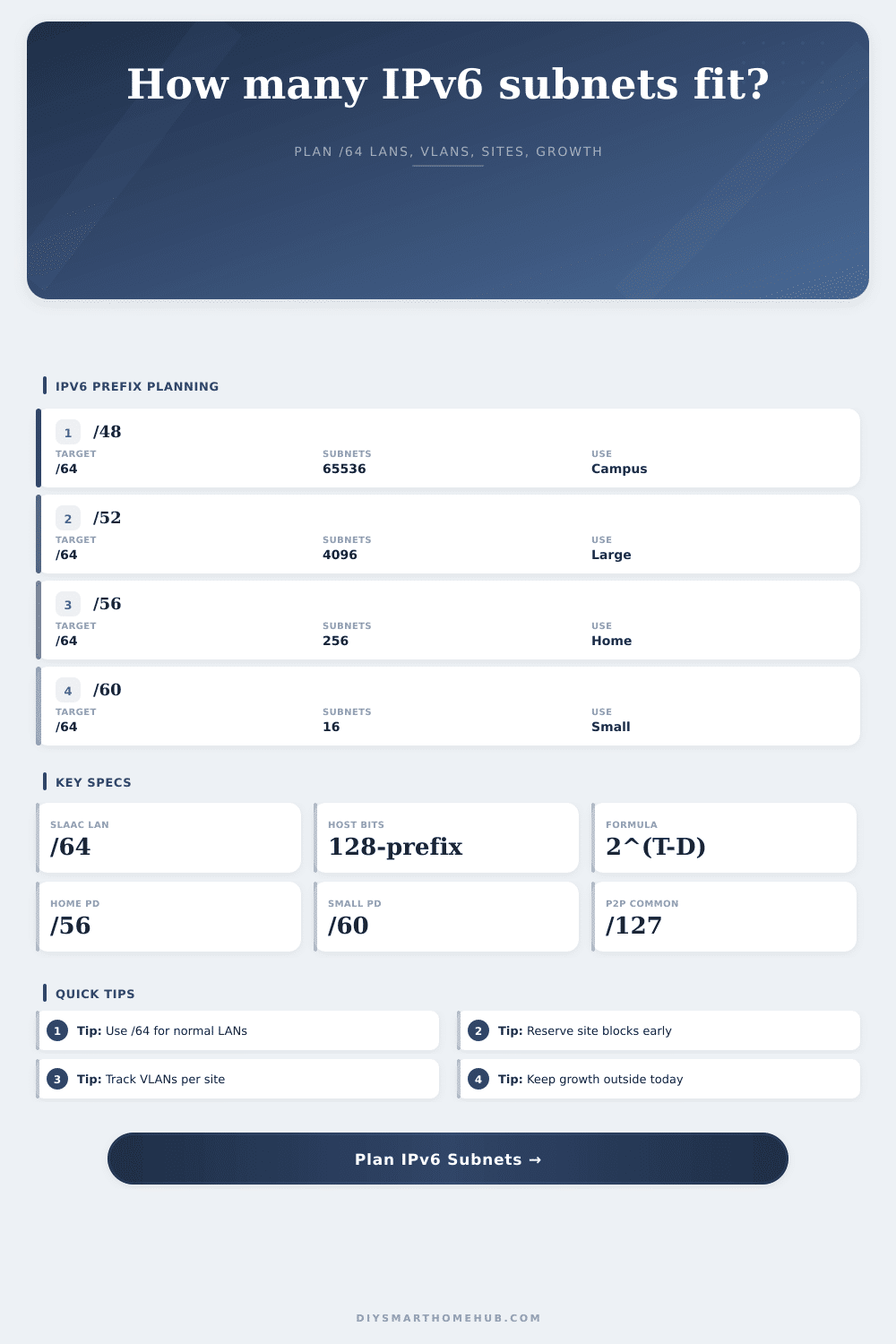
| /48 | 65,536 | Large property or organization | Enough room to assign site-level blocks. |
| /52 | 4,096 | Large home, lab, or small campus | Good for multiple buildings and routing domains. |
| /56 | 256 | Common residential delegation | Comfortable for VLANs, guests, IoT, and labs. |
| /60 | 16 | Small residential delegation | Usable, but reserves need careful planning. |
Target prefix behavior
| Prefix | Host bits | SLAAC status | Typical use |
|---|---|---|---|
| /64 | 64 | Required | Normal LANs, VLANs, guest, IoT, Wi-Fi, and Ethernet segments. |
| /80 | 48 | No SLAAC | Lab pools, containers, manually addressed service networks. |
| /112 | 16 | No SLAAC | Small routed service pools or controlled links. |
| /126 | 2 | No LAN | Four-address point-to-point style links. |
| /127 | 1 | P2P only | Router-to-router links where two addresses are enough. |
Allocation formula table
| Formula | Meaning | Input source | Output |
|---|---|---|---|
| 2^(target - delegated) | Number of target subnets in the delegation. | Delegated and target prefix. | Available subnets. |
| 128 - prefix | Host bits left inside each selected prefix. | Target or P2P prefix. | Address space size. |
| VLANs x sites | Current LAN demand before growth. | VLAN and site inputs. | Base /64 LAN count. |
| ceil(base x growth) | Future LAN reserve from growth percent. | Growth percent input. | Growth subnets. |
| needed / available | Utilization of the delegated block. | Planned demand and subnet count. | Percent used. |
Preset comparison
| Preset | Delegation | Target | Needed | Status |
|---|
If you signed up for fiber internet and got that shiny new IPv6 address, you’ve been given an IPv6 delegation, usually in the form of a /56, which means it’s a realy big number (65,536 individual subnets). Since most humans don’t care about such things, they just forget about it. Or you could have your router automatically configure it all, which is also fine. But if you’d like to segregate your server from your guests and maybe your IoT stuff too, then you’re going to want a map.
All you have to do here is put in the size of your delegation and how many VLANs you want, and the calculator will sort out the math for you. You won’t have to memorize binary conversion factor or coefficients anymore.
How to Plan Your IPv6 Network
/64: That is the most important rule of all when planning your IPv6 deployment. Every Wi-Fi or Ethernet segment should receives a full 64 bits of host space under standard Link-Local Addressing. It’s not optional; it’s not a recommendation. If you do otherwise. E.g., you assign a /62 or /60 to a regular LAN… Just to preserve address space, you’ll break SLAAC. Your devices won’t obtain an address, and troubleshooting will be hard.
By default, the tool apply a /64 to any LAN target. That way, the tool prevents you from accidentally designing a broken network. The catch here is knowing what you’re counting. You’re not counting IP addresses; you’re counting subnets.
This is real world infrastructure. The calculator handles the math once you plug in your delegation size and VLAN count, which saves you the guesswork. LAN or VLAN per site? Then that’s how many logical networks you’ve got at each physical location.
So let’s say you have a typical home. Typical would be one server lab, one guest network, one IoT segment, and one main network. There are four subnets. Two sites (e.g., main house and detached garage)? Demand doubled. The calculator takes your VLANs x your site count to give you a baseline.
This is where most people blow it: they account for their current networks but ignore future ones (next year). That’s why the growth reserve input are important. You’re going to add some sort of network sprawl. Whether that’s adding a quarantine VLAN, a guest Wi-Fi network, or a new smart home device (you’ll do it). Add a growth percentage (e.g., 50 percent), and you know there’s room for growth in your plan.
The calculator takes your baseline demand and adds that reserve, then checks whether it’ll fit within your delegated prefix. That way, you don’t suddenly run out of subnet IDs. If use is low, you’ve got lots of room. If it’s high, you should of probably rethink your segmentation.
Intuition also breaks down on the subject of point-to-point links. We used to assume that a /30 was typical for router links in IPv4, while a /64 seems like overkill for any single link in IPv6. The IETF standardized the use of /127 prefixes for point-to-point links. It maintains the cleanliness of the routing table and keeps things logically addressable. You can indicate this as well (separately) in the calculator which will account for the usage in terms of number of subnets. That difference help you understand what’s a point-to-point connection versus a network with users.
On the page are reference tables outlining which delegation size works in various situations. For example, a /56 will provide 256 subnets, which is perfect for most homes. A /60 provides only 16 subnets, which is tight, while a /48 is good for bigger organizations. Knowing those limits is what enables you to pick the correct preset. Then the tool grabs that config and fills out servers, guest VLANs, and IoT. From there you’ll be able to tinker with the numbers to see if they fit your hardware configuration.
The goal isn’t to use every address; it’s to have a structure that scales without chaos. But it’s a structure that will scale, and do so with no more chaos than necessary. Subnet becomes the constrained resource, which keeps things from fragmenting. It also makes routing easier. You see exactly what capacity you currently possess, and how much subnet capacity you have left given expected growth.
Avoids the tendency we all have when starting out, to allocate our address space before realizing we’ve over-commited. Foresight means planning. Think of planning as building a strong foundation for a network that lasts longer than your current hardware. Separating infrastructure links, considering future growth and following the /64 rule all contribute to a solid design. While the tools highlight the limitations, you bring the discipline. Get the plan and make allowances for mistakes. Then, when you add another smart device, don’t tear down the network, just plug it in.