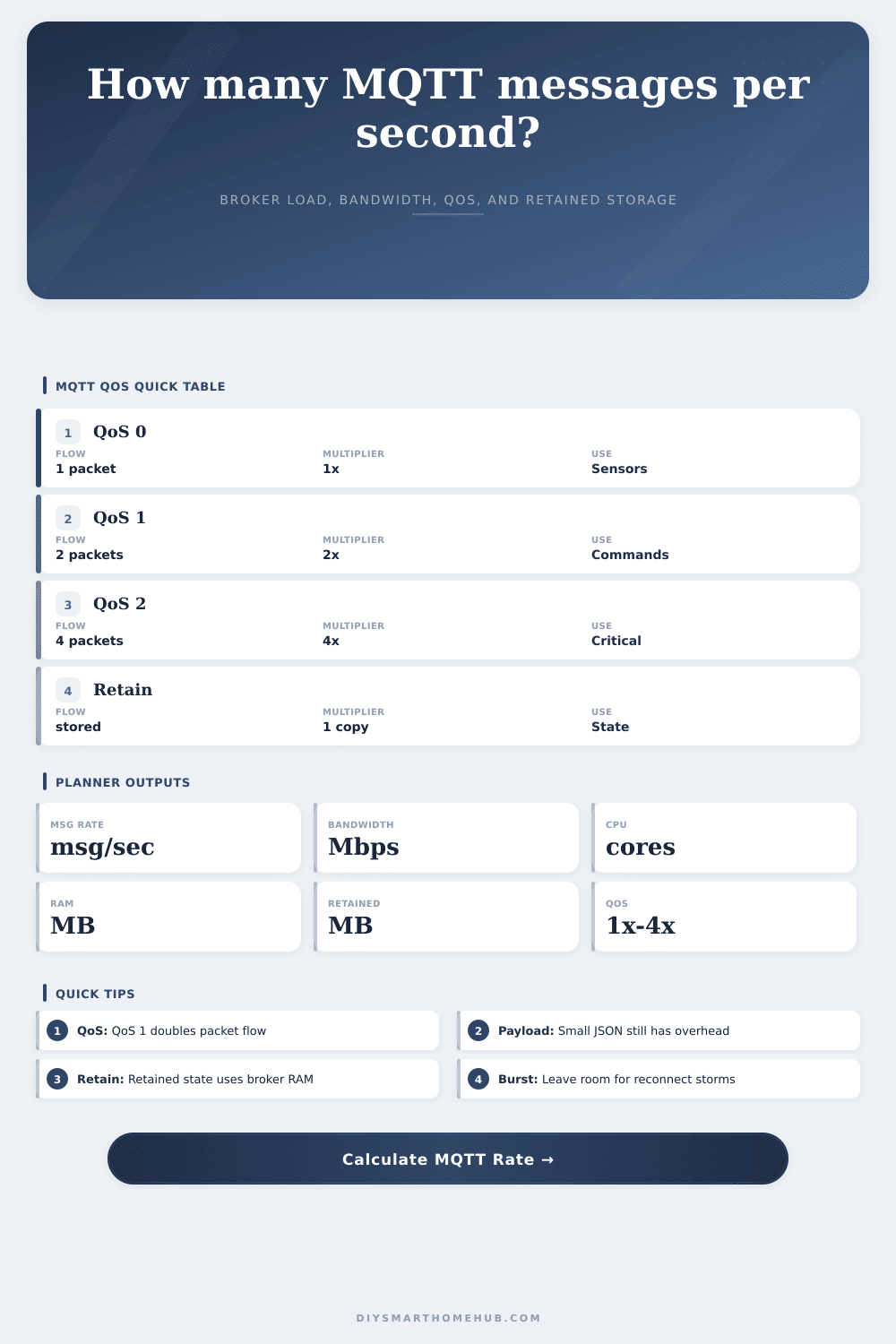
MQTT Message Rate Calculator
Estimate MQTT messages per second, payload plus protocol overhead bandwidth, QoS acknowledgement traffic, broker CPU/RAM needs, retained message storage, and peak burst headroom for smart home automation brokers.
Devices multiplied by active topics and publish rate per topic.
Payload bytes plus MQTT topic/header overhead bytes.
QoS 0 publish, QoS 1 publish plus ack, QoS 2 four packet handshake.
Retained message count multiplied by retained payload plus metadata.
MQTT QoS protocol table
| QoS level | Protocol exchange | Ack multiplier | Smart home fit |
|---|---|---|---|
| QoS 0 | PUBLISH only, no delivery acknowledgement | 1x packet flow | Frequent telemetry where one missed value is acceptable. |
| QoS 1 | PUBLISH plus PUBACK | 2x packet flow | Commands, switch states, and important automation events. |
| QoS 2 | PUBLISH, PUBREC, PUBREL, PUBCOMP | 4x packet flow | Rare critical actions where duplicate handling matters. |
| Retain | Latest message kept by the broker | Storage copy | Device availability, discovery, and current state topics. |
Typical smart home payload sizes
| Message type | Payload bytes | MQTT overhead | Notes |
|---|---|---|---|
| Binary contact | 8-40 B | 20-45 B | Short topic and small ON/OFF value. |
| Sensor JSON | 80-250 B | 25-70 B | Temperature, humidity, battery, and units. |
| Discovery config | 400-1200 B | 40-120 B | Large retained configuration documents. |
| Event metadata | 250-900 B | 35-100 B | Camera or presence event data without the image. |
Broker host planning ranges
| Host class | Comfort range | CPU model used | RAM planning note |
|---|---|---|---|
| Pi Zero / tiny SBC | 50-150 msg/s | 0.015 core per 100 msg/s | Keep retained state small. |
| Raspberry Pi 4 | 300-800 msg/s | 0.010 core per 100 msg/s | Good for typical homes. |
| NAS container | 1000-3000 msg/s | 0.007 core per 100 msg/s | Watch container memory limits. |
| Home server VM | 3000+ msg/s | 0.005 core per 100 msg/s | Usually network or logging limited first. |
Preset sizing examples
| Scenario | Devices | Rate pattern | Likely bottleneck |
|---|---|---|---|
| Small home | 35 | State every 5 min | None, retained cleanup matters. |
| Energy meters | 16 | Many 1 sec topics | Message count and database ingest. |
| Discovery burst | 90 | Reconnect storm | Retained config and burst CPU. |
| Fleet stress | 400 | Telemetry every 2 sec | Broker fanout, logging, and storage. |
You begin by installing one motion sensor in your hallway which is fine. Next you install a smart thermostat. You also installs some door locks, climate controls and lights.
Your home automation hub begins to feel sluggish. Commands takes seconds to register. The interface lag. Something seems wrong with the network, you think, except what’s really wrong is probable much more specific. It’s the invisible traffic: MQTT messages overwhelming your broker. Use this tool to see that traffic before it chokes your system.
Why Your Home Network Gets Slow
So MQTT is lightweight. That’s its selling point. But lightweight isn’t the same thing than weightless. Every command sent, every state change, every sensor reading create a packet. Each packet has an identifier, a topic name and some kind of header. Most reliable home setups sends with QoS level one, which means each publish get an acknowledgement back from broker, double the number of packets being passed around. Level two is used for critical safety commands and quadruples the number. The calculator above will do the math for you when you input how many device you have and how often messages are generated. It saves you from guessing at coefficients and conversion factors; you simply need to know what all that stuff represent in your own living room.
A temp reading might feel like a tiny amount of data, but most people vastly underestimate how large payloads can be. Two hundred bytes isn’t hard to imagine once you’ve wrapped it all in JSON with time stamps, device IDs, and unit labels. With thirty devices each sending once a minute, you’re pumping out several kilobytes per second which isn’t terrible. If a zigbee bridge holds the state for fifty different sensors, you are using megabytes of ram to store latest state of your lights. The only problem is retained messages don’t automatically expire; they sits in memory till they get overwritten or deleted.
A lot of Raspberry Pi based systems runs into this. While the cpu will be fine, the ram gets filled up with old configuration information from long forgotten devices. A Raspberry Pi Zero is charming, but it’s not a server. A single core with limited memory will do a beautiful job handling a dozen sensor, but not a hundred. It knows this because the calculator factors in the type of host you use when adjusting its estimates. A dedicated home server have more headroom per message than a Pi Zero does.
It also takes into account burst traffic: networks aren’t smooth and devices reconnect, which means there are going to be spikes in traffic five or ten times above average. You know what creates those? Discovery protocols scan for new gear, and automations trigger cascades of updates. These events cause much higher traffic spikes than usual. If your average load is at eighty percent capacity, then that burst is going to push you up to a hundred and that’s where things start breaking.
What does this mean? The tool has a quality of service table that you can check out to see what they means. Fire and forget (level 0) is going to be fast but will never guarantee delivery. Level one does guarantee delivery but doesn’t have the heavy handshake of level two, which is why it’s typical the sweet spot for home automation. Finally, if you’re doing something where lost commands or duplicates are unacceptable (like disarming your security system), then you want level two. Using level two everywhere protect you from mistakes, but it is slow and difficult to use. So pick your QoS based off the consequences of failure… Not solely for peace of mind.
Local networks don’t often have bandwidth as the bottleneck; kilobit MQTT over gigabit Ethernet or WiFi is no problem. Instead, the limits are typical the CPU and RAM, which the calculator provides an estimate for (in terms of megabytes and cores). This isn’t exact, but it’s a guide, use it to see whether the calculator thinks your Pi 4 might be overloaded, in which case you can either archive old retained messages or move the broker to a beefier machine.
Debugging is harder than planning so plan ahead, respect the overhead, and give your broker some breathing room. The numbers will tell you what to do, but where to draw the lines is up to you. You should of checked this earlier.