Child Screen Time Budget Calculator
Estimate a weekly screen time plan from sleep, school, homework, educational allocation, entertainment use, session limits, and a bedtime cutoff.
Weekly screen time plan
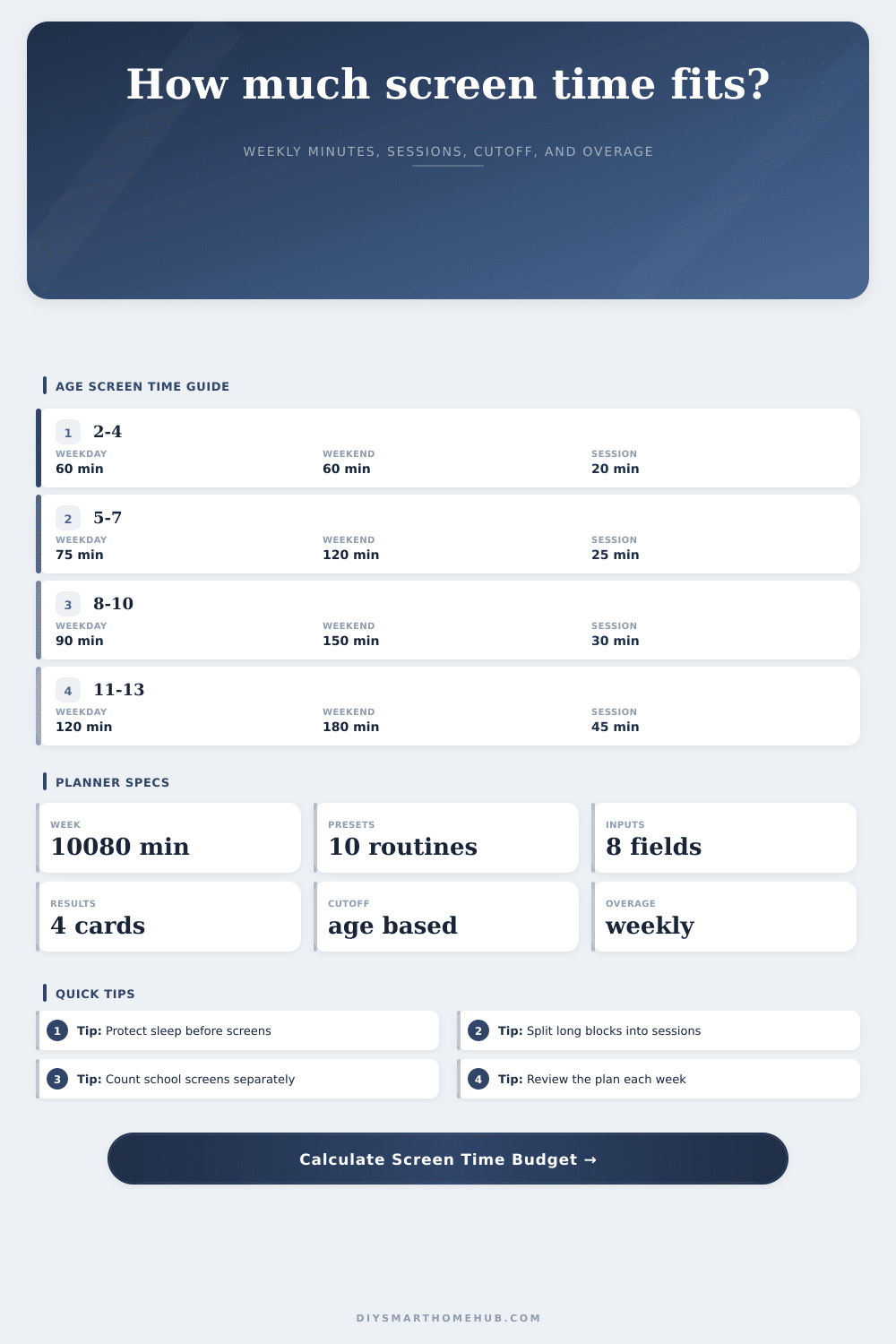
| Age band | Weekday cap style | Weekend cap style | Session and cutoff style |
|---|---|---|---|
| 2-4 years | 60 minutes/day | 60 minutes/day | 20-minute sessions, 90-minute bedtime cutoff. |
| 5-7 years | 75 minutes/day | 120 minutes/day | 25-minute sessions, 90-minute bedtime cutoff. |
| 8-10 years | 90 minutes/day | 150 minutes/day | 30-minute sessions, 75-minute bedtime cutoff. |
| 11-13 years | 120 minutes/day | 180 minutes/day | 45-minute sessions, 60-minute bedtime cutoff. |
| 14-18 years | 150 minutes/day | 210 minutes/day | 60-minute sessions, 60-minute bedtime cutoff. |
| Constraint | Formula | What it protects | Output used |
|---|---|---|---|
| Sleep | sleep hours x 7 x 60 | Bedtime and recovery. | Subtracted before screen budget. |
| School | school days x school hours x 60 | Structured learning time. | Subtracted before screen budget. |
| Homework | school days x homework minutes | Non-entertainment study time. | Subtracted before screen budget. |
| Care reserve | age-style reserve minutes/day x 7 | Meals, hygiene, commute, chores, and offline time. | Subtracted before available-time cap. |
| Final budget | min(age-style cap, available time x screen share) | Prevents a full free-time takeover. | Weekly screen minutes budget. |
| Allocation style | Educational share | Entertainment share | Best fit |
|---|---|---|---|
| Play-first young child | 20-30% | 70-80% | Short videos, co-viewing, and simple apps. |
| Balanced school week | 35-45% | 55-65% | Homework portals plus moderate entertainment. |
| Project or exam week | 55-70% | 30-45% | Research, tutorials, reading apps, and school platforms. |
| Weekend reset | 20-35% | 65-80% | More flexible leisure while preserving sleep cutoff. |
So how do you start? With a little ask. Yes, I’ll let you play a game (or watch a show).
And then an hour goes by fast all is still and quiet, and your mind is still racing. That’s what parenting today looks like, one negotiation after another. It is not about banning screen time, but about limiting it carefuly. It is not that you want to banish technology. It’s that you want to make space for it… Just not at the expense of everything else during the day.
How to manage screen time
That’s where the calculator comes in. It translates fuzzy concerns into actual minutes. What you do with those minutes beforehand, that’s the true effort.
When most parents thinks about screen time, they see it as an all-or-nothing light switch. On, or off. But this attitude is a problem because it ignores what kid is actually doing on the screen. What is he watching? Is it learning something (a language app), or mindlessly staring at something (passive video watching)? Same amount of time, but not the same effect.
By distinguishing between education and entertainment we can set aside the latter as “entertainment allowance” and the former as “educational allocation.” We need that separation because it helps us apply more flexibility to our rules where necessary, which is more difficult if we treats them both identically.
It starts with the fundamentals. Developmental requirements changes over time; and age does matter, particularly during the first decade of life. Different rules apply to a 13 year old compared than a four year old. Next, it incorporates any limitations that shape your week. For most, sleep isn’t optional. That is automatically removed from consideration. Next comes school (and homework). These are the fixed expenses of the household.
After all that’s been deducted, what remains is the discretionary space. This is where many households fall down. They think everything else is fair game for fun time. Offline playtime, meals, hygiene, and chores all must finds their place on the calendar.
The chart on the page illustrates how age bands imply cut off times and session lengths. Take this as guidance, not gospel. It provides a starting place based off realistic assumptions. It spits out a small budget per week. That’s abstract until you start breaking it down into days.
Let’s say the tool says you have an hour of entertainment during the weekday hours. Maybe that translates into two half-hour blocks. A block of time could be used for decompression after school. Another could be filling up time between dinnertime. Breaking things down into time chunks helps you see how it fit in. It doesn’t feel like some vague cloud of potential overuse. Instead it feels like this chunk of time in the afternoon. You can see where it fits. You can schedule for it.
Set a timer that aligns with what real life looks like. The session limit thing is nice here. Forcing yourself to take a break for a reset forces a break for your eyes and brain. Kids gets irritable because of the deep trance state they’re in when they don’t take breaks. And they’re in a sort of trance-like state that needs to be broken.
That’s where the rules intersect with real life. Winding down is a bodily process. The blue light messes with sleep quality. Winddown takes time. For example, if bedtime is nine, screens should of likely end at eight. This is why the tool calculates the winddown buffer for each age. So there goes the argument. The rule isn’t arbitrary. It’s a protective distance from sleep to ensure our ability to recover.
Overage appearing in the results is a flag that your habits are exceeding your capacity. That’s not a failure. That’s data. Trim the entertainment share. Extend the homework window. Adjust the education share if you’re spending more time on learning apps. Since your life is flexible, the system is too. Not perfect. Just balanced.
It is a rhythm that honors your family’s need to be together as well as the kids’ wish to connect with you. You’re using the screen instead of letting it control you. And no single minute is worth less then that shift in thinking.