Daylight Hours by Date Calculator
Estimate daylight duration, night duration, approximate local solar-noon timing, sunrise and sunset windows, and smart home automation offsets from latitude and date.
Calculation breakdown
Lighting scenes
Use daylight hours to decide when occupancy lighting should switch from daylight-aware behavior to evening scenes.
Shade control
Compare day length and date seasonality before changing shade, awning, and glare-control rules.
Security timing
Use the sunset offset and dark hold to estimate exterior lighting and camera night-mode windows.
Energy modes
Season change highlights when daylight-responsive automations may need different winter and summer thresholds.
| Formula step | Expression | Input used | Output meaning |
|---|---|---|---|
| Day number | N from calendar date | Selected date | Season position |
| Declination | 23.44 x sin(360 / 365 x (N - 81)) | Day-of-year N | Solar tilt angle |
| Hour angle | acos(-tan(latitude) x tan(declination)) | Latitude and declination | Sunrise to noon arc |
| Daylight | 2 x hour angle / 15 | Hour angle in degrees | Approximate day hours |
| Polar clamp | Clamp acos input beyond -1 or 1 | High-latitude cases | 0 or 24 daylight hours |
| Latitude band | Typical pattern | Automation impact | Watch item |
|---|---|---|---|
| 0° to 10° | Nearly steady daylight around 12 hours | Small seasonal lighting changes | Clouds can matter more than date |
| 20° to 35° | Clear but moderate seasonal swing | Useful sunrise and sunset offsets | Daylight saving time offset |
| 40° to 55° | Large summer and winter difference | Season presets are useful | Winter scenes may run much longer |
| 60° to 66° | Very long summer days and short winter days | Dark mode windows change sharply | Use polar clamp near solstice |
| Above 66° | Polar day or polar night can occur | Use daylight duration, not fixed time | Sunrise or sunset may be absent |
| Smart home use | Calculator output | Practical threshold | Best input to adjust |
|---|---|---|---|
| Morning lights | Sunrise plus offset | Start before or after estimated sunrise | Morning automation offset |
| Porch and pathway lights | Sunset plus offset and dark hold | Extend through early evening occupancy | Evening offset and dark hold |
| Camera night mode | Night duration and dark share | Longer winter night mode windows | Latitude and date |
| Shade automation | Day length and season change | Different behavior in long daylight seasons | Comparison date |
| Occupancy scenes | Daylight to night balance | Change default brightness by season | Date and evening offset |
| Preset | Latitude | Date focus | Expected behavior |
|---|---|---|---|
| Equator equinox | 0.0° | March equinox | About 12 hours of daylight |
| New York June | 40.7° | Summer solstice | Long daylight and short night |
| Miami December | 25.8° | Winter solstice | Mild winter daylight reduction |
| Anchorage winter | 61.2° | Winter solstice | Short daylight and long night |
| Tromso polar day | 69.6° | Summer solstice | Clamped to continuous daylight |
Smart lights can switch on when it gets dark outside, sure. But what about if the sun set an hour early? Or, heaven forbid, they’re either glaring in your face while you’re at work or leaving the porch pitch black because the sun set an hour early? Anyone who’s automated their home around the sun know this pain. And it’s not because the hardware sucks. It’s because everyone assumes sunrise and sunset are static events, something that happens at a precise time each day. In reality, they’re variable, changing minute-by-minute all year long.
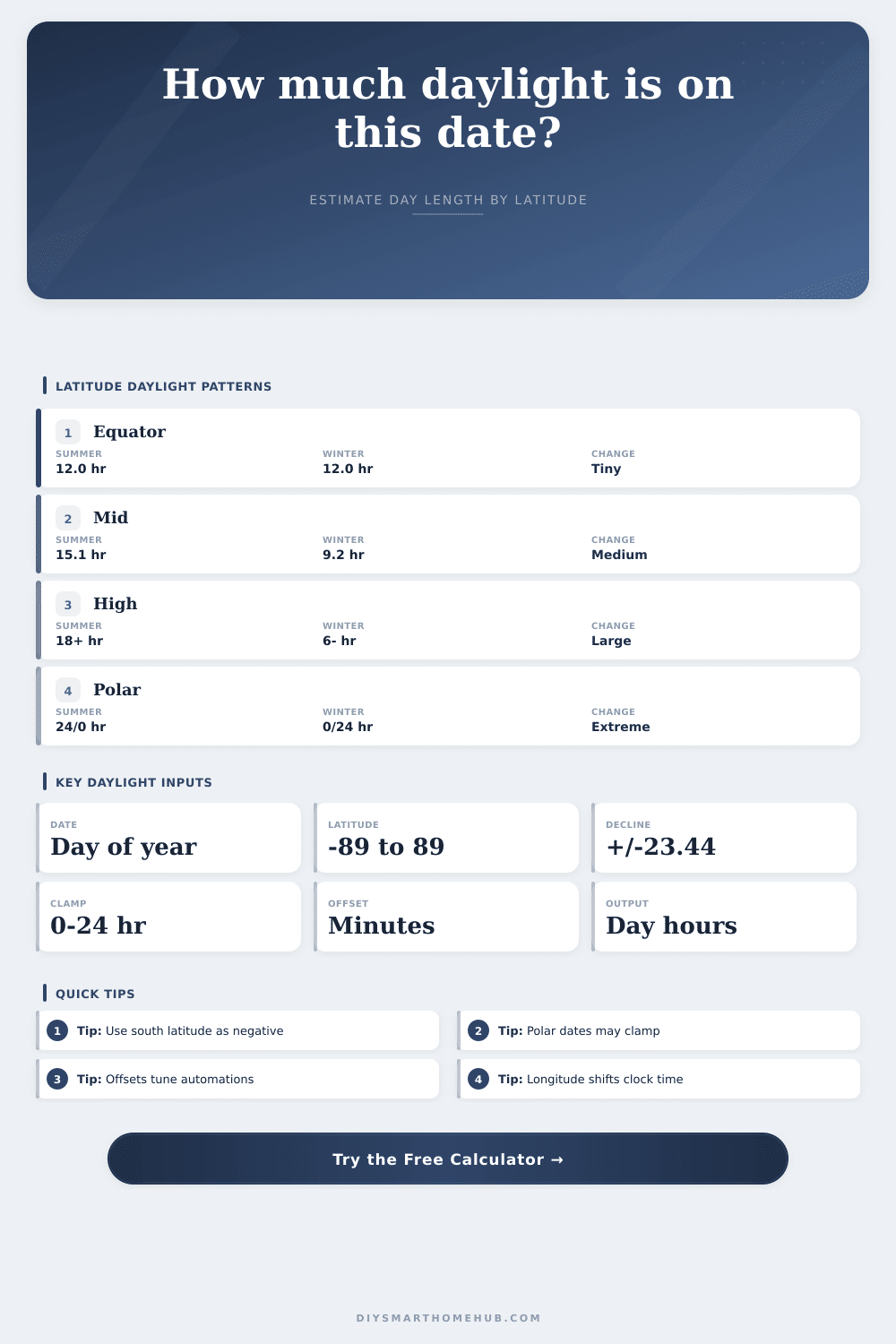
The online calculator above do the math for you. Here’s why that math matter: That’s the main point of it all: The date and your latitude. In the tropics, right around the equator, days has an incredibly stable length all year long, sitting right around twelve hours. Meanwhile, in London, New York or Seattle, the contrast between a mid-December day and a mid-June one are staggering. How quickly this varies also affect what sort of automation behavior will be required. You lose fifteen minutes of daylight in late October compared to previous day. It is fast enough to scramble static schedules.
Why Sun Times Change
What is the sunrise time? What is the sunset time? That’s about all most calculators provide. For automating your home, however, raw time values aren’t terribly helpful by themselves. Typically you’re looking to have something, like your porch lights. Go on before it gets completely dark, or wait until there’s actual daylight out to keep things turned off. That’s why offsets are important. Want to add some minutes onto your sunrise so the lights kick on as you head out the door in the mornings? Subtract minutes from sunset to ensure the porch stay lit after dinner? Simple stuff, but getting the offset correctly is what makes your automated home feel truly smooth (rather than one that feels just a bit different than the real world).
But longitude also have its part to play (though in a smaller way). It doesn’t necessarily mean that solar noon will be twelve o’clock. Depending on how close you are to middle of your timezone, it could come an hour earlier or later. This might not seem like much, but if you’re trying to improve your solar panels (or shade them), getting it wrong can cost you. To accommodate this, the calculator adjust solar noon based off your exact location. It’s a small detail, but when precision is most important, it matter.
They also has this neat season comparison on it. You’re looking at one day. That doesn’t mean anything. If you compare today’s daylight to the winter solstice, then you see how close you are to all out darkness and how many hours of daylight you still have. That allows you to say, “Oh, now I better switch my house into winter mode,” not because it gets too cold, but because it starts getting dark. It’s not just about what the thermometer says, it’s about the light.
The math turns gnarly near the poles. What happens when the sun neither rises nor sets? Standard formulas doesn’t work there anymore. But the calculator do: It clamps your result so that if you enter a pole location where the sun never sets or hardly ever rises, it doesn’t return an error, just a realistic number of zero or twenty-four hours. This is an edge case for most of us, but demonstrates how strong the underlying logic are.
At its core though, this whole business of automating your house around the sun mean coming to grips with the fact that the sun doesn’t always play by our rules. It’s a fickle beast that doesn’t keep time perfectly. If you take into account changes in seasons and provide proper inputs, it’s possible to work with the light rather than against the clock. Your aim isn’t to catch every single photon; its to have your house awake when you are awake and asleep when you are asleep. And it is worth the effort just to get in sync with that rhythm.