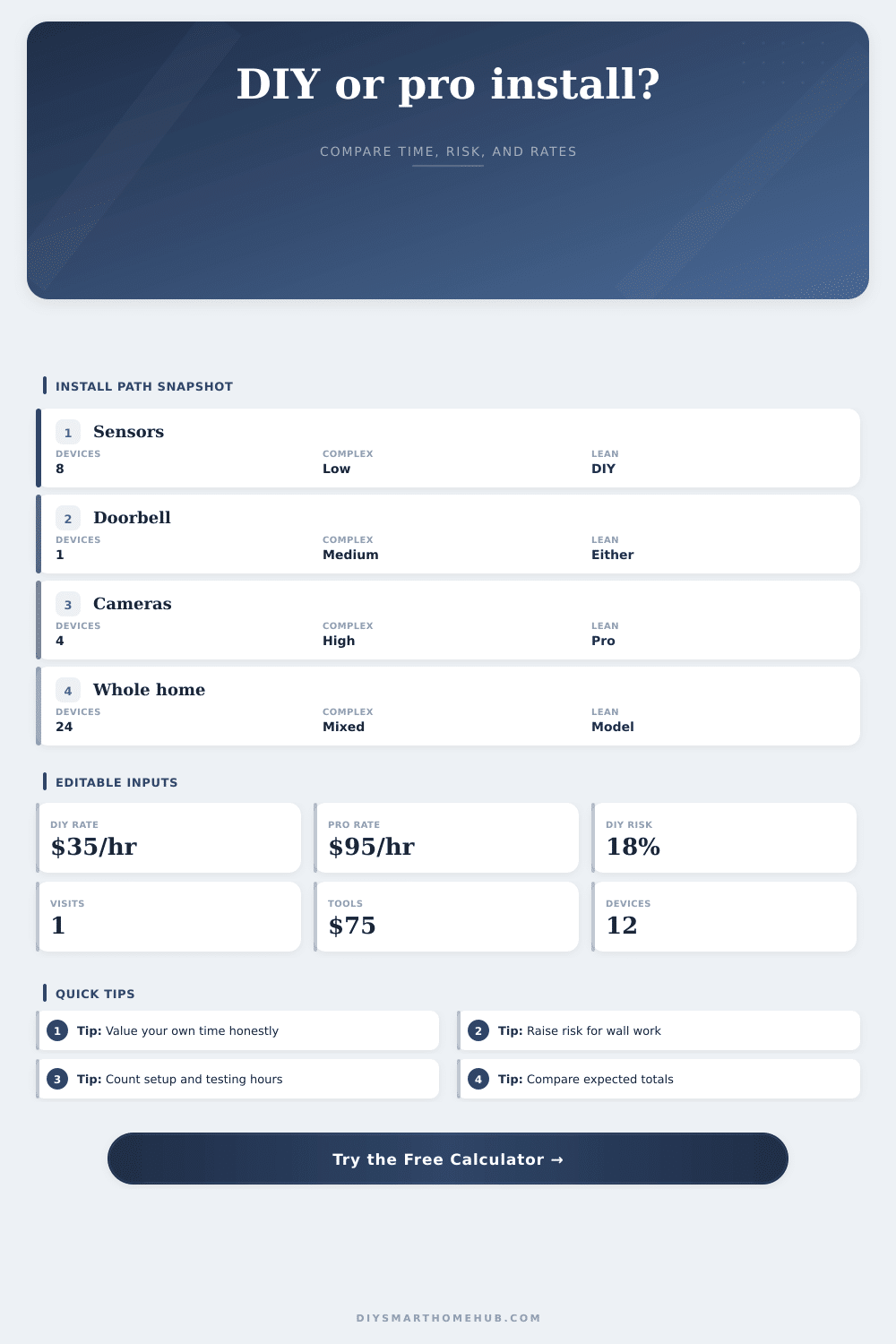
DIY vs Professional Install Cost Calculator
Compare a smart home install using your own device count, complexity, DIY time value, professional hourly rate, tool or rental input, rework probability, and warranty visit expectations.
1.Choose a Smart Home Project Preset
2.Enter Your Assumptions
3.Your Comparison
4.Current Formula Snapshot
5.Comparison Grid
DIY Path
- Uses your device count, complexity multiplier, and personal hourly value.
- Adds your tool, rental, permit, accessory, or one-time setup input.
- Applies rework probability to estimate expected extra DIY hours.
- Best when the time value stays below the professional labor comparison.
Professional Path
- Uses only the hourly professional rate you enter.
- Scales labor hours down from DIY hours because setup is repeated work.
- Adds warranty or callback visit hours using your visit count.
- Best when saved time and reduced rework offset the entered labor rate.
6.Complexity Multipliers
| Complexity | Typical devices | Base hours per device | Why it changes the calculator |
|---|---|---|---|
| Low | Contact sensors, leak sensors, plugs | 0.65 hr | Most time is pairing, labeling, and a simple mount. |
| Medium | Doorbells, thermostats, smart locks | 1.00 hr | Includes configuration, alignment, and functional testing. |
| High | Cameras, exterior sensors, multi-room lighting | 1.45 hr | Ladder work, aiming, drilling, and network checks add time. |
| Advanced | Retrofit wiring, hubs, scenes, automations | 1.90 hr | Coordination, dependencies, and validation drive labor hours. |
7.Hour Formula Table
| Formula domain | Calculator input | Applied formula | Result role |
|---|---|---|---|
| DIY hours | Devices, complexity, skill | Devices x base hours x skill factor | Builds your personal time estimate. |
| Pro labor hours | Devices and complexity | DIY base hours x professional efficiency | Models paid labor hours, not a fixed price. |
| Rework probability | DIY risk percent | DIY hours x risk x 0.55 | Adds expected remounting and retesting time. |
| Warranty visits | Visit count | Visits x 0.75 hr x pro hourly rate | Compares follow-up time using your rate. |
8.Preset Scenario Reference
| Scenario | Devices | Complexity | What to watch |
|---|---|---|---|
| Starter sensor pack | 8 | Low | Labeling, battery orientation, and clean automations. |
| Lighting retrofit | 6 | High | Switch depth, neutral availability, and scene testing. |
| Apartment mixed kit | 12 | Medium | Hub pairing order, naming, and WiFi placement. |
| Complex retrofit | 30 | Advanced | Integration dependencies and rework exposure. |
9.Decision Bands
| Difference band | DIY signal | Professional signal | How to interpret it |
|---|---|---|---|
| DIY lower by 20%+ | Strong | Weak | Your time value and risk assumptions favor doing it yourself. |
| Within 20% | Mixed | Mixed | Choose based on confidence, disruption, and quality tolerance. |
| Pro lower by 20%+ | Weak | Strong | Saved hours and reduced rework outweigh the entered rate. |
| High rework risk | Variable | Better | Revisit complexity, warranty visits, and your DIY skill factor. |
10.Calculator Tips
Installing smart sensors can be more work then you think, especially if you’re upgrading your home automation system. Why? Because you see them as easy enough to install yourself. They are small pieces of hardware that come with apps that makes it seem easy too. Then there’s the whole process of getting up on a ladder, hunting for an outlet, and dealing with spotty Wi-Fi coverage in places you never go.
This isn’t just about the cost savings from not hiring someone. It’s also about how much time you want to invest Saturday night troubleshooting why your motion sensor are going off at 3 a.m. After you plug in your hourly rate and number of devices, it show you what will happen. It shows how much it will cost after you factor in your time and effort.
Is DIY Really Cheaper?
Most people overlook this part, they calculate how much money they save by buying the tools but they fail to account for their own labor. When you put your real hourly wage into equation, sometimes things change. Sometimes the DIY route doesn’t look as appealing and looks more like a tradeoff. It is a trade where you swap your time for cash. That’s okay if you feel like it was worth the experience, though.
The other reason it’s hard to estimate is complexity. Retrofitting all the lights in your house isn’t the same than replacing your doorbell. One takes a screwdriver. The other requires understanding scene logic, how many switches is involved, and knowledge about neutral wires.
To account for this, the tool uses a multiplier on your hour estimates. For example, the low end of the complexity range are largely mounting and pairing. The high-end is drilling holes in exterior siding and aiming cameras. It makes a big difference. If you don’t realize it’ll take you longer to snake a cable through drywall, then you’re going to underestimate how long it’ll take.
To counteract this risk, the calculator includes a rework probability. This is the likelihood you have to re-pair a device after it loses connection to the hub or remount a sensor because its adhesive doesn’t hold.
It’s tempting to think that a pro install costs too much. But then you look at efficiency. A pro has done it hundreds of times. He knows where the obstacles will be, and he have the right tools. And he doesn’t watch YouTube for an hour to figure out how to set his damn thermostat back. The pro charges a lot per hour, but he only needs a few.
The total cost comparison includes amount of time saved with the pro route (assuming you honestally value your own time). Because after all, equipment isn’t made to last forever. There are warranty calls involved in the pro route. The best installs still result in callbacks on occasion. If you value your time and the pro charges more but saves you a significant amount of time, the pro route might actualy cost less.
What about the emotional price? DIY adds stress. You want this to be perfect. No missed notifications. No flickering lights. Hiring someone else makes that anxiety go away, it’s worth paying for that peace of mind.
As you’ll see in the reference tables below, the number of hours spent doing this varies by complexity. A basic sensor pack stays inexpensive for both choices. A complex retrofit starts to pull apart. The pro price goes up slowly, while the DIY time shoots up fast. That’s when the choice happens.
Don’t view this as a number, but instead view it as a signal. If the DIY price is a little cheaper, that’s why you might want to go pro. If time is more valuable than money and you’re willing to part with your Saturday afternoon, well, maybe that’s the right choice for you. If the pro estimate is way out of line with what you think you could afford, great, now you know you’ve got some wiggle room and can take on the project yourself. Even better: If the pro estimate is so high that you are afraid of making a mistake, you still shouldn’t of spend more than you can afford.
Ultimately, it’s about matching your budget to your patience. After all, smart homes is supposed to simplify life. They shouldn’t complicate it during the install. Go with whatever route will let you use the tech … not struggle with it.