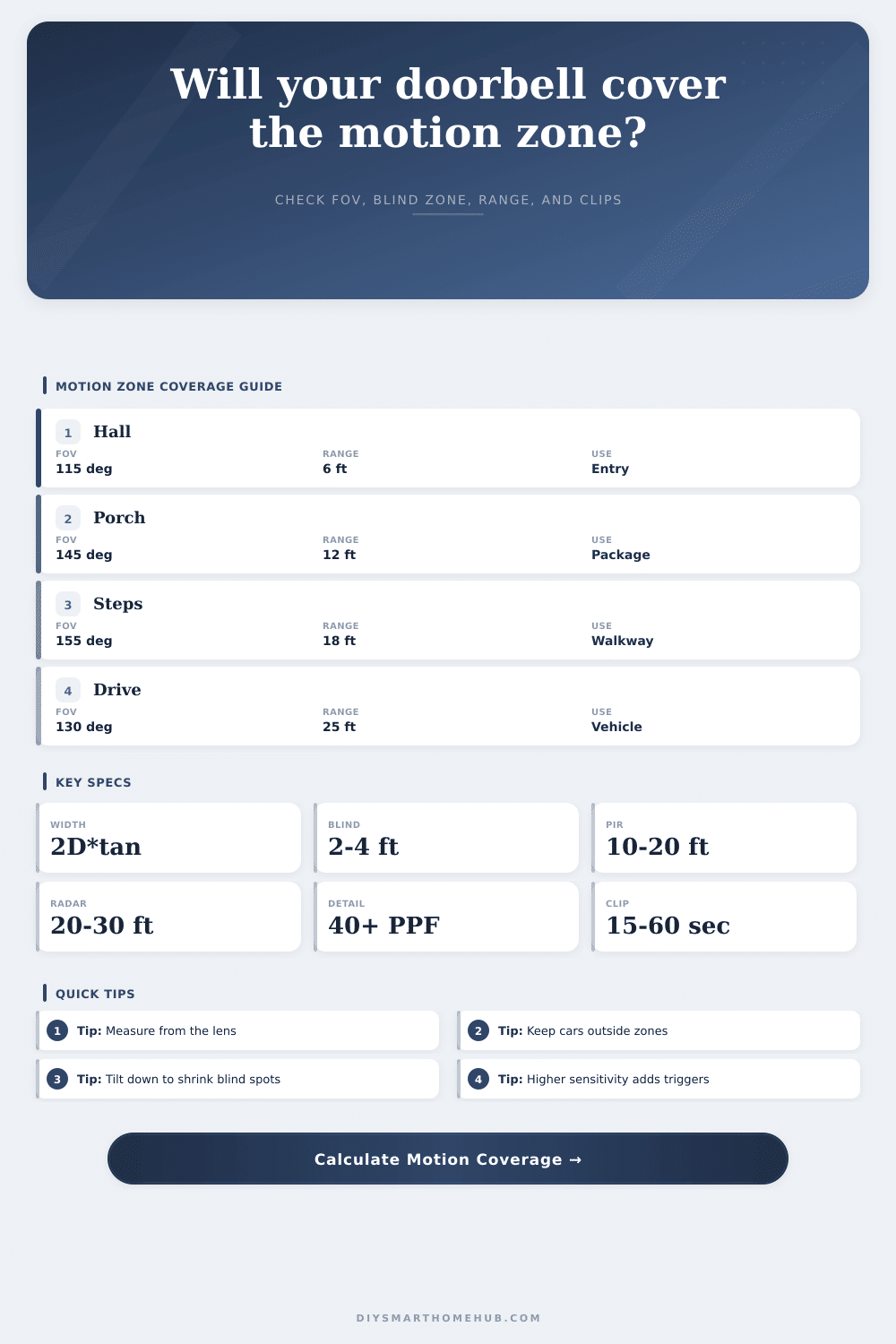
Video Doorbell Motion Zone Coverage Calculator
Estimate how much of a porch, walkway, steps, or driveway motion zone fits inside a video doorbell view after FOV, tilt, mounting height, detection range, and sensitivity are included.
PIR only
Works well for warm moving people across a porch, but range often drops when motion comes straight toward the lens.
Pixel motion
Uses image changes inside the selected zone. It can cover wider views but is more sensitive to trees, shadows, and headlights.
Radar assist
Improves distance and approach detection. It is useful for long walkways, gates, and driveway-edge zones.
Dual sensing
Combines sensor and video checks. It usually gives the best balance between usable range and nuisance alerts.
| Horizontal FOV | Width at 8 ft | Width at 12 ft | Best zone use |
|---|---|---|---|
| 110 deg | 22.9 ft | 34.3 ft | Hall or narrow entry |
| 130 deg | 34.3 ft | 51.5 ft | Standard porch |
| 150 deg | 59.7 ft | 89.6 ft | Wide porch or steps |
| 160 deg | 90.7 ft | 136.1 ft | Shared entry, crop needed |
| Detector type | Typical range | Strength | Motion zone note |
|---|---|---|---|
| Compact PIR | 8 to 12 ft | Low nuisance alerts | Best near a small porch |
| Standard PIR | 12 to 18 ft | Balanced entry alerts | Good for most front doors |
| Video motion | 12 to 20 ft | Broad image coverage | Needs careful zone cropping |
| Radar assisted | 20 to 30 ft | Approach detection | Useful for walks and gates |
| Pixel density | Metric density | Usefulness | Doorbell read |
|---|---|---|---|
| 15 PPF | 49 PPM | Motion awareness | Shape and direction only |
| 25 PPF | 82 PPM | Observe | Clothing and package movement |
| 40 PPF | 131 PPM | Recognize | Useful visitor detail |
| 60 PPF | 197 PPM | Identify | Strong close-range detail |
| Resolution | Bitrate guide | 30 sec clip | 60 events/day |
|---|---|---|---|
| 1080p | 2 Mbps | 7.5 MB | 450 MB/day |
| 2K wide | 4 Mbps | 15 MB | 900 MB/day |
| 2.5K tall | 5 Mbps | 18.8 MB | 1.1 GB/day |
| 4K wide | 8 Mbps | 30 MB | 1.8 GB/day |
The story begins with that 2 AM notification. A car headlight sweeps by walkway. Or maybe a leaf blows onto porch. You look in the app. It is a pixelated blur. Hmmm…did I buy an overpriced paperweight?
Here’s the issue: It’s rarely anything wrong with the camera itself. Almost always, it’s the geometry of the zone you instructed it to observe. A video doorbell are more than a lens on wall. It’s a sensor that has different distance limits, blind spots, and viewing angles differant than our eyes do.
How to Set Up Your Doorbell Camera
Enter the calculator (above) to do the trigonometry work for you. It converts horizontal field of view, tilt, and mounting height into real-world coverage width at target distance.
Why? Because most folks estimates their zone width. They think that a fourteen-foot wide field of view mean a fourteen-foot wide coverage. No it doesn’t. As distance from lens grows, the view grow with it. So if you’re aiming to detect something dropped ten feet away, that’s going to be a much wider zone than what’s underneath the camera on ground. That zone may be wider than your actual porch area.
The tool guesses that size and lets you know whether or not your real-world porch will fit in frame. If it doesn’t, there’s a gap where people walk through unobserved.
The other silent killer of good security are blind spots. Every downward-facing camera has a zone directly beneath it that it cannot see because angle is too steep. That’s where your packages goes missing. The calculator approximates the distance from bottom of mount to where it first sees the floor. If it says “six,” then you’ve got a six-foot blind spot. Tilt it down a bit. Yes, you’ll sacrifice some context at far end. But up close, by the door? Yeah, you can see now. There are tradeoffs. What are you more scared of missing out on: a box on the threshold or a face at street?
And then there’s what the camera perceives as movement. There is passive infrared sensors which pick up heat variations, ideal for someone walking across porch if it’s warm out. They is less good at detecting small creature or things approaching head-on from lens. Then there’s radar, which detects distance and approach better but picks up all kinds of thing. It is great for seeing far away and in time to get ready, but a car going by triggers it too. On the page is a breakdown of what type of sensor do what, and what type matches your situation best.
If you’re on a road where lots of cars pass, a high sensitivity radar-assisted doorbell will stuff your storage full of video of passing vehicles. That is not what you want.
Another factor to consider is resolution, but it’s not what you think. 4k footage sounds impressive until you realize the subject is only twenty pixels wide. How many pixels per foot? Run the calculator and get your answer. Less than forty pixels per foot and you’re seeing colors and shapes. More than forty and maybe you can make out features. Use this to find out whether your existing resolution are worth anything for distance in question. Low number? Try moving closer with camera…or adjust the tilt up and down…rather than swapping lenses.
And then there’s storage. Higher resolution eats more space. So do longer clips. You can estimate daily storage based off how many events you expect to see. You’ll get a half dozen alerts a day from broad zone? Your storage fills up before the weekend. Narrowing the zone means less noise. And it means less expense. Record the right thing. Don’t try to record everything.
So how do you set it up? Focus less on hardware and more on sightlines: think like the camera. What’s in frame? What will trip that sensor? Where does the curve of the earth comes into play? Where’s lens? And where might you be blocked? Know the limits, then the rest comes together. No more chasing down false alarms. You see what realy matters. You could of made that 2 AM alarm useful again.