Timelapse Recording Storage Calculator
Estimate daily frame count, still-image storage, encoded video storage, playback length, and retention days for security, project, garden, and smart home timelapse recordings.
Storage summary
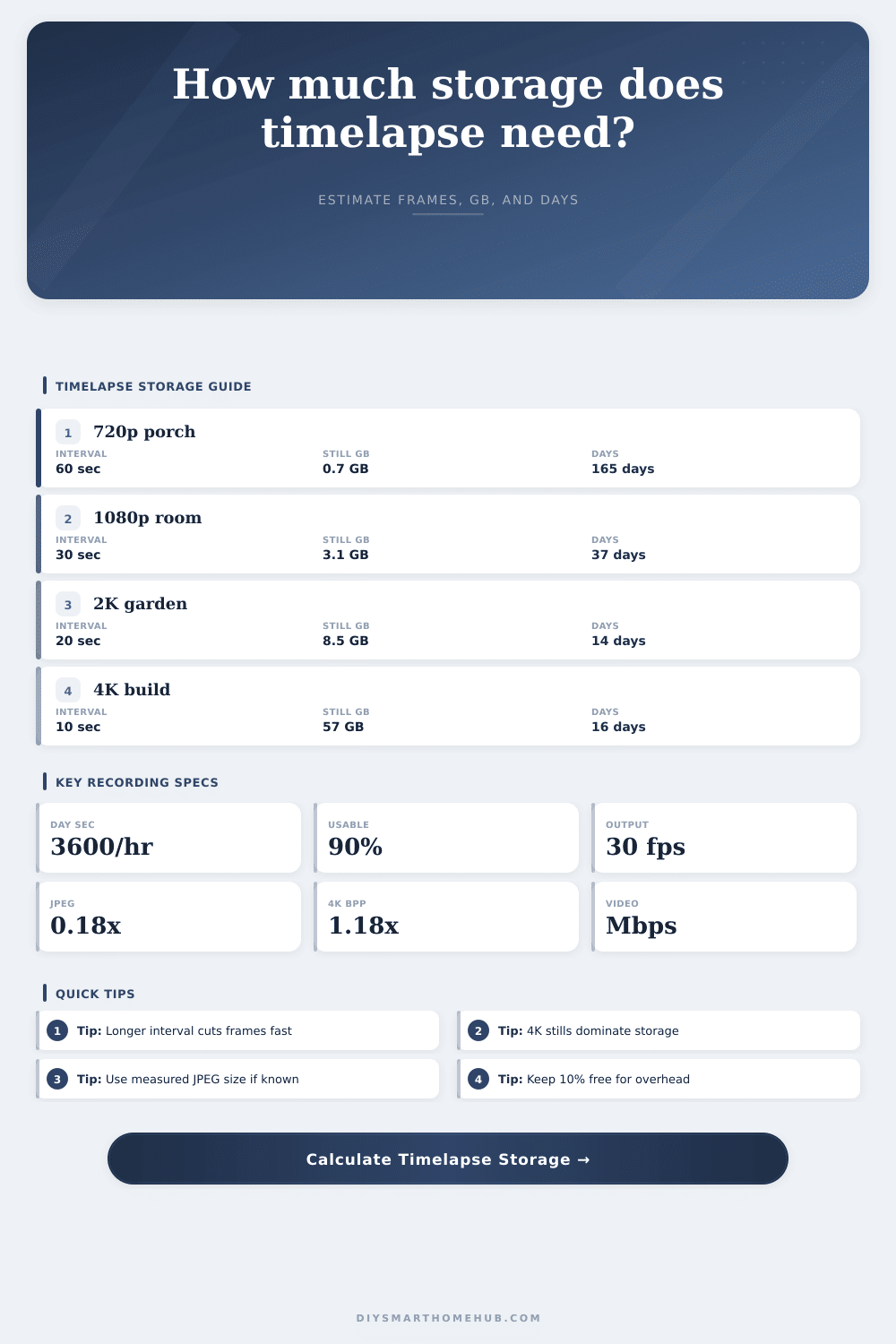
Porch daylight profile: 720 frames per camera per day and about 1.5 GB/day combined archive.
| Resolution | Pixels | Megapixels | Raw RGB MB | Detail factor |
|---|---|---|---|---|
| 720p HD | 1280 x 720 | 0.92 MP | 2.64 MB | 0.82x |
| 1080p Full HD | 1920 x 1080 | 2.07 MP | 5.93 MB | 1.00x |
| 2K QHD | 2560 x 1440 | 3.69 MP | 10.55 MB | 1.08x |
| 4K UHD | 3840 x 2160 | 8.29 MP | 23.73 MB | 1.18x |
| 12 MP still | 4000 x 3000 | 12.00 MP | 34.33 MB | 1.35x |
| Interval | 8 hours | 12 hours | 24 hours | Use case |
|---|---|---|---|---|
| 5 sec | 5760 frames | 8640 frames | 17280 frames | Fast workspace change |
| 10 sec | 2880 frames | 4320 frames | 8640 frames | Construction detail |
| 30 sec | 960 frames | 1440 frames | 2880 frames | Room or porch review |
| 60 sec | 480 frames | 720 frames | 1440 frames | Garden or daylight view |
| 300 sec | 96 frames | 144 frames | 288 frames | Slow seasonal change |
| Video bitrate | 24 sec clip | 2 min clip | 10 min clip | Typical match |
|---|---|---|---|---|
| 1 Mbps | 0.003 GB | 0.015 GB | 0.073 GB | 720p review file |
| 3 Mbps | 0.009 GB | 0.044 GB | 0.220 GB | 1080p light motion |
| 5 Mbps | 0.015 GB | 0.073 GB | 0.366 GB | 2K balanced file |
| 12 Mbps | 0.035 GB | 0.176 GB | 0.879 GB | 4K compact file |
| 20 Mbps | 0.059 GB | 0.293 GB | 1.465 GB | 4K archive file |
| Scenario | Hours | Interval | Resolution | Planning note |
|---|---|---|---|---|
| Porch daylight | 12 hr | 60 sec | 1080p | Low daily frames |
| Garden growth | 14 hr | 120 sec | 2K | Still archive first |
| Garage workbench | 6 hr | 15 sec | 1080p | Short high-detail session |
| Build site 4K | 10 hr | 10 sec | 4K | High still storage |
| Whole-house check | 24 hr | 300 sec | 720p | Many cameras, low rate |
It’s not uncommon for someone to purchase a camera, aim it at their front porch and run out of storage space on their hard drive … only after they’re already there. When this happens, they’ll often frantically try to locate any captured footage that hasn’t yet been replaced with more recent shots of an empty walkway.
This isn’t as simple as purchasing the largest microSD card possible. You must carefully consider how resolution, capture interval, and encoding settings affects your storage. This applies to each setting alone and how they work together over days or weeks of continuous recording.
How to Save Space on Your Camera
How much data will you use each day? Can you sustains higher-res stills vs. Can you create smooth video playback?
First, it’s important to understand that capturing frames cost money in bytes, if done without care about compression. Each time the shutter clicks, a new frame is captured and written as a file to the card. And depending on how fast-paced your workspace might be, setting your interval too low, like every five seconds… Will result in thousands of photos generated in a single day. Regardless of who will watch them or not, they’ll start adding up pretty quickly.
To run the numbers yourself, plug into the calculator found on this page the number of hours you’d like to record and the number of photos you want to take per minute. It breaks out what it would cost to store both the raw images and the encoded video file that stitches all those photos back together.
Why does this matter? Each photo, even a 4K one, is much larger then a video clip of the same length at a lower resolution, even if the video looks smooth. Storage size is also dependent on resolution more than most people know. Going from 1080p to 4K doesn’t simply double the number of pixels, it almost quadruples them. On top of that, each pixel needs three bytes of color information before it is compressed. You can see why there is so much going on here.
If you’re shooting at a high quality jpeg setting then you’re instructing the camera to keep more details, meaning bigger file sizes. But again, it’s a minor consideration, unless you want to get three months of footage on a single 128GB card. The tool comes with a reference table that explains how much disk space certain resolutions take up in terms of raw pixels. This shows you the real difference: Your porch camera will last for months while your garden timelapse fills up a drive in two weeks.
When it comes time to export the video, that’s when bitrate matters most. You don’t care about bitrate if you’re leaving the footage in separate photos. Only once you convert everything into a single file do you want your bitrate set so you have a smooth 30 frames per second playback at the end of the day.
Higher-bitrate videos look more crisp, and they gobble up gigabytes quickly. Most users who aren’t shooting cinema-grade timelapse will be just fine with moderate bitrates. After all, timelapse doesn’t require cinema-quality video to track progress on a project or see how a house has changed over time.
The other consideration in your estimate of time-to-storage is that there’s some overhead on any system that’s going to use it. No drive is 100 percent available for storing data due to filesystems needing to store thumbnails, indexes, etc. If you have a ninety percent utilization buffer (i.e., plan to utilize only 90 percent), then your card won’t fill up unexpectedly before you thought it would.
For multi-camera rigs, this only increases the demand by the number of lenses you’re using. Two cameras don’t simply double your amount of footage. They double everything related to your storage calculations.
It’s really about finding the right balance. You need to capture enough to remember it later, but minimize how much you have to store without worrying about being “optimal” just for the sake of it. Does checking whether someone dropped off a package require 60 frames per second of 4k video? No, but 720p once every minute will do just fine and free up TONS of storage space. Want to document how your plants grow over the summer? Accepting more frequent high resolution (4k) captures despite their increased storage costs could of been a fair tradeoff.
When you know what matters, you can set up your system with a clear idea of what gets captured and when. This stops you from having to guess when the next thing will be overwritten. It transforms something that could be a hassle into a log of moments in time.