Doorbell Pre-Roll Clip Length Storage Calculator
Estimate how many GB doorbell pre-roll clips need per day and across retention, including resolution bitrate assumptions, event count, saved clip length, and audio overhead.
Use the camera's configured average bitrate when available.
Two-way audio, metadata, and container overhead are often small but not zero.
Doorbell Storage Results
| Resolution | Default bitrate | Planning range | When to raise it |
|---|---|---|---|
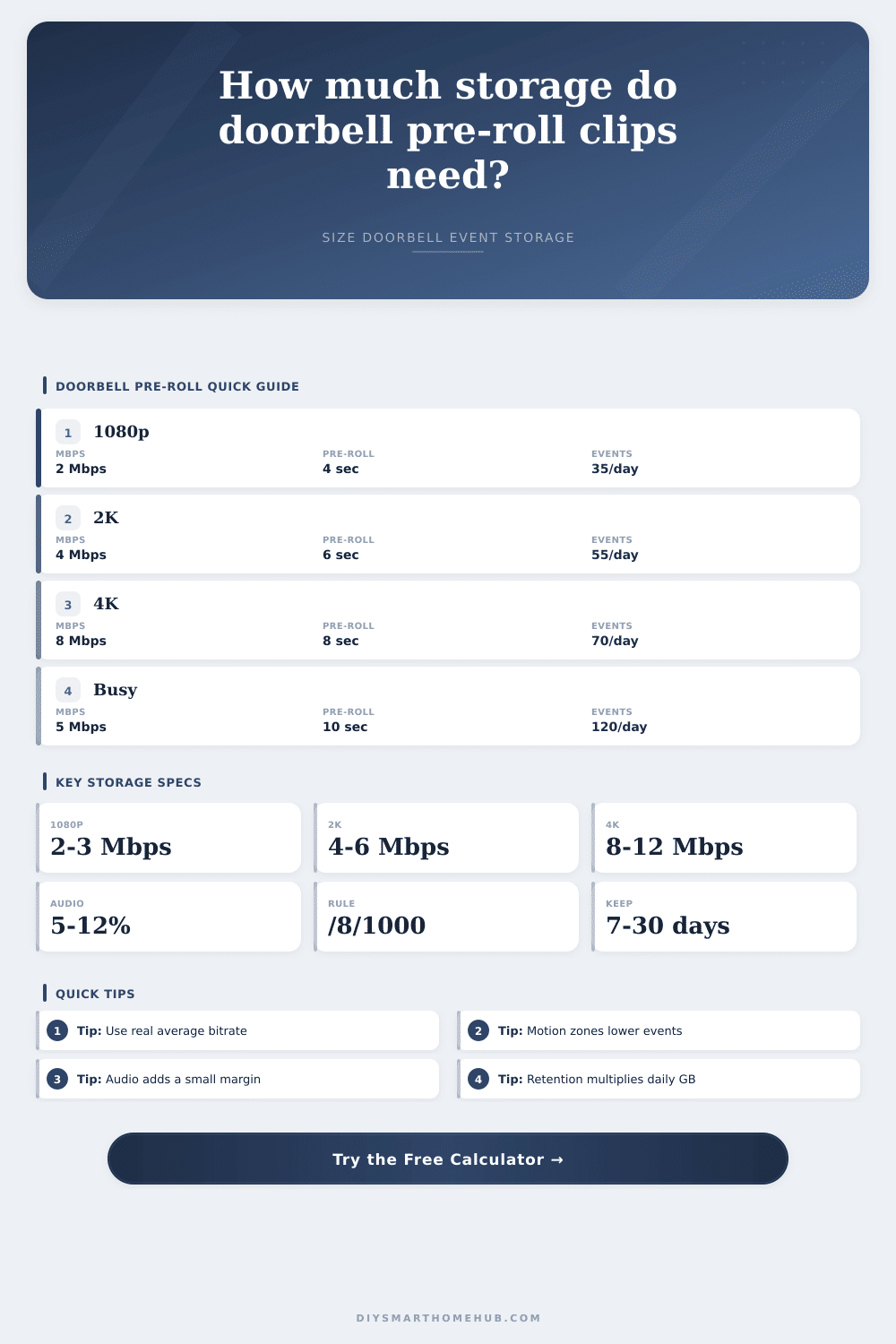
| 1080p HD | 2.5 Mbps | 2 to 3 Mbps | High frame rate, trees, street motion, or low compression. |
| 2K doorbell | 4.5 Mbps | 4 to 6 Mbps | Package detection, wide porch views, and frequent night motion. |
| 4K doorbell | 9 Mbps | 8 to 12 Mbps | High-detail entry views or less aggressive compression settings. |
| Custom stream | User entered | Use measured Mbps | Best when recorder logs show a reliable average bitrate. |
| Output | Formula | Units | Formula check |
|---|---|---|---|
| Effective Mbps | video Mbps x (1 + audio overhead) | Mbps | Adds audio, metadata, and container allowance. |
| Pre-roll GB/day | effective Mbps x pre-roll seconds x events/day x doorbells / 8 / 1000 | GB/day | Converts megabits to decimal gigabytes. |
| Event GB/day | effective Mbps x full clip seconds x events/day x doorbells / 8 / 1000 | GB/day | Full clip seconds equals pre-roll plus saved tail. |
| Retention GB | event GB/day x retention days | GB | Retention days multiply the daily event archive. |
| Doorbell scene | Events per day | Typical pre-roll | Storage behavior |
|---|---|---|---|
| Quiet porch or hallway | 15 to 35 | 3 to 5 sec | Pre-roll storage is usually small compared with full clips. |
| Typical front door | 35 to 70 | 5 to 8 sec | Retention days become the main storage multiplier. |
| Street-facing doorbell | 80 to 150 | 6 to 10 sec | Motion frequency can outweigh resolution changes. |
| Shared entry or porch | 120 to 250 | 8 to 12 sec | Use measured event logs if the recorder provides them. |
| Scenario | Inputs | Daily event storage | 30-day storage |
|---|---|---|---|
| 1080p typical | 2.5 Mbps, 30 sec clips, 45 events | 0.46 GB/day | 13.7 GB |
| 2K package door | 4.5 Mbps, 30 sec clips, 65 events | 1.19 GB/day | 35.5 GB |
| 4K detailed entry | 9 Mbps, 32 sec clips, 70 events | 2.72 GB/day | 81.6 GB |
| Busy 2K sidewalk | 6 Mbps, 40 sec clips, 140 events | 4.54 GB/day | 136.1 GB |
The doorbell button gets pressed. On your phone, you see the video load up. It plays back smoothly, showing the six seconds before the motion starts and then the event itself. Everything is seamless, except that now you realize you’ve been charged double on your cloud storage bill again. This is the quiet tension of today’s home security, you crave context, you crave clarity, but neither care at all what your desired resolution is.
The above calculator do all the math for you after you input the clip length, how often you capture them, and the resolution you’re using. It saves you from having to guess if you can afford your plan or if you are just overpaying for it.
How to Save Money on Security Camera Storage
The other way everyone screws up with the storage estimate is on pre-roll length. That’s the buffer of video that the camera captures before waking up the sensor. If there’s no pre-roll, you just see a foot landing on the mat. If there’s eight seconds of pre-roll, you know who approached the door and why. Each second of context, however, consumes from your daily gigabyte allowance. To break this out, the tool separate the full event clip (including post-trigger time) from the pre-roll storage. Why do you need them? They will each behave different in your budget. Pre-roll has a fixed cost per event. The tail length depends completely on how long you’d like to keep the recording running once motion has stopped.
What’s under the hood is bitrate, those pesky numbers we call 4K and 1080p are actualy marketing words; what really varies is your Mbps (megabits per second). Even if both videos have the same resolution, a dynamic shot of a busy street with swaying trees produce significantly more data than a still image of a quiet hallway. To compensate for the overhead of audio and metadata, the calculator calculate your effective bitrate, which includes a little padding. On paper it might be five or ten percent but multiplied by thousands of clips, that becomes several additional gigabytes you didn’t anticipate. A minor detail, yes, but it makes a difference when you’re cramming a month of history into a limited plan.
The multiplier that will ruin your budget is event count. Twenty per day in a quiet apartment building. One hundred at a busy commercial strip front door. Adjust it using real logs instead of hope and use the calculator. If you guess high, you overspend; if you guess low, you lose footage. Guess right: Lose footage. But here’s the smart thing: size your storage after checking your dashboard for a week first. Chances are you’ll discover that your weekdays spike different than your weekends, or have dead zone hours. Knowing your true average save you more money than downgrading to a lower resolution could of ever save you.
And then there’s retention time. It doesn’t cost much to keep seven-day clips. To do it at ninety days? That takes a bit more planning. The answer reveal how large an archive you need based off your desired time frame. Too big? Then you’re left with two options. You can shorten the amount of footage before and after the event, losing some context, or you can pay more for better quality. No free lunch here. Clarity come at the price of data.
Everyone focuses on the video quality and overlooks how often you trigger it. A 1080p camera that gets triggered two hundred times per day take up more space than a 4K camera that records ten times per day. This is as much about motion sensitivity settings as it is hardware specs. Shrink your motion zones to only capture the porch area, not passing cars. It eliminates a bunch of noise without missing any signal.
It doesn’t say which button to push, but it displays which buttons cost how much, in actual storage space. What’s the difference between a seven- and a thirty-day plan? How many extra seconds of pre-roll does that make? How much do those higher bitrates takes out of your storage allowance on 4K stream? Make the abstract real. Make the audio overhead visible. Let the gigabytes per day speak for themselves. If you don’t like what they’re saying, change the math. Stop shelling out for mysteries. Start shopping by byte counts. Buy only what you shoot.
Storage isn’t about capacity. It’s about intent. Know yourself: what contexts matter most? Measure them. See if your wishes add up, or adjust accordingly.