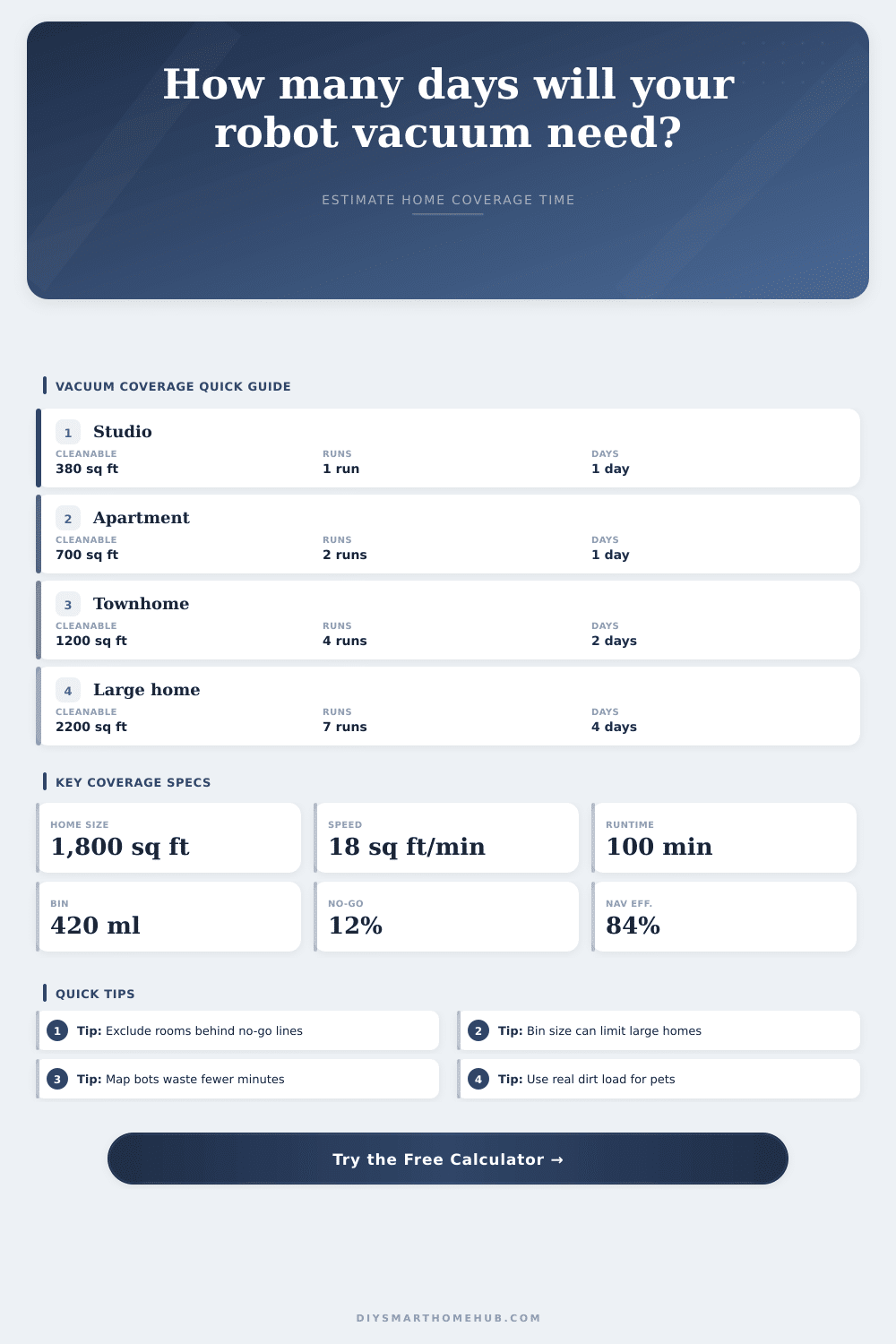
Vacuum Coverage Days by Home Size Calculator
Estimate how many cleaning days a robot vacuum needs from home size, no-go zones, navigation efficiency, battery runtime, cleaning pace, dust bin capacity, dirt load, and daily sessions.
Coverage formula breakdown
| Navigation type | Efficiency used | Typical pace | Coverage note |
|---|---|---|---|
| Random bounce robot | 58% | 9 to 12 sq ft/min | Repeats more floor before finding every room edge |
| Gyro row-cleaning robot | 72% | 12 to 15 sq ft/min | More organized rows, weaker room memory |
| Camera mapping robot | 82% | 14 to 18 sq ft/min | Good repeatability when lighting and landmarks are stable |
| LiDAR mapping robot | 86% | 16 to 20 sq ft/min | Strong route planning across larger connected layouts |
| Premium room logic | 90% | 18 to 24 sq ft/min | Better room sequencing and less duplicate travel |
| Dirt condition | Typical pickup load | 420 ml bin coverage | Calculation use |
|---|---|---|---|
| Low-dust hard floors | 6 ml per 100 sq ft | About 7,000 sq ft | Battery usually limits the session first |
| Mixed normal rooms | 10 to 12 ml per 100 sq ft | 3,500 to 4,200 sq ft | Most apartments stay battery limited |
| Rugs and family traffic | 14 to 18 ml per 100 sq ft | 2,330 to 3,000 sq ft | Large homes may become bin limited |
| Pet hair and debris | 20 to 30 ml per 100 sq ft | 1,400 to 2,100 sq ft | Bin limits can dominate before runtime ends |
| Effective pace | 60 min runtime | 90 min runtime | 120 min runtime |
|---|---|---|---|
| 8 sq ft/min | 480 sq ft | 720 sq ft | 960 sq ft |
| 12 sq ft/min | 720 sq ft | 1,080 sq ft | 1,440 sq ft |
| 16 sq ft/min | 960 sq ft | 1,440 sq ft | 1,920 sq ft |
| 20 sq ft/min | 1,200 sq ft | 1,800 sq ft | 2,400 sq ft |
| Home type | Starting floor area | Likely cleanable area | Coverage planning note |
|---|---|---|---|
| Studio or small condo | 350 to 600 sq ft | 300 to 540 sq ft | Usually covered by one ordinary session |
| Two-bedroom apartment | 700 to 1,000 sq ft | 600 to 880 sq ft | One to two sessions depending on bin and mapping |
| Single-level family home | 1,400 to 2,200 sq ft | 1,150 to 1,950 sq ft | Often needs scheduled room groups or multiple sessions |
| Large multi-level home | 2,500 to 4,000 sq ft | 2,000 to 3,500 sq ft | Daily coverage depends heavily on allowed session count |
A robot vacuum is supposed to save you from doing housework yourself. But then, when you take it out three weeks later, there’s still dust on the corner. It is not because its suction isn’t powerful enough. Because it’s math.
You think you have X square feet of house and therefore it should be able to do it all at once. No. Furnitures, closed rooms, and virtual walls to save your cat’s tail reduce the actual space it can clean. The calculator brings together area of your floor plan with the real-world amount of time it’ll take to clean it, making you face lost efficiency and full bins before purchase.
Why Math Matters for Robot Vacuums
It turns out that there’s more to navigation than we give credit for. A random-bounce method gets roughly nine square feet per minute, even with lots of overlap and missed corners. A moddern LiDAR bot will map out the space, plot a grid, then go to town. Its efficiency rate is something closer to eighty-six percent.
That might not sound like much on paper, but across one-hundred-minutes of runtime, that makes all the difference. It is enough to finish the kitchen, instead of giving up and walking away with a dead battery. You can choose how you want the navigation profile. It tweaks math based off real world behavior vs. Perfect lab conditions. Small change, huge difference in hours of frustration saved.
The other issue is size of the bin. Runtime is measured in minutes, not milliliters of volume by manufacturers. What good does it do when your robot has a half-hour remaining on its charge but the dust bin is completely clogged?
In heavily trafficked areas and homes with pets, the debris load can increase as much as thirty milliliters per every one hundred square feet. That means that a standard-size four-hundred-milliliter dustbin only holds about one-thousand-three-hundred-square-feet before needing to be emptied manually. Which means, guess what? The remainder of the house remain filthy. Kinda counter-productive for a robot designed to make things cleaner.
For large houses and dog owners who shed hair, you’re going to want the auto-empty station. Otherwise, expect multiple returns to the dock.
Adding in the daily sessions makes things more complex. Most apps limit you to one cleaning session per day, and bigger homes frequently needs two. But if your cleanable area is 1800 square feet and your robot cleans just 600 square feet at a time, then that’s three sessions until completion. Over the course of a week, some areas will be cleaned once a day, while other areas has to wait for four. The calculator shows how long it will take for the whole house to cycle through based on your number of allowed sessions. This prevents you from assuming “daily” means every square foot gets wiped down every day.
The home’s layout also matters. Long, unbroken cleaning runs is possible in open-plan spaces where you don’t need to cross thresholds or doorways. Lots of small room and clutter mean lots of stopping and turning, which uses up the battery much faster than going in a straight line. High-pile carpets also put greater stress on suction motor, shortening actual run time even further. That’s why there is an input for “dirt load.” Setting it higher for pet hair, for example, or lower for bare wood floors significantly alters the bin-fill prediction.
The truth about robot vacs is that it’s both a convenience and a numbers game. Mechanical limitations of the machine meets the physical limits of your house. Setting realistic expectations means understanding how much of your floor plan is actualy cleanable. High-dust areas will see their bin fill before their battery drains.
This calculator on the page takes care of these math problems while letting you focus on features that matter to your home. It converts guesswork into a dependable schedule. You should of used this sooner.