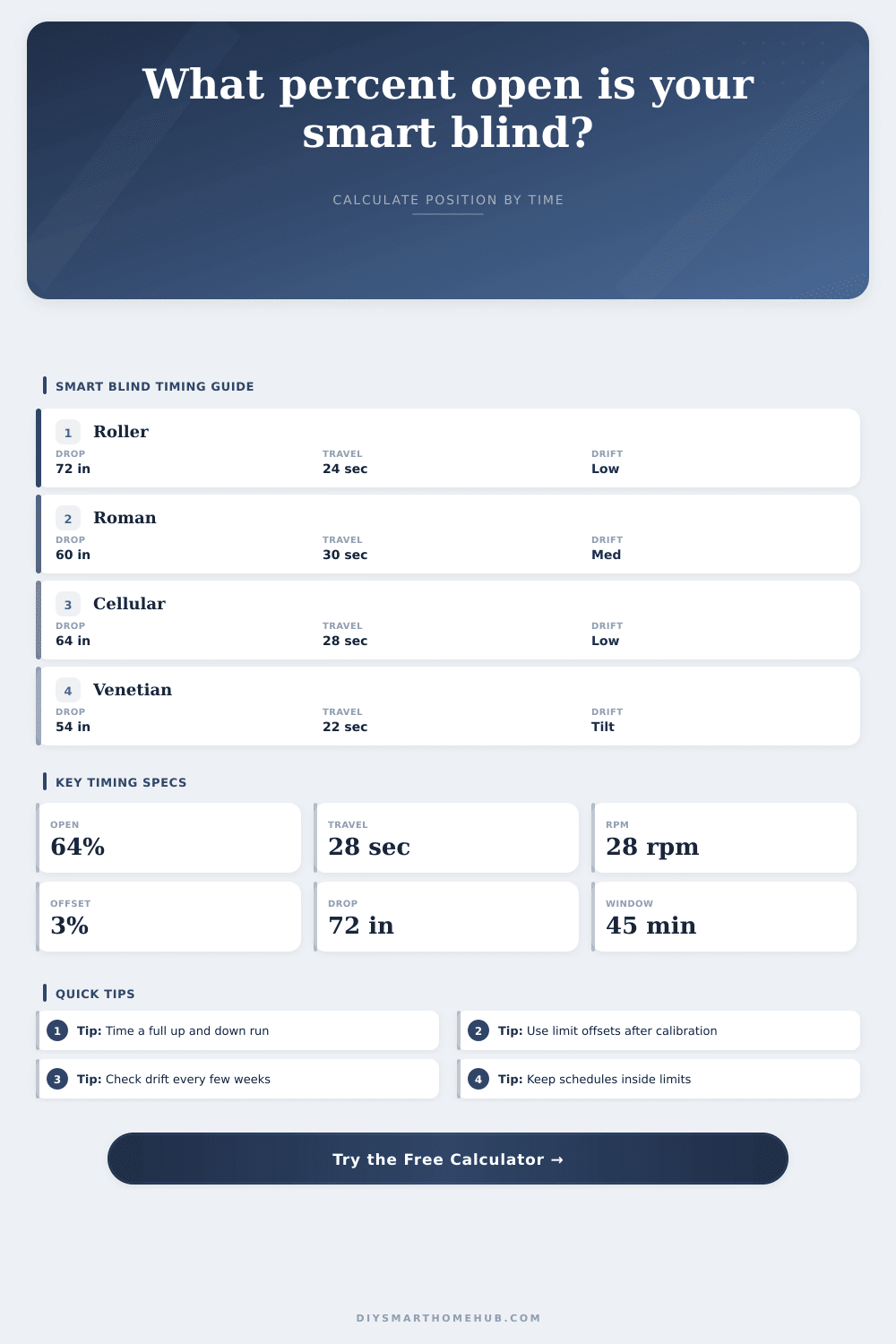
Smart Blind Open Percentage by Time Calculator
Estimate a smart blind's open percentage from elapsed motor time, measured travel time, blind drop height, RPM, roller diameter, limit calibration, and schedule window timing.
Detailed timing breakdown
| Blind type | Typical drop | Common full travel | Timing note |
|---|---|---|---|
| Roller shade | 48 to 84 in (122 to 213 cm) | 18 to 35 seconds | Usually stable once upper and lower limits are learned |
| Solar screen shade | 60 to 96 in (152 to 244 cm) | 24 to 45 seconds | Wide fabric tubes may slow near the bottom |
| Cellular blind | 42 to 72 in (107 to 183 cm) | 20 to 38 seconds | Cord lift friction can make closing slightly slower |
| Roman blind | 48 to 72 in (122 to 183 cm) | 25 to 45 seconds | Stack height changes the visual open percentage |
| Venetian blind | 36 to 64 in (91 to 163 cm) | 18 to 32 seconds | Tilt movement can consume the first seconds before lift travel |
| Motor speed | Roller diameter | Linear travel per minute | 72 in drop travel time |
|---|---|---|---|
| 24 RPM | 1.00 in | 75.4 in/min | 57.3 seconds |
| 28 RPM | 1.25 in | 110.0 in/min | 39.3 seconds |
| 30 RPM | 1.50 in | 141.4 in/min | 30.6 seconds |
| 32 RPM | 1.75 in | 175.9 in/min | 24.6 seconds |
| Observed behavior | Closed trim | Open trim | What it means for percent |
|---|---|---|---|
| Perfectly learned limits | 0% | 0% | 0% closed and 100% open are trusted directly |
| Fabric still shows at closed stop | 1% to 3% | 0% to 2% | Closed position is treated as slightly open |
| Shade stops short near the cassette | 0% to 2% | 2% to 5% | Open stop is treated as less than 100% |
| Battery motor drifts after weeks | 2% to 5% | 2% to 5% | Automation should avoid relying on exact endpoints |
| Schedule window | 10 min elapsed | 30 min elapsed | Best automation use |
|---|---|---|---|
| 15 minutes | 67% of ramp | Complete | Fast privacy or glare response |
| 30 minutes | 33% of ramp | Complete | Morning wake-up scene |
| 45 minutes | 22% of ramp | 67% of ramp | Soft daylight transition |
| 60 minutes | 17% of ramp | 50% of ramp | Gradual heat and glare control |
It is frustrating when your smart blinds don’t behave as planned. You might say, “I asked my system to open my shades to 40%, but now they’re at ten,” or “Now they’re all the way open (at ninety).” Even worse, a shade might dangle halfway down. This obscures window in an awkward way that produces odd shadows and lets in too much light.
Most people think about blind position only as a relative percentage of time: “open my shades to 40%.” But that doesn’t consider how blinds physically move; after all, they are a device! A motor turn them, which takes some number of seconds. To eliminate the guesswork, we created a tool for converting raw motor seconds into more meaningful calibrated positions.
How to Fix Your Smart Blinds
If your shade is moving, but slowly; you’ll know. If it’s stopped but drifting, you won’t be guessing anymore. That change in what you know will change how you set up system.
A blind motor is essentially a timed device. By default it’s not a precise positioning tool; it’s a timed tool. When a standard roller shade motor reaches the fully opened or closed position, it stop running after a set amount of time based off its stored limit values. Any delay in your original calibration, however small (even a couple of seconds), gets carried forward and applied to every subsequent percent you request. It compounds fast. That’s why full travel time is such an important input.
Weight of fabric, height of stack, and battery voltage will change speed, which means you can’t just take the manufacturer’s spec sheet as gospel. Instead, the calculator requires you to enter your actual measured travel time and anchor the calculation in your real-world situation different than some theoretical average.
There are other settings in the tool as well: open/closed limit offsets. Why do these matter? Most shades don’t go from clean 100% down to clean 0%. If it’s a heavy roman, it may stop shy of headrail so as not to pinch the headrail. If it’s a cellular blind, there may be an inch of fabric showing when it believes itself to be fully down. The offset parameters give you a way to tell the system that when it shows itself to be 0%, it really is more like 2% open. When it claims to be maxed-out at 100%, it’s actually more like 97%.
That sounds pedantic until you want to use it with automation, say to have the shades rise at sunrise. Without the trim, your automation will chatter at the ends. It sends a command over and over because it can’t ever reach the impossible end-state. The math smooths this chatter out.
And then there’s the issue with startup lag. Even with small DC motor driving battery-powered shades, the shades don’t immediately come to full speed. Depending on type of shade and the motor’s inertia, it may take half a second or longer before any actual movement occurs. So ignoring this lag means you end up counting that initial half-second (or more) as travel time without any travel having taken place at all.
For shades like Venetians with a separate tilt operation, this lag can realy add up, since the tilt mechanism takes energy and time before ever engaging the lift cord itself. Without taking out that dead time, your estimated position will always be less then the real-world value. You’ll think the blind is halfway open, but it’s still hanging around down there waiting to gain some momentum.
Another factor to take into account is the time of day, which is used with the schedule. For instance, many people wish to have their shades gradually ramp up at the beginning of their wake up period (over, say, half an hour) in order to mimic a natural waking process. You can input your current trigger time as well as the start and end times for this ramp and the calculator will output the position of the blind at any point during the ramp.
To do this, it computes the fraction of the way through the ramp (e.g., halfway if triggered at 7:15am when the ramp starts at 6:30am), and multiplies it by the travel limits above. That allows the blind to move smoothly without any stop-and-go action, like you’d get if you tried forcing it to travel continuously based off discrete step commands. The table shows that taking longer to ramp up usually creates a smoother transition when opening or closing the shade than rushing to the destination in less then a third of the time.
It doesn’t end there: Calibration isn’t a onetime deal. After months in service, power fades, battery voltages drop, and motor slows just a bit. Seasonal humidity shifts stretch or compress fabric. So periodically measure the travel time in each direction; but for safety’s sake, use the longer duration of the two times. That way you know that no matter what you tell the motor to do, it’ll never try to run beyond its physical capacity. This can cause missed positions and strain on the mechanism.
Plug those real-world figures into the tool. And suddenly, you’re not fighting with your hardware anymore. You’ve got it set up and you’re working with it. Shades now become an integral part of your home’s rhythm. Set ’em once, know the variables and let automation do the rest.