Adaptive Lighting Transition Step Calculator
Calculate step count, update cadence, brightness delta, color temperature delta, mired movement, and command load for smooth circadian and scene-based smart lighting fades.
Detailed step breakdown
| Transition goal | Typical duration | Comfortable interval | Approximate steps |
|---|---|---|---|
| Wake-up brightness ramp | 20 to 45 minutes | 15 to 30 seconds | 40 to 180 updates |
| Daylight color drift | 2 to 6 hours | 60 to 180 seconds | 40 to 360 updates |
| Evening warm-down | 45 to 180 minutes | 45 to 120 seconds | 23 to 240 updates |
| Night path dimming | 5 to 20 minutes | 10 to 45 seconds | 7 to 120 updates |
| Manual recovery blend | 2 to 10 minutes | 5 to 20 seconds | 6 to 120 updates |
| White point | Kelvin | Mired / mirek | Adaptive use |
|---|---|---|---|
| Very warm amber | 1800 K | 556 mired | Sleep mode and late-night paths |
| Warm household white | 2200 K | 455 mired | Evening rooms and dining scenes |
| Soft neutral white | 3000 K | 333 mired | Morning, kitchen, and living zones |
| Neutral work white | 4000 K | 250 mired | Task lighting and office scenes |
| Cool daylight white | 5500 K | 182 mired | Midday adaptive peak |
| Blue daylight edge | 6500 K | 154 mired | Short alertness boosts only |
| Update interval | Commands per hour | Best use | Watch point |
|---|---|---|---|
| 5 seconds | 720 per light | Short manual recovery blends | Can crowd busy meshes and cloud APIs |
| 15 seconds | 240 per light | Smooth wake scenes under one hour | Use group commands for many fixtures |
| 45 seconds | 80 per light | Default-style adaptive transitions | Visible if CCT span is very large |
| 90 seconds | 40 per light | Whole-home circadian updates | Keep per-step brightness below about 2% |
| 180 seconds | 20 per light | Slow daylight drift | Not ideal for quick sunrise ramps |
| Scene | Brightness movement | CCT movement | Recommended cadence |
|---|---|---|---|
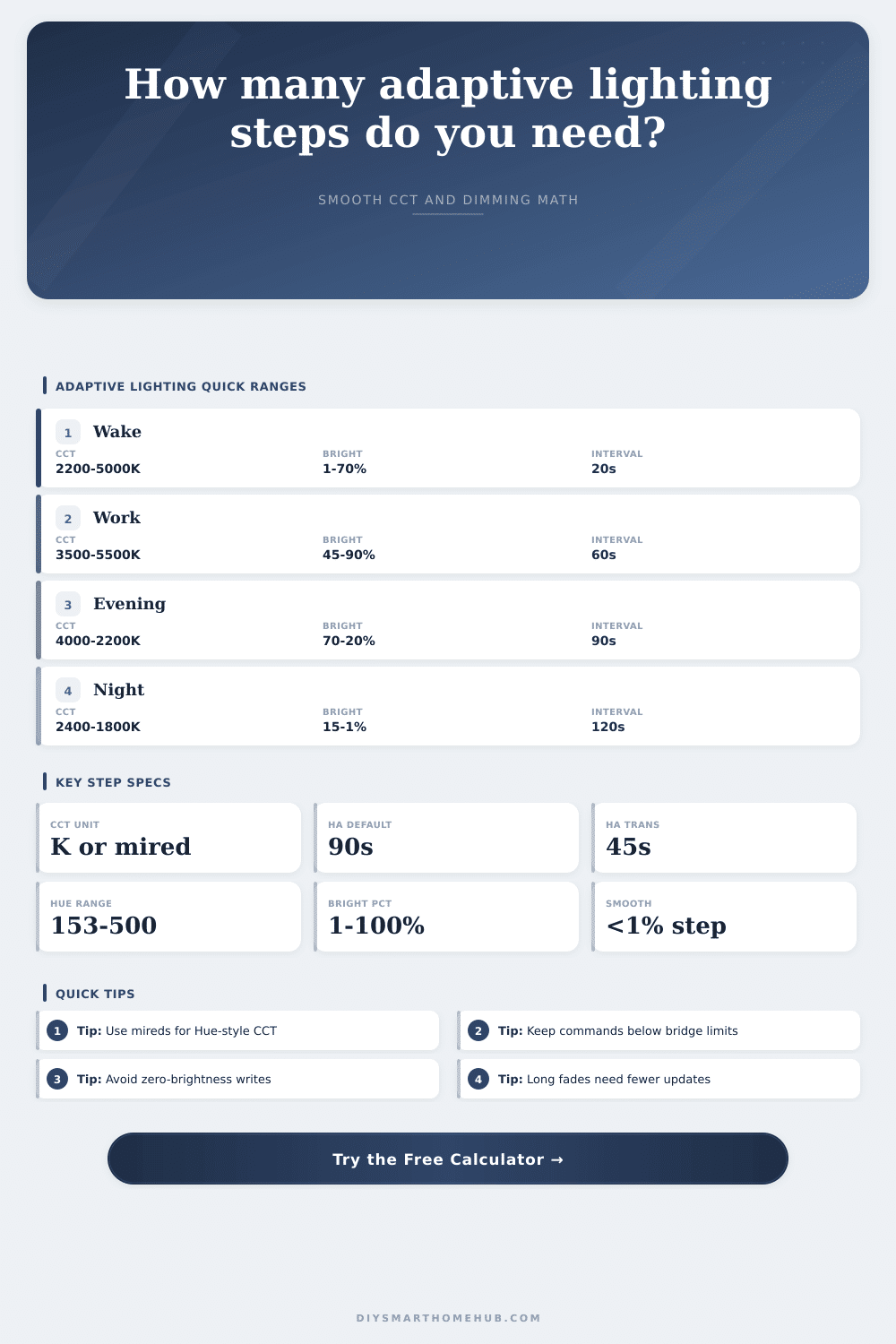
| Bedroom sunrise | 1% to 70% | 2200 K to 5000 K | 20 to 30 seconds |
| Office midday | 45% to 90% | 3500 K to 5500 K | 60 to 120 seconds |
| Evening warm-down | 80% to 25% | 4200 K to 2200 K | 45 to 120 seconds |
| Movie mode | 40% to 12% | 3000 K to 2200 K | 10 to 30 seconds |
| Night path | 15% to 3% | 2400 K to 1800 K | 10 to 45 seconds |
Ever set a light to turn on at dawn and it snaps right on like a fluorescent bulb in a hospital hallway? I’ve done that. It is jarring. What happened? Did your body clock not recieve the memo? Probably not. But your eyes sure did. So what’s wrong? Typically, nothing are wrong with the smart switch or the automation trigger. It’s the math of the transition.
Turns out most people think all you have to do is set the start time and the end time and let things happen. This is error of most home automation enthusiasts. We focus too much on the endpoints (the times) instead of the journey from one endpoint to the other (that period inbetween). That’s the sort of thing this calculator above is designed to do, it takes all that complexity and break it down into smaller chunks so you can understand what your network is actualy doing on a per-command basis.
How to Make Your Smart Lights Change Smoothly
Start with a certain light brightness and color temperature, then select your destination state. Tell it how long you’d like that transition to “feel” natural. It’ll spit out the number of steps required (and the delta in mireds or Kelvin between each one), along with associated command rate. You don’t want to send so many commands that they floods a cloud API with useless requests or overwhelm an already busy Zigbee mesh.
There’s also some trickiness with color temperature: we don’t see light linearly. The jump from 5000 Kelvin to 5100 Kelvin doesn’t look like the jump from 2200 Kelvin to 2300 Kelvin, which has exact same number difference. That’s why the calculator allow you to interpolate using mireds (instead of just Kelvin), because they’re an inverse scale which correspond more closely to what we humans notice about being warm and cool colors. If you have a system that talks to you in millireds, then you round your steps on that scale to whole numbers so you avoid those little jarring jumps where the light flickers or stutters a bit in tone. Biology actualy sees color shifts this way for a reason.
The other side of the equation, update interval, makes sense in pictures but technical execution is trickier. You configure your transition to be thirty minutes long, yet you’re actually only sending a command once every ninety seconds? That’s going to give you very few steps; each step will be big chunk of brightness change. It may appear mechanical different than fluid. That’s all spelled out nicely in the reference table on the page, which demonstrates how various durations matches up to acceptable update intervals.
A gradual morning awakening could benefit from updates every twenty seconds (to maintain a nice smooth and nearly imperceptible ramp). On the other end of the day, a slow winding down over two hours often requires an update only every ninety seconds or longer since how much it changes during any given minute is so minor.
The silent killer for smooth lighting scenes? Network load. Each individual step is a command sent across your home network. Update ten bulb in a room every five seconds with a half-hour fade. That’s a lot of chatter. This command rate is what the calculator helps you visualize. Now you can adjust your strategy accordingly.
There are two good ways to reduce the strain without losing too much comfort: group devices together or increase the update interval. Once the total transition time gets past twenty minutes most people won’t notice the difference between a ten-second and thirty-second interval. Here you can trade precision for stability, which is goal of adaptive lighting design.
We added some of these common use cases as presets in our tool, so you have a starting place, but the magic happen when you adjust them to your own hardware constraints. Perhaps your bulbs aren’t great at rapid CCT shifts. Or maybe your hub can’t keep up with many cloud requests per second. By adjusting the inputs, you can dial in the sweet spot between smooth-feeling light and quiet on the network. It is not necessarily moddern mathematically accurate, but it feels smooth.
All of this means that ultimately, adaptive lighting needs to be invisible. It relies on commands, steps, and math. All you should of experience is the light fading seamlessly from energizing daylight to a restful amber glow as the room shifts naturaly around you. If the technology gets out of the way enough, if it fades so seamlessly that the step and interval aren’t even noticed, then all that remains is the light itself.
And that’s when a group of smart bulbs becomes a real livig space responding to your day instead of needing your attention.