Smart Alarm Cellular Backup Data Usage Calculator
Estimate how much LTE backup data a smart alarm panel can use from heartbeat reports, alarm events, image clips, video verification clips, check-ins, firmware overhead, and cloud retry margin.
📌Backup presets
📶Cellular backup inputs
🔎Formula check
📊Cellular backup results
Run the calculator to compare alarm traffic with the cellular plan reserve.
📘Cellular alarm traffic references
| Traffic type | Calculator formula | Typical range | What changes it |
|---|---|---|---|
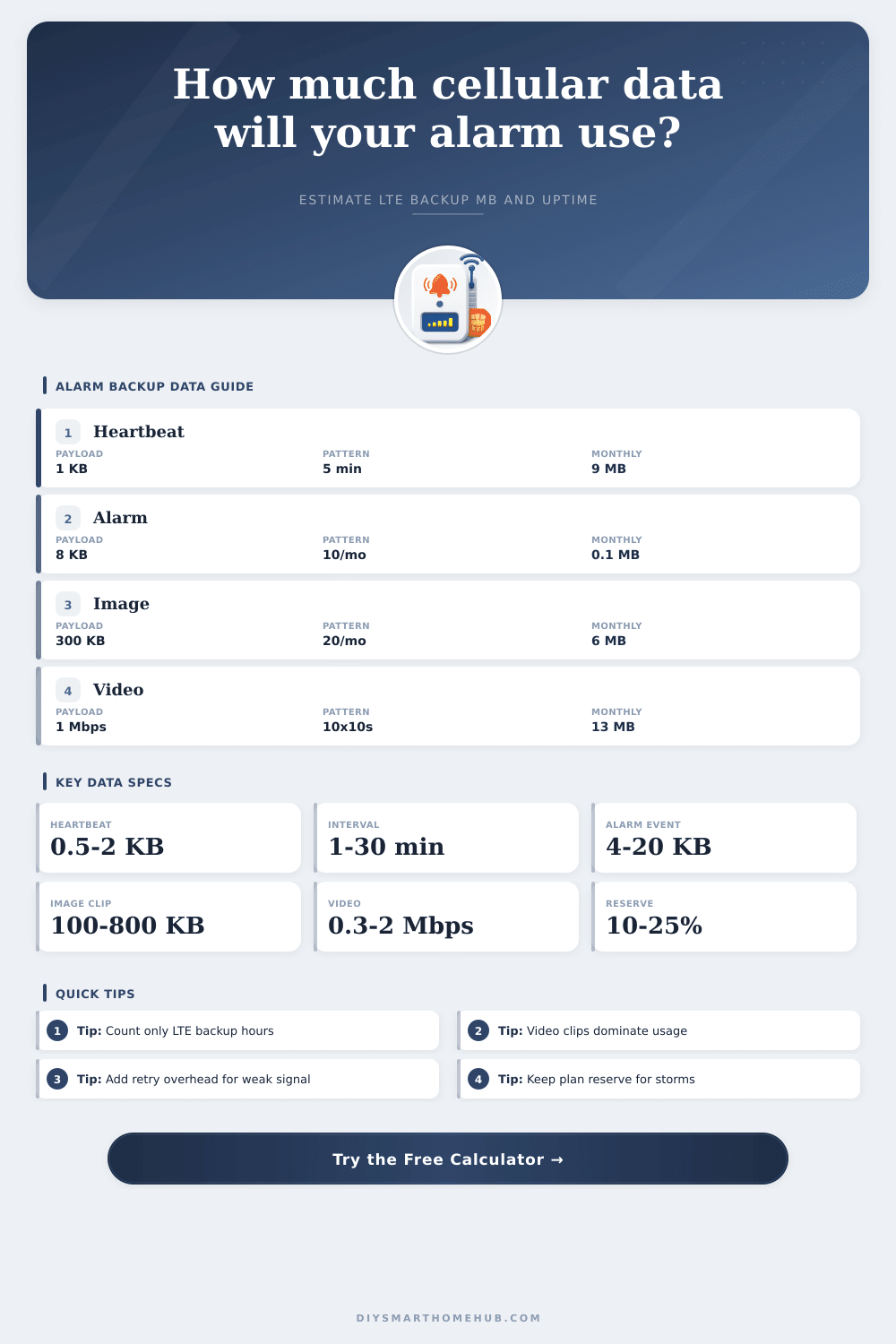
| Heartbeat reports | Ceiling(LTE hours x 60 / interval) x KB / 1024 | 0.5 to 2 KB each | Heartbeat interval, supervision mode, retries |
| Alarm events | Event count x event payload KB / 1024 | 4 to 20 KB each | Zone count, dispatch metadata, encryption |
| Image clips | Image count x average image KB / 1024 | 100 to 800 KB each | Resolution, compression, number of frames |
| Video clips | Clip count x Mbps x seconds / 8 | 0.3 to 2 Mbps | Codec, clip length, audio, motion scene |
| Check-in overhead | MB per LTE hour x backup hours | 0.05 to 0.5 MB/h | Cloud polling, diagnostics, panel logs |
| Firmware/log overhead | Fixed MB per month on cellular | 1 to 100 MB | Firmware updates, crash logs, provider sync |
| Plan size | Usable at 10% reserve | Good fit | Watch point |
|---|---|---|---|
| 100 MB/month | 90 MB | Basic panel with rare outages | Firmware and video clips can consume it quickly |
| 250 MB/month | 225 MB | Panel, sensors, a few images | Long storm outage plus clips needs checking |
| 500 MB/month | 450 MB | Typical home alarm backup | High retry overhead reduces reserve |
| 1 GB/month | 922 MB | Video verification or long outages | Large firmware updates still matter |
| 2 GB/month | 1843 MB | Busy panel or small business | Not a substitute for camera streaming plans |
| Example scenario | LTE hours | Media events | Estimated data | Planning note |
|---|---|---|---|---|
| Quiet home outage | 6 h | None | 4 to 8 MB | Check-ins often exceed alarm packets |
| Storm weekend | 48 h | 2 images | 20 to 45 MB | Reserve matters more than raw event count |
| Image verification | 12 h | 20 images | 20 to 35 MB | Image size drives the total |
| Video verification | 24 h | 12 short clips | 40 to 90 MB | Bitrate and duration dominate |
| Update month | 24 h | Few events | 80 to 180 MB | Firmware overhead can outrank events |
If it’s an Internet-connected panel, chances are you think it just lays there waiting to sound alarm in case of trouble. You see the green light on the front, pay bill every month, and assume everything is cool. However, when the internet goes down, smart panels keeps sending data non-stop. Non-stop does not mean “until someone breaks in.” Instead, it means sending little blips to let us know we are still alive and talking with server.
Video snippets gets sent up fast via cellular service. If you don’t understand how much airtime these things gobble, you might be surprised by cellular data overage fees after the next big storm. When calculating costs, don’t forget that cellular backup isn’t free. It’s not expensive, but it doesn’t come free either, at least not without some extra data usage (in the form off background noise).
Why Your Alarm Panel Uses Mobile Data
You’ll use roughly 10 kilobytes of data when an alarm go off. That sounds trivial! But remember, the panel has to sends a “heartbeat” packet periodically to keep monitoring station updated. If there is a three-day broadband outage, that adds up to several megabytes of data. Diagnostic logs and firmware updates will bump that figure further still.
The page’s calculator does all that math for you, as it relies on your hardware configuration. That means no guesswork about whether or not your plan are sufficient for hurricane season.
Owners is often shocked by how much bandwidth their cameras consume with video verification. Depending on settings, one ten-second video at one megabit per second (just the video), without protocol overhead, take roughly 1.25 megabytes of bandwidth. Send that in for each of your zone, which triggers motion, and you’ll blow through most people’s monthly caps within a night.
So just eyeballing the size of the raw plan won’t tell you what you’re getting; you have to understand how much will be left over once you set aside a reserve for safety margin. That standard hundred-megabyte plan sounds like plenty on paper, until you subtract another twenty percent for safety margin and factor in baseline chatter. Your specific infrastructure (not just what’s in the device’s manual) determine which data tier makes sense for you.
For example, if you have poor LTE reception at home, sending lots of little packets will take longer. You’ll end up repeating the process many times to ensure the panel get all of them, which leads to huge amounts of retry overhead. That means it becomes like sending big packets even when you only want to send small ones. By contrast, if you’re on a stable network that rarely has broadband glitches, you may be able to squeak by on a lower tier without any issues.
To understand these tradeoffs, look at the reference tables in the page; they show how various kinds of traffic map onto typical plan sizes. But again, how does one know? That’s where modeling comes in to plan out the worst case, not the average day.
Resilience to connectivity is something you pay for when the old networks drop out. You’re not paying for a nice day; you’re paying for the chaotic one. That’s why people forget their bill is based off a chaotic day, not a calm one.
So what happens? Eventually you start thinking about the architecture of the system rather than some exact number of kilobytes. Trying to save every last kilobyte comes at the cost of switching off important functionality. This isn’t a race to use as little data as possible, because trying to minimize usage at all costs could meant turning off vital features. You want the modem to go down, the power to flicker and for the alarm to continue to speak. It’s tiny, but it’s more important than nearly anything else in the specs. Once you know how many bytes of data that will take, you can get that peace of mind.