Camera Pre-Roll Buffer Storage Calculator
Estimate daily pre-roll GB, live RAM buffer MB, retained event storage, codec savings, and overhead for smart cameras, NVRs, and home surveillance servers.
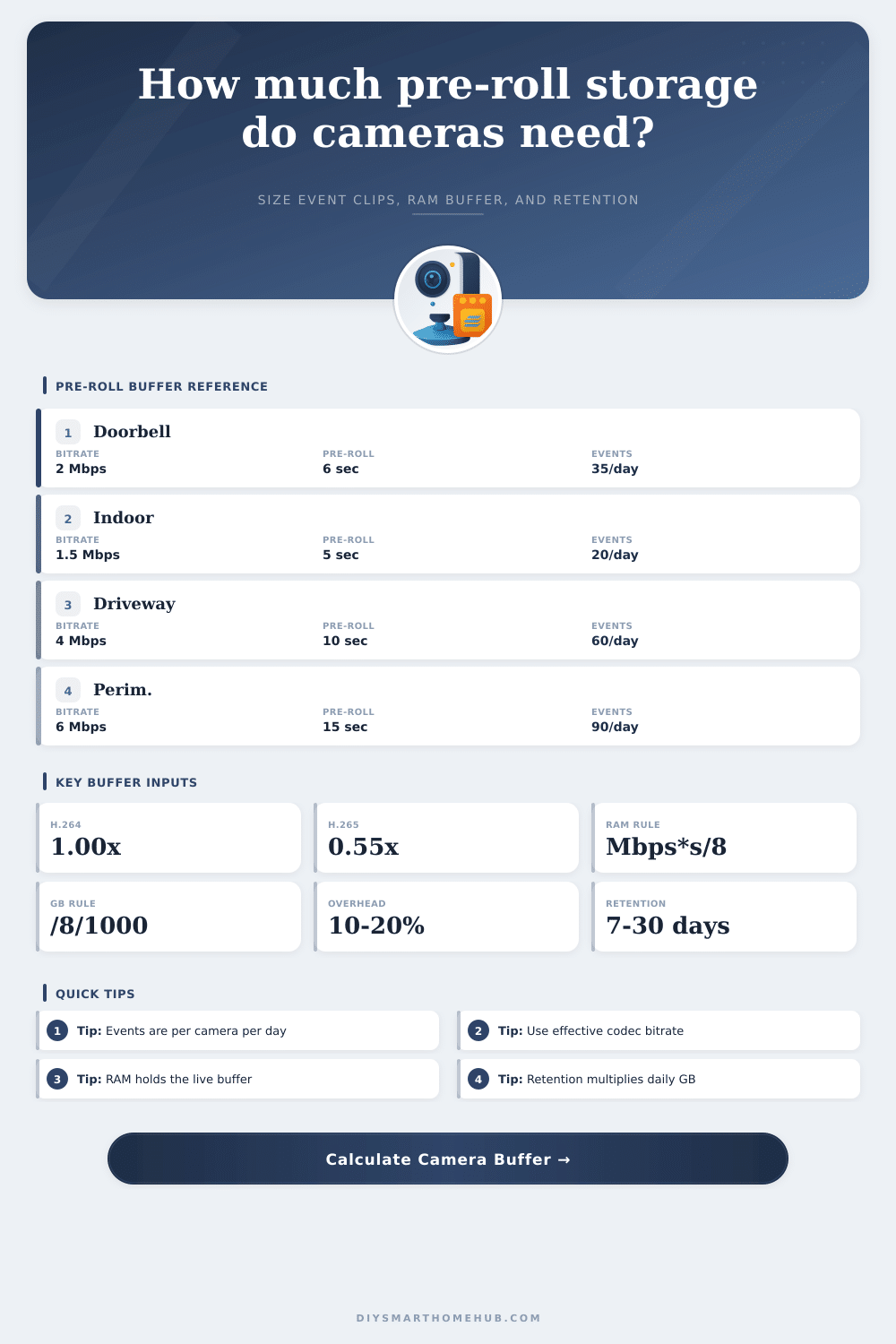
Pre-roll GB always uses the required formula: effective Mbps x pre-roll seconds x events/day x cameras / 8 / 1000.
Live factor preview
Use this preview to confirm that the codec factor and stored clip length match how your camera platform saves event clips.
Buffer Storage Results
| Encoding profile | Calculator factor | Typical use | Notes for pre-roll sizing |
|---|---|---|---|
| H.264 configured bitrate | 1.00x | Most cameras and NVRs | Use the camera's listed Mbps directly. |
| Moderate H.265 | 0.65x | Higher motion scenes | Good for yards, trees, pets, and changing light. |
| Typical H.265 | 0.55x | Balanced smart home recording | Common planning factor for equivalent quality. |
| Aggressive H.265+ | 0.45x | Low motion zones | Useful for quiet indoor or fixed-door views. |
| Very efficient low motion | 0.35x | Static scenes | Use only when bitrate charts confirm it. |
| Camera group | Inputs | Daily pre-roll formula | Planning result |
|---|---|---|---|
| Single doorbell | 2 Mbps, 6 sec, 35 events, 1 cam | 2 x 6 x 35 x 1 / 8 / 1000 | 0.053 GB/day before codec factor |
| Four porch cameras | 2.5 Mbps, 8 sec, 45 events, 4 cams | 2.5 x 8 x 45 x 4 / 8 / 1000 | 0.450 GB/day before codec factor |
| Driveway 2K pair | 5 Mbps, 10 sec, 70 events, 2 cams | 5 x 10 x 70 x 2 / 8 / 1000 | 0.875 GB/day before codec factor |
| Busy yard zone | 6 Mbps, 15 sec, 120 events, 4 cams | 6 x 15 x 120 x 4 / 8 / 1000 | 5.400 GB/day before codec factor |
| Output | Formula | Unit | What it means |
|---|---|---|---|
| Effective bitrate | bitrate Mbps x codec factor | Mbps | H.265 factor lowers the bitrate used by storage math. |
| Pre-roll GB/day | Mbps x pre-roll sec x events/day x cameras / 8 / 1000 | GB/day | Required event pre-roll storage formula. |
| RAM buffer | Mbps x pre-roll sec x cameras / 8 | MB | Live circular memory before an event is saved. |
| Retention storage | daily event GB x retention days x overhead x copies | GB | Total archive space for retained event clips. |
The first 3 seconds vanish into a black abyss when you hit record, because by the time the sensor register that something interesting is going on, the person has already turned the corner. Before your doorbell even knew something was important, the human being walking past it were already around the corner. It’s frustrating. There is no point in watching if you are doing it for security, because all context is lost by then.
Pre-roll buffers fix it. They simply stores a rolling window of video in RAM. When an event occur they save not only what came after but also what happened immediately prior. This makes sense if you think off it in terms of seconds and bits; it is even easier to understand once you do.
How to Calculate Storage for Security Cameras
4K sounds like a lot, so I think a lot of folks thinks they’re going to need some huge hard drive. It’s not really as much about resolution as it is more about frequency. So if you are only taking photos when somebody comes up the path, then you can get away with high-res sensor even though your total day’s worth of usage won’t be that big.
Use our calculator to plug in what bitrate and how many event per day you expect and it will crunch numbers for you. You won’t have to guess about codec efficiency and long term retention anymore. Typically, it’s that codec thing. If you’re still using H.264 encoding on older systems, every pixel cost as much as the whole purchase price. If you upgrade to H.265 or some of its enhanced variations, you can cut your storage requirements almost in half while barely noticing a differance. This is real savings behind that fifty-five percent efficiency rate in the tool.
The compression algorithms has become smart enough around things like subtle motion and static background scenes, so what used to take only two weeks to fill a drive might now last a month. It doesn’t require any new hardware, just flip switch to the proper setting.
Separate from that is the question of RAM vs. Disk space, which are use for completely different things here. A few seconds of video sitting in volatile memory waiting to be saved if something happens is pretty small, it’s called the live buffer. And since you want it to clear itself out as you record new footage, it will constantly clear out and only occupy volatile memory briefly. That is why the calculator separates RAM needs from retention storage. For example, one camera may require under two megabytes of RAM to store its pre-roll buffer. Even on a budget processor, that’s nothing.
Those saved clip pile up on the drive over time, and that’s where the heavy lifting come into play. And then there’s retention planning, which hinges on an accurate understanding of your real-world activity level. People tend to grossly overestimate how many motion event they get by observing a particularly hectic afternoon and applying it across the entire day. They don’t. A quiet week might bring half the triggers, while a stormy day with blowing branches could double them.
The calculator lets you specify different trigger rates for each camera so you can tune to the worst case (though not too far beyond it, or you’ll overprovision for average). Throw in a 10-20% buffer to cover things like file system fragmentation, thumbnails and metadata, which aren’t included in your raw bitrate figures. This is the difference between a drive that keeps going just long enough for your retention window and a silent failure right at the end of the cycle.
The equation is also significantly affected by the length of time your camera is recording after a motion event. Sometimes called post-roll duration. Post-roll records the effect; pre-roll shows the cause. Tail footage is the only way to know that someone who knocked actualy stayed to ring the bell a second time (or ran away). Each second add linearly to the number of gigabytes consumed during the day.
Is the post-event worth the extra drive space? In busy locations, longer post-roll could be mandatory. For unobtrusive indoor monitors, it may be wasted bloat.
And lastly, if it’s important to you to know that your data isn’t going to get messed up, think about redundancy. You can have only one copy of a video file and it can get deleted, corrupted, or go bad on a bad sector. You should of increase your safety factor so that even if one archive goes down, you’ll have something to fall back on. More storage space, yes, but sometimes peace of mind is worth a little less space.
Because you don’t want to simply store video. You want to be able to find the moment you’re looking for when you want to see it. The proper size makes that black hole at the beginning of your video easy to find and act on.