UPS Runtime for Network Gear Calculator
Estimate backup runtime for routers, ONTs, switches, PoE access points, cameras, hubs, and small network racks with VA, power factor, battery Wh, efficiency, Peukert, high-load, aging, and reserve adjustments.
⚡Network gear presets
Connected network load
UPS and battery model
Runtime estimate
📊Runtime factors
The calculator checks real watts against the UPS watt limit and apparent load as watts divided by power factor against the VA limit.
Battery watt-hours are pack voltage times amp-hours times parallel strings before age, reserve, efficiency, and discharge derates.
Lead-acid packs lose effective capacity at high discharge current. Lithium profiles use a smaller exponent because voltage stays steadier.
A reserve keeps the estimate from assuming a full deep discharge and leaves room for transfer delay, cold cells, and shutdown time.
🔌Reference tables
Typical network gear draw
| Device | Typical watts | Runtime impact |
|---|---|---|
| Fiber ONT or modem | 6-12 W | Small but always on |
| Router or firewall | 8-35 W | Core load |
| 8-port switch base | 5-18 W | Before PoE |
| Wi-Fi access point | 6-18 W | Multiplies quickly |
| PoE camera | 4-12 W | High count load |
Battery and discharge profiles
| Profile | Exponent | Use |
|---|---|---|
| Small sealed lead acid | 1.12 | Common desktop UPS packs |
| High-rate AGM | 1.08 | Better UPS replacement cells |
| Deep-cycle AGM | 1.05 | External battery cabinets |
| Lithium UPS pack | 1.02 | Mini UPS or lithium station |
UPS loading guide
| Load band | Derate | Interpretation |
|---|---|---|
| 0-30% | 1.00 | Efficient for long network backup |
| 31-60% | 0.96 | Comfortable operating range |
| 61-80% | 0.90 | Runtime drops faster |
| 81-100% | 0.82 | High load, little headroom |
| Over 100% | 0.00 | UPS is overloaded |
Common network UPS scenarios
| Scenario | Load | Battery target |
|---|---|---|
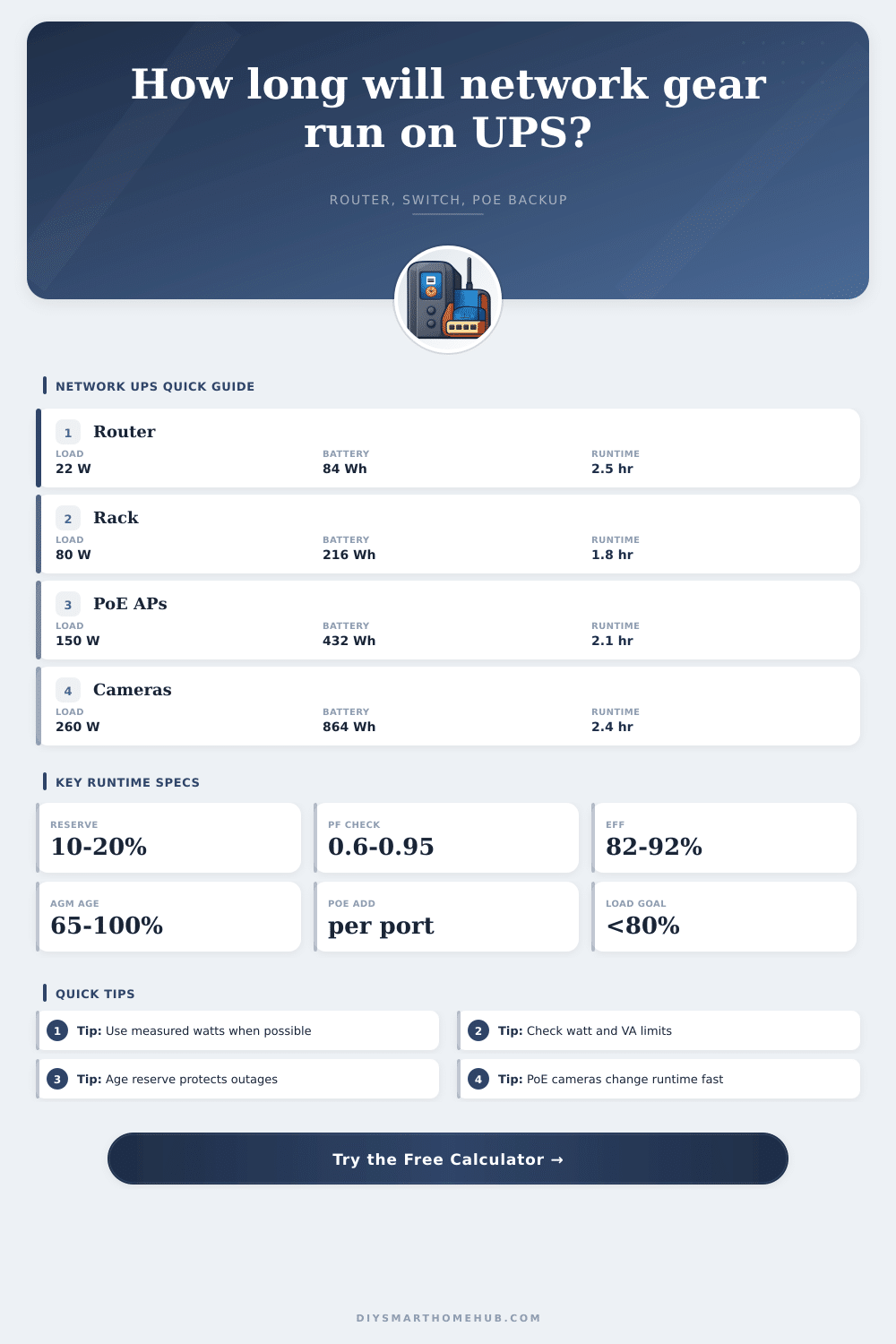
| Internet-only closet | 20-40 W | 80-150 Wh |
| Router plus APs | 45-100 W | 150-350 Wh |
| PoE cameras | 120-300 W | 400-900 Wh |
| Small home rack | 80-220 W | 300-700 Wh |
🧮Formula check
| Step | Formula | What it protects |
|---|---|---|
| Network watts | Router + modem + switch + hubs + AP count x AP W + PoE count x PoE W + NVR + misc | Actual runtime load |
| Apparent VA | Load watts / connected load PF | UPS VA rating check |
| Battery Wh | Battery V x Ah x parallel strings | Gross stored energy |
| Peukert factor | (Ah / 20 / DC amps) ^ (k - 1), clamped | Lead-acid high-current loss |
| Usable AC Wh | Wh x Peukert x high-load derate x age x reserve x inverter efficiency | Realistic output energy |
| Runtime | Usable AC Wh / load watts | Backup hours and minutes |
Network adapters often use less than their nameplate rating, while PoE switches may jump when cameras switch infrared LEDs on. A wall meter or smart plug makes the runtime estimate much tighter.
A UPS can pass the VA rating but fail the watt rating, or the other way around with poor power factor. The useful load headroom is the smaller of those two percentages.
When the lights go out in middle of a phone call, you’re worried. This will turn that concern into a number: specificaly, how many minutes of power you get before losing your WiFi network. Enter how many watts your switch and router consumes and it’ll give you an exact amount of time your internet connection remains active once electricity has gone out. Hope isn’t the goal; it’s about purchasing time.
The problem is that people tend to look at their UPS’s wattage capacity without considering its VA rating (most people use the latter). But watts represent real power and volt-amps is used to determine apparent power. A device with a very poor power factor might trip the wattage without tripping the VA limit, so what happens?
How to Calculate Your WiFi Backup Time
When you enter all of your equipment into the calculator, it convert between those two measures automatically. It then adds up total power draw of the router, modem, and any PoE-powered devices like cameras or access points. It then compares that number to the wattage and VA limits of your chosen UPS model. The lower of the two will dictate how long you have left.
A new battery isn’t the same as an old battery kept somewhere warm. A battery’s capacity drop with age and the tool makes allowances for that. After all, most tools don’t get a seven-amp hour battery that can actualy deliver that much when loaded up. The tool also accounts for the Peukert effect where higher current draws results in loss of actual capacity. Lead acid batteries suffer greater losses different than do lithium packs. You choose what type of battery you have (chemistry) and the tool will adjust for it.
Accounting for usable energy. It will help you determine whether a low-cost battery replacement are enough or if you should of go with something like lithium for longer run times. By reserving capacity, you give yourself a margin for error while also protecting against deeper discharges that could damage batteries over time. With that said, the calculator doesn’t factor in the unusable energy into its runtime calculation. This is where the reserve percentage come into play.
If you’re worried about protecting your equipment during a storm, use the calculator. And be sure to account for the right devices. Not everything in your office need to be backed up. Your desktop PC? Nah. Modem, router and NAS? Yes. Focus on the essential connection.
But many pieces of network gear draw far more then you might expect, like Wi-Fi access points that ramp up from six to fifteen watts once they has some clients connected. Cameras use even more, especially if they include infrared lights or motors. The reference table shows typical power use for common gear to help you figure out how much power you need to provide. (Nameplate ratings are worst case, and seldom seen.) For better accuracy, you can actualy measure what a device is drawing using a meter or smart plug.
You don’t want to run the internet on batteries forever instead of grid power. You just want it to be online until a storm passes, or a generator starts up again. Twenty minutes of battery backup will let you cleanly shut down rather than corrupting databases. Being sure of how much time you have takes away guessing. Instead of wondering if something will break, you’ll know when, which lets you make plans based off concrete information.
That certainty is worth way more then buying some additional battery capacity because you’re afraid.