Multi-room Audio Zone Count Calculator
Plan listening areas, speaker pairs, amplifier channels, simultaneous streams, grouped playback overhead, and wired versus wireless audio bandwidth.
🏚Room presets
🎛Zone inputs
📊Current planning factors
🏠Zone planning reference
| Listening area | Typical zone count | Speaker pairs | Notes for sizing |
|---|---|---|---|
| Small bedroom, office, bath | 1 zone each | 0.5 to 1 pair | A mono speaker can work for tight utility spaces; stereo still counts as two amp channels. |
| Kitchen, dining, living room | 1 to 3 zones | 1 to 2 pairs each | Open plans often need separate zones when seating areas need different volume control. |
| Primary suite | 2 to 3 zones | 1 pair each | Bedroom, bath, and closet are usually separate listening areas. |
| Patio, pool, garage | 1 to 4 zones | 1 to 4 pairs | Outdoor coverage often uses more pairs per zone, but may not require independent streams. |
🔌Amplifier channel table
| Speaker layout | Speakers | Minimum channels | Common planning use |
|---|---|---|---|
| Single mono speaker | 1 | 1 channel | Baths, hallways, pantry, small utility rooms. |
| One stereo pair | 2 | 2 channels | Bedrooms, offices, kitchens, compact patios. |
| Two stereo pairs | 4 | 4 channels | Open living spaces, long patios, larger rooms. |
| Three stereo pairs | 6 | 6 channels | Great rooms, covered outdoor zones, large entertaining areas. |
| Four stereo pairs | 8 | 8 channels | Large distributed zones where even coverage matters more than volume. |
📶Audio stream bandwidth table
| Stream type | Planning Mbps | With 10% overhead | Best network fit |
|---|---|---|---|
| Compressed music | 0.5 Mbps | 0.55 Mbps | Wi-Fi is usually fine for many grouped zones. |
| Lossless/CD quality | 1.5 Mbps | 1.65 Mbps | Wi-Fi works, Ethernet helps for fixed streamers. |
| High-resolution music | 3 Mbps | 3.3 Mbps | Use Ethernet for core racks or busy rooms when possible. |
| Large hi-res library | 6 Mbps | 6.6 Mbps | Wire distribution amps, NAS sources, and always-on players. |
| Uncompressed headroom | 9 Mbps | 9.9 Mbps | Plan wired links for backhaul and central equipment. |
📋Common project sizes
| Project | Zones | Speaker pairs | Likely amp channels |
|---|---|---|---|
| Studio apartment with bath | 2 zones | 2 pairs | 4 to 6 channels with spare capacity. |
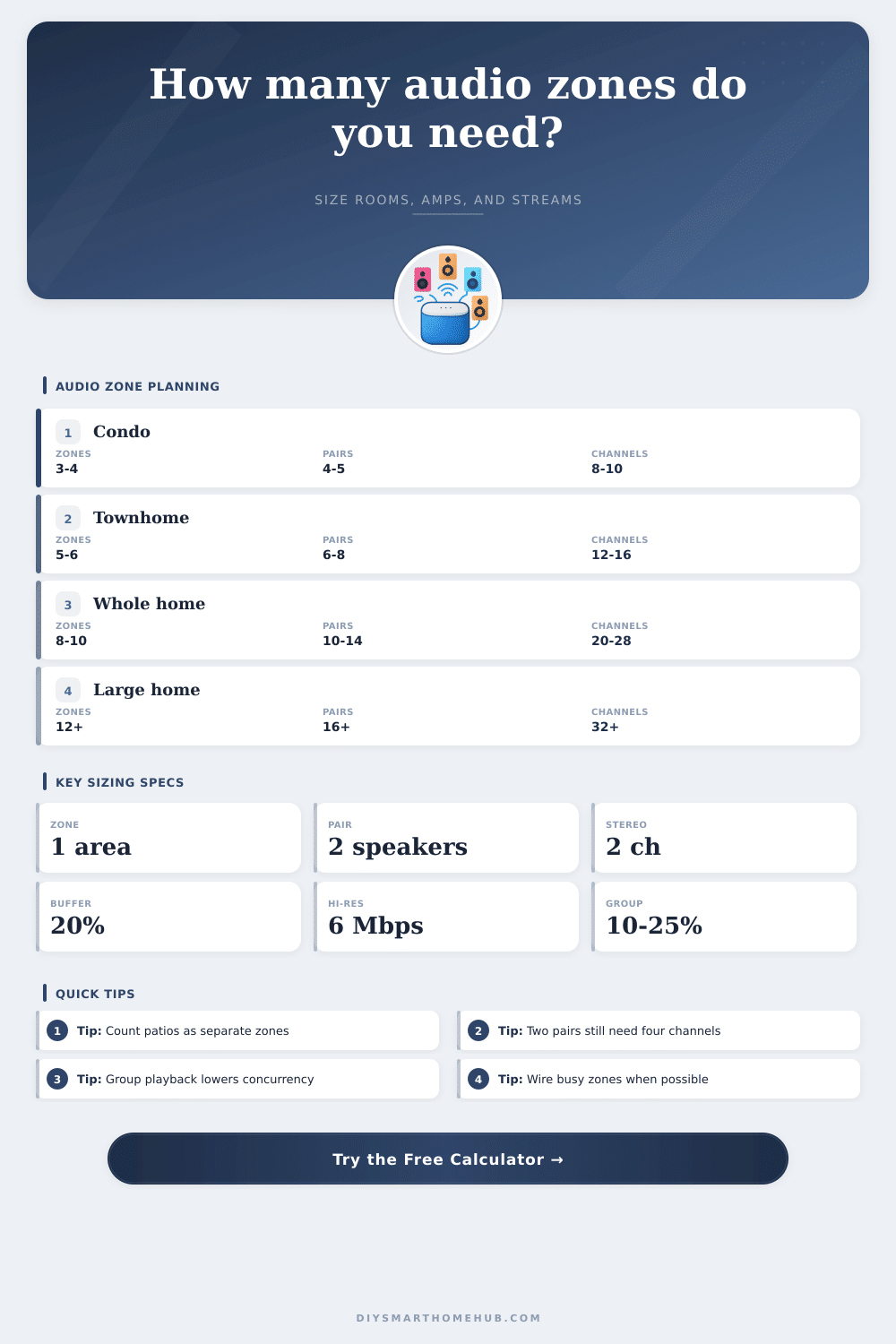
| Two-bedroom condo | 4 zones | 4 to 5 pairs | 8 to 12 channels depending on spares. |
| Townhome | 6 zones | 7 to 8 pairs | 14 to 18 channels before rounding to amp size. |
| Whole home plus patio | 9 zones | 12 to 14 pairs | 24 to 34 channels with expansion buffer. |
🔀System comparison grid
Central amp
Best when speaker wires return to one rack and zone count is driven mainly by rooms and channel capacity.
Wireless speakers
Best when each room is self-contained; network bandwidth and independent stream count become the tighter limits.
Hybrid system
Best for homes with wired ceiling zones plus a few portable or tabletop rooms on Wi-Fi.
Grouped playback
Best for parties and open plans because one source can feed several zones while still adding sync overhead.
💡Planning tips
If your Wi-Fi seems to slow down following the installation of multi-room audio, chances are good that it’s because of the demands of managing all those data streams. Background music really isn’t about selecting which speaker(s) play, it’s about managing data stream and distributing sound. Plan accordingly for simultaneous zone use; otherwise, things might stutter at get-togethers. Or, worse yet, simply stop playing altogether.
So: What’s a ‘zone’? The first step is defining what a zone actualy means in your home. For instance, we’ve found that most of our clients believe “one room = one zone”. But that isn’t true if you have an open plan space, like a living room with kitchen that needs individual volume control from the sofa. Your patio might also require its own independent listening area.
How to Plan Your Multi-Room Audio System
Once you clearly define those different spaces, the calculator (above) figure out the maths for you. It prevents you from having to guess how many channel of amplification you actualy need. People naturaly think of their home as a series of static boxes, not dynamic spaces each with their own acoustic requirements. It’s easy to under-estimate.
Now you’re left with the problem of amplifier capacity. Each stereo pair need its own set of two channels from your distribution amp or receiver. For example, imagine you’ve filled a large room with four pairs of speaker to get even coverage everywhere. That’s eight channels before you even enter the bedrooms. And that’s where those buffers realy come into play.
Good practice would of be to add a twenty percent spare channel buffer which protects against future renovations. It also protects against that urge to tack on some music in garage someday. Without that buffer there’s no way to upgrade without either running new wire through your walls (tear out!) or getting messy wireless adapters.
Typically the problem come from the network side of things. While having multiple rooms fed off the same stream sounds like an efficient way to group them into zones, that means the controller has to communicate constantly with endpoints to keep everything in synch. That’s overhead and it adds up fast. High resolution audio going to six independent zones along with control traffic for three grouped areas keeps your router working overtime.
Check out the reference tables on the page. It makes clear how bandwidth demand spike as file quality increases. One and a half megabits per second lossless audio doesn’t sound bad till you multiply that by all those concurrent streams plus control traffic.
Wired vs. Wireless: This is hugely important for this kind of setup. Your primary streamers, network-attached storage and central amplifiers should all be hooked up via Ethernet. When your guests want to listen to music on their phone, they can use your house’s Wi-Fi; it doesn’t matter because you’re taking the main load out of your wireless spectrum.
This is a simple tradeoff between pro install and hobbyist set-ups. In short: how big a multi-room system can be depends on the technology and how much convenience you’re willing to trade off against it. You want music everywhere but you don’t want it to need constant troubleshooting.
That’s where thinking of zones less in terms of their location than in terms of their demand builds a reliable system, regardless of whether you turn the volume up or down. Think about what your most-used rooms are, figure out their demand (in bandwidth) and make some space for expansion. The future version of yourself will thank you for not making them explain why the music died right as the appetizers came out.