Robot Vacuum Coverage Time by Area Calculator
Estimate cleaning time from mapped area, cleaning rate, furniture density, room transitions, battery runtime, dock recharge breaks, and mopping speed derate.
Robot Vacuum Time Estimate
| Robot route type | Typical rate | Metric rate | Best used for |
|---|---|---|---|
| Fast mapped vacuum pass | 380–450 sq ft/hr | 35–42 m²/hr | Open floors with few chair legs |
| Balanced mapped vacuum pass | 280–360 sq ft/hr | 26–33 m²/hr | Normal rooms, rugs, and furniture |
| Turbo suction or deep route | 190–280 sq ft/hr | 18–26 m²/hr | Pet hair, carpet, edge-heavy paths |
| Vacuum plus damp mop | 150–260 sq ft/hr | 14–24 m²/hr | Hard floors with water flow enabled |
| Layout condition | Time factor | Transition allowance | Why it matters |
|---|---|---|---|
| Open rooms, low furniture | 1.00× | 1–2 min/room | Fewer turns, pauses, and object avoidance events |
| Normal home layout | 1.10× | 2 min/room | Typical furniture, rugs, and doorway transitions |
| Busy furniture and chairs | 1.22× | 2–3 min/room | More turns around chair legs and table bases |
| Cluttered or tight layout | 1.38–1.55× | 3–4 min/room | Repeated rerouting, low clearance checks, and detours |
| Runtime setting | Usable minutes | Dock cycles | Planning note |
|---|---|---|---|
| 75 min battery at 80% | 60 min | One cycle per hour of active cleaning | Small apartments often finish without recharge |
| 100 min battery at 85% | 85 min | One cycle per 1.4 hr active cleaning | Common whole-floor estimate for mapped robots |
| 150 min battery at 85% | 128 min | One cycle per 2.1 hr active cleaning | Useful for larger homes or quiet suction |
| Recharge and resume | 120–240 min dock | Added after each unfinished outing | Elapsed finish time can be much longer than clean time |
| Mode | Rate impact | Battery impact | Obstacle sensitivity | Best fit | Calculator setting |
|---|---|---|---|---|---|
| Quiet vacuum | Fastest route | Lowest drain | Moderate | Daily light debris | Quiet single pass |
| Balanced vacuum | Baseline rate | Normal drain | Moderate | Most mixed floors | Balanced smart mapping |
| Turbo vacuum | About 20% slower | Higher drain | High on rugs | Carpet, pet hair, edges | Turbo suction |
| Double pass | About 2× coverage work | Often needs recharge | High | Missed paths or heavy debris | 2 passes |
| Vacuum and mop | 20%–45% slower | Higher drain | High near thresholds | Hard-floor wet pass | Mop derate plus mop mode |
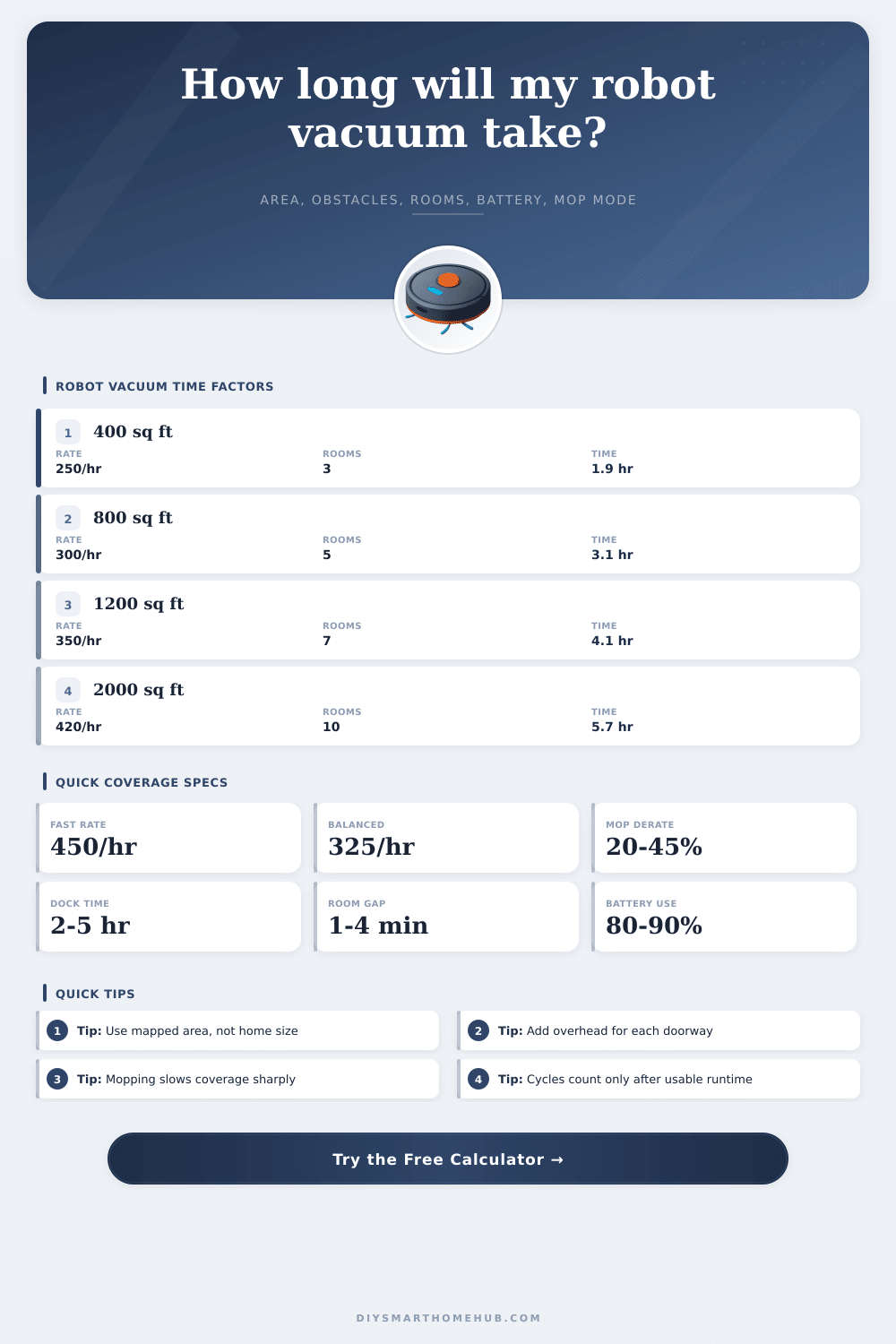
| Mapped area | Rooms | Assumed rate | Active estimate | Battery outcome |
|---|---|---|---|---|
| 350 sq ft studio zone | 2 | 330 sq ft/hr | About 1.3 hr | Usually one outing |
| 750 sq ft apartment | 5 | 325 sq ft/hr | About 3.0 hr | Likely recharge and resume |
| 1200 sq ft main floor | 7 | 340 sq ft/hr | About 4.0 hr | Two to three outings |
| 2000 sq ft whole home | 10 | 380 sq ft/hr | About 5.9 hr | Multiple recharge breaks |
On Tuesday morning, you release your robot vacuum and let it run in the living room as you have coffee. An hour later, you’re staring at a chair leg as it makes repeated passes around it for two dozen minutes. Then it goes back to charge. Repeat.
The problem isn’t typically that the vacuum lacks suction. It’s that there’s no way to understand how much time it will take based off the math of time. People thinks of square footage and see a linear relationship to cleaning time. They don’t factor in cost of battery limitations, doors, and navigating around stuff. Once you’ve entered the true size of your mapped space and defined its furniture density, the calculator do the heavy lifting for you. No more guessing whether the robot makes too many rounds or if it’s done.
Why Robot Vacuums Take So Long to Clean
Everyone starts off by measuring their real estate square footage; not their cleanable area. Permanent fixtures and large pieces of furnitures like beds take up space. Low doorway closets becomes dead zones. The no-go lines on the app eliminate lots of floorspace where the robot shouldn’t go or even touch. Estimating for all of your home will result in a wildly optimistic number. You must subtract areas under permanent fixtures and large furniture. It doesn’t seem like much, but it’s the difference between false hope and a realistic schedule. By forcing you to consider what the sensors can physically see the tool gets you thinking about reality versus what’s marked on the blueprint.
Coverage rate is impacted by furniture placement, you can think of it as a speed bump. On an empty concrete slab, a robot zips back and forth quickly because it never has to decide where to go next. Throw down a dining table with six chair, and suddenly it need to plan its path around every chair leg, stop if it gets too close, and sometimes even back up to get unstuck. The obstacle density multiplier in the inputs accounts for this friction. Not only do cluttered rooms take longer, they also drains your battery at a higher rate: low-speed navigation isn’t as efficient as going in a straight line. This is reflected in estimated runtime. It often surprises owners, who might think something went wrong with their robot when it actualy just ran out of power navigating a tricky rug.
The other silent killer of coverage plans is battery life. On paper, a robot may run for a hundred minutes, but few use up every minute. There is always a reserve built into a robot so it has enough juice to find its way back to its dock and make a safe homecoming. This often means leaving a corner uncleaned. That’s reflected in the usable battery percentage setting. If you do more than the usable amount during an active cleaning period, the robot will need to dock, recharge then continue. Although it’s not doing any actual cleaning while recharging, that recharge cycle adds hours to elapsed time. That’s why a two-hour job could of ended up taking five from start to finish.
Then there’s the matter of mopping modes. A water tank weighs something, and so do the parts that rotates the mops or vibrate the pads. Slow down or things don’t work so well. Passes with a mop can’t be rushed. There will be streaks. Wet cleaning, by nature, is not like dry vacuuming. It consumes more energy and takes longer. This is why the derate factor exist. If you are mopping and also vacuuming, get ready for the timeline to grow greatly.
All that said, you’ll never truly know unless you feed in honest values describing the shape of your home. Once you account for the battery, rug, and chair realities, what used to be a guess becomes a plan: will it stop mid-afternoon for a break? Can it complete before you return from work? If so, then this thing has become something else, a reliable chore handler, not a source of frustration.