Door Sensor Battery Life Calculator
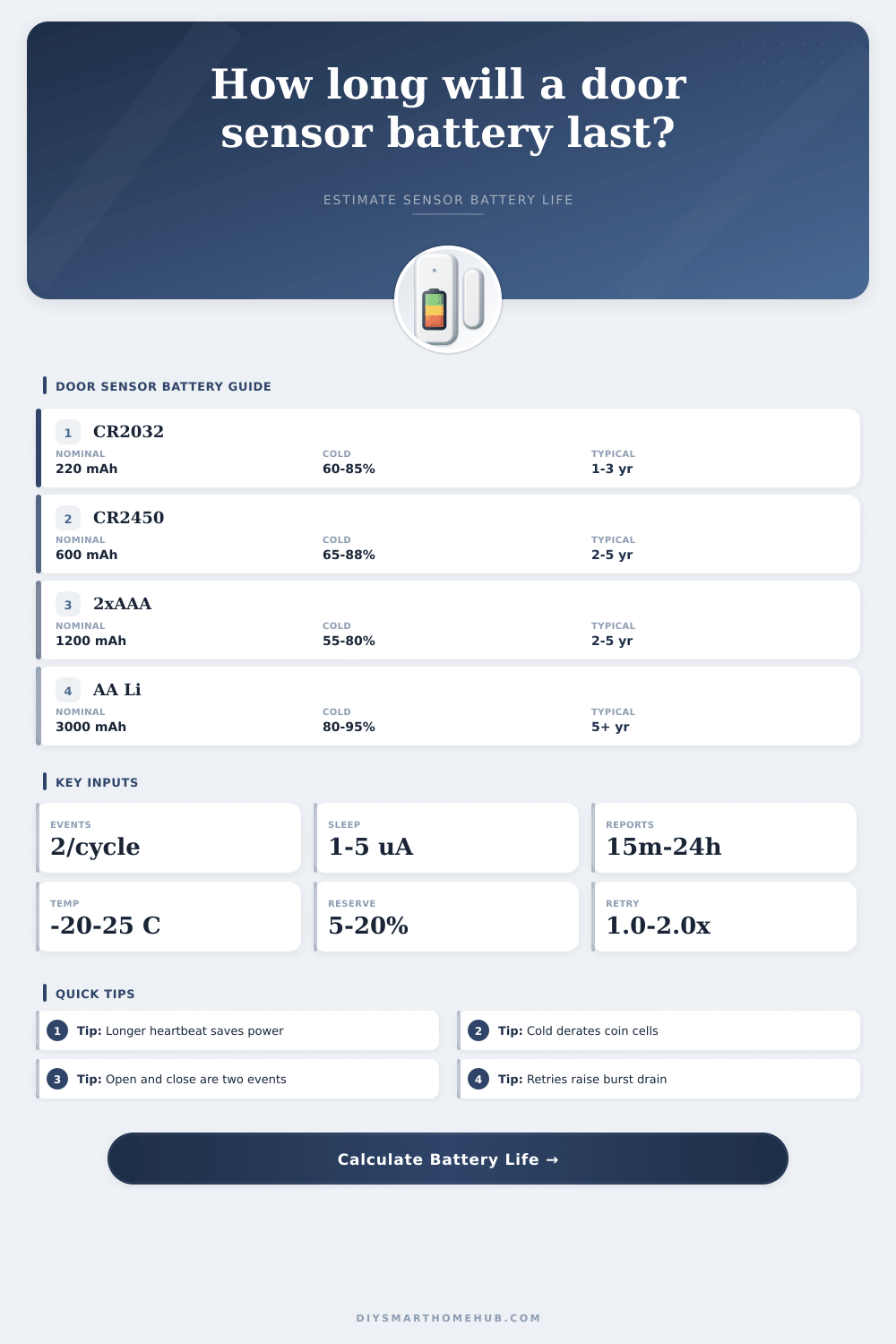
Estimate door and window contact sensor battery life from open-close events, heartbeat reports, sleep current, transmission bursts, battery chemistry, reserve, retries, and temperature derating.
🔋Battery life presetsPick a realistic door sensor pattern, then adjust the values.
⚙Calculator inputsUse measured current if you have it.
📊Current model snapshotKey assumptions updated from the form.
Battery life results
🧮Formula reference tablesHow the calculator turns reports into battery life.
| Part | Formula | Example | Why it matters |
|---|---|---|---|
| State events | mAh = mA x ms / 3,600,000 x events | 18 mA x 120 ms | Open and close reports are separate bursts |
| Heartbeats | Reports/day = 1440 / interval min | 240 min = 6/day | Frequent check-ins can dominate quiet doors |
| Sleep drain | mAh/day = uA / 1000 x 24 | 2 uA = 0.048/day | Always present, even with no door use |
| Effective capacity | Nominal x usable x temp x reserve x quality | 220 mAh derated | Rated mAh is not fully available in service |
| Battery life | Days = effective mAh / daily mAh | Then /30.4375 | Converts total daily drain to months |
| Battery | Nominal mAh | Room derate | Cold behavior |
|---|---|---|---|
| CR2032 coin | 200-240 | 80-90% usable | Can drop sharply below freezing |
| CR2450 coin | 550-650 | 82-92% usable | Better pulse headroom than CR2032 |
| 2 x AAA alkaline | 1000-1200 | 70-85% usable | Capacity falls in cold and high pulses |
| 2 x AAA lithium | 1100-1300 | 85-95% usable | Strong cold performance |
| 2 x AA lithium | 2800-3200 | 88-96% usable | Best long-life low-temperature option |
| Temperature | Coin cell | Alkaline | Lithium AAA/AA |
|---|---|---|---|
| 25°C | 1.00x | 1.00x | 1.00x |
| 10°C | 0.92x | 0.88x | 0.97x |
| 0°C | 0.82x | 0.72x | 0.93x |
| -10°C | 0.68x | 0.55x | 0.88x |
| -20°C | 0.52x | 0.35x | 0.80x |
| Use pattern | Cycles/day | Heartbeat | Planning note |
|---|---|---|---|
| Closet | 0-5 | 6-24 hr | Sleep current usually dominates |
| Front door | 15-40 | 1-6 hr | Balanced event and sleep load |
| Garage entry | 30-80 | 1-4 hr | Cold and retries often matter |
| Office door | 80-200 | 15-60 min | Events can dominate daily drain |
| Outdoor mailbox | 1-5 | 6-24 hr | Temperature derate is the big factor |
📡Protocol comparison gridTypical current patterns for contact sensors.
Zigbee
Low sleep current, short event bursts, and long check-in intervals can make CR2032 sensors practical for light to moderate doors.
Z-Wave
Often uses larger bursts than Zigbee, but AAA-powered sensors can offset that with more capacity and better pulse headroom.
Matter / Thread
Low-power mesh operation is possible, but heartbeat and polling settings are important for coin-cell designs.
Wi-Fi
Higher connection current makes small coin cells a poor fit unless the device sleeps deeply and reports rarely.
📋Battery planning tablesQuick references for door and window sensors.
| Sensor place | Battery fit | Typical life | Main risk |
|---|---|---|---|
| Interior closet | CR2032 | 2-4 years | Sleep current and aging |
| Main entry | CR2450 or AAA | 1.5-4 years | High daily event count |
| Garage man door | AAA lithium | 2-5 years | Cold and weak mesh route |
| Outdoor mailbox | AA lithium | 3-6 years | Winter derating |
| Busy office | AAA or AA | 1-3 years | Hundreds of state reports |
| Daily drain | 220 mAh coin | 1200 mAh AAA | Meaning |
|---|---|---|---|
| 0.03 mAh | 6.2 years | 33 years* | Shelf life becomes limiting |
| 0.06 mAh | 3.1 years | 16 years* | Excellent low-power sensor |
| 0.12 mAh | 1.6 years | 8.2 years | Typical busy coin-cell case |
| 0.30 mAh | 7.3 months | 3.3 years | High reports or poor route |
| 1.00 mAh | 2.2 months | 1.0 year | Wi-Fi or excessive retries |
*Very long estimates are capped in practice by battery shelf life, leakage risk, firmware behavior, and low-battery voltage thresholds.
💡Battery life tips
This calculator is a planning estimate. Final battery life depends on firmware, voltage cutoff, radio route quality, battery brand, storage age, actual temperature swings, and measured current draw.
Why? Because when you install that contact sensor on your front door, you want it to silently keep an eye on things. You don’t expect it to require a ton of maintenance. Eighteen months later, though, the security panel announce a low battery. That’s not misfortune. It’s almost always due to a misunderstanding about how batteries power a wireless sensor. People tend to think they’ll slowly die like a phone left charging overnight, they’re wrong; it’s much more jarring.
How the thing awakens to communicate have a huge effect on battery consumption. Once you know your usage patterns, you plug those into the calculator above which does the math for you. No need to try to figure out conversions and coefficients. What you do need to do is figure out what’s driving that drain. If there’s one thing I’ve learned, the sleep current isn’t typically the biggest culprit.
Why Your Sensor Battery Dies So Fast
Even though sensor should be doing nothing when idling away, it still wakes up every time your door opens or closes. It powers on its radio and works with mesh network to find a path. Then it transmits a packet. A single event can cost as much energy than weeks of sleep.
But there’s one other factor that silently kills here: temperature. Strap a plain old lithium coin cell outside on an exterior door, and winter will take its toll on battery life. Available capacity plummets when cold, and increased internal resistance further reduces that capacity. Three years of indoor life becomes maybe eighteen months outdoors when half the year is near freezing. The tool applies a derating factor to your average temperature input to account for this. That makes all the difference for placement decisions although it’s a small thing.
But that also varies depending on protocol choices. Generally speaking, Zigbee devices can sleep deeply and spend much less time awake reporting their state. The Wi-Fi sensor will likely have higher wake-up overheads or simply stay connected more frequent. That drains a small battery fast. For this reason you almost never see a battery powered WiFi door sensor with just a CR2032 cell. They need the capacity of AA batteries or direct wiring to survive. And if you’re running a Z-Wave system, it may be a little longer burst compared to Zigbee. Since the mesh is usually reliable, there are fewer retries.
And retries is dangerous. Each retry requires waking the sensor up again and trying harder. The other place to pay attention to is your hub software’s heartbeat interval setting. That means some of these sensors needs to ping back to the system periodically to let it know “hey I’m alive”. Setting that too frequently (say every fifteen minutes) will burn through power quicker than an actual door open/closed event in a quiet room. Increasing it to several hours will give you huge increases in runtime while not sacrificing security at all.
It’s not just about the number on the battery either. Sure, alkalines will give you higher capacity but they don’t work well under heavy pulse loads or when it’s really cold. The lithium versions cost more initially but retain charge better in cold weather. They can deal with quick blasts of current like a radio transmitter requires without any problems. If your sensor is going somewhere where temps fluctuate, spending a couple bucks more per cell for lithium makes sense most times.
And lastly, where does this device sit, relative to your hub? Before it gives up on trying to get its signal through, it’ll try several times. And each time it tries, it’s taking more energy than if it had worked the first time. Your router sits somewhere in your home. Improving your mesh topology by adding a repeater in a central location can extend battery life more effectively different than swapping out brands.
It isn’t just about mAh, but about understanding how that data is used over time. Know how your particular home configuration impacts power consumption. Stop guessing, start planning. These unseen details adds up to that quiet dependability at the front door.