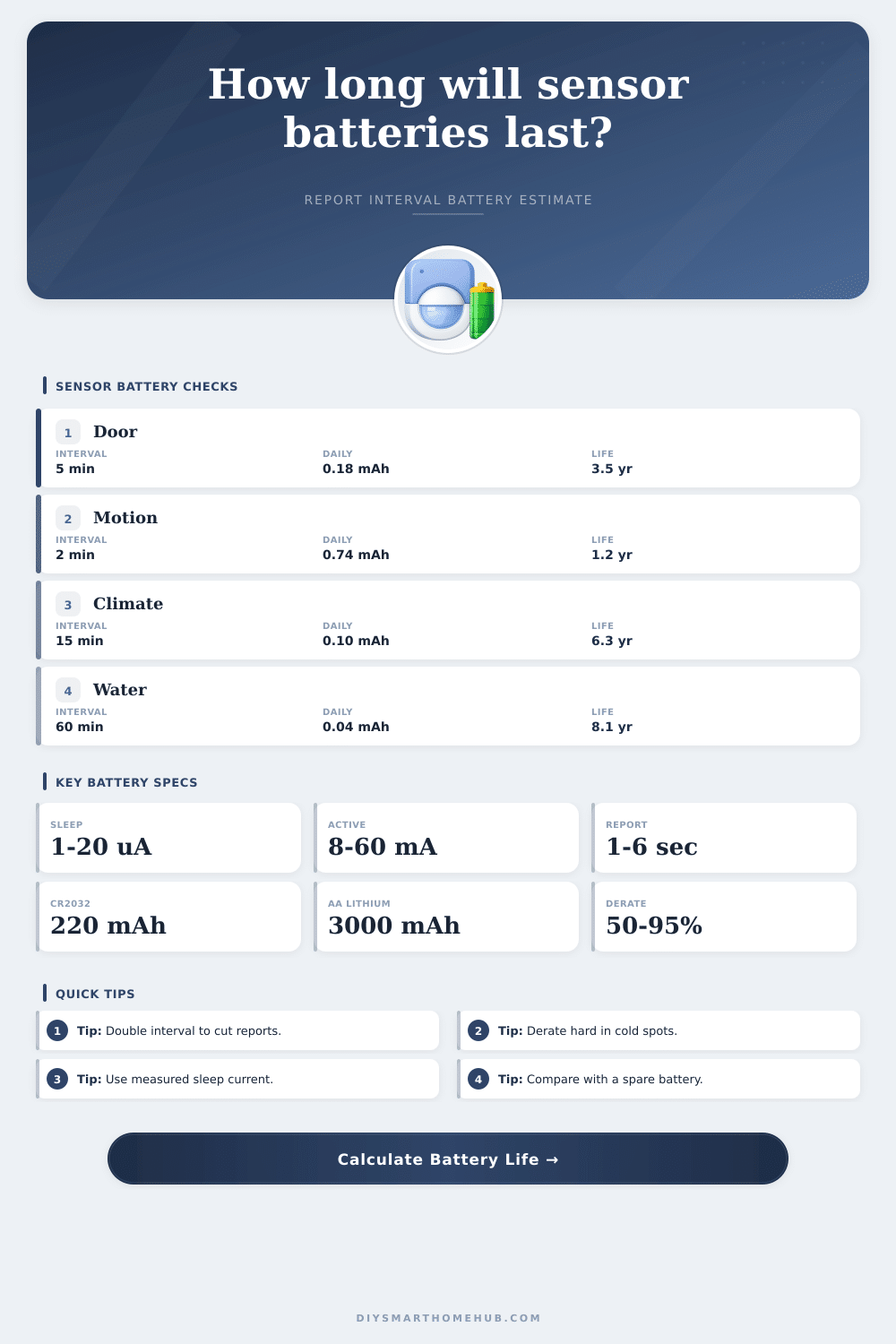
Sensor Battery Life by Report Interval Calculator
Estimate how a door, motion, climate, water, or vibration sensor uses battery capacity as its report interval changes, including sleep current, active burst current, usable capacity, temperature derate, and aging derate.
Battery life estimate
| Interval | Base reports/day | Use case | Battery effect |
|---|---|---|---|
| 1 minute | 1,440 | Fast telemetry or tuning | Report energy dominates most small cells. |
| 5 minutes | 288 | Door, climate, or room state | Balanced for responsive dashboards. |
| 15 minutes | 96 | Temperature and humidity trend | Often a long-life sweet spot. |
| 60 minutes | 24 | Leak, mailbox, or quiet status | Sleep current usually dominates. |
| Battery type | Nominal capacity | Common usable factor | Planning note |
|---|---|---|---|
| CR2032 coin cell | 200 to 240 mAh | 60% to 85% | Pulse current and cold sag reduce practical capacity. |
| CR2450 coin cell | 550 to 650 mAh | 70% to 90% | Larger coin cell handles burst loads better. |
| 2x AAA alkaline | 900 to 1200 mAh | 65% to 85% | Good indoor sensor choice when size allows. |
| 2x AA lithium | 2800 to 3200 mAh | 85% to 95% | Strong cold-weather and shelf-life performance. |
| Scenario | Battery | Interval | Typical runtime signal |
|---|---|---|---|
| Door contact | CR2032 | 5 to 15 minutes | Usually years if sleep current stays low. |
| PIR motion | 2x AAA | 1 to 5 minutes | Event reports can matter as much as status reports. |
| Outdoor temperature | 2x AA lithium | 10 to 30 minutes | Temperature derate is often the deciding factor. |
| Water leak sensor | CR2450 | 30 to 120 minutes | Sleep current dominates until an alarm event happens. |
| Report interval | Daily sleep mAh | Daily report mAh | Total daily mAh |
|---|---|---|---|
| 1 minute | 0.060 | 17.280 | 17.340 |
| 5 minutes | 0.060 | 3.456 | 3.516 |
| 15 minutes | 0.060 | 1.152 | 1.212 |
| 60 minutes | 0.060 | 0.288 | 0.348 |
The problem typically begins with a low battery alert delivered at the worst possible moment. Perhaps its three o’clock in the morning, and your motion sensor simply stops responding because its coin cell has given up the ghost. Or maybe you’re replacing all of your door contact around the home, only to find out that one is consuming two times more power than the others.
In nearly every case, it isn’t bad hardware or luck. It’s an energy mismatch. Specifically, the amount of energy required for communication versus how frequently that device need to communicate. Getting familiar with this relationship make battery management less of a guessing game and lets you plan for it. After selecting your sensor, plugging in their unique profile let the calculator do the rest, no need to crunch numbers yourself as you add up the curve representing a sensor wakefulness over time.
How to Make Sensor Batteries Last Longer
First, select the type of sensor: various sensor technologies sleeps quite differently. A reed switch on your door is barely awake at all, sending out a little bit of data only when magnet moves away. Because it does so little, it can run off a tiny CR2032 coin cell for years and still be fine.
Compare that to a motion sensor sitting in a busy hallway that must check the room regularly. Every few minutes, it’s going to wake up its processor and radio and burn through capacity fast. Often this require a bigger battery and/or better reporting strategy to keep it alive. The report interval defines how often the sensor sends its status back to your hub.
For instance, if you’re using a climate sensor in a room where the temperature doesn’t change very fast (like a bedroom), there’s no reason for it to send hundreds of unnecessary packets per day because it just reports once a minute. You could extend the time between reports and double it to 15 minutes without affecting either your own comfortlevel or what shows up on your dashboard. But that’ll drastically reduce amount of energy spent transmitting via radio.
The tool shows exactly how much it saves in milliamp-hours by extending the interval. When the active current is significantly greater than the sleep current, even small changes here results in much larger increases in run-time.
But those raw capacity figures on that battery pack packaging are all best case scenario. The real world requires some sort of reduction figure to reflect what actualy happens. Lithium cells lose their chemical efficiency when cold, so that sensor outdoors during the winter won’t run as long as identical one indoors in a cozy hallway. There’s also aging to consider; over time, the internal resistance rise which shrinks your available voltage window. Adding a reasonable derate percent allow you to plan for a longer lifetime. This prevents you from being caught off guard by dead batteries at just two and a half years instead of the four years you planned for. Better safe than sorry.
There’s also another unseen drain: network reliability. Every packet sent that doesn’t make it to the hub cost power because the sensor will keep trying to send it. Reducing the number of retries saves battery life, but so does having a good mesh network (or at least clear line of sight). I’d add a little bit of a buffer for retries into the equation; don’t assume everything goes through perfectly all the time. This is one of the variables that go into the calculation so you can simulate worst case link conditions without any special testing equipment.
Consider also which battery chemistry you use. For example, alkalines provide decent capacity; however, they perform poorly in cold weather and can’t take very high pulse currents (they’ll die quickly). Lithium versions fare better in cold conditions and hold their voltage while being used, so they’re better suited to high demand / outdoor nodes (but cost more initially). Coin cells are handy for small form factor devices but hold less total capacity than AA cells.
If you have a device capable of swapping batteries, investing in a lithium pair for an outdoor node is usually worth the cost. This will save you from having to replace batteries seasonally.
In short: how much sensor battery can I get by extending their lifetime while still getting enough data? Most applications don’t require sub-second data; you’re not going to feel uncomfortable if your thermostat is 5 minutes off. Sending updates every minute is just a waste of energy for something like temperature that doesn’t change very often.
However, if it runs out of juice. Well, that affects your monitoring and security. With some tweaks, you can push out the interval and account for environmental derates to really stretch out those devices’ lifetimes. You should of planned for this more better. In other words, make sure that the system runs silently as often as possible, but has plenty left over when it absolutely must be heard.
Then you’ll never have to wonder if it’s time to break out another battery pack.