UPS Load Runtime Calculator
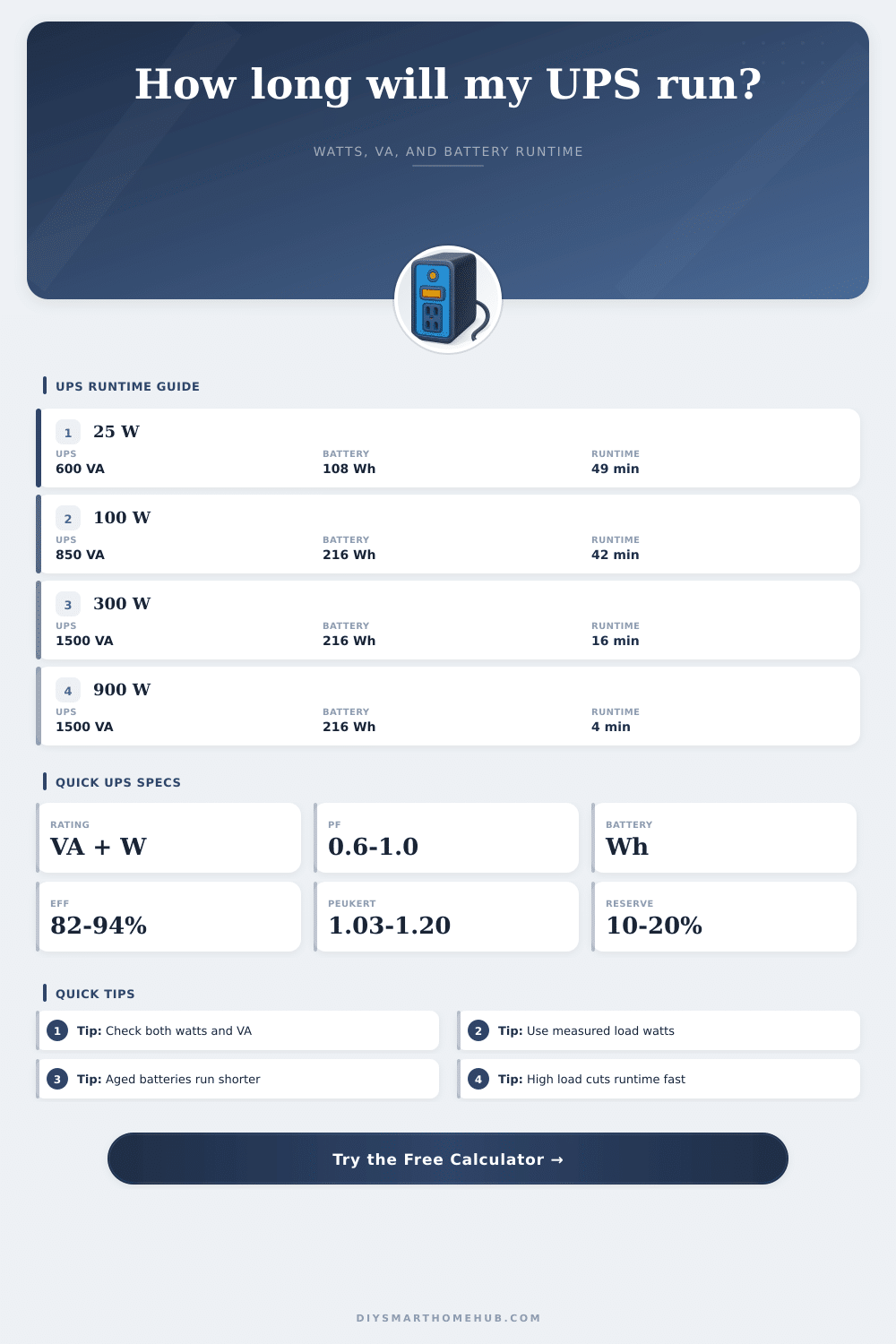
Estimate UPS runtime from connected watts, VA headroom, power factor, battery watt-hours, inverter efficiency, Peukert high-rate loss, battery age, temperature, and reserve.
⚡UPS Runtime Presets
🔋UPS, Load, And Battery Inputs
UPS load runtime estimate
Calculation breakdown
📊UPS Runtime Spec Grid
🗂UPS Comparison Grid
📋Runtime Reference Tables
| UPS battery example | Nominal Wh | Light load runtime | Heavy load runtime |
|---|
| Connected device group | Typical watts | Typical PF | Runtime planning note |
|---|---|---|---|
| Router, modem, and hub | 18-45 W | 0.85-0.95 | Low watts can run much longer than desktop-class loads. |
| Fiber ONT and alarm panel | 12-30 W | 0.75-0.95 | Small loads still need VA checked when adapters have poor PF. |
| NAS, switch, and WiFi access points | 80-240 W | 0.85-0.98 | Drive activity and PoE demand can raise actual watts quickly. |
| Home office desktop and displays | 120-350 W | 0.90-0.99 | Use runtime for a clean shutdown, not all-night operation. |
| Gaming PC or workstation bridge | 350-800 W | 0.90-0.99 | High load causes steep Peukert and voltage-sag runtime loss. |
| Power factor | 100 W load | 300 W load | Why it matters |
|---|---|---|---|
| 1.00 | 100 VA | 300 VA | Watts and VA are equal for unity power factor loads. |
| 0.90 | 111 VA | 333 VA | Most modern active-PFC computer supplies are near this range. |
| 0.70 | 143 VA | 429 VA | Some adapters and mixed loads consume more VA per watt. |
| 0.60 | 167 VA | 500 VA | VA headroom can become the binding UPS limit. |
| Derating factor | Typical range | Runtime effect | Use this when |
|---|---|---|---|
| Inverter efficiency | 82-94% | Converts battery Wh to output Wh | The UPS is supplying AC output from battery. |
| Peukert / high-rate loss | 1.03-1.20 | Reduces Ah at high battery current | Small sealed lead-acid batteries feed large loads. |
| Battery health | 70-100% | Models age and capacity fade | Batteries are more than a year or two old. |
| Temperature derate | 60-100% | Models cold rooms and hot aging stress | The UPS lives in a closet, garage, rack, or warm cabinet. |
| Reserve margin | 10-20% | Holds energy after planned runtime | The load is critical or startup cycling is possible. |
🔧UPS Runtime Tips
Ever been working away, only to experience a sudden loss of power? It’s a common occurrence in most homes, and it always seem to be at a bad time. Click. Silence. Lights flicker off. Network indicator lights dissapears. Computer screen go dark. And now you’re thinking about whether the emergency power will last long enough for you to finish your work … or at least keep the network running long enough to reconnect once the power comes back up again?
For many consumers, their purchase decision are driven by vague ideas of capacity, as “more must be better”. What runtime can you actualy expect during an outage? You put in the details for your battery and load and the calculator do the math, sparing you the guesswork about whether your proposed new system will be enough.
How to Calculate Your Backup Power Needs
It begins at square one, but it’s the specifics that counts more than top-line figures. Enter your connected load in watts. Not simply the VA on the box. Your devices don’t consume VA; they consume watts; which is useful power. The UPS provides both VA and watts. The VA include reactive power, which is not useful but still draws down the battery. If you fail to account for power factor, you may believe that you has ample headroom. In fact, you might be nearing overload protection and risk an immediate shutdown instead of a graceful operation.
And then there’s the marketing vs. This is the reality of battery capacity. Amp-hours are listed at a slow discharge rate, often times twenty hours. In an actual outage situation, you’re unlikely to use up your battery over twenty hours. You need it for fifteen or thirty minutes. Because of chemical lag and internal resistance, lead-acid batteries loses effective capacity when they’re drawn upon quickly. It’s called the Peukert effect. By asking for a Peukert exponent as part of calculation, the tool factors in the drop-off in usable energy at higher loads. If you’ve got a high-wattage gaming PC, it will steeply drop off in runtime compared to a modest router pulling steadily on electricity. That’s just how physics works and the math reflects it regardless of expectations.
What about efficiency? You should also factor in inefficiencies. Converting from battery (DC) to outlet (AC) power isn’t free, there’s a conversion within the UPS’ inverter that take some juice and turns it into heat. You’ll require additional battery capacity above what your load indicate just to make up for that conversion overhead. The unit may also be less efficient depending on its age and quality. Instead of powering your devices, some of that energy are lost as heat during the conversion from DC to AC. To model how things work in the real world, the calculator allow you to tweak this percent.
Don’t neglect the environmental factors: Remember batteries are consumables. A lead-acid pack that’s a couple of years old isn’t going to hold as much energy as a fresh one. Similarly, a cold basement or garage slow down the chemical reaction, which means you’ll get less runtime in an unheated room. There are fields on the tool for battery health and temperature derating to account off this reality. When you buy a UPS, don’t assume it will be just like it was on day one. Capacity degrades silently over time.
For example, use the reference tables on the page to determine the typical watts consumed by popular categories of devices (e.g., network rack vs. Home office PC). Plug those into the estimator and see how long your current configuration would of lasted. Does it not get you close enough? Now you’ll know in advance what size battery bank or efficiency you need without wasting cash first. With this planning in hand, you can be confident your backup is going to do the job during an outage.