Mobile Data Usage Calculator
Estimate monthly mobile data from streaming, browsing, video calls, and hotspot use, then compare the projection with your remaining plan allowance.
Calculation Breakdown
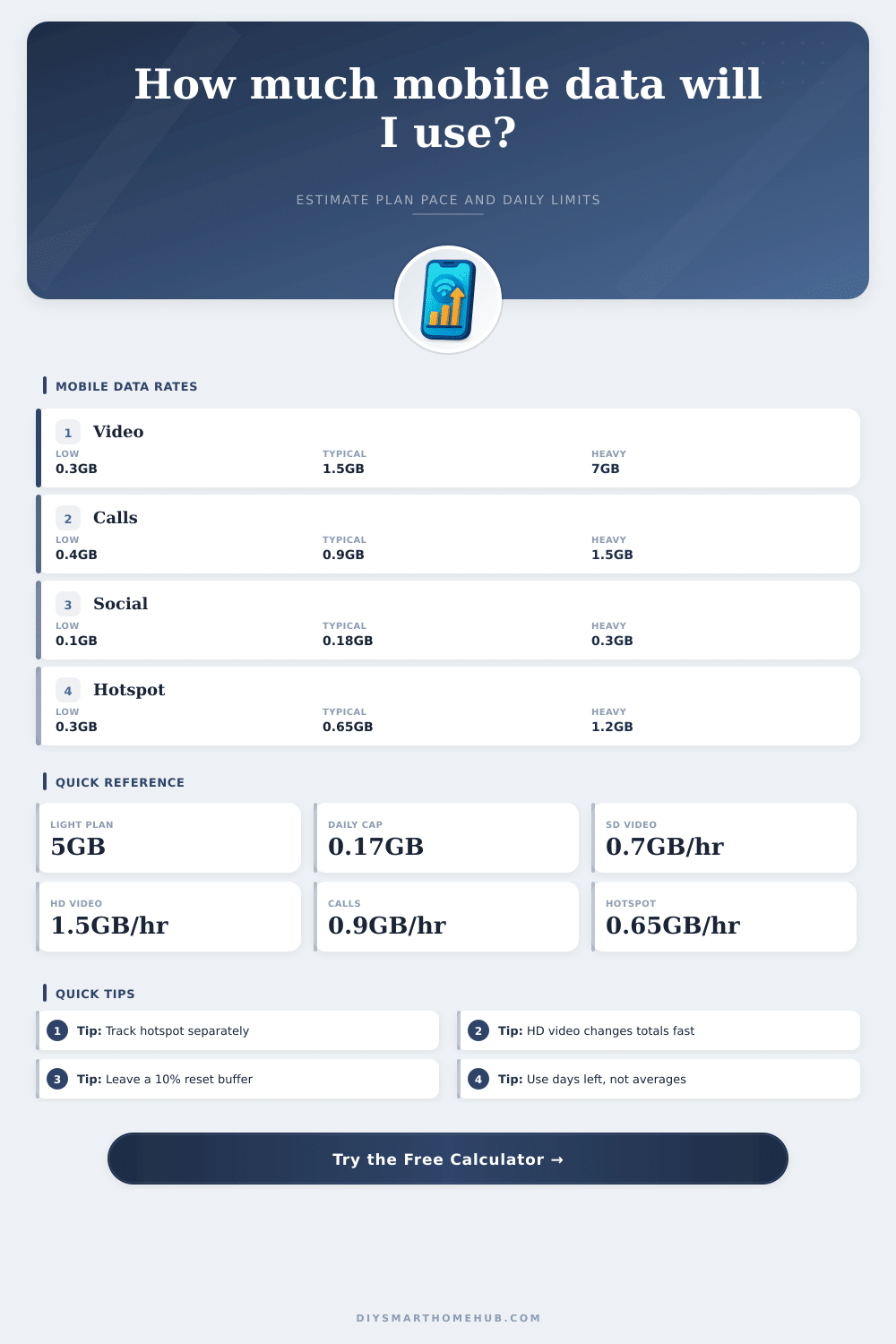
| Activity Type | Typical Rate | Approx MB/hr | Best Used For |
|---|---|---|---|
| Data saver video | 0.30 GB/hr | 307 MB/hr | Small screens, long sessions |
| SD / auto video | 0.70 GB/hr | 717 MB/hr | Casual streaming on mobile |
| HD mobile video | 1.50 GB/hr | 1536 MB/hr | Sharp phone playback |
| Full HD video | 3.00 GB/hr | 3072 MB/hr | Large phones and tablets |
| 4K / UHD video | 7.00 GB/hr | 7168 MB/hr | Very high resolution streams |
| Social, web, maps | 0.18 GB/hr | 184 MB/hr | Feeds, searches, navigation |
| Mobile video calls | 0.90 GB/hr | 922 MB/hr | Typical one-to-one or group calls |
| Laptop hotspot | 0.65 GB/hr | 666 MB/hr | Email, docs, browsing, light sync |
| Plan Allowance | Safe Daily Average | HD Video Equivalent | Practical Fit |
|---|---|---|---|
| 5 GB | 0.17 GB/day | About 3.3 hr/month | Messaging, maps, light browsing |
| 10 GB | 0.33 GB/day | About 6.7 hr/month | Light social plus occasional video |
| 20 GB | 0.67 GB/day | About 13.3 hr/month | Moderate streaming and calls |
| 50 GB | 1.67 GB/day | About 33.3 hr/month | Heavy phone use, limited hotspot |
| 100 GB | 3.33 GB/day | About 66.7 hr/month | Frequent video and hotspot days |
| Quality Setting | GB Per Hour | Hours From 10 GB | Calculator Use |
|---|---|---|---|
| Data saver | 0.30 GB/hr | 33.3 hours | Best for preserving small plans |
| SD / auto | 0.70 GB/hr | 14.3 hours | Balanced default for mobile |
| HD mobile | 1.50 GB/hr | 6.7 hours | Good estimate for sharp phone video |
| Full HD | 3.00 GB/hr | 3.3 hours | Use for tablets or high quality |
| 4K / UHD | 7.00 GB/hr | 1.4 hours | Use only when the app forces UHD |
| Profile | Daily Mix | 30-Day Estimate | Plan Note |
|---|---|---|---|
| Light messenger | 0.2 hr video, 0.8 hr social | About 7 GB | Usually fits 10 GB |
| Social commuter | 0.5 hr video, 2 hr social | About 21 GB | Near a 20 GB cap |
| SD streamer | 1.5 hr SD video, 1 hr social | About 37 GB | Better with 50 GB |
| Video call day | 1 hr calls, 1 hr social | About 32 GB | Calls dominate the plan |
| Hotspot workday | 3 hr hotspot, 0.5 hr calls | About 73 GB | Needs a large cap |
Data usage can be difficult for individuals to monitor because many people are unaware of how quick their data is being used up during a given month. Individuals may notice a data warning on there phone, or they may eventually realize that they’re data allowance for that month are almost empty. Data dont automatically refill for individuals, as does a tank of gas for a car.
Therefore, individuals must understand how various activities can drain their data, and at what rate those different activities uses data. Individuals can use their data for a variety of activities, each at different speeds. For instance, one of the activities that can use the most data is video streaming, especially at high resolution settings.
How to Check and Save Your Phone Data
Social media browsing uses less data than video streaming, but still uses some of that data allowance. Finally, another activity that may use data is utilizing a mobile hotspot, which often consumes more data than other activity. The calculator utilize three different numbers to calculate the data that will be used during a month: the total amount of data that is provided to the individual as a plan size, the amount of data that is already used, and the number of days that the individual has left in their plan.
These three numbers is essential to calculate the data that will be used during the upcoming month. In addition to these three numbers, the individual will also input the number of hours that they spends on video, social media, and utilizing there hotspot. Based off these numbers, the calculator can project the daily limit that the individual can use for data without exceed their total data plan.
If the data that is calculated with this calculator indicates that an individual will reach their data plan, then adjustment must be made to their data consuming habits. One way to do this is to reduce the number of hours that they use data performing specific activities. For instance, individuals can reduce the number of hours that they stream video, or they can reduce the quality settings for the video that they stream.
These two change are the best ways of reducing data usage, as compared to reducing social media browsing habits. Additionally, reducing the number of hours that an individual uses there mobile hotspot will also reduce the amount of data that they use daily. There are a few different factors that may make it difficult for individuals to correctly calculate there data consumption.
For instance, the signal strength that they experience will impact how much data each activity consumes. Additionally, the number of application that are active on their phone in the background may also impact their data consumption. Thus, this data calculator is an estimation of data consumption, but adjustments can be made to the habits that an individual has when their actual data consumption differ from the calculated consumption.
Many individuals may make mistakes with this calculator. One of the most common mistakes are not accurately entering the number of days that they have left in their data plan. Another mistake is to combine the amount of time that they spend using their hotspot with their browsing habits.
These two habits should not be combined, because they have different data consumption rates. If these two activities are combined in the calculator, the individual will not be able to accurately calculate which activity is using the most data. This calculator also displays the percentage of the data plan that the individual has already committed.
This percentage is a way of indicating the number of days that is left in the plan. Therefore, even if an individual has a large data plan, if there are few days left in the plan, they can still run out of data. Conversely, if an individual has a small data plan, they may have enough data for their needs if there are many days left in the plan.
Thus, this calculator allows individuals to understand the total amount of data that they have left, and the length of time that they have left to use up that data.