Streaming Video Bandwidth Calculator
Estimate required upload bandwidth, per-stream bitrate, daily data, monthly data, and practical internet headroom for smart home video streams.
Streaming Bandwidth Results
Internet upload speed is the limiting number for smart home cameras that send video to cloud storage or remote viewers. Download speed matters mainly for watching those streams from inside the home.
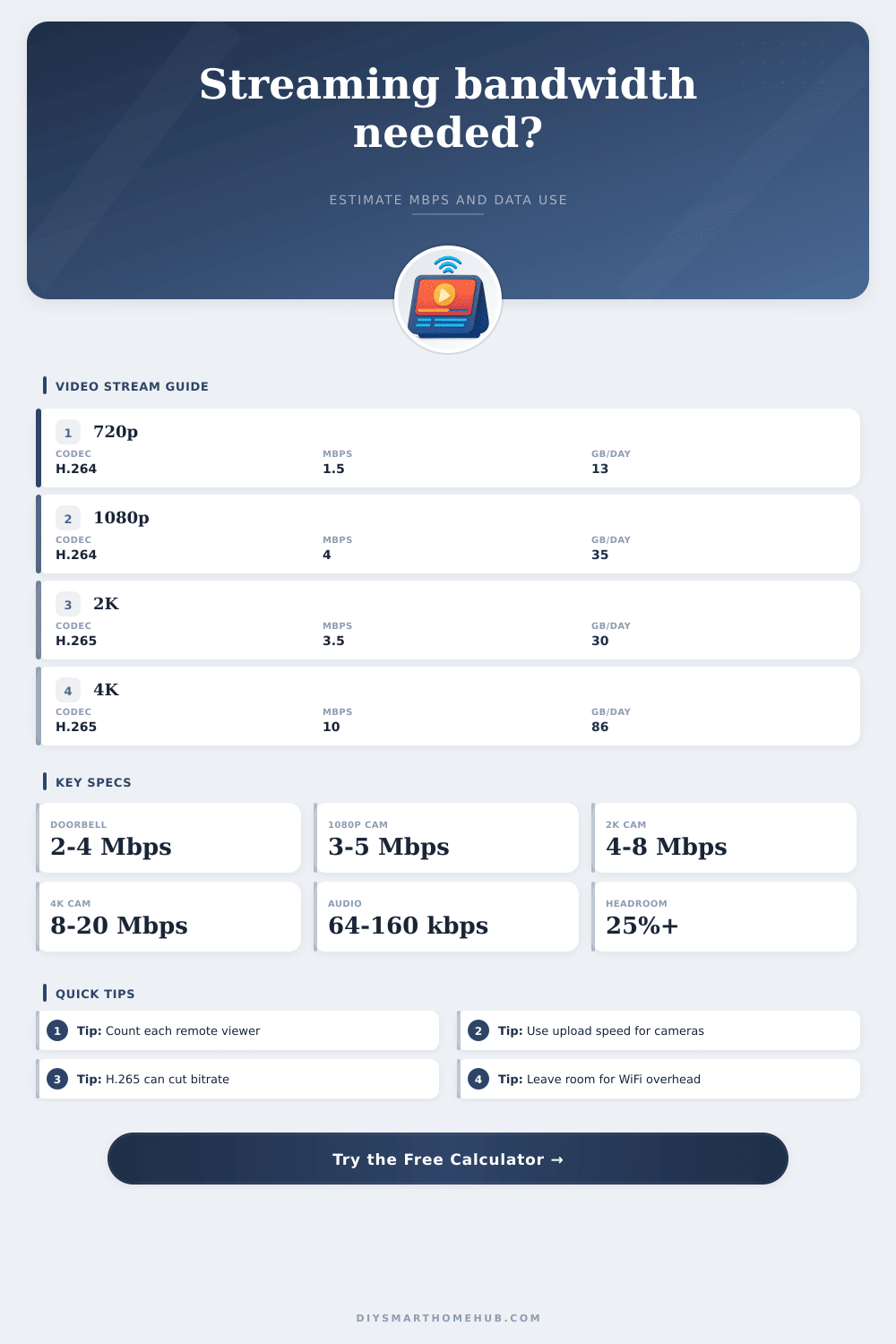
| Stream profile | Typical base rate | Best use | One stream, 24 hr data |
|---|---|---|---|
| 720p H.264 | 1.5 Mbps | Indoor preview, pet camera, low detail room | 16.2 GB/day |
| 720p H.265 | 1.0 Mbps | Low bandwidth cellular or secondary cameras | 10.8 GB/day |
| 1080p H.264 | 4 Mbps | Doorbell, porch, general indoor and outdoor cameras | 43.2 GB/day |
| 1080p H.265 | 2.5 Mbps | Modern smart cameras with efficient compression | 27.0 GB/day |
| 2K H.264 | 6 Mbps | Garage, driveway, wider entry zones | 64.8 GB/day |
| 2K H.265 | 3.5 Mbps | Sharper camera view with lower upload demand | 37.8 GB/day |
| 4K H.264 | 16 Mbps | High detail local NVR or strong fiber upload | 172.8 GB/day |
| 4K H.265 | 10 Mbps | Driveway plates, large yard, detailed remote review | 108.0 GB/day |
| Frame or scene factor | Multiplier | When it fits | Bandwidth effect |
|---|---|---|---|
| 10 fps event preview | 0.42x | Quick clips, still entry area, low motion | Major reduction |
| 15 fps low motion | 0.62x | Indoor rooms, hallways, storage spaces | Moderate reduction |
| 30 fps standard | 1.00x | Default camera stream and smooth playback | Baseline |
| 60 fps high motion | 1.55x | Fast movement, sports areas, very smooth review | Large increase |
| Busy outdoor scene | 1.20x | Rain, trees, traffic, shadows, changing light | More compression load |
| High detail driveway | 1.40x | Fine detail, license plates, wide field of view | Highest camera load |
| Smart home scenario | Typical streams | Profile | Expected upload |
|---|---|---|---|
| Single video doorbell | 1 stream | 1080p H.264, 15 fps | 3 to 5 Mbps |
| Apartment entry and living area | 3 streams | 1080p H.265, 30 fps | 9 to 14 Mbps |
| Garage plus driveway | 2 streams | 2K H.265, busy scene | 10 to 14 Mbps |
| Whole house camera set | 8 streams | 1080p H.265, 15 to 30 fps | 24 to 40 Mbps |
| One 4K driveway camera | 1 stream | 4K H.265, 30 fps | 13 to 18 Mbps |
| NVR remote viewing | 4 stream copies | 1080p mixed cameras | 16 to 25 Mbps |
| Raw bitrate | 4 hr/day | 8 hr/day | 24 hr/day |
|---|---|---|---|
| 1 Mbps | 1.8 GB/day | 3.6 GB/day | 10.8 GB/day |
| 4 Mbps | 7.2 GB/day | 14.4 GB/day | 43.2 GB/day |
| 10 Mbps | 18.0 GB/day | 36.0 GB/day | 108.0 GB/day |
| 25 Mbps | 45.0 GB/day | 90.0 GB/day | 270.0 GB/day |
| 50 Mbps | 90.0 GB/day | 180.0 GB/day | 540.0 GB/day |
Many peoples install security camera in their home. However, people often find that their internet plan isnt sufficient for the amount of video data that their security camera systems requires to send video footage to remote viewers. When people installs security cameras, they often do so with the assumption that if they can download data quick from the internet, they can also upload video data from their security cameras.
However, the variable that determine if a person can upload video data is the upload speed of their internet plan. Additionally, several factor impact the upload speed that is required for their security cameras to upload video data. The bitrate that a person’s security cameras require to record video is impacted by several variables.
How much upload speed do home security cameras need
These variables includes the resolution of the video data, the complexity of the scenes that the security cameras record, the codec of the video data, and the frame rate at which the cameras record. If a security camera see different activities in a location every few minutes or every few seconds, that variable impacts the bitrate of the security camera; the more complex the scene, the more higher the bitrate of the video. H.265 compression require fewer bits to encode a video than H.264 compression.
Additionally, if a security camera has a high frame rate, that impact the bitrate of the security camera because there is more data that needs to be transmitted. However, if a security camera can lower its frame rate, the amount of data that it needs to upload is reduced. The data that a person needs to upload will also be impacted by how complex the scenes are in the video recordings; the more complex the scenes, the more higher the data rate for video data.
However, if the scenes is simple, that will reduce the amount of data that is used. These variables impact the bitrate of a person’s security cameras. If a person’s internet upload speed cannot support these data rates, their video recordings will drop frames.
The internet speed calculator will help a person determine what upload speed of the internet plan that they need for their security cameras. The variables that a person must enter into the calculator are the base quality and the codec used by the security cameras, the number of active security camera feeds and the number of viewers for these feeds, the number of hours that the security cameras will send data each day, and the amount of audio data that is use by the security cameras. Additionally, a person can include a percentage for overhead data usage that is often used by security cameras.
Once these variables are entered into the calculator, the calculator will produce a result that indicates the amount of upload speed that a person will need for their security cameras and the total amount of data (in megabits) that those security cameras will upload each day. This result will allow a person to determine if their current internet plan is appropriate for their security cameras or if they need to upgrade their internet plan to include higher upload speeds. A person might only purchase a doorbell security camera.
However, if two people wants to view the doorbell security camera, that will double the amount of data that is sent. Additionally, if a person also installs security cameras in their garage and backyard, these security cameras will compete with the doorbell security camera for the amount of upload bandwidth that their internet plan provides. The data that is provided from the internet speed calculator will help a person determine the amount of bandwidth that the security cameras will require before being installed in the home.
Additionally, a person can reduce the amount of data that will be required for all security cameras by adjusting the settings within the cameras to use H.265 compression or by lowering the frame rate at which that security camera record the video data. Another factor that will impact a person who installs security cameras is the data cap of their internet plan. A few internet plans has caps on the amount of data that can be used by a household.
The data calculator provides estimates of the amount of data that will be used by the security cameras per day and per month. This number can be compared to the data caps of the internet plan that a person subscribes to. The amount of audio data that is use by security cameras is relatively small.
However, if a person has many security cameras, that amount of data will increase. The most common use of audio with security cameras is two-way talk between the person viewing the security camera feed and the individual being view by the security camera. If a security camera includes two-way talk, it will use 64 or 128 kilobits of upload data per security camera for each individual connection.
This data can be included in the data calculations that occur with the data calculator. Another data factor that will impact the security cameras is overhead data. Overhead data can be used for retransmissions of video data if the video data gets lost in the transmission from the security camera to the viewing device, and it can also be data used for VPN encryption.
Most security camera manufacturer include a percentage for this overhead data in the data calculator. A person should include overhead data in the calculation to ensure that their calculated upload speed is enough for their security cameras to avoid buffering issues during peak time of the day. Once a person knows the amount of upload speed that they will need for their security cameras, choosing the appropriate tier for their internet plan becomes easier.
Most internet providers advertise the download speeds of their internet plans; however, the upload speed that is provided will impact their security cameras. If the data calculator indicates that they will need 25 megabits of upload speed for their security cameras, their internet plan must support 25 megabits of upload speed. If a person decides on the internet and security camera plan that they want, they should use the internet speed calculator again in the future.
As the number of security cameras increases, the required upload speed will change for those security cameras. By using the calculator again in the future, a person can plan for any change to their internet and security camera plan. The goal is to ensure that there is enough bandwidth for the security cameras to provide the video data that is needed to the viewers when they are needed.
The calculator will show the amount of data that the security cameras can upload each day, and the internet and security camera plan can be adjusted to ensure that the bandwidth provided to the security cameras is enough to meet that calculated data upload.