Video Call Lighting Brightness Calculator
Estimate face lux from ambient room light, key lumens, distance, diffuser loss, fixture efficiency, key/fill ratio, camera ISO or gain, and color temperature mix.
Video call lighting result
The lux estimate uses a practical approximation: face lux = lumens x fixture efficiency x diffuser transmission / distance squared, with distance in meters.
| Face lux range | Video call result | Camera behavior | Lighting adjustment |
|---|---|---|---|
| Under 150 lx | Dim or noisy | High gain, soft detail | Move key closer or add output |
| 150-300 lx | Usable but flat | Moderate gain | Add controlled key light |
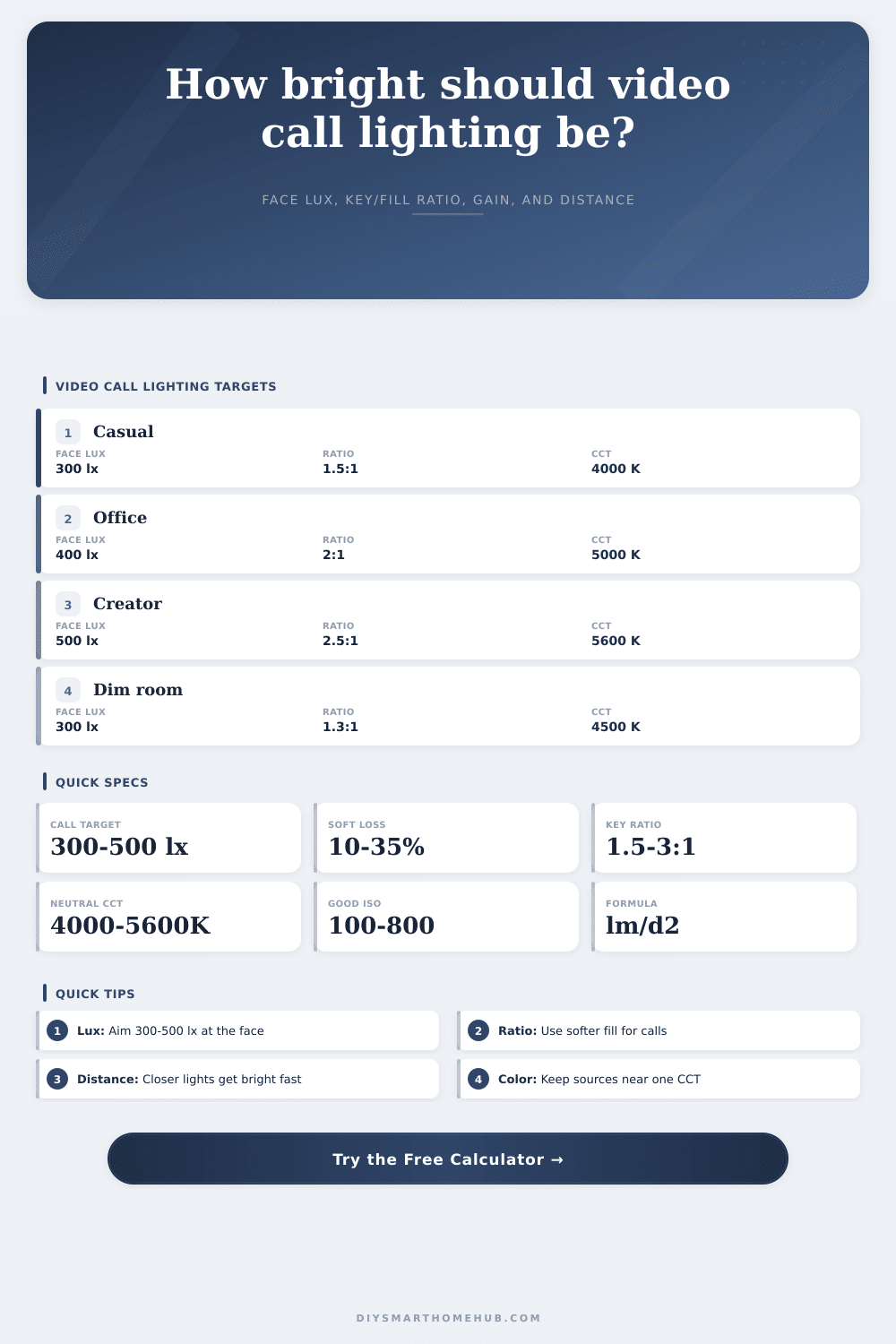
| 300-500 lx | Call-ready | Cleaner exposure | Fine tune ratio and color |
| 500-750 lx | Bright studio look | Low gain | Watch forehead highlights |
| Over 750 lx | Potentially harsh | Very low gain, clipping risk | Dim light or add diffusion |
| Key/fill ratio | Look on camera | Suggested use | Fill lux formula |
|---|---|---|---|
| 1.2:1 | Very even | Teaching, support calls | key / 1.2 |
| 1.5:1 | Soft but shaped | Daily meetings | key / 1.5 |
| 2:1 | Balanced face shape | Most webcams | key / 2 |
| 2.5:1 | More depth | Presentations | key / 2.5 |
| 3:1 to 4:1 | Higher contrast | Creator or dramatic setups | key / ratio |
| Color temp | Common source | Call appearance | Mixing note |
|---|---|---|---|
| 2700-3000 K | Warm lamp | Cozy, amber | Can clash with daylight windows |
| 3200-4000 K | Warm LED panel | Natural indoor tone | Good for evening rooms |
| 4000-5000 K | Neutral office light | Clean and balanced | Easy webcam white balance |
| 5000-6500 K | Daylight LED/window | Crisp, cool | Match window-facing setups |
| Preset | Ambient | Key lumens | Distance | Expected use |
|---|---|---|---|---|
| Laptop daylight desk | 120 lx | 800 lm | 2.5 ft | Daytime desk calls |
| Close ring light | 50 lx | 1000 lm | 1.8 ft | Compact webcam setup |
| Window side key | 220 lx | 600 lm | 3.5 ft | Window plus LED fill |
| Softbox office | 150 lx | 1500 lm | 4.0 ft | Large soft source |
| 4K webcam clean | 100 lx | 1200 lm | 3.0 ft | Low-noise detail |
| Target face lux | Needed key lux | Ring distance | Camera ISO target |
|---|---|---|---|
| 300 lx | 0 lx | 0 ft | 0 |
| 400 lx | 0 lx | 0 ft | 0 |
| 500 lx | 0 lx | 0 ft | 0 |
| 600 lx | 0 lx | 0 ft | 0 |
Then there’s that moment: Your colleague leans in because they can’t make out what’s on the screen. Glare washes it out. Their features goes dim, while backdrop goes dark. There’s a face, but it look like cutout pasted onto a dark void.
That visual disconnect doesn’t stem from lack of talent or bad content. It nearly always stems from something going wrong with how light hits some surface, or doesn’t hit it hard enough.
How to Light Your Face for Video Calls
Video calls is like a series of glances across a table. The words you say aren’t nearly as important than the physics of how that glimpse is lit.
With practical inputs, this calculator estimate ring light distance and color temperature mix. It also estimates camera gain change, key and fill balance, and face lux. It helps you create that look.
Lux is the key metric: It’s the light reaching your face, not emitted by your bulb. A bulb may advertise high lumen output, but you don’t see any light if it’s obstructed (e.g., behind a thick diffuser) or positioned far from your face.
This is where people miss the difference. Because tool takes into account diffuser loss and fixture efficiency, it recognize that when you soften the light source, you dull its brightness. You get less harsh, but gain in brightness, and the tool indicates how steep that trade-off will be.
Brightness falls off according to an inverse-square law: Double the distance and you lose three-quarters of your light. Bringing a light closer is typicaly better than upgrading to a stronger one. Which is why the distance are an important input.
Then there’s color temperature. You might have crisp daylight of five thousand Kelvin on your key light and warm tungsten lamps at three thousand Kelvin in your room. Your skin appears split. It glows with healthy vitality on one side and sinks into orange shadow on the other.
The calculator tell you what those sources weigh, then shows you their resulting mix. You don’t want everything to be sterile. You just want the colors to work together without fighting for dominance. Keep your complexion naturaly. Keep your white balance steady by mixing the sources together.
How do you control the shape of your face on camera? Ratios. A flat ratio (which flattens your features) make you seem like a cardboard cutout. And too much contrast cast deeper-than-wanted shadow under your nose and eyes, which reads as either stern or tired.
For most webcams, the sweet spot is in a two-to-one ratio, per the reference table on the page. That gives you enough depth to appear three-dimensional while avoiding distracting darkness. But you have to know where you are before you can adjust that fill light.
There are limitations to camera sensors. In low-light conditions, sensors increases their ISO to make up for it, which increases noise and grain. All this digital static interferes with viewers, distracting them and reducing the quality of what they see as your connection.
By picking a range of lux, you’re putting the camera into its clean zone. This gives you a measurable explanation for why you should of change your set up. It is not because it looks good, but because it reduces the amount of computation your camera needs to do.
Sometimes it’s all in the numbers (and the placement). Angles do count: measure the light at your face height (not at the desk). Control light levels with distance, don’t pursue ever-higher wattages. Avoid mixed color sources, they clash. Small tweaks add up fast.
There are no accidents when someone has a well-lit video presence. It’s a chain of intentional decisions regarding the angle of light, its hardness, and its color tint.
The calculator above run that math for you. You just input the what-ifs so you don’t have to calculate the conversions and coefficients yourself. You still have to reach over and lift the lamp.