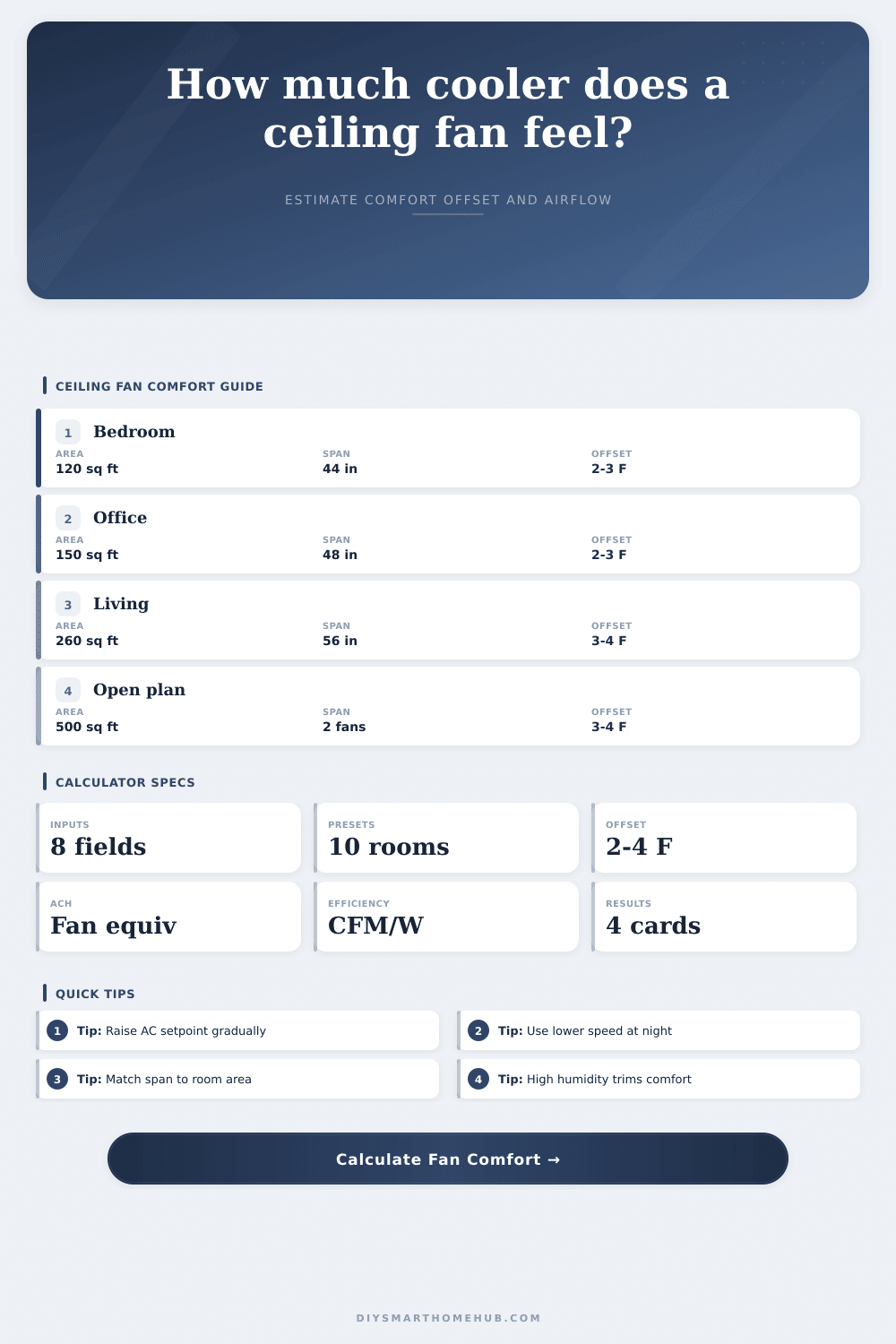
Ceiling Fan Comfort Offset Calculator
Estimate how much cooler a ceiling fan may feel, how efficient the airflow is, the room ACH equivalent, and the thermostat setback that fits your room size and humidity.
Fan Comfort Results
| Room Area | Typical Room | Blade Span | Coverage Note |
|---|---|---|---|
| Up to 75 sq ft | Small office | 29-36 in | Compact airflow cone |
| 76-144 sq ft | Bedroom | 36-44 in | Good close-zone comfort |
| 145-225 sq ft | Primary bedroom | 44-52 in | Standard room coverage |
| 226-400 sq ft | Living room | 52-60 in | Use higher CFM rating |
| 401-625 sq ft | Open plan | 60-72 in | Check throw and layout |
| Over 625 sq ft | Large open area | Multiple fans | Split room into zones |
| Occupied Air Speed | Feel | Rough Offset | Best Use |
|---|---|---|---|
| 0.15-0.30 mph | Light movement | 1-2°F | Desk or sleep speed |
| 0.30-0.55 mph | Noticeable breeze | 2-3°F | Bedrooms and offices |
| 0.55-0.85 mph | Strong comfort | 3-4°F | Living rooms |
| 0.85+ mph | Drafty for some | Up to 4°F | Exercise or garages |
| Preset | Room Size | Fan CFM | Use Case |
|---|---|---|---|
| Small Bedroom | 10 x 11 ft | 3000 CFM | Sleep comfort |
| Home Office | 11 x 12 ft | 3600 CFM | Quiet desk work |
| Primary Bedroom | 14 x 16 ft | 5200 CFM | Bed and dresser zone |
| Living Room | 16 x 18 ft | 6200 CFM | Seating area |
| Open Plan | 22 x 26 ft | 8200 CFM | Large shared zone |
A ceiling fan do not make the room colder. It makes you colder.
You see, a ceiling fan speed up the evaporation of moisture from your skin. Your body perceives itself as being multiple degrees cooler then the surrounding air. It’s all based off your nervous system.
How to Use a Ceiling Fan Correctly
Once you know the specifics about your fan and the size of the room, you can use our fan calculator (above) to avoid guessing how high you can turn up your thermostat before you start sweating.
The key is recognizing that there is a hard limit on this felt cooling effect. Typically somewhere between three and five degrees Fahrenheit. Beyond that level of air movement, it reaches a point where the air movement no longer realy helps.
You’re simply moving air because… well, because you can. And that tends to come with a price: noise and discomfort.
Match Blade Span to Room Size: The first step toward getting your airflow right is to match blade span to size of the room. In a large living room, you don’t want a small fan because then you get that patchy wind tunnel effect where half the room is stagnant and the other half feel like an airport terminal.
The page’s reference table makes it clear. For example, a standard bedroom would need about a forty-four inch span. Open plan spaces requires much more thrust (or multiple units). Too-small a fan won’t move enough air through the room with enough momentum to provide breeze in the seating area. Too-large a fan can also be noisy and make the air itself turbulent; which defeats the whole point of being relaxed.
That’s why you see so many ceiling fans end up sitting spinning uselessly over a doorway: most people buy based on style first; aerodynamics second.
Comfort is largely determined by humidity, most people don’t know how much so. Humidity makes the air more difficult to cool because high moisture slow evaporation. To achieve the same cooling result, the fan must labor much harder. That’s why the fan feels refreshing in a dry desert house and almost nothing at all in a humid coastal cottage. Getting some of that cooling power back means upping the fan speed or adding dehumidification into the mix.
Room layout matters too. As air moves down, its ability to disperse decreases. For high-ceiling rooms (see above), this requires either direct downflow settings or blades with a higher pitch on fans. That forces the air toward the space where occupants are located. Otherwise, it churns air pointlessly near the ceiling.
Ceiling height also matter. If you’re operating a fan for eight hours a day, its all about efficiency. That’s where the calculator shines. It breaks down efficiency (cubic feet per minute per watt). It tells you how much air flow you get for each unit of electricity. An older, less efficient motor might suck up electricity but not deliver proportionate airflow. Seek out moddern direct drive motors or ones that has relatively higher CFM rating per watt.
In the tool, the thermostat setback feature suggests an increase in temperature. This is roughly equivalent to what you’d be feeling with the fan on, even if the temperature is higher. It provides a practical guide for savings. If you have the right size fan, properly positioned, you could of turned the thermostat up three degrees and still feel comfortable.
But how does it all work out in practice? In my experience, the details makes the difference. I run it on high by day for maximum comfort; then turn it down (or off) at night when we don’t want any draft disturbing our sleep. With this tool, you can track those runtime hours. Get a more realistic sense of impact over the course of a year.
Because fans only condition you, unlike an air conditioner, which conditions the space itself; they stop working the moment you leave the room. Running one in an empty room just wastes energy.
Once you understand this dynamic, there’s no need to guess what level of comfort you’re getting. The numbers aren’t quite so abstract anymore. It is more about real relief. You tweak the breeze till the room feels just right. And then let the math tell you if you’re doing it for free.
That’s the sweet spot: feeling good while staying smart.