Perimeter Camera Count Calculator
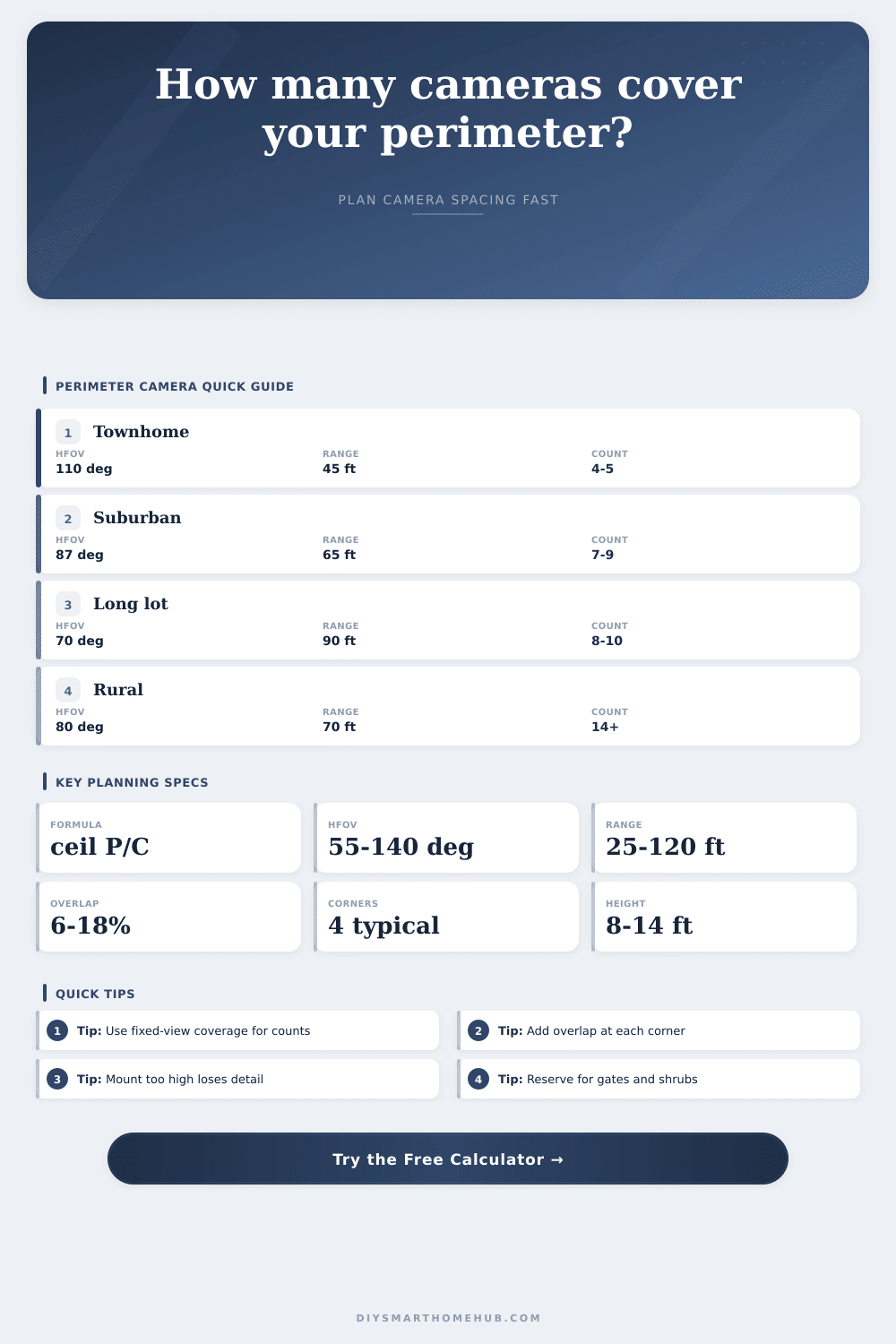
Estimate how many fixed security cameras are needed around a yard, driveway, building edge, or mixed smart-home perimeter using HFOV, range, overlap, blind-zone reserve, corner duplication, and mounting height.
Calculation breakdown
| Layout | Perimeter formula | Corner count | Best use |
|---|---|---|---|
| Rectangle loop | 2 x length + 2 x width | 4 | Full fence or building perimeter |
| Front plus sides | length + 2 x width | 2 | Open backyard or frontage monitoring |
| L-shaped jog | 2 x length + 2 x width + 2 x jog depth | 6 | Indented side yard or garage return |
| Courtyard edge | 2 x length + 2 x width + inner edge | 8 | Outer perimeter plus patio or atrium edge |
| Custom perimeter | Entered custom perimeter | 4 | Measured fence line or mapped polygon |
| Coverage plan | Side overlap | Corner overlap | Blind-zone reserve | When to use |
|---|
| Project | Modeled perimeter | Camera profile | Coverage plan | Estimated count |
|---|
| Step | Formula | What it protects against | Result used |
|---|---|---|---|
| HFOV width | 2 x range x tan(HFOV / 2) | Overstating narrow-lens side coverage | Raw width |
| Planning cap | min(raw width, profile spacing cap) | Too much pixel stretch across the scene | Lens coverage |
| Height factor | 1 - abs(height - ideal) / ideal x 0.12 | Detail loss from high or low mounting | Height-adjusted coverage |
| Final count | ceil(effective perimeter / effective coverage) | Missed corners, gates, shrubs, and blind spots | Camera quantity |
One begins as a blind spot. Four cameras later, you realize there is an uncovered area between side fence and driveway. You bought into the spec sheet’s promise of “full coverage” for your suburban yard. No, the cameras aren’t busted. The way things are laid out punishes optimism. Perimeter security isn’t about selecting gadgets as much as it is about working within physics of lenses and sightlines and fallible humanity.
That’s why the calculator above will do all the math for you, after you enter your lot dimensions and camera specs, no guessing necessary as to how much actual overlap you require. But it’s all about horizontal field of view. When most folks see 110 degrees on a datasheet, they think “full coverage.” Not quite. Width ≠ depth. A wider angle capture more in the X-axis (sideways), at the cost of less detail off into the Y-axis (distance). Conversely, narrower angles captures more in Y at the expense of less in X. There’s no free lunch; you have to figure out what suits your property: Do you need reach to cover that long narrow driveway? Or do you need width for that wide front lawn? That’s where the tool comes in to help, let you pick among specific camera profiles that actualy align with available real-world hardware vs. Some theoretical perfect lens.
How to Place Your Cameras Correctly
The plan gets even more complicated in corners. Because one camera can’t really wrap around a 90-degree corner, you’re going to have to use two cameras (overlapping) on any corner. So you need two views overlapping at every corner. Why? That’s because you don’t want anything to fall between your two camera. Corners add another layer of redundancy. When you set up your view selection in the app, it assume those tightest possible views will be along the edges of a room where there are corners. That’s why it factors in an allowance for corners into the equation. In essence, if you have a side entrance/gate/door/corner etc., that area becomes a high-value target.
Another issue is mounting height. Many people want to mount their cameras as high as they can so vandals don’t tear them down, or so people can’t tamper with them. However, every inch higher you go also degrades the quality of your images. At a distance, more height mean a bigger angle looking downward, which distorts faces (and license plates) into unrecognizable blobs on the ground. You’ll typically get the best images between eight and 12 feet off the ground; above that, the images starts losing too much useful detail to be used to identify anyone. The calculator takes this reduced coverage area due to height into account by adjusting effective coverage width to match. That’s not a big factor in the formula, but if all you care about is seeing whether something moved vs identifying someone, it matters a lot.
And give blind spots credit. There’s no perfect plan. Fences move, shrubs expand, shadows extend; being careful in your planning creates a buffer percentage just for such lapses. It is not a waste of gear. That’s peace of mind against nature’s dirty little surprises out there. Believe me, you may be tempted to space things really close together because it “seems” like more than enough, but life teaches us: When the lights change, when lenses age…you’ll need the extra coverage. You should of considered this earlier.
Last but certainly not least: What’s the shape of your property? If it’s a basic rectangle, then great. That’s simple math. But if you have an L-shape lot with a jog, that means more length and more corners. The tool lets you enter those changes, too. That will change the overall number of corners and perimeter. After all, you don’t want an odd-shaped yard to be considered a perfect square (that’d underestimate how many camera is needed).
Layers make for security. And cameras aren’t the whole picture. Yet having the right cameras in the right places can produce a complete image instead of a jumble of images and turn random clips into valuable information. You don’t want to see every blade of grass. You want to have all the pieces at your fingertips so that if something happens, you know what happened and exactly where. That’s what the geometry brings: it enable you to see clearly before you drill that first hole.