Temporary Guest Code Duration Calculator
Plan a smart lock guest code from the local start and end window, early and late buffer minutes, expected access events, available code slots, and existing-code overlap.
Detailed duration breakdown
| Profile | Guest slot cap | Max duration | Audit sync note |
|---|---|---|---|
| Basic keypad lock | 20 guest codes | 30 days | Events may sync only after local interaction |
| WiFi smart lock | 100 guest codes | 90 days | Frequent cloud sync supports timed expiration |
| Matter smart lock | 250 guest codes | 180 days | Local fabric state keeps time windows consistent |
| Property access panel | 500 guest codes | 365 days | Higher slot count suits turnover-heavy access |
| Rental bridge sync | 150 guest codes | 60 days | Bridge timing may add several minutes of sync lag |
| Offline keypad memory | 30 guest codes | 14 days | Manual cleanup matters when codes cannot cloud-expire |
| Visit type | Typical raw window | Buffer band | Review trigger |
|---|---|---|---|
| Dog walker or pet drop-in | 30 to 90 minutes | 10 to 20 minutes each side | More than 4 events per hour |
| Cleaner or service route | 3 to 6 hours | 15 to 45 minutes each side | Overlap with another service code |
| Dinner or family guest | 4 to 8 hours | 30 to 90 minutes total | End time lands after household cutoff |
| Weekend guest | 1 to 3 days | 1 to 3 hours total | Active window exceeds expected stay |
| Rental turnover | 1 to 3 days | 30 to 90 minutes total | New code overlaps a previous guest |
| Events per active hour | Interpretation | Likely access pattern | Duration adjustment |
|---|---|---|---|
| 0 to 1 | Light use | Single arrival and exit | Window may be wider than needed |
| 1 to 3 | Normal guest use | Arrival, re-entry, departure | Good for most visits |
| 3 to 6 | Busy window | Multiple people or retries | Keep audit notifications on |
| 6+ | High event density | Shared code or repeated retries | Shorten window or issue separate codes |
| Overlap minutes | Status | Slot impact | Access note |
|---|---|---|---|
| 0 minutes | Clean handoff | Only the new slot is needed | Best for rentals and staff rotation |
| 1 to 30 minutes | Short overlap | One existing code remains active briefly | Usually acceptable for arrival variance |
| 31 to 120 minutes | Moderate overlap | Two active guest paths exist | Review whether both codes are necessary |
| Over 120 minutes | Long overlap | Old access persists into new visit | Move one expiration or use separate windows |
I forgot to disable my guest code after they checked out! What do I do?” Yes, this happens a lot. It is usually not because you forgot to turn off actual number. It happens because you failed to consider how people work, how long your lock’s memory lasts, or what was left behind by previous guests.
Setting up a temporary code is more about logistics then security. You’re running a tiny little database on someone’s door handle. Remember its limitations and keep unwanted guests out.
How to Set Up Temporary Codes
Luckily, the calculator does all of this work for you (above). If you’re unsure whether there’s still space on your lock for an additional user, it’ll tell you so you don’t guess. I know from experience many do not considers their code slots until they max out.
Remember: your device only have a limited number of spaces available for active credentials at any given time. For example, while a simple keypad may support twenty codes, a property panel might have five-hundred. And each person who have access, be it guests or cleaners, consumes one of those spots during whatever duration you’ve granted them access. If you manage several properties, your slots will fill up fast.
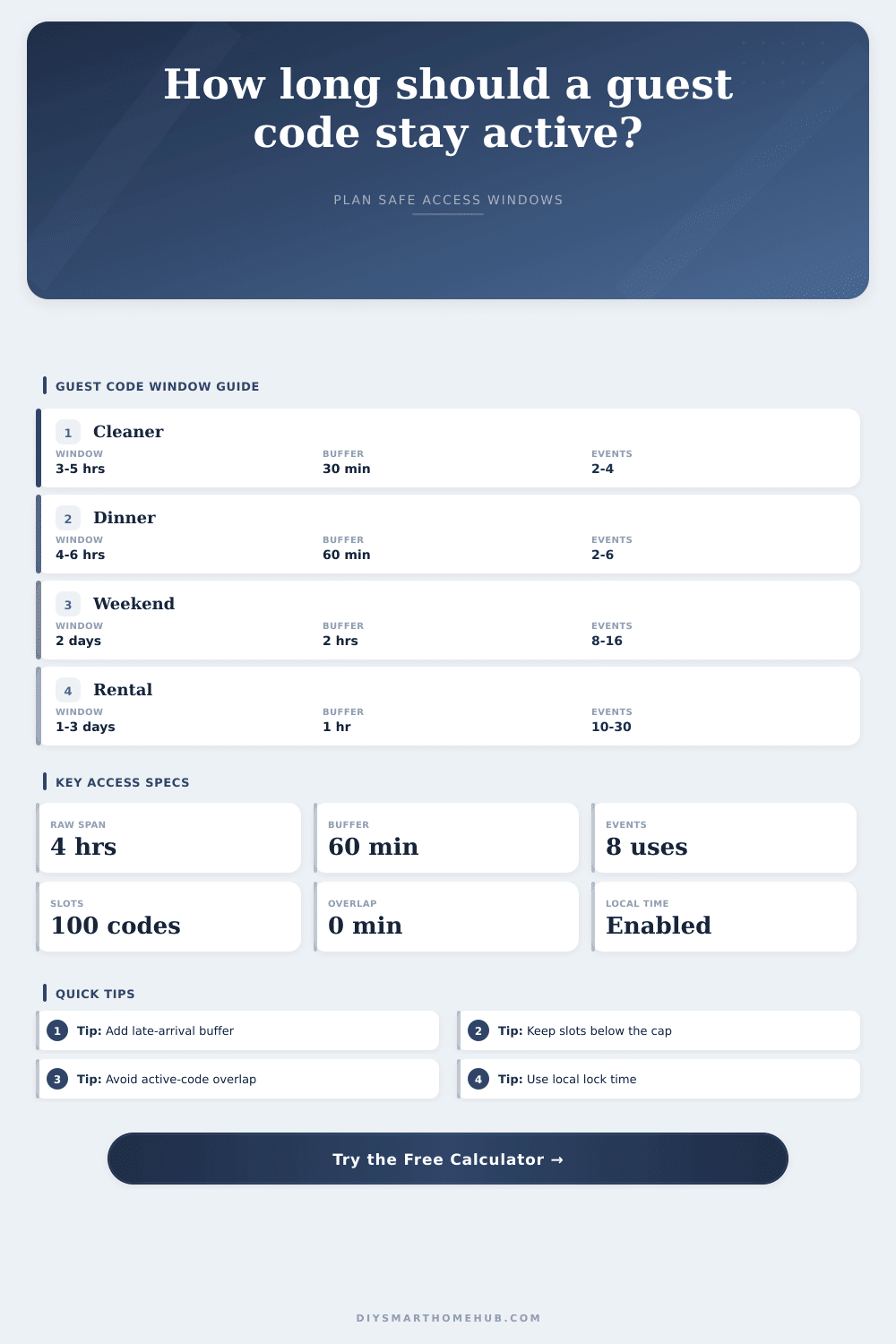
Before adding yet another code, make sure you check what’s already active. People don’t show up exactly when we expect. Sure, there’s traffic. Or maybe they pop out for coffee beforehand. If the code expires right then, you has to keep texting them to let them in. Giving yourself 15-30 minutes before and after (depending on the type of visit) allow for this flexibility.
You don’t need to leave the door open indefinitely. The visit type-specific chart on page shows how much margin is appropriate. For example, you need a narrow window for dog walkers, like one-hour with limited slack. Weekend guests can breathe a little easier, often having a window of multiple days to account for check-out lag time and cleaning service.
This results in lots of problems from homeowners. When one code ends at 5:00 PM and another begins at 5:01 PM, things might not work correctly. If your clocks don’t sync perfectly (clock drift), it might turn into a moment where someone gets locked out. Better to give yourself a small overlap of say ten or fifteen minutes. That way the previous person will always be able to use their code, but they’ll also be gone by the time new person needs theirs. It adds a minute or two of duplicated access, but payoff of reliability is usually enough to make it worth it.
Consider one other thing: how many events happen at a given door. How often do they get used? For most guests at your dinner party, two or three unlocks per guest is typical. Guest arrives, maybe steps out for a bit and leaves. If you give that code to a cleaning crew of four who each come in individually, your event count will soar. It doesn’t actualy unlock the door any more than before (high density isn’t a breaker) but it certainly fills up your audit log with entries and alerts you about unneeded stuff. That’s useful information to help determine whether having one shared code makes sense or if separate ones allows you to see who came in when.
Consider the full lifecycle of that credential. First, test your slots to see if there’s space. Open up the time frame enough to account for travel lag, etc., beyond what is truly required. Examine any overlaps with other codes so they don’t conflict. Tweak from there depending on frequency of door opening. It transforms an annoying head-scratcher into a smooth pass-off.
When these windows become flexible spaces instead of fixed timestamps, life as an access manager gets easy. Instead of fretting over time, you have confidence in the system. You should of checked your slots first to avoid moddern issues. If you want more comfortablty, check for extra space in your lock. This helps when guests arrive later then expected.