Cleaning Session Duration by Area Calculator
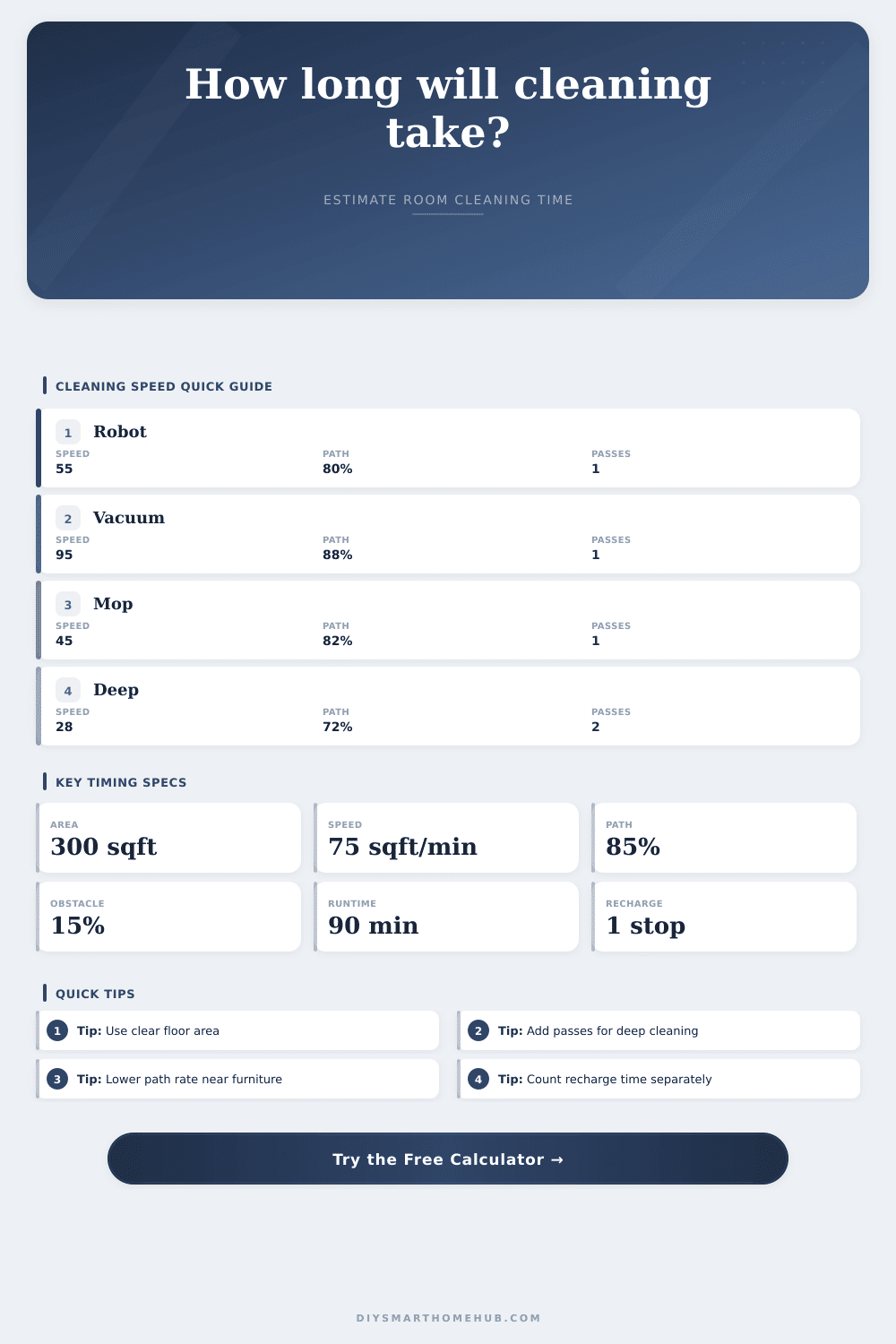
Estimate how long a room, floor, robot route, or whole-home cleaning session will take from floor area, cleaning speed, overlap, obstacles, battery runtime, and recharge pauses.
Formula breakdown
| Cleaning profile | Base speed | Best use | Typical note |
|---|---|---|---|
| Robot vacuum mapping pass | 55 sqft/min | Maintenance vacuuming | Route time rises around chair legs and transitions |
| Upright vacuum open floor | 95 sqft/min | Bedrooms, halls, open carpet | Fastest when furniture is already cleared |
| Cordless stick vacuum | 70 sqft/min | Mixed hard floor and rugs | Runtime may matter more than speed |
| Dry dust mop / sweeper | 80 sqft/min | Hard-floor dust control | Light overlap usually covers the path |
| Wet mop controlled pass | 45 sqft/min | Kitchens, baths, entries | Slower turns and solution changes reduce pace |
| Deep scrub or spot-heavy pass | 28 sqft/min | Tile, grout, stuck-on soil | Multiple passes are common for stubborn zones |
| Carpet extractor pass | 32 sqft/min | Carpet wash or rinse route | Overlap and water recovery make it slower |
| Garage push broom sweep | 110 sqft/min | Large open concrete | Debris piles can add stops after the pass |
| Route condition | Path efficiency | Obstacle penalty | What it means |
|---|---|---|---|
| Clear open floor | 95% | 0% | Long straight passes with almost no turning loss |
| Light furniture | 88% | 8% | Some detours around tables, rugs, or doorways |
| Normal furnished room | 82% | 15% | Typical home layout with edges and small turns |
| Tight route | 74% | 25% | Chairs, baskets, transitions, and detailed edging |
| Dense obstacles | 65% | 35% to 45% | Frequent rerouting, lift points, and manual repositioning |
| Project type | Typical area | Likely profile | Session timing range |
|---|---|---|---|
| Small bathroom or entry | 35 to 70 sqft | Wet mop or deep scrub | 4 to 12 active minutes |
| Bedroom weekly clean | 120 to 220 sqft | Upright or stick vacuum | 3 to 8 active minutes |
| Living room robot route | 250 to 450 sqft | Robot vacuum | 8 to 18 active minutes |
| Apartment floor run | 600 to 900 sqft | Robot or stick vacuum | 18 to 45 active minutes |
| Whole-home maintenance | 1500 to 2400 sqft | Robot, vacuum, or mop | 35 to 120 active minutes |
| Runtime per charge | 45 min active route | 90 min active route | 150 min active route |
|---|---|---|---|
| 30 minutes | 1 recharge | 2 recharges | 4 recharges |
| 60 minutes | 0 recharges | 1 recharge | 2 recharges |
| 90 minutes | 0 recharges | 0 recharges | 1 recharge |
| 120 minutes | 0 recharges | 0 recharges | 1 recharge |
Area
Rectangle, circle, triangle, and direct-area modes convert everything to square feet before timing.
Speed
Each profile starts with a square-foot-per-minute cleaning speed matched to the route type.
Overlap
Pass count and path efficiency increase cleaned coverage and reduce effective speed.
Obstacles
Furniture, tight turns, transitions, and clutter apply a penalty to the effective pace.
Battery
Runtime determines charge sessions; every extra session adds the selected recharge pause.
Sure, you’ve heard all about how a new robot vacuum can sweep your whole house within an hour. But truth is such claims rarely take into account charging breaks, getting jammed on the edge of a rug, and other issues. Speed isn’t always everything. You also has to consider what your floors require and how efficient your cleaner moves through the space.
Chances are most folks estimate based off their home’s square feet, a number that accounts for closets, walls, spaces underneath appliances and more. You’re not going to be able to vacuum all those places anyway, so why go by something called “square footage” when you actualy want to know your true cleaned footprint? That’s what the included calculator will do for you, stop the guesswork needed to find a conversion factor.
How to Estimate Your Cleaning Time
The second source of estimation error is path efficiency. A human vacuums or mops by weaving around furniture legs and turning at doors. We also passes over an area multiple times to ensure nothing was missed, lowering our direct-to-cleaned-area percent of movement. On an open floor, we’re probably about 95% efficient. In an average-furnished room, maybe only about 82%. That’s a significant enough difference (minutes!) that recognizing it prevent us from underestimating how much effort will be involved. As you can see from the reference table on the page, obstacles greatly decrease how fast you’ll be able to move.
There’s also the difference between total elapsed time and active cleaning time. This happens because of recharging pauses and battery life. You may get an hour and a half of continuous cleaning out of a device which would be great. However, with a two-hour recharge in the middle, the session add up to three hours total. This could make a difference when you’re trying to schedule around a specific time. Comparing your desired runtime to your battery capacity and adding in recharge time can help prevent people from being overconfident about what is physically possible.
The numbers change dramatically when you choose a different type of cleaning profile. Vacuuming’s faster than mopping (since you can’t rush a mop without leaving streaks), though grout that holds dirt can drag down the time needed for a good scrub. A stick vacuum might cover ground quickly, but its smaller battery mean more frequent stops. Upright vacuums takes up more space when maneuvering around tight spots, but they cover more ground per minute. The speed ratings show average speed observed in real world under those conditions, taking into account useful tradeoffs.
Now, do you want to focus on the actual time spent working (labor) versus the entire time slot on the calendar? If it’s a weekend project, the total time is most important… Can I get this done by dinnertime? If you’re hiring a pro, then they charges based off their rate times the active minutes they spend cleaning, less the lost margin from recharging time.
So, how do you account for that? Measure just the open floor space, minus any immovable furnitures, and let the calculator calculate the overlaps and work rate. That’s half the fight. The other half is stopping the guessing game and starting to plan. By scheduling this “vague” task, you’ll free up the rest of your day.